2 Yishun Industrial Street 1, #04-11 North Point Bizhub, Singapore 768159
+65 6677 0000
+65 9277 8888
sales@techcom.co
Access Control for Singapore Offices: Essential 2026 Guide
By Techcom Engineering Pte. Ltd.
Published: October 15, 2026 at 01:58 PM
Explore our smart entry setups and find the right Door Access System for your business.
Access control decides who can enter which door, at what time, and with what proof of identity. For a Singapore office, warehouse or commercial building, it replaces the guesswork of physical keys with rules that administrators can change in minutes and review afterwards.
This guide is written for business owners, facility managers, IT managers and operations leaders who are weighing a card access project. It explains how card access systems work, how card access compares with other credentials, what SCDF’s Fire Code says about locks on exit routes, and where the PDPA becomes relevant. It ends with a five-phase checklist you can hand to an installer.
One point up front: this guide separates what the law or an authority requires from what a landlord, client or good practice suggests. Where the answer depends on your building, we say so.
Last reviewed: October 2026. Fire Code editions, PDPC guidance and product specifications change, so confirm current versions before you commit to a design.
What Is Access Control?
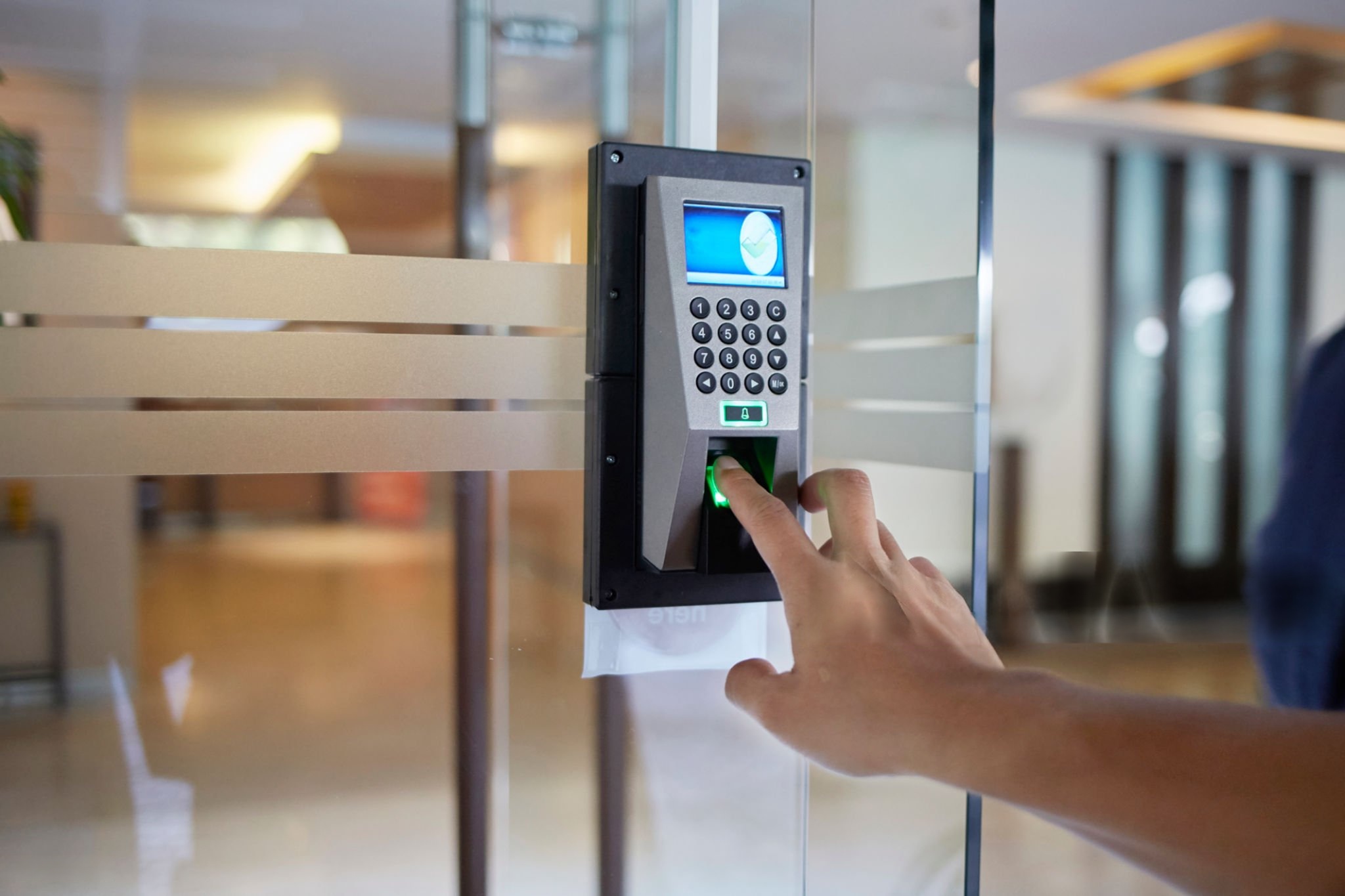
Access control is the process of checking a person’s credential against configured permissions before a door opens. In an electronic system, those permissions can vary by person, door, day and time. An accounts executive might enter the main office from 8 am to 7 pm on weekdays, while the IT manager also holds permission for the server room.
The sections that follow use “card access” to mean the common case where a card or fob is the credential. The same architecture also supports PIN codes, mobile credentials and, in some designs, biometrics.
The five building blocks of an access control system
Component
What it does
What to confirm before buying
Credential (card, fob, PIN, mobile)
Identifies the user
Credential technology and whether it can be copied
Reader
Reads the credential at the door
Compatibility with the credential and controller
Controller (panel)
Holds rules and decides whether to unlock
Doors supported, offline behaviour, event storage
Electronic lock
Secures the door and releases on command
Door type, fail-safe behaviour, fire-code suitability
Management software
Issues credentials, sets schedules, stores logs
User roles, reporting, update process, hosting model
These access control components must work as a set. A strong card paired with a weak controller, or a good lock wired incorrectly, leaves the weakest component as the real security level.
Explore our smart entry setups and find the right Door Access System for your business.
Why Businesses Use Access Control
Businesses adopt access control for practical reasons rather than for technology’s sake.
Restricting sensitive areas. Server rooms, record rooms, stockrooms and finance offices can be limited to the people who need them, while general areas stay open to all staff.
Faster staff changes. When someone leaves, an administrator can disable their credential rather than rekeying locks. Lost cards can be blocked the same day, though the speed depends on how the system is hosted and who has administrator rights.
Access records. Depending on the hardware and software, the system can log successful entries, denied attempts and credential use. These logs help when reviewing an incident, but they only exist if the system was configured to keep them, and they raise personal-data questions covered later in this guide.
Multi-door and multi-site administration. Networked or cloud-managed systems allow one team to manage many doors. The extent of central control depends on the architecture and network design.
How Card Access Systems Work
Card access systems follow the same access control sequence at every door, regardless of brand.
1.The user presents a card or fob. The reader detects the credential using the technology it supports.
2. The system checks permissions. The reader passes the credential data to the controller. Rules may consider the user, the door, the day and the time. Some systems decide locally at the controller, while others rely on a server or cloud platform.
3. The door releases or stays locked. If the credential is valid for that door and time, the controller signals the lock.
4. The event may be logged. Many systems record the credential, door and time, subject to configuration and storage limits.
The detail worth asking an installer about is step 2. If the controller makes decisions locally, doors can keep working when the network drops. If decisions depend on a central server, a network fault can change how doors behave. Ask what each door does when the network, server or internet connection is unavailable.
Card Access vs Other Credentials: Which Suits Your Business?
No single access control credential is best for every site. The right choice depends on who uses the door, how often, and what is behind it.
Credential
Best suited to
Main limitations
Access card
Offices where staff already carry ID badges
Can be lost; security depends on card technology
Key fob
Users who prefer a keyring item
Same dependency on card technology; easy to misplace
PIN code
Low-risk doors or as a second factor
Codes can be shared or observed
Mobile credential
Organisations comfortable managing phones and apps
Depends on user devices, app support and reader compatibility
Biometric
Higher-risk areas where a credential must be tied to a person
Neither a card nor a fob is automatically more secure than the other. What matters is the technology inside the credential, how the system is configured, and how quickly lost credentials are disabled.
For higher-risk rooms, some organizations combine two factors, such as a card plus a PIN. This should follow a risk assessment rather than being added by default.
Card Technology: Why the Chip Inside Matters
Two cards that look identical can offer very different protection. This is the most overlooked decision in card access projects.
Legacy 125 kHz proximity cards broadcast a fixed identification number. Independent testing by the security-research publication IPVM found that a card copier costing about US$30 could duplicate popular 125 kHz formats, including HID Prox and EM4100, and that the copies appeared identical to the system. Because these cards carry no encryption, a copy works anywhere the original works.
13.56 MHz smart cards vary. MIFARE Classic has published cryptographic weaknesses. A 2023 academic survey notes attacks against all generations of MIFARE Classic cards. Newer credentials such as MIFARE DESFire use AES encryption and mutual authentication between card and reader, and the same survey describes DESFire as state of the art, while noting that older DESFire EV0 had a known attack.
For a Singapore business, the practical implication is simple. When specifying card access systems, ask the installer which credential technology the reader and cards use, whether the cards use encryption and authentication, and whether the system is compatible with an upgrade path. Treat “proximity card” as a description of how the card is read, not as a statement about how secure it is.
Product capabilities vary by manufacturer and generation, so confirm specifications with the vendor rather than relying on a general label.
Secure your premises for less by browsing our latest Door Access Promotions to find cost-effective packages for your office or property.
Locks, Exit Routes and the SCDF Fire Code
A door that is secure but cannot be opened in a fire is a life-safety problem. In Singapore, the main reference is SCDF’s Code of Practice for Fire Precautions in Buildings (Fire Code), currently the 2023 edition, whose Clause 2.3 deals with means of escape requirements.
The Fire Code addresses access control on exit routes directly. The points below summarise what the published clauses say. They are not a substitute for the Code itself, the approved plans for your building, or advice from your fire safety professional.
• Electromagnetic and electromechanical locks on exit doors. Where these are used on an exit access door or exit door (excluding revolving doors and doors to residential units), the Code sets specific requirements in its tables. The Code defines such a device as a fail-safe device, meaning it is designed to unlock automatically in a fire, and its definition also covers power failure and faults in the locking components.
• Connection to the fire alarm. The Code states that locking devices on doors in the escape path are to be connected directly to the building’s automatic fire alarm system so that they release. It restricts linking that release through other systems, such as access control or building management systems, unless SCDF permits otherwise through a waiver.
• Digital locksets. Where a digital lockset is installed on an exit door or exit access door, it must have mechanical fail-safe features on the non-secure side that do not depend on electrical power, so occupants can still leave.
• Tenanted spaces. The Code includes separate provisions for access control belonging to tenanted spaces, and release requirements differ by door type, such as common-area doors, staircase doors and doors within a tenant’s unit.
• Features not covered by the Code. The Code states that access and exit facilities not specifically covered shall not be used without SCDF approval.
What this means in practice: the release logic for locks on exit routes should not depend on the access control software or network. Who designs the fire-alarm interface, and who confirms it complies, should be settled before installation begins. Alterations that affect escape routes may also trigger submissions to the authorities. Whether this applies to your project depends on the building, the scope of work and the doors involved, so confirm with the building owner or management office and your fire safety consultant before work starts.
Rule, guidance or good practice? A quick reference
Topic
Type
Who it comes from
Notes
Fail-safe locks on exit and exit access doors
Regulatory requirement under the Fire Code
SCDF
Specifics vary by door type and premises
Mechanical fail-safe on digital locksets
Regulatory requirement under the Fire Code
SCDF
Applies to exit and exit access doors
Landlord approval for works on doors
Property-specific requirement
Landlord or building management
Check your lease and the building’s fit-out rules
Handling of biometric data
Guidance reflecting the PDPC’s stance
PDPC
Guide is not legally binding, but PDPA duties still apply
Moving from 125 kHz to encrypted cards
Recommendation
Security practice
Not a legal requirement
Keeping logs for a set period
Depends on your policy and PDPA considerations
Your organisation
No general retention period is stated in this guide
Access Logs, Personal Data and the PDPA
An access log that records which named employee opened which door at what time is information about an identifiable person. Singapore’s Personal Data Protection Act 2012 (PDPA) may therefore be relevant to how the business collects, uses, protects and retains it. The PDPC publishes guidance on obligations, and organizations should check current requirements rather than rely on this summary.
Biometric systems deserve particular care. In May 2022 the PDPC published its Guide on the Responsible Use of Biometric Data in Security Applications, aimed at organisations such as building owners, management corporations and security services companies. The Guide is not legally binding, but it reflects the PDPC’s position. It discusses risks such as spoofing and errors in identification, and recommends measures organizations can consider when buying or designing biometric systems.
Practical steps for any access control project:
• Decide who can view and export logs, and record that decision.
• Set a retention period that matches a documented purpose.
• Tell staff what is collected and why.
• Secure administrator accounts and the server or cloud account holding the data.
• Ask whether biometrics are needed at all, or whether a card plus PIN meets the risk.
Deployment Options: Standalone, Networked and Cloud-Managed
Option
Best for
Advantages
Limitations
Standalone (single-door)
One or a few doors in a small office or store room
Simple setup; lower dependency on networks
Manual updates at each door; limited reporting
Networked (on-premises server)
Multi-door offices and buildings
Central permissions and logs; local control
Needs IT involvement, server upkeep and backups
Cloud-managed
Multi-site organisations or those without on-site IT
Remote administration; less hardware to maintain
Subscription costs, internet dependency, data-hosting questions
Whichever you choose, confirm three things in writing: how doors behave offline, how event logs are stored and synchronized after an outage, and who is responsible for software updates and security patches.
Planning an Access Control Installation
Map the doors and the people
List every door that needs access control, who uses it, and when. Separate perimeter doors, internal restricted rooms and doors that serve as fire exits. This list drives the number of readers, controllers and locks and highlights doors that need a Fire Code review.
An exhaustive layout mapping process serves as the technical foundation for your hardware architecture, procurement schedule, and system scheduling loops. Security teams must map every physical opening to create a comprehensive matrix detailing user personas, high-traffic shifts, and operational schedules. Perimeter entry points require hardened authentication mechanisms to withstand external vectors, while internal spaces like server rooms, cash vaults, and executive suites demand isolated multi-factor zones. Crucially, tracking how traffic moves across designated emergency paths ensures your layout remains structurally safe. For locations governed by strict local mandates, verifying these layouts against the SCDF Means of Escape Fire Code Regulations is required. This technical mapping determines your ultimate reader counts, processing controller relays, lock configurations, and structural path designs.
Check the existing doors and the premises
Not every lock suits every door. Frame construction, door material, fire-rated doors and existing hardware all affect what can be fitted. If you lease your premises, your landlord or building management may have rules about alterations to doors or shared areas. Those rules are contractual and vary by building.
A physical site survey is required to evaluate structural compatibility before purchasing any electronic locking hardware. Frame materials (such as hollow metal, aluminum storefronts, or frameless glass) directly dictate whether you can use magnetic locks, electronic strikes, or heavy-duty motorized mortise locks. Modifying fire-rated doors requires extreme caution, as drilling or cutting can instantly void their safety certification. To protect your structural integrity, you must verify installation plans against global benchmarking standards such as the Intertek Product Fire Rating Certifications. Tenants in commercial commercial buildings must also coordinate early with property management. Alterations to perimeter boundaries or common corridors often fall under strict lease agreements and require explicit approval from the MCST (Management Corporation Strata Title) to prevent costly structural reinstatement penalties.
Evaluate credential and system security
For any access control purchase, ask about card technology, encryption, administrator permissions, software updates and how lost credentials are disabled. For networked or cloud systems, ask how accounts are protected and how the vendor handles security incidents. IT managers should be involved from the start.
Modern access platforms must be evaluated as critical network infrastructure rather than simple physical hardware. Legacy 125 kHz proximity cards lack encryption and can be easily cloned using cheap, off-the-shelf hacking tools. This vulnerability makes upgrading to cryptographic smart cards or encrypted mobile credentials running advanced Bluetooth/NFC protocols an operational necessity. System administrators should closely evaluate how the software handles data at rest, role-based access controls (RBAC), patch management, and immediate credential revocation workflows. To ensure your platform aligns with modern data privacy frameworks, cross-reference your architecture against the PDPC Advisory Guidelines on Selected Topics. Involving internal IT security teams early helps confirm that cloud or networked systems support Multi-Factor Authentication (MFA), single sign-on (SSO), and secure API endpoints to protect against external network intrusion.
Consider integration, including CCTV
Many systems can connect with visitor management, time and attendance, alarms and video surveillance, but compatibility depends on the products chosen. One common use is linking a door event to a camera view so that a denied or forced entry can be reviewed alongside video. Confirm that the specific access control and CCTV products support the integration you want before you buy either.
Unifying disparate physical security platforms transforms isolated logs into actionable business intelligence. Creating a direct programmatic link between access control events and IP video management systems (VMS) allows security teams to instantly cross-reference digital data with real-time visual proof. When a “door forced open” or “access denied” alert triggers, the integrated system automatically bookmarks the corresponding camera feed, instantly displaying the event on the security dashboard. To prevent proprietary vendor lock-in and ensure seamless interoperability across brands, check that your chosen hardware conforms to global interoperability standards like the ONVIF Profile Specs for Physical Access Control. Confirming deep API compatibility and open protocol standards prior to procurement saves significant middleware integration costs later on.
Plan for maintenance and support
Access control readers, locks and power supplies are physical components that can fail. Ask about warranty terms, response arrangements, software updates, spare parts and what happens to the system if the vendor stops supporting a product.
Physical security infrastructure is subject to constant mechanical wear, environmental exposure, and electronic stress. Deploying these systems requires a proactive, long-term life cycle maintenance program rather than a reactive fix-on-failure approach. Backup batteries inside power supply enclosures must be tested routinely to ensure the property stays secure during power outages. Similarly, electric locks require regular alignment checks to prevent binding issues. To align your system upkeep with global enterprise standards, refer to frameworks like the SIA Physical Security Standards Guidance. Establishing comprehensive Service Level Agreements (SLAs) with your integration partner ensures guaranteed response windows, predictable software update paths, immediate access to critical spare parts, and a clear roadmap if components face unexpected end-of-life (EOL) cycles.
Understand what drives cost
Pricing varies too much to quote a reliable figure here. The main drivers are:
the number of doors and the door type: Total hardware costs scale directly with the number of entry points, but structural variations introduce significant cost differences. Standard wooden office doors can typically be prepped quickly using lower-cost magnetic locks or electric strikes. Conversely, architectural frameless glass doors, heavy-duty fire-rated exits, or secure aluminum storefronts require specialized, high-grade architectural hardware and significantly more labor-intensive preparation.
credential technology and the number of users: Standard proximity cards have a low initial cost but present severe security risks. Modern setups lean toward high-frequency cryptographic smart cards or mobile credentials utilizing secure digital keys. While mobile access eliminates physical card replacement issues, it shifts expenses to user-based software licensing. For a detailed breakdown of user provisioning and modern token costs across identity management networks, consult the Microsoft Identity Access Management Guide.
lock type and any fire-alarm interface work: Basic magnetic locks are affordable to buy but require integration with your building’s fire panel to meet safety laws. Motorized, multi-point mortise locks offer superior physical security but come with a higher price tag. Additionally, you must factor in specialized electrical labor fees for certified technicians to bridge the access control system with local emergency drop-out lines. Ensure these configurations align with local regulatory frameworks, such as the electrical safety guidelines detailed in the SIA Physical Security Industry Guidelines.
cabling and power requirements: Running physical cables through concrete structures, plenum-rated ceilings, or across large facilities can often match or exceed the cost of the actual security hardware. Power supplies also require dedicated battery backups to remain operational during blackouts. To optimize your technical design and better estimate your infrastructure and wiring investments, you can review network cabling standards outlined in the Cisco Campus Network Architecture Guide.
software licensing or cloud subscription: Traditional on-premises systems involve higher upfront perpetual license fees paired with ongoing software maintenance agreements. Modern cloud-managed deployments lower initial capital costs but require recurring monthly or annual operational subscriptions. These fees scale based on the number of active doors, concurrent user profiles, and how long you need to store activity logs.
Integration with other systems: Basic, standalone access setups are straightforward to deploy. However, linking your access logs to an existing Video Management System (VMS), human resource directory (Active Directory/HRMS), or time-and-attendance platform requires specialized software integration. You must account for custom API access charges, software middleware fees, and developer configuration hours.
maintenance and support terms: Long-term system performance relies on your chosen Service Level Agreement (SLA). Basic next-business-day phone support is affordable, but 24/7 emergency physical response windows with guaranteed replacement parts on-site carry a premium. Emergency support terms vary significantly based on your organization’s risk tolerance.
Common Planning Mistakes
Choosing the lock before checking exit-route rules for access control doors: Fire Code requirements for fail-safe release should shape the design, not be retrofitted. Selecting a heavy-duty locking mechanism solely based on its physical strength can lead to severe compliance failures if it restricts a designated egress pathway. For projects subject to local life safety inspections, failure to plan for immediate egress can cause costly construction delays or building layout reinstatements. Security teams must integrate emergency drop-out pathways early by checking their engineering plans against the SCDF Means of Escape Fire Code Regulations to ensure all locks release automatically upon fire alarm activation.
Assuming all cards are equal: Cheap 125 kHz credentials may be convenient but offer little protection against copying. These legacy proximity cards transmit their internal facility codes entirely in plaintext without any encryption layer, making them highly vulnerable to pocket-sized cloning devices available online. To prevent unauthorized credential duplication, organizations should utilize secure smart card layouts that enforce mutual authentication and cryptographic key structures. For a deeper look at modern encryption standards across physical tokens, review the credential definitions in the SIA Physical Security Industry Guidelines.
Skipping the offline test: An access control system that works in the demonstration may behave differently when the network is down. Administrators must explicitly verify how local edge controllers process transactions if they lose connection to a cloud dashboard or central server. A properly engineered system must fall back onto its localized database cache—continuing to grant or deny access based on cached rules—rather than locking users out or opening all doors completely. Testing these fail-secure network states early ensures business continuity during a widespread network outage.
No leaver process: An access control system helps only if someone removes credentials when staff leave. Leaving an inactive credential active in the user directory creates a direct insider threat vector that compromises your physical perimeter. Organizations must establish a strict offboarding workflow that links human resource management software directly with security databases. Implementing automated identity lifecycles prevents forgotten keycards from being used weeks or months after an employee departs.
Over-permissioned users: Giving everyone access to everything defeats the purpose of the system. Granting global administrative access or master-key privileges to standard staff members increases your overall risk profile and makes internal tracking difficult during an incident. Organizations should strictly enforce the Principle of Least Privilege (PoLP) by designing distinct role-based access control (RBAC) groups. This setup ensures personnel only hold authentication rights to the specific zones and time frames required to fulfill their daily duties.
Ignoring personal data: Logs and biometric templates need owners, retention rules and secure storage. Physical tracking systems capture granular timestamps, movement histories, and highly sensitive unique biological data that fall directly under strict data privacy regulations. Compliance teams must treat this data with the same rigorous care as digital financial records. To establish proper corporate governance, review the strict security and disposal rules outlined in the PDPC Advisory Guidelines on Selected Topics.
Buying without an upgrade path: Check whether readers, controllers and software can expand to more doors or newer credentials. Purchasing closed, highly proprietary hardware ecosystem components locks your business into a single vendor’s price changes and limited product roadmap. To protect your initial equipment investment as your company grows, confirm that all procurement plans favor open-architecture hardware that adheres to global connectivity frameworks like the ONVIF Profile Specs for Physical Access Control.
Are Card Access Systems Right for Every Business?
Not necessarily. A small office with one door may do well with a standalone unit. A multi-tenant building may need centralised administration and more than one credential type. Facilities holding highly sensitive assets may add multi-factor authentication or guards.
Electronic access control is also not something this guide found to be mandated for offices in general. Requirements usually come from landlords, clients, sector regulators, insurers or internal policy, so check what applies to your sector and premises.
Access Control Checklist for a Card Access Project
Phase 1: Planning
• List all doors and mark which are exit routes or fire-rated.
• Define user groups, access hours and visitor or contractor needs.
• Name an owner for the system and for its data.
Phase 2: Preparation
• Review your lease and building rules for door alterations.
• Request itemized quotations covering hardware, software, installation and support.
• Ask each vendor about credential technology, encryption and offline behavior.
Phase 3: Approvals and design
• Have your fire safety professional review lock types and fire-alarm interfaces for exit doors.
• Obtain landlord or building management consent where required.
• Confirm whether any authority submission applies to your scope of work.
Phase 4: Installation
• Agree a work schedule that avoids disrupting operations.
• Confirm the release path to the fire alarm is independent of access control software.
• Enroll users and set permissions on a least-access basis.
Phase 5: Testing and handover
• Test every door in normal, power-fail and network-fail conditions.
• Test fire-alarm release with the responsible parties present.
• Record administrator accounts, log retention settings and support contacts.
• Train administrators on issuing, disabling and reviewing credentials.
Next Step: Scope Your Access Control Project
A sound access control design begins with a door-by-door assessment of users, risks, exit routes and building rules, then selects credentials, locks and software to match. If you want a site assessment or an itemized proposal, [Internal Link: Access Control Installation Services in Singapore] is the place to start.
Attempting to design a physical security framework without mapping how individuals interact with physical openings can leave serious gaps in your corporate protection. A thorough site survey helps businesses choose the right components—balancing physical security with everyday usability and legal compliance. Security teams must ensure that their chosen card readers, digital processing panels, and electronic locks work together seamlessly under a unified management dashboard while adhering strictly to life safety guidelines to guarantee safe egress during an emergency.
Ready to secure your premises with a professional, fully compliant security architecture? Take the guesswork out of your planning and Contact Techcom Engineering Pte Ltd or talk to our experts today to book your comprehensive site assessment and receive an itemized proposal tailored specifically to your facility.
Frequently Asked Questions
Does every Singapore office need electronic access control?
This guide did not find a general rule requiring every office to install access control. Obligations typically arise from landlords, clients, sector regulators or internal policy, so check what applies to your premises and industry.
Can card access systems be copied?
It depends on the card technology. Legacy 125 kHz proximity cards carry a fixed, unencrypted ID and have been shown to be copyable with inexpensive devices. Encrypted 13.56 MHz credentials are considerably harder to copy, but no technology removes the need for good lost-card procedures.
Will doors still work if the network or internet fails?
That depends on the architecture. Some controllers decide locally and keep working, while others rely on a server or cloud service. Ask for the offline behaviour of each door type in writing, and test it.
Do electronic locks on fire exits need special arrangements?
Yes. SCDF’s Fire Code sets requirements for access control on exit and exit access doors, including fail-safe release and connection to the fire alarm system. Confirm details for your building with your fire safety professional.