Essential Items Every Small Business Owner Needs to Succeed

Essential Items Every Small Business Owner Needs to Succeed

By Techcom Engineering Pte. Ltd.

Published: February 06, 2026 at 01:52 PM

Happy small business owner standing behind the counter with a POS system

Running a small business requires more than passion and a great product. You need the right tools to manage transactions, track inventory, and deliver seamless customer experiences. From choosing the best POS system to securing reliable payment terminals, having the proper equipment can mean the difference between struggling daily and scaling efficiently. This guide covers the essential items that form the foundation of successful small business operations.

Finding the Best POS System for Your Business

Your point-of-sale system serves as the central nervous system of your business operations. The best POS system does far more than process payments. It manages inventory, tracks sales patterns, stores customer data, and generates reports that inform your business decisions.

Modern POS systems integrate hardware and software into a unified platform. When evaluating options, consider systems that accept multiple payment methods, including chip cards, contactless payments, and digital wallets like Apple Pay and Google Pay. Cloud-based solutions offer distinct advantages over legacy systems. They provide remote access to your data, automatic updates, and protection against hardware failures.

Industry-specific systems provide tailored features that generic solutions cannot match. EPOS Singapore dominates the restaurant space with table management and menu customization. 
When selecting your POS system, evaluate your business model first. A food truck needs mobility and a long battery life. A boutique requires robust inventory management. A service business prioritizes appointment scheduling. Match the system capabilities to your actual workflow rather than choosing based on brand recognition alone.

Payment Terminals That Keep Transactions Moving

Payment terminals represent your most frequent customer touchpoint. The right terminal processes transactions quickly while supporting every payment method your customers prefer. Poor terminal choices lead to slow checkout lines, frustrated customers, and lost sales.

Countertop terminals work best for businesses with fixed checkout locations. These devices connect via Ethernet or Wi-Fi and typically include EMV chip readers, magnetic stripe readers, and contactless payment capabilities. Pricing ranges from 100 to 300 dollars, depending on features and brand. The Verifone and Ingenico brands offer reliable countertop options with strong security features.

Mobile terminals give you the flexibility to accept payments anywhere in your store or at customer locations.

Smart terminals like mobile POS blend payment processing with full POS functionality in a single device. They run dedicated software for inventory management, customer profiles, and sales reporting. While more expensive initially, smart terminals reduce the need for separate computers or tablets, potentially saving money for businesses with limited counter space.

Virtual terminals deserve consideration if you process phone or mail orders. These software-based solutions let you manually enter card information through a computer or tablet. They charge slightly higher rates for card-not-present transactions but provide essential capabilities for service-based businesses.

Security features should influence your terminal selection heavily. Look for end-to-end encryption, PCI compliance, and EMV certification. These protections guard against data breaches and fraud, protecting both your business and your customers.

Core Hardware That Supports Daily Operations

Beyond your POS system and payment terminal, several hardware items prove essential for efficient operations. A reliable receipt printer prevents customer service issues and provides proof of purchase. Thermal printers offer the fastest printing speeds and lowest operating costs since they require no ink cartridges. Budget between 100 and 300 dollars for a quality model.
Barcode scanners accelerate checkout and reduce pricing errors. For retail environments with high transaction volumes, a dedicated scanner pays for itself quickly through improved speed and accuracy. Bluetooth scanners provide mobility for inventory counts and receiving shipments.

Cash drawers remain relevant even as card payments dominate. Many customers still prefer cash, and your drawer protects currency between deposits. Choose a model that integrates with your POS system for automatic opening when transactions are complete.
Label printers streamline shipping for e-commerce businesses and product labelling for retailers. Desktop models from companies like Dymo and Rollo eliminate the need for expensive ink and provide professional-looking labels instantly. These printers typically cost between 100 and 250 dollars.

A business computer or tablet manages your back-office functions. You need reliable hardware for inventory management, accounting, email, and online research. The device need not be cutting-edge or expensive, but it must be dependable. Unexpected computer failures disrupt operations and cost more to resolve than the proper equipment costs upfront.

Digital Infrastructure for Modern Business

Your website serves as your digital storefront and often provides the first impression potential customers form of your business. Professional web design matters significantly, but functionality matters more. Your site must load quickly, display properly on mobile devices, and make key information easy to find.

E-commerce platforms like Shopify, WooCommerce, and Big Commerce enable online sales with secure payment processing built in. These platforms handle technical complexities like SSL certificates and payment card industry compliance, letting you focus on products and marketing.

A professional email using your domain name also adds credibility that generic email addresses cannot match. Google Workspace and Microsoft 365 provide business-grade email along with calendar, document storage, and collaboration tools. The monthly cost ranges from 6 to 20 dollars per user.

On a non-customer-facing front, accounting software transforms a dreaded task into a manageable routine. Programs like QuickBooks and Xero connect directly to your bank accounts and POS system, automatically categorizing transactions and generating financial reports. This automation saves hours each month and ensures accurate records for tax filing.

Inventory management software also prevents stock outs and overordering, helping save unnecessary costs. For businesses selling physical products, real-time inventory tracking across multiple sales channels prevents overselling and identifies fast-moving items. Many modern POS systems include inventory features, eliminating the need for separate software.

For small business owners who want to stay on top of the latest tech tools, apps, and smart devices, Your Tech Compass offers practical, jargon-free reviews and guides to help you make smarter buying decisions.


Business Essentials Beyond Technology

coverage guards against customer injury claims. Property insurance covers equipment and inventory. Cyber liability insurance has become increasingly important as data breaches affect businesses of all sizes. Work with an insurance agent who understands small business needs to build appropriate coverage.

Legal support helps navigate contracts, regulations, and compliance requirements. While keeping a law firm on retainer proves too expensive for most small businesses, having access to legal templates and occasional consultation prevents costly mistakes.
Quality packaging materials enhance customer experience and protect products during shipping. Branded packaging creates memorable unboxing experiences that encourage social sharing and repeat purchases. Mailers, boxes, tissue paper, and thank you cards cost little individually but combine to create a professional presentation.

Storage and organisation systems prevent chaos as inventory grows. Shelving units, storage bins, and labelling systems keep products accessible and trackable. Disorganised inventory leads to picking errors, difficulty finding items, and inaccurate stock counts.

Making Smart Investment Decisions

Start with essentials and expand as revenue grows. Many businesses fail by over-investing in equipment before proving their business model. A basic POS system, a reliable payment terminal, and minimal hardware can support substantial revenue while you learn what your business truly needs.

As a business owner, one must research extensively before purchasing. Read reviews from businesses similar to yours. Request demos from multiple vendors. Calculate the total cost of ownership, including processing fees, monthly subscriptions, and hardware replacement over three to five years. The cheapest option often costs more long-term through higher transaction fees or limited functionality.
Another point to note is to consider scalability in every purchase. Your needs will change as you grow. Systems that work perfectly for a single location become limiting when you open a second store. POS systems and payment terminals should accommodate future expansion without requiring complete replacement.

Prioritize integration capabilities. Equipment that connects seamlessly with your other systems saves time and reduces errors. Your POS system should integrate with your accounting software, e-commerce platform, and email marketing tools. Data flowing automatically between systems eliminates duplicate entry and provides complete business visibility.

Building Your Essential Business Toolkit

Success in small business comes from combining quality products with efficient operations. The essential items outlined here create the foundation for professional service delivery and sustainable growth. Your POS system manages transactions and provides business insights. Payment terminals keep checkout moving smoothly. Supporting hardware and software automate repetitive tasks and maintain accurate records.

Investment in proper equipment pays dividends through improved efficiency, better customer experiences, and data-driven decision-making. Start with the core essentials, choose quality over the cheapest options, and expand your toolkit as your business grows. The right tools transform daily challenges into manageable routines, freeing your time and energy for what matters most: building your business and serving your customers.

Ultimate Guide in Choosing the Right Server Rack in Singapore 2026

Ultimate Guide in Choosing the Right Server Rack in Singapore 2026

By Techcom Engineering Pte. Ltd.

Published: January 9, 2026 at 10:34 am

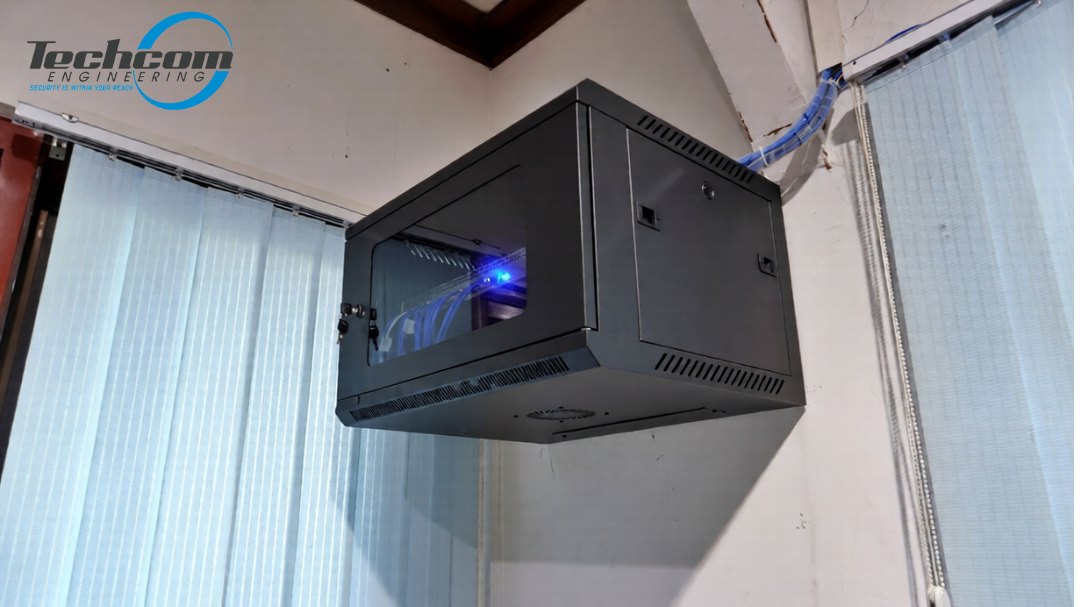
Wall-mounted server rack in Singapore office showing organized IT equipment and cable management

Shop high-quality Server Rack trusted across Singapore.

Server racks are the backbone of any organised IT setup — whether in data centres, server rooms, network closets, CCTV infrastructure, communication rooms, or office networks. In Singapore’s high-density commercial and industrial environments, where space is limited and reliability is critical, choosing the right server rack system is not just about storing equipment neatly. It directly affects cooling efficiency, physical security, ease of maintenance, system scalability, and long-term operational costs.

A well-designed server rack layout helps prevent overheating, reduces cable clutter, protects valuable hardware, and makes future upgrades far easier. On the other hand, poor rack planning can lead to frequent downtime, difficult troubleshooting, and costly equipment failures — issues that no business can afford in today’s always-connected environment.

Whether you are setting up a small office network, upgrading a CCTV monitoring room, expanding a telecom closet, or planning a full server room installation, understanding how server racks work and how to choose the right type is essential to building a stable and future-ready IT infrastructure.

In this guide, we’ll walk you through everything you need to know about server racks — from understanding what they are and why they matter, to choosing the right rack type for your space, planning proper airflow and cabling, and selecting reliable server rack solutions available in Singapore to support your next IT, CCTV, or network rollout.

What This Guide Will Cover


This article will help you understand:

• What a server rack is and why it’s essential for modern IT systems

• Differences between rack types — open frame, enclosed cabinets, wall-mount

• Industry usage scenarios — data centers, telecom closets, office and CCTV setups

• How to select the right rack based on space, load, cooling, and scalability

• Best practices for planning, cabling, and airflow

• Server rack products you can buy in Singapore

What Is a Server Rack? A Simple Explanation

A server rack is a strong metal frame or enclosed cabinet used to safely store and organize IT and network equipment in one central place. It protects devices, supports proper airflow, and allows easy access for maintenance. Server racks are commonly used in offices, data centers, schools, and commercial buildings to keep technology systems neat, secure, and well-managed.
A server rack can hold many important components, including:
Servers – The main computers that store data, run applications, and manage business systems.


• Routers and network switches – Devices that connect computers, CCTV cameras, and other equipment so data can move quickly and reliably across the network.


• Patch panels – Connection boards where network cables are neatly terminated, making it easier to manage, label, and troubleshoot wiring.


• Storage devices (NAS or storage servers) – Used to store backups, video recordings, and shared company files.


• CCTV recorders (NVR or DVR) – Equipment that records and stores video footage from security cameras.


• UPS (Uninterruptible Power Supply) – Backup power units that keep systems running during power interruptions and protect equipment from sudden shutdowns.


• Cable management accessories – Trays and organizers that guide cables properly to improve airflow and keep the rack tidy.


Most server racks follow the 19-inch industry standard, which allows equipment from different brands to fit securely. Equipment height is measured in rack units (U), where 1U equals 1.75 inches. Common rack sizes include 12U, 24U, 32U, and 42U, making it easy to choose the right rack based on current equipment and future expansion needs.

By organizing equipment vertically and securely, server racks help improve airflow, reduce cable clutter, and protect valuable devices, resulting in better performance, easier maintenance, and a more reliable setup for IT networks, CCTV systems, and telecommunications infrastructure.

For reliable and professional network setups, You may also check out our complete Fiber Cabling solutions in Singapore.

“IT professional teaching colleague about server rack setup and installation

Need help choosing the right Server Rack? Contact us for expert advice and a free quotation.

Why You Need a Server Rack?

Professional Organization and Cable Management

Without a proper server rack, IT and network equipment can quickly become messy. Cables get tangled, devices are placed randomly, and even simple troubleshooting can take much longer. This increases the risk of connection problems, overheating, and accidental disconnections.

A server rack helps keep everything properly arranged by providing:

Vertical equipment mounting – Devices are stacked neatly, saving space and improving airflow.

• Structured cable routing paths – Cables are guided through proper channels to prevent tangling and damage.

• Patch panel installation – All network cables are organized in one place, making it easier to manage and upgrade.

• Clear labeling and tidy layout – Technicians can quickly identify and fix issues without disturbing other connections.

With better organization and airflow, your network becomes more stable, easier to maintain, and less likely to experience downtime, which is critical for business operations, CCTV systems, and internet connectivity.

Better Cooling and Airflow

All electronic equipment produces heat while operating. If this heat is not released properly, devices can overheat, slow down, or even fail over time. Poor ventilation also shortens the lifespan of servers and network equipment.

Server racks are built to support effective cooling by providing:

Front-to-back airflow design – Cool air enters from the front and hot air exits from the back, following standard equipment airflow patterns.

Compatibility with room air-conditioning and data center cooling systems – Racks work together with HVAC systems to maintain stable operating temperatures.

Ventilated doors and fan tray support – Allows hot air to escape faster and improves airflow inside the rack.

With proper airflow management, equipment stays cooler, runs more efficiently, and performs reliably even under heavy workloads, helping to prevent costly breakdowns and system interruptions.

Physical Security

Server racks not only organize equipment, but also help protect it from physical risks. In offices, schools, and shared technical rooms, devices can be exposed to accidental bumps, dust, moisture, or unauthorized handling.
Many rack cabinets are designed with built-in security features, such as:

Lockable front and rear doors – Prevent unauthorized access to servers and network devices.

Lockable side panels – Protect equipment from tampering and accidental contact.

• Strong, reinforced frames – Support heavy equipment safely and reduce vibration or movement.

These security features help protect critical systems from damage and misuse, making server racks especially important in public areas, shared offices, and commercial environments where equipment safety and reliability are a priority.

Scalability and Future-Proofing

As your business grows, your network and IT equipment will also increase over time. Without proper planning, adding new devices can become difficult, messy, and expensive.

Server racks are designed to support future expansion by offering:

Standard rack unit (U) sizing – Makes it easy to add or replace equipment without changing the entire setup.
• Adjustable mounting rails and shelves – Allows different device sizes and layouts to fit properly.
• Extra space for future equipment – Helps you plan for upgrades without overcrowding the rack.

With a scalable rack system, you can upgrade your infrastructure gradually and cost-effectively, without major reinstallation work, ensuring your IT, CCTV, and network systems are ready for future business needs.

Types of Server Racks You Should Know

Depending on your setup, space, and requirements, different rack styles serve different purposes.

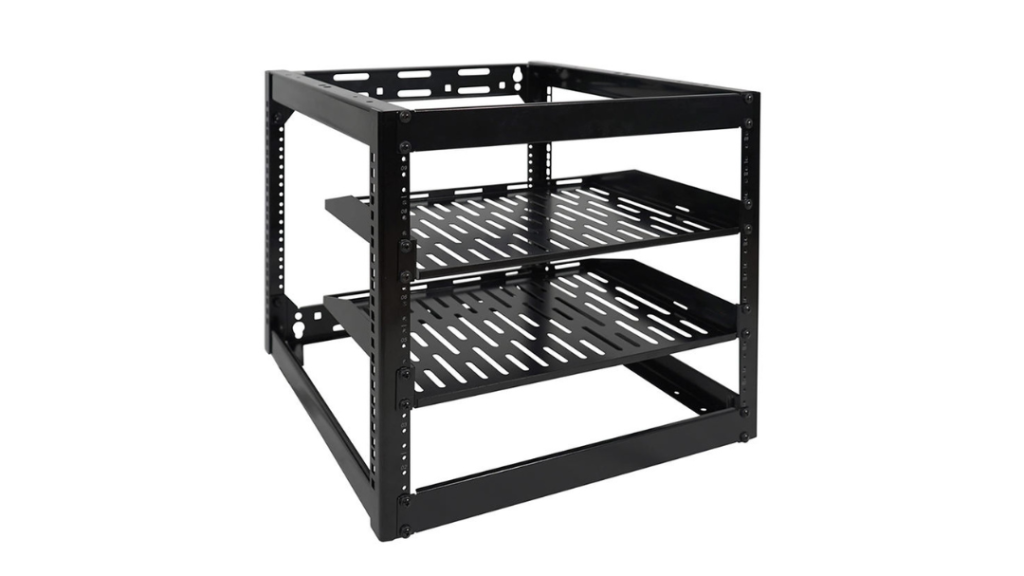
open frame server rack

Open Frame Racks — Simple and Accessible

Open frame racks are basic steel frames without doors or side panels. They’re perfect when:

• You have a controlled environment

• Security is not a key concern

• You need easy access for frequent hardware changes

Open racks offer excellent airflow and low cost, making them a common choice for internal server rooms and secure IT closets.

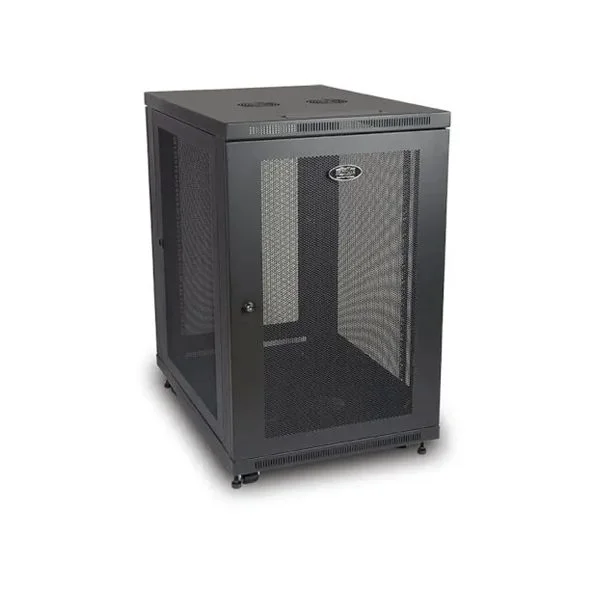
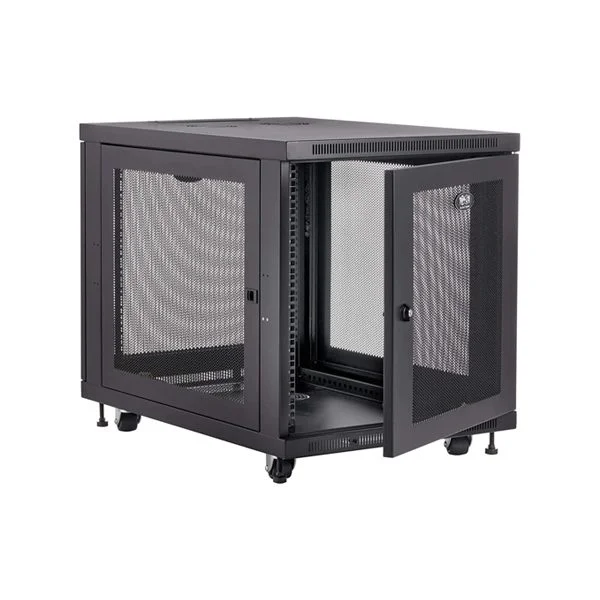
enclosed server rack cabinet

Enclosed Server Rack Cabinets — Full Protection

Enclosed cabinets include lockable doors and removable side panels. These are ideal when you need:

• Enhanced physical security

• Dust and environmental protection

• A professional equipment setup

• Enclosed racks are often used in:

• Commercial server rooms

• Telecom closets

• CCTV infrastructure rooms

They also support accessories like PDUs (Power Distribution Units) and UPS mountings.

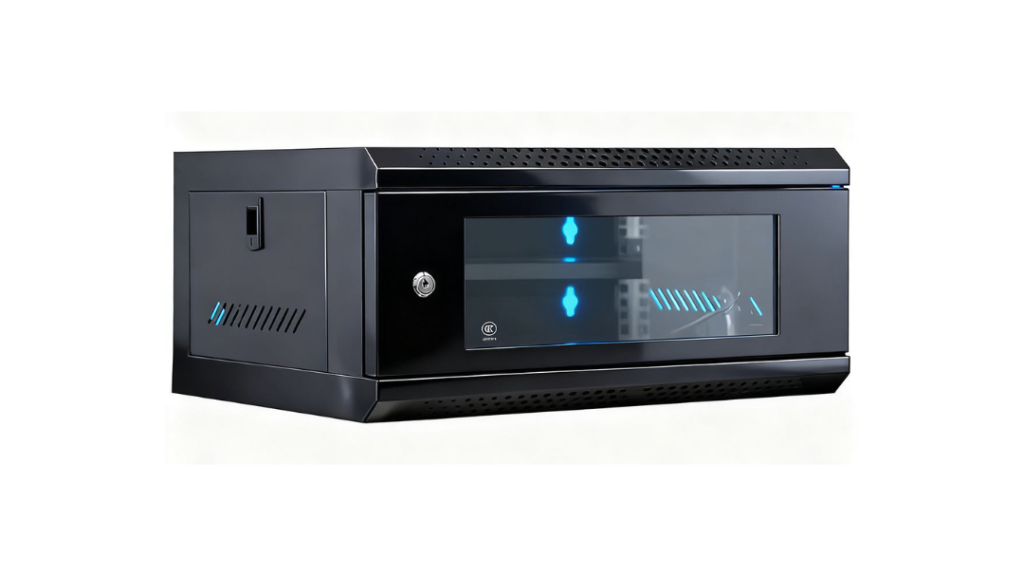
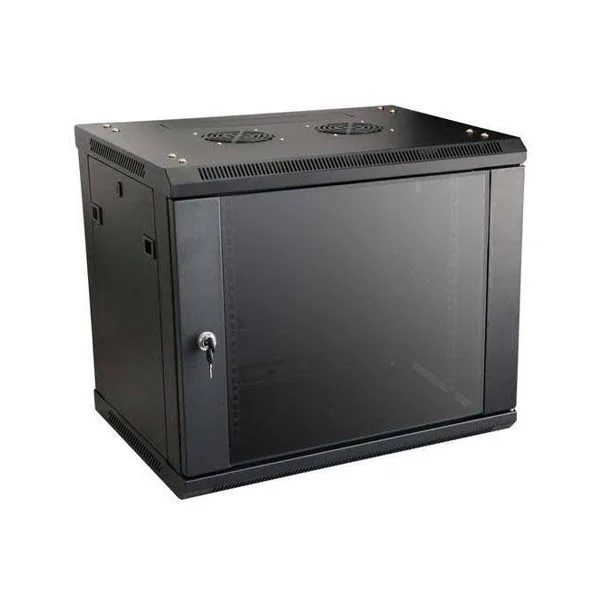
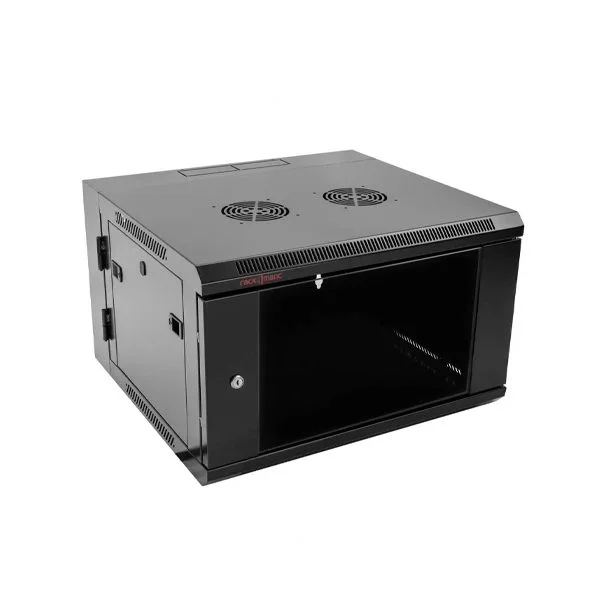
wall mounted server rack

Wall-Mount Server Racks — Space-Saving Solutions

Wall-mount racks are compact enclosures fixed to walls. These are suitable when:

• Floor space is limited

• You’re deploying lightweight network devices

• The setup is for small offices or back closets

Wall racks are especially common in branch offices and small server closets for networking gear.

Common Uses for Server Racks in Singapore

Data Centers & Server Rooms

Large rack deployments with structured cabling, cooling aisles, power redundancy, and professional installation. These setups demand high performance and reliability.

Telecom Closets

Racks house switches, patch panels, and connectivity interfaces — essential for building-wide networks and backbone infrastructure.

CCTV and Security Installations

CCTV NVRs (Network Video Recorders), PoE switches, UPS units, and network gear are often rack mounted to centralize monitoring infrastructure.

Office and Enterprise Networks

Small to mid-size businesses use server racks to organize all networking and compute gear in secure IT closets or server rooms.

Technician in a modern server room with organized server racks, smiling for the photo

Browse our full range of Server Racks for all types of installations in Singapore.

How to Choose the Right Server Rack?

Selecting the right rack depends on several factors.

Rack Height (U Size)

Choosing the right server rack depends on how much equipment you have now and how much you may add in the future. Selecting the correct size and type of rack helps prevent overcrowding, overheating, and costly upgrades later on.

Rack Height (U Size)

Rack height is measured in rack units (U), where 1U equals 1.75 inches. You should calculate the total height of all your equipment and then allow extra space for future expansion and airflow.

As a general guide:

12U–18U racks – Suitable for small offices, retail shops, or CCTV network closets with basic equipment.

• 24U–32U racks – Ideal for medium-sized networks with multiple switches, patch panels, and recording systems.

• 42U and above – Designed for full server rooms and larger data centers with high equipment density.

Choosing the correct rack height ensures your equipment fits comfortably, stays well-ventilated, and remains easy to maintain as your system grows.

Depth and Weight Capacity

When choosing a server rack, it is important to make sure the rack is deep enough for your largest equipment and strong enough to support the total weight of all devices.

Some servers, UPS units, and storage systems are deeper and heavier than standard network equipment. If the rack is too shallow or not designed for heavy loads, installation can become difficult and unsafe.

Always check for:

Sufficient rack depth – Ensures deep servers, UPS units, and cable connections fit comfortably with proper airflow.

High load-bearing capacity – Strong frames and mounting rails are needed to safely support heavy equipment without bending or instability.

Choosing the correct depth and weight rating helps protect your equipment, improves safety, and prevents future replacement costs when upgrading your system.

Cooling and Ventilation

Good cooling is essential to keep servers and network equipment running safely and efficiently. Without proper ventilation, heat can build up inside the rack and cause performance issues or hardware failure.

When selecting a server rack, look for features such as:

Perforated or ventilated doors – Allow hot air to escape while still keeping equipment protected.

• Support for fan modules or fan trays – Helps actively remove hot air from inside the rack when needed.

• Compatibility with hot aisle and cold aisle airflow layouts – Allows the rack to work efficiently with room air-conditioning and data center cooling designs.

These ventilation features help maintain stable operating temperatures, improve system performance, and extend the lifespan of your IT, CCTV, and network equipment.

Security Features

Protecting your equipment from unauthorized access, tampering, or accidental damage is essential, especially in offices, shared workspaces, or public areas.

Many server racks offer built-in security features, such as:

• Lockable front and rear doors – Restrict access to servers, switches, and other network devices.

• Tamper-resistant side panels – Prevent unauthorized access or accidental contact with equipment.

• Robust, solid construction – Reinforced frames provide extra protection against physical damage.

These security measures help safeguard your IT, CCTV, and network infrastructure, giving you peace of mind that your critical equipment is safe and reliable.

Technician installing a server into a server rack in a professional server room in Singapore

Shop high-quality Server Rack trusted across Singapore.

Practical Tips for Your Server Rack Setup

Having the right Server Rack is only part of the process. For a reliable server rack installation:

Plan cable pathways early — use labelled patch panels and cable managers

Leave room for airflow — avoid blocking ventilation routes

Distribute weight properly — place heavier equipment at the bottom

Use racks with removable doors and panels for easier maintenance

Consider UPS and power distribution for clean and stable power delivery

Professional installation ensures safety and compliance with electrical and building standards.

Server Rack Products You Can Buy in Singapore

Here are some of the popular server rack options you can get right now on Techcom Engineering Pte. Ltd.

Frequently Asked Questions (FAQ)

1. What is a server rack used for?

A server rack is used to securely mount and organise IT equipment such as servers, switches, routers, patch panels, and power systems in a structured vertical layout. It helps keep equipment neat, improves airflow for cooling, and makes maintenance and upgrades much easier. Server racks are commonly used in data centres, server rooms, telecom closets, CCTV control rooms, and office network environments.

2. What does 1U, 2U, 3U, and 4U mean?

“U” stands for Rack Unit, which is the standard measurement of height for rack-mounted equipment.

1U = 1.75 inches (44.45 mm)

• 2U = 3.5 inches

• 3U = 5.25 inches

• 4U = 7 inches

These measurements indicate how much vertical space a device occupies inside the rack. For example, a 2U server takes up twice the height of a 1U server. Knowing the U size helps you plan how many devices can fit into your server rack.

3. What is another name for a server rack?

A server rack may also be referred to as a rack cabinet, network rack, IT rack, or data rack, depending on its application. When fully enclosed with doors and side panels, it is often called a server rack cabinet. In networking environments, it is sometimes called a network cabinet or telecom rack.

4.What are the advantages of rack servers?

Rack servers are designed to fit neatly into server racks, making them highly space-efficient and easy to manage. Compared to standalone tower servers, rack servers offer better cooling, easier cable management, and simplified maintenance. They also allow businesses to scale their IT infrastructure more efficiently by adding or replacing servers without changing the entire layout.

5. How many servers can fit in a rack?

The number of servers that fit in a rack depends on the rack height (measured in U) and the size of each server. For example, in a 42U rack, you could fit:

• Up to 42 units of 1U servers, or

• Around 21 units of 2U servers, or

• A mix of different equipment sizes including switches, storage, and UPS systems.

In real-world setups, not all rack space is used for servers alone, as space is also needed for networking equipment, cable management, and power devices.

Conclusion:

A server rack isn’t just a metal cabinet — it’s the foundation of organized, secure, and scalable infrastructure in any modern IT, CCTV, or networking environment.

Whether you’re setting up a small CCTV network, upgrading your office server room, or planning a fully structured IT rollout, the right server rack system makes all the difference.

Need expert help setting up your server rack?

Looking for reliable and professional server rack supply and installation? Techcom Engineering Pte Ltd is your trusted partner in Singapore, providing end-to-end server rack solutions for offices, schools, data rooms, and commercial facilities. From selecting the right rack size to proper installation and cable management, our experienced team ensures your IT equipment is organized, secure, and ready for long-term operation.

Click here to schedule a free consultation with Techcom Engineering and get a professional server rack solution tailored to your requirements.

How a PoE Switch Can Supercharge Your Smart Office Setup Today

How a PoE Switch Can Supercharge Your Smart Office Setup Today

By Techcom Engineering Pte. Ltd.

Published: July 22, 2025 at 3:58 pm

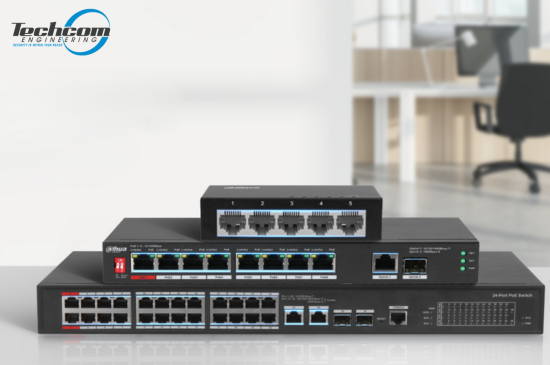
Image of PoE Switch Singapore


Power up your smart office with the right PoE switch — Contact us today for expert advice and installation in Singapore!

In today’s fast-paced, tech-driven workspaces, efficiency, flexibility, and smart infrastructure are key to staying competitive. One essential component that supports these goals is the PoE (Power over Ethernet) switch. This article explores the many advantages of incorporating a PoE switch into your smart office setup — with a special focus on the popular 4-port PoE switch — and how it can dramatically improve your network infrastructure.

We’ll cover the core benefits of PoE switches, their common applications in modern offices, and the key factors to consider when deciding between managed and unmanaged PoE switches. Whether you’re launching a new office or upgrading an existing one, understanding how PoE technology works — and how to choose the right switch — can help you create a reliable, scalable, and future-ready office environment.

What is a PoE Switch?

A PoE switch allows electrical power and data to be transmitted over a single Ethernet cable to connected devices. This capability eliminates the need for separate electrical wiring, reducing clutter and making installations easier and more flexible. By consolidating power and data transfer, PoE switches provide a streamlined solution that addresses the challenges of traditional cabling, such as the need for proximity to power outlets. This not only simplifies the physical setup but also enhances the aesthetic appeal of the workspace by minimizing visible wiring.

How Does a PoE Switch Work?

A PoE (Power over Ethernet) switch is a smart networking device that transmits both data and electrical power through a single Ethernet cable to connected devices. This dual-functionality removes the need for separate power supplies, making installations faster, cleaner, and more cost-efficient—especially for devices in hard-to-reach areas.

PoE switches are commonly used in settings that rely on IP-based devices such as CCTV cameras, Wi-Fi access points, VoIP phones, intercoms, and IoT sensors. Here’s a deeper dive into how PoE technology works and why it’s so useful:

Here’s a more detailed explanation:

Standard Cabling:

PoE switches use stanPoE switches use standard network cables—typically Cat5e, Cat6, or higher—to carry both power and data.

• No need for additional power cords or adapters.
• Up to 100 meters (328 feet) of combined data and power transmission over a single cable.
• Simplifies wiring in places like ceilings, outdoor poles, or remote areas where power outlets are limited or unavailable.

Power Sourcing Equipment (PSE):

The PoE switch functions as a Power Sourcing Equipment (PSE)—the source of the electrical power.

• It sends power to compatible Powered Devices (PDs) such as IP cameras, access points, or VoIP phones.
• Each port on the switch can automatically determine how much power the connected device requires.
• No need to manually configure or add external power injectors for each device.

Smart Detection:

A high-quality PoE switch includes intelligent power detection:

• It checks whether the connected device is PoE-compatible before sending power, preventing damage to non-PoE devices.
• The switch only supplies the necessary amount of power, which improves energy efficiency and device safety.
• Some advanced switches feature power prioritization and load balancing, ensuring critical devices receive power even during high-load conditions.

Compliance with Standards:

PoE switches follow well-established standards defined by the IEEE (Institute of Electrical and Electronics Engineers) to ensure safety and compatibility:

IEEE 802.3af (PoE): Provides up to 15.4W per port, typically used for basic devices like VoIP phones and simple IP cameras.
IEEE 802.3at (PoE+): Offers up to 30W per port, supporting more power-hungry devices like PTZ (pan-tilt-zoom) cameras or dual-band wireless APs.
• IEEE 802.3bt (PoE++): The latest standard, delivering up to 60W–100W per port for high-performance equipment like touchscreens, thin clients, or access control panels.

These standards ensure that PoE systems are safe, scalable, and interoperable with devices from multiple manufacturers.

Image illustration of managed poe switch vs unmanaged poe switch.


Not sure if you need a managed or unmanaged PoE switch? Talk to our experts — we’ll guide you to the right choice for your setup in Singapore.

Types of PoE Switches

Unmanaged PoE Switch:

Best for: Home users, small offices, simple networks

Unmanaged PoE switches are the most straightforward type, offering plug-and-play functionality with no setup required.

Easy to use: Just plug in your Ethernet devices, and the switch automatically delivers data and power where needed.
• No configuration needed: Ideal for users without networking expertise or IT support.
Reliable for basic needs: Supports essential PoE functions to power IP cameras, VoIP phones, wireless access points, and other low-maintenance devices.
Affordable option: Lower cost makes these switches a go-to for small-scale or temporary installations.
These switches are perfect for anyone who needs to quickly get a few PoE-enabled devices online without diving into advanced networking settings.

Managed PoE Switch:

Best for: Medium to large businesses, enterprise networks, IT professionals

Managed PoE switches offer full network control and customization, making them ideal for complex environments that require precision, security, and scalability.

Advanced features: Includes VLAN support, QoS (Quality of Service) settings, port mirroring, SNMP monitoring, and security controls.
Remote management: Configure and monitor your switch via a web interface, CLI (command-line interface), or centralized software.
Scalability: Easily supports expansion as your business or device count grows.
• Optimized performance: Fine-tune how bandwidth and power are distributed across ports to prioritize mission-critical devices like surveillance cameras or VoIP systems.

Improved security: Managed switches help isolate network traffic and limit access to sensitive data.
While they require more setup and technical knowledge, managed PoE switches provide unmatched flexibility and reliability for demanding environments such as corporate offices, hotels, schools, data centers, or multi-building facilities.

Image of an empty office in Singapore.


Explore our range of reliable PoE switches — browse products now and find the ideal solution for your network.

Choosing the Right PoE Switch for Your Office Size

Selecting the correct PoE switch isn’t just about how many ports it has—it’s about matching the switch to your office size, device count, and growth plans. Whether you’re equipping a compact office or a multi-floor corporate setup, there’s a PoE switch configuration designed to meet your unique networking and power requirements.

4-Port PoE Switches

Best for: Small offices, meeting rooms, startups, retail shops

These compact switches are perfect for limited device environments:

• Connect a few IP cameras, VoIP phones, or wireless access points.
• Ideal for temporary setups, remote offices, or home office networks.
• Low power consumption and minimal space usage.

If you’re just starting out or only need to power a few critical devices, a 4-port switch offers a simple, cost-effective solution without unnecessary complexity.

8-Port & 16-Port PoE Switches

Best for: Medium-sized businesses, growing offices, multi-department setups

These switches offer a great balance between capacity and affordability:

• Power multiple devices such as access control panels, surveillance systems, desk phones, and wireless APs.
• Easily support multiple teams or departments across the same floor.
• Many models include a few uplink ports for connecting to a router or core switch.

With room to expand and smart traffic management features (in managed models), these mid-sized switches are ideal for businesses planning for moderate growth.

24-Port & 26-Port PoE Switches

Best for: Large enterprises, multi-floor buildings, security networks, and IoT-heavy environments

These high-capacity switches are built to support intensive connectivity:

• Handle dozens of devices including CCTV cameras, IP telephony systems, smart building controls, and digital signage.
• Great for IT rooms, central network cabinets, or as core switches in structured cabling systems.
• Many models offer PoE+ or PoE++ support, higher power budgets, link aggregation, and advanced security controls.

They’re ideal for businesses that need maximum scalability, system redundancy, and future-proof performance.

Why Choose a PoE Switch?

A PoE switch is designed to deliver both power and data to connected devices using standard Ethernet cables. Whether you’re setting up a small office with a few IP cameras or managing a large-scale smart building, PoE switches offer scalable and flexible networking solutions. They eliminate the need for separate power supplies, simplifying installation and reducing cable clutter.

From compact 4-port models perfect for tight spaces, to enterprise-grade switches supporting dozens of devices, there’s a PoE switch to suit every need. These switches are ideal for powering devices like VoIP phones, wireless access points, IP cameras, and even door access systems. Their ease of use, energy efficiency, and cost-effectiveness make them a smart investment for any modern office or security system.

poe switch benefits


Power up your smart office with the right PoE switch — Contact us today for expert advice and installation in Singapore!

Key Benefits of Using a PoE Switch

Simplified Installation and Reduced Costs

Installing traditional network devices requires both electrical outlets and data ports, which can be cumbersome and expensive. A PoE switch simplifies the installation process by delivering both power and data over a single cable. This not only reduces the number of cables needed but also allows you to position devices in locations where power outlets might not be available.

Additionally, the reduced cabling requirements mean less time and labor are needed for installation, which can lead to significant cost savings.

Energy Efficiency and Environmental Impact

PoE switches help reduce costs in several ways. First, they eliminate the need for additional electrical wiring and outlets. Second, they reduce energy consumption by supplying power only when needed and cutting off power to inactive devices.

Moreover, the scalability of PoE switches allows businesses to grow their network incrementally, avoiding large capital expenditures.

Flexibility and Scalability

With a PoE switch, you can easily expand your network without worrying about electrical infrastructure. Need to add more devices? Simply connect them to the switch using Ethernet cables. This flexibility makes PoE switches ideal for growing businesses.

As new PoE-enabled devices are developed, businesses can seamlessly integrate them into their existing network.

Enhanced Network Performance

PoE switches are designed to enhance network performance. By providing stable power and data transmission, they ensure that connected devices operate efficiently. This reliability is crucial in a smart office, where downtime can lead to significant productivity losses.

Advanced models of PoE switches often include features that prioritize traffic and manage bandwidth efficiently.

Safety and Reliability

PoE switches are equipped with features that ensure safe and reliable operation. They are designed to protect against power surges and overloading, which can damage connected devices. Additionally, PoE switches adhere to strict industry standards that ensure safe power delivery.

Moreover, PoE switches are highly reliable, with many models offering remote management and diagnostics to ensure continuous operation.

Image of smart devices that can be connected to a poe switch.


Explore our range of reliable PoE switches — browse products now and find the ideal solution for your network.

Smart Office Applications of a PoE Switch

IP Security Cameras

PoE switches are ideal for powering and connecting IP surveillance cameras. With power and data delivered through a single Ethernet cable, you can place cameras exactly where you need them—without being limited by the location of power outlets.

VoIP Phones

VoIP phones rely on stable data and power connections. A PoE switch ensures reliable communication across your office network while eliminating the need for separate power adapters.

Wireless Access Points (WAPs)

Wireless connectivity is critical for any modern office. PoE switches make it easy to install WAPs in optimal positions—such as ceilings or high walls—without needing nearby power sockets.

Access Control & Intercom Systems

Door access readers, biometric scanners, and intercom panels are often PoE-compatible. A PoE switch simplifies installation and reduces wiring complexity in entry management systems.

Digital Signage & IoT Devices

From interactive displays to environmental sensors, PoE switches support a wide variety of smart office hardware. This flexibility makes them ideal for evolving IoT-driven environments.

What to Consider When Choosing a PoE Switch

Before investing in a Power over Ethernet (PoE) switch, it’s important to evaluate your current needs and plan for future expansion. From power capacity to network performance and control features, the right switch can help you build a more reliable, scalable, and efficient network. Here are the key factors to keep in mind:

Power Budget:

The power budget determines how much total wattage the switch can deliver to all connected devices.

• Each PoE port provides a certain amount of power—commonly 15.4W (PoE), 30W (PoE+), or up to 60–100W (PoE++).
• Add up the power requirements of your devices (e.g., IP cameras, access points, VoIP phones) to ensure the switch can support them all simultaneously.
• If your network includes high-power devices like PTZ cameras or touchscreen displays, opt for a switch with a higher total power output.

Tip: Always choose a switch with at least 20–30% more power budget than your current needs to account for future additions.

Data Transfer Rate:

A PoE switch doesn’t just supply power—it’s also responsible for transmitting data between devices.

• Common speeds include 10/100 Mbps (Fast Ethernet) or 10/100/1000 Mbps (Gigabit Ethernet).
• For bandwidth-heavy applications—like video streaming from multiple IP cameras or cloud-based systems—Gigabit ports are highly recommended.
• If the switch will be connected to a central router or server, make sure it has high-speed uplink ports to avoid bottlenecks.

Tip: Choose a Gigabit switch for modern networks to ensure smooth performance and reduce lag, especially for video surveillance or VoIP systems.

Managed vs. Unmanaged:

Understanding the difference between managed and unmanaged PoE switches helps ensure the right level of control and performance:

Unmanaged switches offer plug-and-play simplicity with no configuration needed—ideal for small offices or basic installations.
• Managed switches allow detailed configuration, including VLAN segmentation, traffic prioritization (QoS), port monitoring, and remote management—perfect for growing networks or sensitive environments.

Tip: If you need to isolate departments, prioritize bandwidth for specific devices, or manage your network remotely, a managed switch is the better choice.

Scalability:

Think ahead—will your network grow in the next 12–24 months?

• Choose a switch with more ports than you currently need, allowing room for expansion.
• Some switches support stacking, which lets you connect multiple switches together and manage them as a single unit.
• Look for models that support modular add-ons or uplink to a larger core switch if future growth is expected.

Tip: It’s more cost-effective to invest in a slightly larger switch now than to replace it later when you run out of ports or bandwidth.

Conclusion

Incorporating a PoE switch into your smart office setup offers numerous advantages — from simplified installations and reduced cabling to improved energy efficiency and enhanced network performance. By delivering both power and data over a single Ethernet cable, PoE switches offer unmatched flexibility, making them an essential component in modern office and security environments.

Whether you’re connecting a few devices or managing a complex, multi-floor network, choosing the right PoE switch allows you to build a robust, scalable infrastructure that supports your current needs and future growth. It’s a forward-thinking investment that helps keep your business agile, connected, and competitive in today’s technology-driven world.

At Techcom Engineering, we provide smart networking solutions tailored for Singapore’s offices, retail spaces, and commercial buildings. From consultation to installation, our team ensures your PoE deployment is seamless and reliable. Contact us now for personalized advice and expert installation services.