Biometric Door Access System in Singapore: How It Works and How to Choose One
By Techcom Engineering Pte. Ltd.
Published: October 22, 2026 at 01:43 PM
Ready to upgrade your office or building entry? Secure your facility with a custom Biometric Door Access System tailored to your specific infrastructure.
A biometric door access system decides who can open a door by checking a physical characteristic, usually a face or a fingerprint, instead of relying on a key or a card that anyone can pass along. For Singapore offices, server rooms and stockrooms, that moves control from “who is holding a credential” to “is this person authorised to enter here”.
Choosing one takes more than picking a scanner. The reader, the lock, the connection to the fire alarm and the way you handle employees’ biometric data all decide whether the installation works and whether it stands up to scrutiny.
This guide is for business owners, facility managers and IT managers comparing options. It explains how a biometric door access system works, how face recognition and fingerprint readers differ, where a thumbprint lock fits, and what Singapore’s fire safety and data protection requirements mean for your project.
Last reviewed: October 2026. Regulations and guidance can change, so confirm current requirements with the relevant authority before you commit to a design.
What Is a Biometric Door Access System?
A biometric door access system is an electronic access control setup that unlocks a door only after verifying a biological characteristic. Fingerprint and face are the most common in commercial buildings. Some products support other characteristics, but the range depends on the manufacturer and model.
Most installations combine the same building blocks:
• Biometric reader or terminal: captures the fingerprint or face and performs the matching. • Access controller: applies the permission rules and sends the unlock signal. In many compact products it sits inside the terminal. • Electronic lock: holds the door shut until the controller approves entry. • Exit device: a button, handle or other release that lets people leave. • Power supply: feeds the reader and lock. Some designs add battery backup. • Management software: registers users, sets permissions and stores entry records. Not every standalone unit has this. • Fire alarm interface: where the door is part of an escape route, the lock release must be designed with the fire safety requirements in mind (covered below).
Standalone vs networked systems
A standalone terminal manages its own user list on the device. It suits a single door with a small, stable group of users.
A networked system connects several terminals to central software. Administrators add or remove a person once and the change applies to every door they are permitted to use. For a business with a server room, a finance office and a general entrance, central control saves time and reduces the chance of a leaver keeping access at a forgotten door.
How a Biometric Door Access System Works
Designs differ by manufacturer, but the sequence is broadly the same.
1. Enrolment. An administrator registers each user by capturing a fingerprint or face image, often alongside a card or PIN as a fallback. 2. Template creation. The device converts the captured sample into a digital template, a mathematical representation used for matching. 3. Verification. When someone presents a finger or face, the reader compares the new capture with the stored template. 4.Decision. The controller checks that the person is recognised and is permitted to use this door at this time. 5. Door release. If approved, the controller releases the lock for a set period, then relocks. 6. Record. Many systems log successful and failed attempts with a time stamp. The detail available depends on the device and software.
The distinction between sample and template matters for data protection, and we return to it in the PDPA section.
Why biometric matching is never perfectly certain
Every biometric reader balances two kinds of error. A false rejection turns away someone who is authorised. A false acceptance admits someone who is not. Tightening the matching threshold reduces false acceptances but tends to increase false rejections, and the reverse is also true.
Singapore’s Personal Data Protection Commission (PDPC) lists error in identification, along with spoofing and risks to stored templates, among the risks organisations should understand before procuring a biometric system. When you compare products, ask the supplier how the device performs under your conditions, not only how it performs in a brochure.
Face Recognition vs Fingerprint Access: Which Suits Your Premises?
Both methods give keyless entry. They fail in different ways, so the better choice depends on who uses the door and in what conditions.
Face recognition for contactless entry
Face recognition identifies a person from facial features captured by a camera or sensor. Users do not need to touch the device, which suits busy entrances and people carrying items.
Performance depends on lighting, camera position, how users approach the reader and the quality of the recognition software. A reader that works in a bright lobby may struggle in a dim corridor or beside a window with strong backlight.
Spoofing deserves attention. A reader that can be fooled by a photo or a video on a phone offers weaker protection than its price suggests. The PDPC’s biometric guide recommends anti-spoofing measures such as liveness detection, and for facial recognition it also recommends installing the system near a manned security post or security officers. Ask suppliers what liveness or presentation-attack protection a model offers and how it was tested.
Fingerprint recognition for personalised access
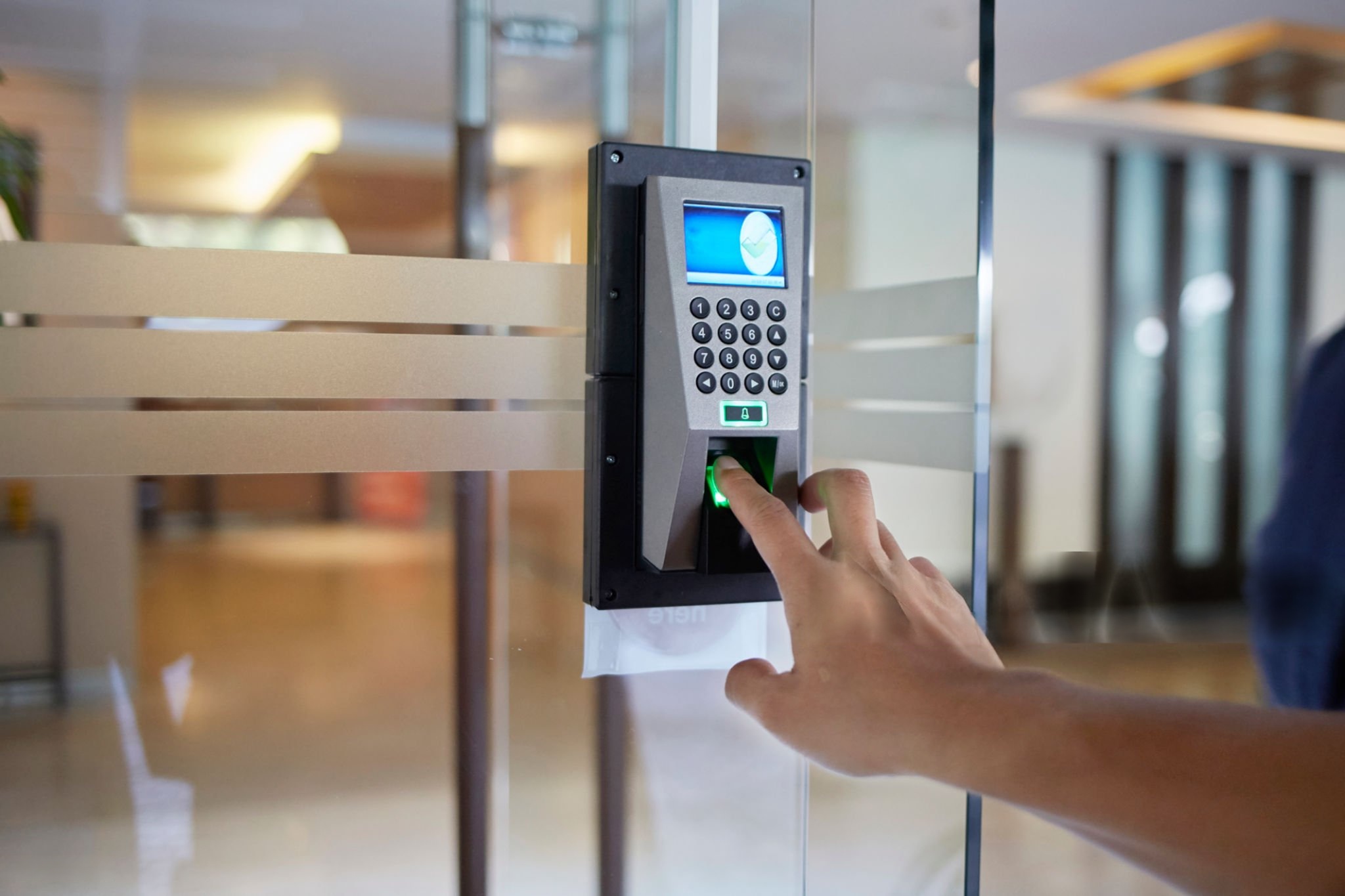
Fingerprint recognition verifies identity from the ridge pattern of a finger. Many people search for “finger print” as two words, but fingerprint is the standard term in product specifications and technical documents.
The user places a finger on the sensor, which compares the capture with the enrolled template. Fingerprint terminals are common in offices and staff-only areas, and many models also accept cards or PINs.
Fingers that are wet, dirty, dry or worn can reduce read reliability, and some users have prints that a given sensor captures poorly. Sensor type and quality vary between models, so test with your actual users, including those who handle chemicals, paper or cleaning products daily.
Comparing the two methods
Consideration
Face recognition
Fingerprint recognition
Contact with the reader
None
Required
Main sources of failed reads
Lighting, angle, camera position
Finger condition, sensor quality, placement
Spoofing concern
Photos, screens or masks, so liveness detection matters
Artificial copies, so check anti-spoofing capability
Typical fit
High-traffic entrances, hands-full users
Staff-only rooms, offices with stable user groups
Fallback if the read fails
Depends on the device (card, PIN)
Depends on the device (card, PIN)
Neither method is better in every setting. The suitability of a specific model depends on its sensor, software and installation.
Combining methods for higher assurance
Some devices accept a card, PIN or second biometric in addition to the primary method. The PDPC guide suggests using additional factors, such as access cards, to complement matching thresholds. For a server room or records store, requiring two factors can reduce the damage from a single false acceptance. It also adds friction, so reserve it for doors where the extra control is justified.
Thumbprint Lock vs Commercial Biometric Door Access System
A thumbprint lock is a biometric lock that verifies a thumbprint before releasing the door. People often use the term interchangeably with a fingerprint lock, though a thumbprint is simply one finger’s print.
Many thumbprint locks are self-contained digital locks fitted to a single door. Some combine fingerprint, PIN, card, mobile app and a mechanical key. They are widely sold for homes and small premises.
A commercial biometric door access system is built differently. It usually separates the reader, controller and lock, supports many users and doors, and links to software that handles permissions and records.
Factor
Standalone thumbprint lock
Networked biometric door access system
Best suited to
One door, few users
Several doors, many users, different permission levels
User management
At the lock
Central software (on most systems)
Entry records
Limited, model dependent
Broader, software dependent
Lock hardware
Integrated
Separate, chosen for the door type
Fire alarm integration
Check the model and door type
Designed into the door’s wiring and controller
For a single private office door with a handful of users, a standalone lock may be enough. For a business that needs to remove leavers quickly, restrict rooms by role or review who entered where, a networked system is usually the better fit.
Choosing the Lock: What Actually Secures the Door
The biometric reader only makes the decision. The lock does the work of holding the door shut, and the wrong lock can undermine a good reader.
Two terms matter. A fail-safe lock unlocks when power is lost. A fail-secure lock stays locked when power is lost. Which one suits a door depends on whether the door is part of an escape route and on what the fire safety rules require.
Lock type
How it works
Points to check
Electromagnetic lock
An electromagnet on the frame holds a metal plate on the door. It is fail-safe by nature, because cutting power releases it.
Needs a reliable, code-compliant release arrangement for people leaving. Door alignment and frame strength affect performance.
Electric strike
Replaces the strike plate and releases the latch when energised. Models can be fail-safe or fail-secure.
Works with the door’s latch. Confirm the model suits the door and any fire rating.
Electromechanical or electrified lockset
Motorised or solenoid mechanism built into the lock body.
Compatibility with the door type and the fire safety requirements for that door.
Door material, fire rating, door closer, frame condition and traffic volume all affect which hardware is suitable. A site survey before purchase prevents the common problem of buying a reader that the door cannot support.
Fire Safety Rules for Electronic Door Locks in Singapore
A door that is secure but cannot be opened in a fire is a life-safety problem. In Singapore, the main reference is the Singapore Civil Defence Force’s (SCDF) Code of Practice for Fire Precautions in Buildings, known as the Fire Code. The current edition is the 2023 edition.
Several related points in the Code are worth knowing before you design a layout:
• Locking devices on doors in the escape path have to be connected to the building’s fire alarm system so they release in an emergency. The Code also addresses how that connection may be made, including linking through other systems such as access control or building management systems, so do not assume your access control software can provide the release. • Locking exit doors is generally restricted. For certain healthcare and detention and correctional occupancies, locking is allowed only with prior SCDF consent. • Where one-way locking devices or electromagnetic and electromechanical locks are fitted to exit staircase doors, warning signage is needed to tell occupants they cannot re-enter from the stairwell. • Digital locksets installed on exit or exit access doors have their own provisions.
These are summaries of selected provisions, not a substitute for the Code. Which clauses apply depends on the building, the occupancy type, whether the door is on an escape route and whether it is fire-rated. Your Qualified Person or fire safety consultant should confirm the approach for each door before installation, and your landlord or building management may impose further conditions.
A biometric door access system on the main entrance of a small office, away from the escape route, will face different considerations than one on a staircase door. Identify which doors are exit doors early. Changing a design after the hardware is bought is expensive and, in some cases, not permitted.
PDPA: Handling Biometric Data in Singapore
Fingerprints and facial images are personal data. A biometric door access system collects, stores and uses them, so the Personal Data Protection Act 2012 (PDPA) applies to the organisation operating it.
The PDPC published its Guide on the Responsible Use of Biometric Data in Security Applications in May 2022. The guide is not legally binding, but it shows how the PDPC views biometric data used for security, and it is a practical benchmark for procurement. It covers building and premises owners, management corporations and security companies, among others, and it applies to security uses such as access control rather than other commercial purposes.
The PDPC separates biometric samples (such as a facial image or a fingerprint capture) from biometric templates (the data derived from them for matching). Among its recommendations:
• Obtain individuals’ consent before collecting their biometric data. • Convert samples to templates immediately, use templates for recognition, and discard the samples once the templates are extracted. • Build in anti-spoofing measures such as liveness detection. • Install facial recognition systems near a manned security post or security officers. • Use an additional factor, such as an access card, to complement the system’s matching thresholds.
Other PDPA obligations also apply to biometric data, including the protection, retention limitation, access and correction, and data breach notification obligations. An organisation must also appoint a data protection officer. In response to access requests, the PDPC’s guide indicates that organisations need not disclose the templates themselves.
Fail-safe release and fire alarm connection on exit doors
Regulatory (Fire Code)
Building owner, occupier and installer, as applicable
SCDF Fire Code
Approval for modifying doors in multi-tenant buildings
Contractual or property-specific
Tenant
Landlord or building management
Two factors on sensitive rooms
Recommendation
Business decision
Security risk assessment
In practice, that means telling staff what you collect and why, deciding where templates are stored, restricting who can administer the system, and asking your supplier how the product handles each of the points above. If the supplier’s system stores or processes data outside Singapore, raise it with your data protection officer before purchase.
Where a Biometric Door Access System Works Well, and Where It Does Not
Biometric access control is a good match when the identity of the person matters, not just possession of a credential.
• Offices and corporate premises: main entrances, finance and HR rooms, and areas holding confidential documents. • Server and network rooms: where an entry record and a stronger identity check support a layered security approach. • Stockrooms and storage areas: where access should be limited to named staff. • Multi-tenant floors: where tenants control their own units while the building manages common areas. I It is a weaker fit in some situations. Very high visitor volumes complicate enrolment. Environments where gloves, dust or moisture are routine can degrade fingerprint reads. Doors that form part of a protected escape route may be unsuitable for certain lock types.
An entry log is also not surveillance. A log shows that a credential was accepted at a particular time. It does not show who else came through the door or what happened afterwards. Pairing access control with CCTV, where the system and site allow it, gives you the visual context a log lacks, and helps you review tailgating, where an unauthorised person follows an authorised one through the door.
How to Choose a Biometric Door Access System
Compare specifications against how the door will actually be used, not against a feature list.
What to check
Why it matters
User capacity
Template storage limits should exceed your headcount plus growth.
Matching performance and thresholds
Look for test conditions, not just a headline speed.
Anti-spoofing or liveness detection
Reduces the chance of a photo, screen or copy being accepted.
Fallback credentials
Cards or PINs keep people moving when a read fails, but weaken a biometric-only policy.
Transaction log capacity and export
Determines how much history you can keep and review.
Connectivity and integration
Confirms compatibility with your controller, lock, exit device, fire alarm interface and any existing systems.
Template storage and encryption
Affects your PDPA protection obligation. Ask where templates are held and how they are protected.
Environmental suitability
Check suitability for outdoor, humid or high-glare locations.
Support and updates
Ask how firmware updates are delivered and for how long a model will be supported.
Reader-to-controller communication also matters. Older installations commonly use the Wiegand interface, while newer designs may support supervised, encrypted protocols such as OSDP. Ask whether the reader and controller you are considering support the protocol your site needs.
What the Installation Process Involves
A well-run project follows a sequence. Timelines depend on the building, the number of doors and landlord approvals, so treat any quoted schedule as project-specific.
Testing the fail-safe and fire alarm release behaviour is part of commissioning, not an optional extra.
Stage
Action
Dependency
Outcome
Assessment
Survey doors, frames, cabling routes, power and existing systems
Access to the premises
List of suitable doors and constraints
Design
Choose readers, locks and controllers; define permissions
Fire safety and building requirements confirmed
Agreed system design
Approvals
Obtain landlord, building management and any authority approvals
Design finalised
Permission to proceed
Installation
Fit hardware, cabling and power; configure software
Approvals and delivery
Installed system
Testing
Test each door, release, fallback and fire alarm release
Installation complete
Verified operation
Enrolment and handover
Register users, train administrators, document the setup
Staff notice and consent process
Live system
What Affects the Cost?
Costs vary widely, so a single price would mislead. The main variables are:
• the number of doors and the type of lock on each • reader type and features such as liveness detection • cabling distance and difficulty, especially in older buildings • whether doors need replacing or reinforcing • software licensing and user numbers, where applicable • fire alarm interface work • integration with existing CCTV or other systems • building management fees and reinstatement requirements at lease end • support and maintenance arrangements
Ask suppliers to itemise hardware, installation, software and ongoing support so quotes can be compared fairly.
Ready to upgrade your office or building entry? Secure your facility with a custom Biometric Door Access System tailored to your specific infrastructure.
Keeping a Biometric Door Access System Secure Over Time
Keeping a Biometric Door Access System Secure Over Time
A system is only as good as its administration.
• Remove leavers promptly. Delete their templates and credentials on their last day. • Review permissions at set intervals, particularly for sensitive rooms. • Check logs for repeated failures or after-hours entries. • Update firmware as the supplier releases fixes, and restrict who can administer the system. • Back up configuration data and protect the backup as carefully as the live system. • Test fallback and fire release functions on a schedule your fire safety professional recommends. • Respond to data incidents using the PDPA’s breach assessment and notification obligations.
Next Step: Scope Your Biometric Door Access Project
sound access control design begins with a door-by-door assessment of users, risks, exit routes, and building rules, then selects credentials, locks, and software to match. If you want a tailored site assessment or an itemized proposal, Contact Techcom Engineering Pte Ltd is the place to start.
Attempting to design a physical security framework without mapping how individuals interact with physical openings can leave serious gaps in your corporate protection. A thorough site survey helps businesses choose between high-speed face recognition terminals for high-traffic entryways or a secure thumbprint lock setup for restricted server rooms. Security teams must ensure that their chosen fingerprint scanners, digital processing panels, and electronic locks work together seamlessly under a unified management dashboard while adhering strictly to Singapore life safety guidelines to guarantee safe egress during an emergency.
Ready to secure your premises with a professional, fully compliant security architecture? Take the guesswork out of your planning and get in touch with our experts today to book your comprehensive site assessment and receive an itemized proposal tailored specifically to your facility.
Frequently Asked Questions
Is a biometric door access system allowed in Singapore?
Yes, organisations can use biometric access control for security purposes, subject to the PDPA and, for doors on escape routes, the Fire Code. The PDPC’s guide sets out how to handle biometric data responsibly.
Do employees have to consent to biometric enrolment?
The PDPC guide recommends obtaining consent before collecting biometric data. How the PDPA’s consent rules and exceptions apply to your situation can depend on the circumstances, so confirm with your data protection officer or legal adviser.
Can I use an electromagnetic lock on a fire exit door?
The Fire Code sets conditions for access control on exit and exit access doors, including fail-safe operation and a connection to the fire alarm system. Do not install one without confirming the requirements for that specific door with your Qualified Person or fire safety consultant.
Does fingerprint access work with wet or dirty hands?
It can be less reliable. Finger condition affects reads, and sensors differ. Test models with your real users, or choose face recognition or a card fallback for those areas.
What is the difference between a thumbprint lock and a fingerprint lock?
A thumbprint lock reads a thumb. A fingerprint lock reads whichever finger is enrolled. In everyday use the terms overlap, and many devices let each user enrol more than one finger.
Can a biometric door access system work with CCTV?
Many can be paired with CCTV so entry events can be reviewed alongside video. Whether and how depends on the equipment and software, so confirm compatibility before purchase.
Access Control for Singapore Offices: Essential 2026 Guide
By Techcom Engineering Pte. Ltd.
Published: October 15, 2026 at 01:58 PM
Explore our smart entry setups and find the right Door Access System for your business.
Access control decides who can enter which door, at what time, and with what proof of identity. For a Singapore office, warehouse or commercial building, it replaces the guesswork of physical keys with rules that administrators can change in minutes and review afterwards.
This guide is written for business owners, facility managers, IT managers and operations leaders who are weighing a card access project. It explains how card access systems work, how card access compares with other credentials, what SCDF’s Fire Code says about locks on exit routes, and where the PDPA becomes relevant. It ends with a five-phase checklist you can hand to an installer.
One point up front: this guide separates what the law or an authority requires from what a landlord, client or good practice suggests. Where the answer depends on your building, we say so.
Last reviewed: October 2026. Fire Code editions, PDPC guidance and product specifications change, so confirm current versions before you commit to a design.
What Is Access Control?
Access control is the process of checking a person’s credential against configured permissions before a door opens. In an electronic system, those permissions can vary by person, door, day and time. An accounts executive might enter the main office from 8 am to 7 pm on weekdays, while the IT manager also holds permission for the server room.
The sections that follow use “card access” to mean the common case where a card or fob is the credential. The same architecture also supports PIN codes, mobile credentials and, in some designs, biometrics.
The five building blocks of an access control system
Component
What it does
What to confirm before buying
Credential (card, fob, PIN, mobile)
Identifies the user
Credential technology and whether it can be copied
Reader
Reads the credential at the door
Compatibility with the credential and controller
Controller (panel)
Holds rules and decides whether to unlock
Doors supported, offline behaviour, event storage
Electronic lock
Secures the door and releases on command
Door type, fail-safe behaviour, fire-code suitability
Management software
Issues credentials, sets schedules, stores logs
User roles, reporting, update process, hosting model
These access control components must work as a set. A strong card paired with a weak controller, or a good lock wired incorrectly, leaves the weakest component as the real security level.
Explore our smart entry setups and find the right Door Access System for your business.
Why Businesses Use Access Control
Businesses adopt access control for practical reasons rather than for technology’s sake.
Restricting sensitive areas. Server rooms, record rooms, stockrooms and finance offices can be limited to the people who need them, while general areas stay open to all staff.
Faster staff changes. When someone leaves, an administrator can disable their credential rather than rekeying locks. Lost cards can be blocked the same day, though the speed depends on how the system is hosted and who has administrator rights.
Access records. Depending on the hardware and software, the system can log successful entries, denied attempts and credential use. These logs help when reviewing an incident, but they only exist if the system was configured to keep them, and they raise personal-data questions covered later in this guide.
Multi-door and multi-site administration. Networked or cloud-managed systems allow one team to manage many doors. The extent of central control depends on the architecture and network design.
How Card Access Systems Work
Card access systems follow the same access control sequence at every door, regardless of brand.
1.The user presents a card or fob. The reader detects the credential using the technology it supports.
2. The system checks permissions. The reader passes the credential data to the controller. Rules may consider the user, the door, the day and the time. Some systems decide locally at the controller, while others rely on a server or cloud platform.
3. The door releases or stays locked. If the credential is valid for that door and time, the controller signals the lock.
4. The event may be logged. Many systems record the credential, door and time, subject to configuration and storage limits.
The detail worth asking an installer about is step 2. If the controller makes decisions locally, doors can keep working when the network drops. If decisions depend on a central server, a network fault can change how doors behave. Ask what each door does when the network, server or internet connection is unavailable.
Card Access vs Other Credentials: Which Suits Your Business?
No single access control credential is best for every site. The right choice depends on who uses the door, how often, and what is behind it.
Credential
Best suited to
Main limitations
Access card
Offices where staff already carry ID badges
Can be lost; security depends on card technology
Key fob
Users who prefer a keyring item
Same dependency on card technology; easy to misplace
PIN code
Low-risk doors or as a second factor
Codes can be shared or observed
Mobile credential
Organisations comfortable managing phones and apps
Depends on user devices, app support and reader compatibility
Biometric
Higher-risk areas where a credential must be tied to a person
Neither a card nor a fob is automatically more secure than the other. What matters is the technology inside the credential, how the system is configured, and how quickly lost credentials are disabled.
For higher-risk rooms, some organizations combine two factors, such as a card plus a PIN. This should follow a risk assessment rather than being added by default.
Card Technology: Why the Chip Inside Matters
Two cards that look identical can offer very different protection. This is the most overlooked decision in card access projects.
Legacy 125 kHz proximity cards broadcast a fixed identification number. Independent testing by the security-research publication IPVM found that a card copier costing about US$30 could duplicate popular 125 kHz formats, including HID Prox and EM4100, and that the copies appeared identical to the system. Because these cards carry no encryption, a copy works anywhere the original works.
13.56 MHz smart cards vary. MIFARE Classic has published cryptographic weaknesses. A 2023 academic survey notes attacks against all generations of MIFARE Classic cards. Newer credentials such as MIFARE DESFire use AES encryption and mutual authentication between card and reader, and the same survey describes DESFire as state of the art, while noting that older DESFire EV0 had a known attack.
For a Singapore business, the practical implication is simple. When specifying card access systems, ask the installer which credential technology the reader and cards use, whether the cards use encryption and authentication, and whether the system is compatible with an upgrade path. Treat “proximity card” as a description of how the card is read, not as a statement about how secure it is.
Product capabilities vary by manufacturer and generation, so confirm specifications with the vendor rather than relying on a general label.
Secure your premises for less by browsing our latest Door Access Promotions to find cost-effective packages for your office or property.
Locks, Exit Routes and the SCDF Fire Code
A door that is secure but cannot be opened in a fire is a life-safety problem. In Singapore, the main reference is SCDF’s Code of Practice for Fire Precautions in Buildings (Fire Code), currently the 2023 edition, whose Clause 2.3 deals with means of escape requirements.
The Fire Code addresses access control on exit routes directly. The points below summarise what the published clauses say. They are not a substitute for the Code itself, the approved plans for your building, or advice from your fire safety professional.
• Electromagnetic and electromechanical locks on exit doors. Where these are used on an exit access door or exit door (excluding revolving doors and doors to residential units), the Code sets specific requirements in its tables. The Code defines such a device as a fail-safe device, meaning it is designed to unlock automatically in a fire, and its definition also covers power failure and faults in the locking components.
• Connection to the fire alarm. The Code states that locking devices on doors in the escape path are to be connected directly to the building’s automatic fire alarm system so that they release. It restricts linking that release through other systems, such as access control or building management systems, unless SCDF permits otherwise through a waiver.
• Digital locksets. Where a digital lockset is installed on an exit door or exit access door, it must have mechanical fail-safe features on the non-secure side that do not depend on electrical power, so occupants can still leave.
• Tenanted spaces. The Code includes separate provisions for access control belonging to tenanted spaces, and release requirements differ by door type, such as common-area doors, staircase doors and doors within a tenant’s unit.
• Features not covered by the Code. The Code states that access and exit facilities not specifically covered shall not be used without SCDF approval.
What this means in practice: the release logic for locks on exit routes should not depend on the access control software or network. Who designs the fire-alarm interface, and who confirms it complies, should be settled before installation begins. Alterations that affect escape routes may also trigger submissions to the authorities. Whether this applies to your project depends on the building, the scope of work and the doors involved, so confirm with the building owner or management office and your fire safety consultant before work starts.
Rule, guidance or good practice? A quick reference
Topic
Type
Who it comes from
Notes
Fail-safe locks on exit and exit access doors
Regulatory requirement under the Fire Code
SCDF
Specifics vary by door type and premises
Mechanical fail-safe on digital locksets
Regulatory requirement under the Fire Code
SCDF
Applies to exit and exit access doors
Landlord approval for works on doors
Property-specific requirement
Landlord or building management
Check your lease and the building’s fit-out rules
Handling of biometric data
Guidance reflecting the PDPC’s stance
PDPC
Guide is not legally binding, but PDPA duties still apply
Moving from 125 kHz to encrypted cards
Recommendation
Security practice
Not a legal requirement
Keeping logs for a set period
Depends on your policy and PDPA considerations
Your organisation
No general retention period is stated in this guide
Access Logs, Personal Data and the PDPA
An access log that records which named employee opened which door at what time is information about an identifiable person. Singapore’s Personal Data Protection Act 2012 (PDPA) may therefore be relevant to how the business collects, uses, protects and retains it. The PDPC publishes guidance on obligations, and organizations should check current requirements rather than rely on this summary.
Biometric systems deserve particular care. In May 2022 the PDPC published its Guide on the Responsible Use of Biometric Data in Security Applications, aimed at organisations such as building owners, management corporations and security services companies. The Guide is not legally binding, but it reflects the PDPC’s position. It discusses risks such as spoofing and errors in identification, and recommends measures organizations can consider when buying or designing biometric systems.
Practical steps for any access control project:
• Decide who can view and export logs, and record that decision.
• Set a retention period that matches a documented purpose.
• Tell staff what is collected and why.
• Secure administrator accounts and the server or cloud account holding the data.
• Ask whether biometrics are needed at all, or whether a card plus PIN meets the risk.
Deployment Options: Standalone, Networked and Cloud-Managed
Option
Best for
Advantages
Limitations
Standalone (single-door)
One or a few doors in a small office or store room
Simple setup; lower dependency on networks
Manual updates at each door; limited reporting
Networked (on-premises server)
Multi-door offices and buildings
Central permissions and logs; local control
Needs IT involvement, server upkeep and backups
Cloud-managed
Multi-site organisations or those without on-site IT
Remote administration; less hardware to maintain
Subscription costs, internet dependency, data-hosting questions
Whichever you choose, confirm three things in writing: how doors behave offline, how event logs are stored and synchronized after an outage, and who is responsible for software updates and security patches.
Planning an Access Control Installation
Map the doors and the people
List every door that needs access control, who uses it, and when. Separate perimeter doors, internal restricted rooms and doors that serve as fire exits. This list drives the number of readers, controllers and locks and highlights doors that need a Fire Code review.
An exhaustive layout mapping process serves as the technical foundation for your hardware architecture, procurement schedule, and system scheduling loops. Security teams must map every physical opening to create a comprehensive matrix detailing user personas, high-traffic shifts, and operational schedules. Perimeter entry points require hardened authentication mechanisms to withstand external vectors, while internal spaces like server rooms, cash vaults, and executive suites demand isolated multi-factor zones. Crucially, tracking how traffic moves across designated emergency paths ensures your layout remains structurally safe. For locations governed by strict local mandates, verifying these layouts against the SCDF Means of Escape Fire Code Regulations is required. This technical mapping determines your ultimate reader counts, processing controller relays, lock configurations, and structural path designs.
Check the existing doors and the premises
Not every lock suits every door. Frame construction, door material, fire-rated doors and existing hardware all affect what can be fitted. If you lease your premises, your landlord or building management may have rules about alterations to doors or shared areas. Those rules are contractual and vary by building.
A physical site survey is required to evaluate structural compatibility before purchasing any electronic locking hardware. Frame materials (such as hollow metal, aluminum storefronts, or frameless glass) directly dictate whether you can use magnetic locks, electronic strikes, or heavy-duty motorized mortise locks. Modifying fire-rated doors requires extreme caution, as drilling or cutting can instantly void their safety certification. To protect your structural integrity, you must verify installation plans against global benchmarking standards such as the Intertek Product Fire Rating Certifications. Tenants in commercial commercial buildings must also coordinate early with property management. Alterations to perimeter boundaries or common corridors often fall under strict lease agreements and require explicit approval from the MCST (Management Corporation Strata Title) to prevent costly structural reinstatement penalties.
Evaluate credential and system security
For any access control purchase, ask about card technology, encryption, administrator permissions, software updates and how lost credentials are disabled. For networked or cloud systems, ask how accounts are protected and how the vendor handles security incidents. IT managers should be involved from the start.
Modern access platforms must be evaluated as critical network infrastructure rather than simple physical hardware. Legacy 125 kHz proximity cards lack encryption and can be easily cloned using cheap, off-the-shelf hacking tools. This vulnerability makes upgrading to cryptographic smart cards or encrypted mobile credentials running advanced Bluetooth/NFC protocols an operational necessity. System administrators should closely evaluate how the software handles data at rest, role-based access controls (RBAC), patch management, and immediate credential revocation workflows. To ensure your platform aligns with modern data privacy frameworks, cross-reference your architecture against the PDPC Advisory Guidelines on Selected Topics. Involving internal IT security teams early helps confirm that cloud or networked systems support Multi-Factor Authentication (MFA), single sign-on (SSO), and secure API endpoints to protect against external network intrusion.
Consider integration, including CCTV
Many systems can connect with visitor management, time and attendance, alarms and video surveillance, but compatibility depends on the products chosen. One common use is linking a door event to a camera view so that a denied or forced entry can be reviewed alongside video. Confirm that the specific access control and CCTV products support the integration you want before you buy either.
Unifying disparate physical security platforms transforms isolated logs into actionable business intelligence. Creating a direct programmatic link between access control events and IP video management systems (VMS) allows security teams to instantly cross-reference digital data with real-time visual proof. When a “door forced open” or “access denied” alert triggers, the integrated system automatically bookmarks the corresponding camera feed, instantly displaying the event on the security dashboard. To prevent proprietary vendor lock-in and ensure seamless interoperability across brands, check that your chosen hardware conforms to global interoperability standards like the ONVIF Profile Specs for Physical Access Control. Confirming deep API compatibility and open protocol standards prior to procurement saves significant middleware integration costs later on.
Plan for maintenance and support
Access control readers, locks and power supplies are physical components that can fail. Ask about warranty terms, response arrangements, software updates, spare parts and what happens to the system if the vendor stops supporting a product.
Physical security infrastructure is subject to constant mechanical wear, environmental exposure, and electronic stress. Deploying these systems requires a proactive, long-term life cycle maintenance program rather than a reactive fix-on-failure approach. Backup batteries inside power supply enclosures must be tested routinely to ensure the property stays secure during power outages. Similarly, electric locks require regular alignment checks to prevent binding issues. To align your system upkeep with global enterprise standards, refer to frameworks like the SIA Physical Security Standards Guidance. Establishing comprehensive Service Level Agreements (SLAs) with your integration partner ensures guaranteed response windows, predictable software update paths, immediate access to critical spare parts, and a clear roadmap if components face unexpected end-of-life (EOL) cycles.
Understand what drives cost
Pricing varies too much to quote a reliable figure here. The main drivers are:
the number of doors and the door type: Total hardware costs scale directly with the number of entry points, but structural variations introduce significant cost differences. Standard wooden office doors can typically be prepped quickly using lower-cost magnetic locks or electric strikes. Conversely, architectural frameless glass doors, heavy-duty fire-rated exits, or secure aluminum storefronts require specialized, high-grade architectural hardware and significantly more labor-intensive preparation.
credential technology and the number of users: Standard proximity cards have a low initial cost but present severe security risks. Modern setups lean toward high-frequency cryptographic smart cards or mobile credentials utilizing secure digital keys. While mobile access eliminates physical card replacement issues, it shifts expenses to user-based software licensing. For a detailed breakdown of user provisioning and modern token costs across identity management networks, consult the Microsoft Identity Access Management Guide.
lock type and any fire-alarm interface work: Basic magnetic locks are affordable to buy but require integration with your building’s fire panel to meet safety laws. Motorized, multi-point mortise locks offer superior physical security but come with a higher price tag. Additionally, you must factor in specialized electrical labor fees for certified technicians to bridge the access control system with local emergency drop-out lines. Ensure these configurations align with local regulatory frameworks, such as the electrical safety guidelines detailed in the SIA Physical Security Industry Guidelines.
cabling and power requirements: Running physical cables through concrete structures, plenum-rated ceilings, or across large facilities can often match or exceed the cost of the actual security hardware. Power supplies also require dedicated battery backups to remain operational during blackouts. To optimize your technical design and better estimate your infrastructure and wiring investments, you can review network cabling standards outlined in the Cisco Campus Network Architecture Guide.
software licensing or cloud subscription: Traditional on-premises systems involve higher upfront perpetual license fees paired with ongoing software maintenance agreements. Modern cloud-managed deployments lower initial capital costs but require recurring monthly or annual operational subscriptions. These fees scale based on the number of active doors, concurrent user profiles, and how long you need to store activity logs.
Integration with other systems: Basic, standalone access setups are straightforward to deploy. However, linking your access logs to an existing Video Management System (VMS), human resource directory (Active Directory/HRMS), or time-and-attendance platform requires specialized software integration. You must account for custom API access charges, software middleware fees, and developer configuration hours.
maintenance and support terms: Long-term system performance relies on your chosen Service Level Agreement (SLA). Basic next-business-day phone support is affordable, but 24/7 emergency physical response windows with guaranteed replacement parts on-site carry a premium. Emergency support terms vary significantly based on your organization’s risk tolerance.
Common Planning Mistakes
Choosing the lock before checking exit-route rules for access control doors: Fire Code requirements for fail-safe release should shape the design, not be retrofitted. Selecting a heavy-duty locking mechanism solely based on its physical strength can lead to severe compliance failures if it restricts a designated egress pathway. For projects subject to local life safety inspections, failure to plan for immediate egress can cause costly construction delays or building layout reinstatements. Security teams must integrate emergency drop-out pathways early by checking their engineering plans against the SCDF Means of Escape Fire Code Regulations to ensure all locks release automatically upon fire alarm activation.
Assuming all cards are equal: Cheap 125 kHz credentials may be convenient but offer little protection against copying. These legacy proximity cards transmit their internal facility codes entirely in plaintext without any encryption layer, making them highly vulnerable to pocket-sized cloning devices available online. To prevent unauthorized credential duplication, organizations should utilize secure smart card layouts that enforce mutual authentication and cryptographic key structures. For a deeper look at modern encryption standards across physical tokens, review the credential definitions in the SIA Physical Security Industry Guidelines.
Skipping the offline test: An access control system that works in the demonstration may behave differently when the network is down. Administrators must explicitly verify how local edge controllers process transactions if they lose connection to a cloud dashboard or central server. A properly engineered system must fall back onto its localized database cache—continuing to grant or deny access based on cached rules—rather than locking users out or opening all doors completely. Testing these fail-secure network states early ensures business continuity during a widespread network outage.
No leaver process: An access control system helps only if someone removes credentials when staff leave. Leaving an inactive credential active in the user directory creates a direct insider threat vector that compromises your physical perimeter. Organizations must establish a strict offboarding workflow that links human resource management software directly with security databases. Implementing automated identity lifecycles prevents forgotten keycards from being used weeks or months after an employee departs.
Over-permissioned users: Giving everyone access to everything defeats the purpose of the system. Granting global administrative access or master-key privileges to standard staff members increases your overall risk profile and makes internal tracking difficult during an incident. Organizations should strictly enforce the Principle of Least Privilege (PoLP) by designing distinct role-based access control (RBAC) groups. This setup ensures personnel only hold authentication rights to the specific zones and time frames required to fulfill their daily duties.
Ignoring personal data: Logs and biometric templates need owners, retention rules and secure storage. Physical tracking systems capture granular timestamps, movement histories, and highly sensitive unique biological data that fall directly under strict data privacy regulations. Compliance teams must treat this data with the same rigorous care as digital financial records. To establish proper corporate governance, review the strict security and disposal rules outlined in the PDPC Advisory Guidelines on Selected Topics.
Buying without an upgrade path: Check whether readers, controllers and software can expand to more doors or newer credentials. Purchasing closed, highly proprietary hardware ecosystem components locks your business into a single vendor’s price changes and limited product roadmap. To protect your initial equipment investment as your company grows, confirm that all procurement plans favor open-architecture hardware that adheres to global connectivity frameworks like the ONVIF Profile Specs for Physical Access Control.
Are Card Access Systems Right for Every Business?
Not necessarily. A small office with one door may do well with a standalone unit. A multi-tenant building may need centralised administration and more than one credential type. Facilities holding highly sensitive assets may add multi-factor authentication or guards.
Electronic access control is also not something this guide found to be mandated for offices in general. Requirements usually come from landlords, clients, sector regulators, insurers or internal policy, so check what applies to your sector and premises.
Access Control Checklist for a Card Access Project
Phase 1: Planning
• List all doors and mark which are exit routes or fire-rated.
• Define user groups, access hours and visitor or contractor needs.
• Name an owner for the system and for its data.
Phase 2: Preparation
• Review your lease and building rules for door alterations.
• Request itemized quotations covering hardware, software, installation and support.
• Ask each vendor about credential technology, encryption and offline behavior.
Phase 3: Approvals and design
• Have your fire safety professional review lock types and fire-alarm interfaces for exit doors.
• Obtain landlord or building management consent where required.
• Confirm whether any authority submission applies to your scope of work.
Phase 4: Installation
• Agree a work schedule that avoids disrupting operations.
• Confirm the release path to the fire alarm is independent of access control software.
• Enroll users and set permissions on a least-access basis.
Phase 5: Testing and handover
• Test every door in normal, power-fail and network-fail conditions.
• Test fire-alarm release with the responsible parties present.
• Record administrator accounts, log retention settings and support contacts.
• Train administrators on issuing, disabling and reviewing credentials.
Next Step: Scope Your Access Control Project
A sound access control design begins with a door-by-door assessment of users, risks, exit routes and building rules, then selects credentials, locks and software to match. If you want a site assessment or an itemized proposal, [Internal Link: Access Control Installation Services in Singapore] is the place to start.
Attempting to design a physical security framework without mapping how individuals interact with physical openings can leave serious gaps in your corporate protection. A thorough site survey helps businesses choose the right components—balancing physical security with everyday usability and legal compliance. Security teams must ensure that their chosen card readers, digital processing panels, and electronic locks work together seamlessly under a unified management dashboard while adhering strictly to life safety guidelines to guarantee safe egress during an emergency.
Ready to secure your premises with a professional, fully compliant security architecture? Take the guesswork out of your planning and Contact Techcom Engineering Pte Ltd or talk to our experts today to book your comprehensive site assessment and receive an itemized proposal tailored specifically to your facility.
Frequently Asked Questions
Does every Singapore office need electronic access control?
This guide did not find a general rule requiring every office to install access control. Obligations typically arise from landlords, clients, sector regulators or internal policy, so check what applies to your premises and industry.
Can card access systems be copied?
It depends on the card technology. Legacy 125 kHz proximity cards carry a fixed, unencrypted ID and have been shown to be copyable with inexpensive devices. Encrypted 13.56 MHz credentials are considerably harder to copy, but no technology removes the need for good lost-card procedures.
Will doors still work if the network or internet fails?
That depends on the architecture. Some controllers decide locally and keep working, while others rely on a server or cloud service. Ask for the offline behaviour of each door type in writing, and test it.
Do electronic locks on fire exits need special arrangements?
Yes. SCDF’s Fire Code sets requirements for access control on exit and exit access doors, including fail-safe release and connection to the fire alarm system. Confirm details for your building with your fire safety professional.
Install CCTV Outside Condominium Units in Singapore: What MCST Rules Allow
By Techcom Engineering Pte. Ltd.
Published: October 8, 2026 at 10:10 AM
If you want to learn more about installing a system at your property, you can check out the options on our main cctv camera page.
If you want to install CCTV outside condominium units in Singapore, the answer is rarely a flat yes or no. It depends on several highly specific technical and legal factors, such as where the camera is mounted, what type of surface it is attached to, how its power and data cables run, and exactly what area the camera lens records.
The space just outside your front door is usually not your personal property. In almost all strata-titled developments across Singapore, the exterior corridors, stairwells, and outer walls are classified as common property managed by the development’s Management Corporation Strata Title (MCST). Because of this shared ownership structure, any resident looking to install CCTV outside condominium doorways must navigate both estate-specific bylaws and national privacy frameworks.
This comprehensive guide is designed for condo owners, residents, MCST council members, and managing agents alike. It breaks down the exact regulatory guidelines that apply to home surveillance, outlines when you must formally ask for management approval, explains how the Personal Data Protection Act (PDPA) fits into residential recording, and provides actionable advice on how to plan a security setup that effectively protects your home without creating friction or legal disputes with your neighbors.
Can You Install CCTV Outside Condominium Unit? The Short Answer
Sometimes, and it depends entirely on the specifics of the installation. Three core questions decide the vast majority of cases:
1. Is the camera and its cabling entirely within your strata lot boundary, or does it touch common property? (For example, mounting a wire-free device directly onto your own wooden door vs. drilling into a shared concrete hallway wall).
2. Does a statutory exception for safety equipment apply to your situation? (Whether local building regulations or fire safety codes grant specific allowances for residential security measures).
3. Does your development’s by-laws say anything specific about security cameras, external fixtures, or drilling? (Every estate has unique internal rules that govern the overall aesthetic and structural integrity of the property).
If any part of the installation process requires you to drill into, attach hardware to, or run electrical cable through a corridor wall, ceiling, or external structural wall, you must treat MCST permission as a strict prerequisite. If you want to safely and legally install CCTV outside condominium units, you must secure this permission in writing before any installation work begins. Do not assume that authorization is optional or that verbal consent from a managing agent is enough to protect you from a future removal order.
What Counts as “Outside” Your Condo Unit?
Owners often assume that the area directly outside their front door is a natural extension of their private home. However, under strata ownership laws, that is frequently not the case. Recognizing where your private boundary ends and shared space begins is essential before you attempt to install CCTV outside condominium doorways.
The Building and Construction Authority (BCA) explains that common property refers to areas that do not belong to individual units. Its examples include lift lobbies, corridors, car parks, gardens, and exterior building walls. To know exactly what you own, you must look at your strata title plan. The strata plan shows what falls inside and outside your lot boundary with precise lines.
If the exact spot where you plan to install CCTV outside condominium units (such as the door frame, the hallway ceiling, or the adjacent wall) falls outside those boundary lines, it is legally common property. This means it is under the jurisdiction of the estate’s management council, rather than the individual unit owner.
Location
Typically
What to check
Inside your unit
Your strata lot
By-laws on external-facing features; your sale and purchase or tenancy terms
Common corridor or lift lobby
Common property
MCST approval for mounting, cabling and field of view
External wall of the building
Common property; BCA says alterations to external features need MCST and any relevant government approval
MCST approval, plus any other authority involved
Your own entrance door
Depends on the door and development
Strata plan, by-laws, and whether the installation changes its appearance
This table describes the usual position. Your development’s strata title plan and by-laws are the authority for your property.
If you want to learn more about installing a system at your property, you can check out the options on our main cctv camera page.
What Singapore’s Strata Law Says About Safety Equipment
The main statute is the Building (Strata Management) Act. It was previously called the Building Maintenance and Strata Management Act, so older guides and case reports use the earlier name. The same section also has had different numbering over time, so check the current text on Singapore Statutes Online.
The safety-equipment provision
In 2017, the Singapore Parliament amended the Building Maintenance and Strata Management Act to insert a brand new legal provision, originally numbered section 37A. According to the official Singapore Statutes Online database, this specific law allows a subsidiary proprietor (the legal term for an individual condominium unit owner) to install listed types of safety equipment directly on their lot, or as part of an outward-facing window, door, or opening on their lot, without first needing to secure formal MCST approval. The statute explicitly includes an intruder alarm or monitoring system as well as security locks within its approved list of equipment.
However, the specific conditions attached to this provision matter immensely:
• Property Repair Obligations: The unit owner must fully repair any physical damage caused to the common property or limited common property by the installation process.
• Competent Workmanship: The safety equipment must be installed in a competent, proper, and professional manner.
• Aesthetic Uniformity: The appearance of the equipment after it has been fully set up must remain completely in keeping with the overall appearance of the building.
There are two critical legal limits here that are very easy to miss. First, the provision covers only the exact types of equipment it explicitly lists. Singapore’s Strata Titles Boards have historically treated these statutory lists very strictly, applying a narrow interpretation in past cases involving balcony awnings. Second, it remains highly legally ambiguous whether a corridor-facing security camera mounted on a shared hallway wall actually falls within this statutory right. Because this is a nuanced legal question that completely turns on the specific physical facts of your property, you should never rely on this provision alone to justify drilling into common property to install CCTV outside condominium doorways.
The by-law on marking and fixing to common property
The Second Schedule to the Building Maintenance (Strata Management) Regulations contains a foundational, statutory by-law that explicitly stops a unit owner from driving nails, screws, or heavy anchors into any common property structures without first obtaining the MCST’s formal written approval. However, this exact same piece of legislation contains an important statutory exception. It specifically allows individual owners to install a locking device or other safety device to fundamentally improve security and prevent unauthorized entry within their own private strata lot
Singapore’s Strata Titles Boards have historically applied that safety device exception to resolve a variety of common property disputes, most notably in legal cases involving the installation of safety-related balcony awnings. Despite these precedents, it has not been definitively settled in the legal sources and case logs reviewed whether this locking and safety device exception comfortably extends to a digital monitoring camera that actively records a shared corridor. Because a hallway camera captures video footage of public areas beyond your private boundary, you should not assume this specific exception grants you automatic permission to install CCTV outside condominium doorways without formal management authorization.
What this means in practice
Statutory exceptions exist, but they are narrow, they come with conditions, and their application to a particular corridor camera is uncertain. An MCST that objects may be right or wrong. The safest course is to ask first, in writing, and to design the installation so it raises as few questions as possible.
When Is MCST Approval Likely Needed?
This matrix summarises how the issues usually play out. It is general guidance, not legal advice.
Situation
Common-property issue?
Likely approach
Camera inside your unit, not mounted on the door or external wall
Generally no
Check by-laws on external-facing features; mind field of view
Camera or viewer built into your own door
Possibly, depending on the door and by-laws
Check by-laws; consider the safety-equipment provision and its conditions
Camera screwed or drilled into a corridor wall or ceiling
Yes
Ask the MCST in writing before any work
Cable running along or through common trunking, ducts or walls
Yes
Ask for approved routing
Camera on an external wall or window frame
Yes; BCA says external-feature alterations need MCST and any relevant government approval
Ask the MCST; check with relevant authorities if applicable
Camera that records the corridor widely
Not an approval question alone; also a privacy and by-law question
Narrow the view or use masking
How to Ask Your MCST Before You Install CCTV Outside Your Condominium Unit
A clear, well-documented request is the single most useful thing you can do to ensure your security project moves forward smoothly. Preparing a structured application package significantly speeds up the MCST management committee’s decisions, as it immediately answers the typical technical questions they are legally required to ask. Furthermore, maintaining a written copy of your request and their subsequent approval protects you later from any sudden policy shifts, new committee members, or complaints from incoming neighbors. If you take the time to formalize your proposal before you attempt to install CCTV outside condominium doorways, you establish an undisputed paper trail that proves you acted with total transparency and compliance from day one.
Step
Action
Output
1
Get the by-laws from the MCST or managing agent
A copy of current by-laws
2
Decide the exact location, mounting method and cable route
A short written plan
3
Send the MCST a request with photos and specifications
Written submission
4
Ask for the decision and any conditions in writing
Approval, conditions, or reasons for refusal
5
Keep the reply before any work begins
A paper trail
What to Include in Your Formal Submission
When preparing your written application, providing exhaustive details leaves no room for ambiguity or hesitation from your management council. To give your application the highest chance of quick approval, make sure to include the following comprehensive details in your request:
• Hardware Visuals and Dimensions: A clear photo of the proposed physical installation location alongside the exact camera model, including its official dimensions and aesthetic color.
• Mounting Methodology: The specific mounting method you plan to use, explicitly stating whether drilling into shared masonry is required or if you are using non-destructive heavy-duty adhesives.
• Cable Infrastructure: A precise blueprint or description of how the power and data cables will be routed, confirming they will not hang loosely or create a tripping hazard in the corridor.
• Field of View and Privacy Plan: A clear description of exactly what area the camera lens will cover, along with an explanation of how you will limit the field of view (such as using digital privacy masks) to avoid filming common walkways or your neighbors’ front doors.
• Data Storage Protocols: A clear explanation of whether the recorded footage will be stored locally on an encrypted secure drive inside your home or uploaded to a password-protected cloud server.
What If the MCST Says No?
Do not install the camera anyway. Ask the MCST to explain its reasoning and to identify the by-law or guideline it relies on.
BCA explains that concerns about the validity or appropriateness of by-laws can be raised at the next general meeting or by applying to the Strata Titles Boards. Owners may also seek mediation through the Community Mediation Centre or the Singapore Mediation Centre. BCA notes that government agencies are generally not empowered to compel action in these private disputes.
If the dispute becomes serious, get legal advice. A lawyer can assess whether the by-laws apply as the MCST says, and whether a statutory exception is relevant.
Privacy and PDPA: Who Is Responsible for the Footage?
CCTV footage showing identifiable people is personal data. Whether the Personal Data Protection Act (PDPA) imposes duties on you depends on who you are.
If you are an individual homeowner
The PDPC’s Advisory Guidelines explain that the PDPA does not apply to individuals acting in a personal or domestic capacity. The PDPA defines “domestic” as related to home or family. Home security often fits that description.
Two cautions apply. First, whether a camera that records shared corridors still counts as personal or domestic use is fact-specific, and I did not find a PDPC ruling on that point. Second, being outside the PDPA does not make a camera acceptable to the MCST or your neighbours. By-laws and neighbour disputes are separate questions.
If you represent an MCST or managing agent
An MCST is an “organisation” under the PDPA. The PDPC has published Advisory Guidelines for Management Corporations that address MCSTs’ use of CCTV, including notices, access requests, protection and retention of footage.
A published PDPC undertaking involving a condominium’s perimeter camera shows how this plays out. The MCST had no data protection policy at the time. The complainant could not be identified from the footage, so the access obligation did not arise. The PDPC still accepted an undertaking requiring the MCST to improve its practices, including training the managing agent, which acts as its data intermediary.
If you want to learn more about installing a system at your property, you can check out the options on our main cctv camera page.
Designing the Camera View: Field of View and Privacy
A narrower view is easier to justify and easier to defend.
Start with the problem you are trying to solve. If it is parcels going missing or suspicious activity at your door, you may only need to cover your entrance and a short approach. You do not need the whole corridor, the lift lobby, or your neighbour’s doorway.
Practical design points:
• Angle the camera toward your own door rather than along the corridor. • Choose a lens and mounting height that frame the area you need and no more. • Use privacy masking if the camera supports it, to blank out neighbouring doors or windows. • Leave audio off unless you have a specific reason, since audio raises additional privacy concerns. • Never point a camera into a neighbour’s window or through a doorway.
These are recommendations and good practice, not statutory requirements.
Setups That Raise Fewer Approval Questions
Different setups raise different questions. None removes the need to check your by-laws.
Option
Touches common property?
Considerations
Camera inside the unit looking through your own door area
Usually not
Check by-laws; field of view still matters
Camera or viewer integrated into your own door
Possibly
Door status and appearance rules; installation conditions
Wired camera on a corridor wall
Yes
Drilling, cable route, appearance; ask the MCST
Wireless camera on a corridor wall
Yes (mounting)
Mounting is still an attachment to common property
Request MCST common-area CCTV
MCST decision
Slower, but resolves corridor coverage for all residents
Asking the MCST council to consider common-area coverage is a legitimate route if corridor safety is your real concern. Whether it succeeds is up to the MCST.
Storing and Protecting Footage
Footage is only useful if it is kept securely and for a sensible period.
• Storage: Decide whether footage stays on a local recorder or goes to a cloud service. Each affects who can access it. • Access: Use strong, unique passwords and avoid sharing logins. • Retention: Keep footage only as long as you need it. Organizations covered by the PDPA are subject to a retention limitation obligation; individuals should apply the same discipline. • Disclosure: Do not post footage of neighbors online. Share it with the MCST or police when there is a real security reason.
Choosing an Installer for a Condo
A good installer will ask about your by-laws before they ask about camera models.
Questions to put to any contractor:
• Will you work from the MCST’s written approval and conditions? • How will you route cables, and how will you make good any damage to common property? • Can the camera’s view be limited, and can it be masked? • Where will recordings be stored, and who can access them?
The Ministry of Communications and Information stated in 2019 that anyone providing CCTV installation or maintenance as a service needs a Security Service Provider licence under the Private Security Industry Act. Confirm current requirements with the Police Licensing and Regulatory Department, and ask to see a contractor’s licence.
If you want help planning placement, cabling and storage for a Singapore condo, [Internal Link: Residential and Condominium CCTV Installation Services] is a sensible place to start the conversation.
Common Mistakes to Avoid
When homeowners feel their security is compromised, they often rush into buying and mounting surveillance equipment. However, making missteps during this process can lead to costly fines, forced removal of your equipment, and strained relations with your neighbors. Be sure to avoid these frequent errors before and during your project:
• Installing First and Asking Later: Mounting a camera without prior authorization is the fastest way to get flagged by property management. You should always secure written approval before any work begins on the property.
• Assuming the Corridor Outside Your Door Is Private: The hallway right outside your main entrance is legally classified as common property. Treating this shared walkway as your own personal zone will likely breach your estate’s structural and aesthetic regulations.
• Pointing the Camera at a Neighbor’s Entrance: Aiming a lens directly at another resident’s front door or private entryway is a major violation of privacy. Your camera should be strictly angled to cover your own immediate doorstep.
• Running Exposed Cables Through Common Areas Without Approval: Leaving loose, unsightly power or data wires dangling along shared corridor walls or ceilings creates an immediate tripping hazard and a visual eyesore that MCST councils will reject.
• Choosing a Wide-Angle Camera When a Narrow View Would Do: Purchasing a fish-eye or wide-angle lens often captures unnecessary footage of the entire floor. Opting for a camera with a narrow field of view helps you focus purely on your entryway while respecting public boundaries.
• Treating the Safety-Equipment Provision as Automatic Permission for Any Camera Anywhere: Misinterpreting local laws to mean you have a blanket right to mount hardware wherever you please is a major legal risk. The safety provision has strict limitations, and it never gives you automatic permission to install CCTV outside condominium units on shared walls without checking building guidelines first.
Final Checklist: Before You Install CCTV Outside Your Condominium
To ensure your home security project is entirely legal, safe, and respectful of your community, follow this structured, five-phase roadmap. Checking off these crucial steps will streamline your setup process and protect you from unexpected compliance issues.
Phase 1: Planning
• Identify Private vs. Common Boundaries: Carefully determine whether your desired camera location falls completely inside your private strata lot or if it sits on shared common property.
• Document the Security Problem: Clearly write down the specific security vulnerability or problem you are trying to solve, as having a clear justification helps when presenting your case to management.
• Minimize the Surveillance Zone: Decide on the absolute smallest physical area you actually need to cover to protect your doorway, avoiding expansive views of shared spaces.
Phase 2: Preparation
• Review Estate Management Rules: Obtain and thoroughly read through your specific MCST or HOA by-laws to understand the exact regulations governing external additions.
• Compile Technical Specifications: Prepare clear photos of the site, detailed camera hardware specifications, your intended mounting method, and a precise map of the cable route.
• Secure Landlord Consent If Renting: If you are a tenant renting the unit, check your tenancy agreement and make sure to secure your landlord’s formal consent before approaching property management.
Phase 3: Approval
• Submit a Written Request: Send a comprehensive, formalized written request containing your installation plan directly to the MCST board or the managing agent.
• Retain Official Documentation: Keep a safe digital and physical copy of the written decision alongside any specific conditions or restrictions imposed by the council.
• Request Clear Justification If Denied: If your request is refused, politely ask the management team for the exact by-law or clause they relied on so you can evaluate your next legal steps or adjustments.
Phase 4: Installation
• Hire a Compliant Contractor: Use a professional security installer or contractor who explicitly agrees to follow all of the conditions set forth by the MCST.
• Verify Professional Credentials: Confirm that the contractor holds valid licensing with the Police Licensing and Regulatory Department (PLRD) to ensure a fully legal, professional setup.
• Remediate Any Structural Impacts: Promptly repair any accidental physical damage caused to the common property walls or ceilings during the mounting process.
Phase 5: After Installation
• Fine-Tune the Lens Angle: Double-check the live field of view immediately after mounting and apply digital privacy masking over areas that capture neighbor walkways.
• Secure the Device Access: Set strong, unique passwords on the camera software and strictly limit access to the live feed to authorized household members only.
• Establish a Data Retention Protocol: Set a clear video retention approach (such as automatically deleting clips after 7 to 14 days) and stick to it strictly to respect local privacy frameworks.
Frequently Asked Questions
Can I install CCTV outside my condo unit without MCST approval?
This cannot be safely assumed. The requirement for approval almost always depends on whether the installation attaches to, drills into, or physically crosses over common property. While a specific statutory exception for safety equipment does exist under local regulations, it is narrow, highly conditional, and strictly interpreted. Proceeding without written authorization places you at risk of receiving an enforcement notice from management.
Does the PDPA apply to my home CCTV?
According to official advisory guidelines issued by the Personal Data Protection Commission (PDPC), the Personal Data Protection Act (PDPA) does not apply to individuals who are acting in a purely personal or domestic capacity. However, MCSTs, management bodies, and commercial organizations are fully covered by these strict regulations. Because a corridor-facing camera captures footage of individuals passing through shared communal areas, it sits in a complex legal grey area that is always worth discussing explicitly with your MCST to avoid privacy complaints.
Can my MCST make me remove a camera?
That ultimately depends on the specific wording of your estate by-laws and the physical facts of your installation. If a camera violates the rules on common property alterations, the management council has the authority to issue a removal demand. If you believe the request is unjust, concerns about by-laws can be formally raised by residents at an annual general meeting, or the dispute can be escalated and taken to the Strata Titles Boards for a formal ruling. You should seek independent legal advice if the dispute becomes serious or heads toward litigation.
I rent my unit. Can I install a camera?
If you are a tenant, you must check your tenancy agreement and speak directly to your landlord before purchasing any hardware. Even if your landlord grants you personal permission, the formal MCST approval process still applies completely if the installation touches or involves common property. Getting both the property owner and the condo management board to sign off on your plan ensures you do not inadvertently breach your lease terms or estate regulations.
Commercial CCTV Singapore projects look simple on a quote: a set number of cameras, a recorder and some cabling. The decisions that matter most sit around the hardware. Where each camera looks, who can view the footage, what your landlord will approve, and how the system meets Singapore’s personal data rules all decide whether the system helps you after an incident.
This guide is for business owners, office and facilities managers, IT managers, retail tenants and fit-out teams planning a new system or upgrading an old one. It covers the legal basics, compares camera technologies, explains cabling and storage, and ends with a phased checklist you can hand to an installer.
The short version:
• The PDPA governs footage of identifiable people. You must notify, limit how you use it, secure it and avoid keeping it longer than needed.
• Anyone who installs or maintains CCTV as a paid service needs a Security Service Provider licence. Ask to see it.
• Analogue HD, IP and AI are not three rival product lines. AI is an analytics layer on top of the video system.
• Mall and building rules differ by landlord. Get the fit-out guidelines before you design.
• Cabling, PoE (Power over Ethernet) capacity, storage sizing and network security decide long-term reliability.
What a Commercial CCTV System Includes
A commercial system is more than cameras and a recorder. Each layer below affects cost, reliability and compliance, so each one should appear in your specification.
Component
Role
What to specify
Cameras
Capture video
Type, resolution, lens, night performance, housing for the environment
Recorder
Records and stores video. An NVR (network video recorder) handles IP cameras, and a DVR (digital video recorder) handles analogue HD cameras
Number of channels, supported camera types, storage capacity
Commercial CCTV Singapore: Legal and Regulatory Basics
When implementing a commercial CCTV Singapore project, business operators must navigate a complex web of compliance rules that should not be confused. These requirements vary wildly in their legal authority and their consequences for your business, making a clear understanding essential from the very start of your deployment. Misinterpreting where a rule falls can lead to costly project delays, strained property relationships, or severe statutory penalties.
The regulatory landscape for any commercial CCTV Singapore installation is built on three fundamentally distinct pillars. The highest tier consists of non-negotiable statutory laws, such as the Personal Data Protection Act, which carry heavy financial penalties for non-compliance. Below that are landlord conditions, which are contractual lease requirements imposed by building management that dictate your installation timelines and physical parameters. Finally, there are good practice standards, which are optional industry recommendations designed to secure your network and optimize camera longevity.
To help you cleanly separate these overlapping requirements and protect your business from compliance risks, the analytical matrix at the close of this section organizes each specific rule into its proper framework.
PDPA Duties for CCTV Footage
Under Singapore’s Personal Data Protection Act, any video recording that captures identifiable individuals qualifies strictly as personal data. A Ministry parliamentary reply explicitly confirms that organizations deploying a commercial CCTV Singapore system must clearly inform individuals of the specific reasons their data is being gathered. Businesses must secure explicit consent from the public unless a legal exception applies, and they are legally mandated to safeguard all captured video data using robust security infrastructure. To meet these expectations, the Personal Data Protection Commission provides detailed advisory guidelines, emphasizing the strategic deployment of visible notifications at building entry paths and key high-traffic vantage points so that individuals can easily read the terms before entering any active recording zone.
In operational practice, this requires a business to display highly visible signage at every single entry point of a monitored zone rather than simply relying on a lone sign at the main entrance of the property. The exact purpose for the surveillance, such as maintaining security and premises safety, must be explicitly stated on these signs, and the resulting footage must never be repurposed without a separate legal evaluation. For instance, using standard security video to track staff productivity constitutes an entirely different data processing purpose that demands its own independent compliance assessment. Furthermore, if a commercial CCTV Singapore infrastructure records audio logs alongside visual streams, the physical notices must explicitly declare that both audio and video are actively being captured, a requirement heavily backed by recent legal commentary on Singapore’s data protection frameworks.
Managing the internal operations of a commercial CCTV Singapore network also requires strict administrative control. Organizations must formalize strict access protocols defining exactly who is authorized to view live streams or review archived recordings, and management must maintain a flawless, auditable log of all data exports. To oversee these responsibilities, the law expects businesses to formally designate an accountable individual to spearhead data compliance, a role universally recognized as a Data Protection Officer.
The financial risks of mismanaging a commercial CCTV Singapore system are severe. The Personal Data Protection Commission holds authority to impose heavy financial penalties of up to one million dollars, or up to ten percent of an organization’s annual Singapore turnover if that turnover exceeds ten million dollars, utilizing whichever figure is higher. While the maximum fine is reserved for egregious breaches and the enforcement body carefully weighs the unique facts of every specific incident, these strict penalties emphasize just how seriously local regulatory authorities treat data negligence and poor video storage habits.
For detailed regulatory compliance guidelines and enforcement frameworks governing these security mandates, you can reference the official guidelines published by the PDPC or review the statutory penalty parameters detailed directly within the Personal Data Protection Act framework.
Video of identifiable people counts as personal data. The Ministry’s parliamentary reply states that organisations deploying a commercial CCTV Singapore system must tell individuals why their data is collected and obtain consent unless an exception applies, and must protect the data with reasonable security arrangements. PDPC’s advisory guidelines give good-practice examples for commercial CCTV Singapore operators, such as placing notices at building entry points or prominent spots where people can read them before being recorded.
In practice, that means you must put up clear signs at every single entrance to a monitored area, not only the main door of the property. You must state the purpose (for example, security and safety) on the signage and use the resulting footage only for that specific purpose. Using your commercial CCTV Singapore security footage to track staff productivity is a completely different purpose that needs its own independent assessment. You must also say so on the notice if the system records audio as well as video. Legal commentary on the guidelines notes that notices should explicitly indicate when both audio and video are recorded by the system.
Furthermore, you must decide who may view live and recorded footage, and keep a meticulous record of all exports. To manage this, you must assign a named person responsible for PDPA compliance, as the law expects organisations running a commercial CCTV Singapore setup to designate one, commonly called a Data Protection Officer.
The consequences of getting this wrong are real for any commercial CCTV Singapore owner. Since 1 October 2022, PDPC can impose financial penalties of up to S$1 million or, for organisations with Singapore turnover above S$10 million, 10% of that turnover, whichever is higher. PDPC weighs the facts of each case, so a maximum is not a typical outcome. However, it does show how seriously the law treats poor data handling in commercial CCTV Singapore operations.
Who May Install and Maintain CCTV
The Police Licensing and Regulatory Department strictly requires anyone providing commercial CCTV Singapore installation or maintenance as a service to hold a valid Security Service Provider licence under the Private Security Industry Act. Because that specific statement originally dates from a 2019 parliamentary reply, it is highly recommended to confirm the current administrative position directly with the Police Licensing and Regulatory Department if your particular business situation is unusual or complex.
The primary regulatory distinction rests entirely on the legal wording “as a service”. As a property or business owner, you must proactively ask any external installer for their official security licence details before signing any service agreements or finalizing a commercial CCTV Singapore contract. Additionally, you should double-check your legal standing with the regulatory authority if you plan to have internal, in-house staff install or service cameras directly at your own premises rather than outsourcing the project to a licensed vendor.
Is CCTV Mandatory?
We found no single overarching law that broadly requires every single business premises to deploy a surveillance system. However, specific contexts and niche operational environments do impose strict statutory duties regarding surveillance.
The clearest regulatory example is found in the construction sector. Since 1 June 2024, site occupiers are legally mandated to install a video surveillance system at construction worksites that carry a contract value of S$5 million and above, and the resulting footage must be securely stored for a minimum of 30 days from the date of recording. This specific infrastructure mandate is heavily aimed at monitoring high-risk work areas to actively improve worker safety on site. While a typical retail storefront or corporate office fit-out is highly unlikely to meet that high contract value threshold, a large-scale commercial project or complete building overhaul definitely may, making it crucial to verify the exact contract sum directly with your main contractor when establishing your commercial CCTV Singapore requirements.
Furthermore, it is important to note that highly licensed or specialized regulated venues may carry their own unique operational conditions regarding mandatory surveillance. For these distinct environments, you should always consult directly with your specific sector regulator to determine the precise compliance expectations for your commercial CCTV Singapore deployment.
Electrical Work
Cameras powered cleanly over network cables are one thing, but dealing with mains wiring is an entirely different matter. The Energy Market Authority (EMA) explicitly dictates that electrical work at homes and offices must be done or directly supervised by a Licensed Electrical Worker, a strict requirement that includes making structural wiring changes or adding new power points to the property. If your planned commercial CCTV Singapore project requires the installation of new power points to feed your recording units, network switches, or localized server equipment, you must factor this into your financial planning and explicitly budget for a licensed electrical worker.
Rules vs Practices at a Glance
Requirement
When it applies
Responsible party
Source
Type
Notify individuals, use footage for stated purposes, secure it
Any business CCTV capturing identifiable people
The organisation operating the system
PDPA and PDPC guidance
Statutory obligation; notice placement is guidance
Security Service Provider licence
CCTV installation or maintenance provided as a service
Installer
Police Licensing and Regulatory Department, under the Private Security Industry Act
Licensing requirement
Licensed Electrical Worker
New or modified electrical wiring, new power points
Electrical contractor
EMA
Statutory
Video surveillance system
Construction worksites with contract value of S$5 million or more
Worksite occupier
MOM
Statutory
Fit-out approvals, work hours, shopfront and ceiling rules
Leased mall or office units
Tenant and contractor
Landlord’s fit-out guidelines
Contractual; varies by property
Retention period for ordinary business CCTV
Most businesses
The organisation
PDPA retention principle
Business judgement. We found no fixed number of days
Separate network for cameras, unique admin accounts
Networked systems
Business and installer
Good practice
Recommendation
Choosing Between Analogue HD, IP and AI Cameras
This is where most buying confusion starts, because the labels describe different things. Analogue HD and IP describe how video travels. AI describes what the system does with it.
Option
Best suited to
Advantages
Limitations
Analogue HD (formats such as HD-TVI, AHD, HDCVI)
Upgrades where good coaxial cabling already exists; small sites
Can sometimes reuse existing coax; simpler network needs
Typically fewer advanced features than IP; capability depends on the format and recorder
IP cameras
New builds, multi-floor offices, multi-site companies
Video and often power over one network cable; scalable; wide range of resolutions and features
Needs network design, PoE capacity planning and cybersecurity attention
AI-enabled cameras or recorders
Sites that need alerts or search, such as after-hours intrusion or people counting
Can reduce manual footage review
Accuracy varies by product, lighting and camera position; may add licences or hardware requirements
Whether existing coax can be reused depends on its condition, length and the equipment chosen, so ask for a site survey rather than assuming.
What “AI CCTV” Means in Practice
Advanced analytics such as people or vehicle detection and specialized line-crossing alerts exist on many products today, but they are not included on all systems, and they often behave very differently depending on the brand. When evaluating these smart features for a commercial CCTV Singapore project, you should ask your vendor three critical questions.
First, you need to find out exactly where the analysis runs—whether it processes directly on the camera hardware, on the central recorder, or requires a completely separate analytics server. Second, you must clarify if there is an ongoing recurring licence fee tied to those smart features or if they are a one-time cost. Third, you should ask if the supplier can explicitly demonstrate the analytics’ tracking accuracy in an environment identical to yours, matching your specific layout and lighting levels.
Furthermore, any advanced analytics that actively identify specific individuals, such as automated facial recognition software, raise the regulatory privacy stakes considerably. Because facial recognition captures highly sensitive data, it is imperative to take professional PDPA compliance advice before enabling these tracking features on your commercial CCTV Singapore system to protect your business from major statutory risks.
Image Quality Is More Than Resolution
Higher camera resolution helps only when the rest of your physical hardware and structural setup adequately supports it. Environmental lighting, physical mounting height, visual viewing angle, specific lens choice, and the exact distance to the targeted subject all heavily shape your overall visual result. For instance, a security camera facing a bright, glass-covered storefront at midday will severely struggle with glare and shadows regardless of its high pixel count, making basic hardware specifications a poor indicator of performance for a commercial CCTV Singapore deployment.
To address these environmental glare challenges, some specialized cameras include wide dynamic range processing software to effectively cope with heavily backlit doorways or highly reflective surfaces, though actual software support varies wildly by hardware model. When finalizing equipment choices for your commercial CCTV Singapore infrastructure, you should always proactively ask your vendor for real sample footage from the proposed equipment model, ideally featuring clips recorded directly at your actual business entrance to verify true performance in real-world conditions.
Camera Placement for Retail and Office Sites
Placement should follow the layout and the incidents you need to review, not wherever a bracket fits.
Retail Outlets
• Entrances and exits: aim to capture faces at a usable angle, and check for glare from shopfront glass.
• Cash desk and service counters: cover the transaction area and the staff side.
• Aisles with tall shelving: low-angle blind spots are common, so plan around fixtures, not just the floor plan.
• Stockrooms and back-of-house: treat these as separate zones so incidents are easier to locate.
• Loading areas and rear exits: often overlooked and often the weakest point.
Offices
• Reception and visitor areas
• Lift lobbies and corridors
• Server and comms rooms: these deserve dedicated coverage.
• Emergency exits and car park access
Avoid pointing cameras at areas where people expect privacy, such as toilets or changing rooms. Keep any coverage of open-plan desks proportionate and clearly explained to staff.
Walk the premises with the current live views on a screen. Note every area that is dark, obstructed or too distant to identify anyone. Then decide whether repositioning, an added camera or a different camera type is the right fix. Replacing everything is rarely the first answer.
Network Cabling, PoE and Power for IP Systems
Cabling is the least visible part of the system and one of the hardest to change later, especially in a leased unit with finished ceilings.
How PoE Works and Why the Budget Matters
PoE lets one network cable carry both data and power. The standard determines how much power reaches the camera. 802.3af supplies up to 15.4W at the switch (about 12.95W at the device), 802.3at up to 30W (about 25.5W at the device), and 802.3bt Type 3 up to 60W, with Type 4 reaching roughly 90 to 100W. AMPCOM
Basic fixed cameras usually sit at the lower end. Pan-tilt-zoom cameras, cameras with heaters and some analytics models draw more.
Every switch also has a total PoE budget, which is often lower than the per-port maximum multiplied by the number of ports. Check the sum of your cameras’ draw against the switch total, and leave headroom for additions.
Cable Length and Quality
PoE lets one network cable carry both data and power. The standard determines how much power reaches the camera. 802.3af supplies up to 15.4W at the switch (about 12.95W at the device), 802.3at up to 30W (about 25.5W at the device), and 802.3bt Type 3 up to 60W, with Type 4 reaching roughly 90 to 100W. AMPCOM
Basic fixed cameras usually sit at the lower end. Pan-tilt-zoom cameras, cameras with heaters and some analytics models draw more.
Every switch also has a total PoE budget, which is often lower than the per-port maximum multiplied by the number of ports. Check the sum of your cameras’ draw against the switch total, and leave headroom for additions.
Power, Routes and Resilience
• Put the recorder and core switch on a UPS (uninterruptible power supply) so short outages don’t corrupt recordings.
• Keep camera traffic on a dedicated switch or separated network segment where possible.
• Confirm cable routes through ceiling voids, risers and fire-rated barriers with building management before pricing them.
• Keep as-built cable records. They save hours when a camera fails.
Storage and Footage Retention
Storage size depends on the number of cameras, resolution, frame rate, compression, and whether cameras record continuously or on motion. Ask your installer to show the calculation and its assumptions, not just a hard-drive capacity.
On how long to keep footage, the honest answer is that it depends on your purpose. We found no fixed number of days in the guidance we could access for ordinary business CCTV. The PDPA’s retention principle expects you not to keep personal data longer than you need for business or legal purposes.
Set a period you can justify, document it, and configure automatic overwriting. Extend retention only for specific footage tied to an incident, and record why. The 30-day figure that often appears in articles comes from MOM’s construction-site rule quoted above. It is not a general business standard.
Also test how quickly staff can find and export a clip. Footage you cannot retrieve on the day is of little use.
Cybersecurity for Networked CCTV
IP cameras are network devices, and attackers have used them before. The Cyber Security Agency of Singapore points to the 2016 Mirai botnet attack, which used everyday IoT devices such as home routers and IP cameras.
CSA’s Cybersecurity Labelling Scheme has been extended to consumer IoT devices including IP cameras. It was launched as a voluntary scheme. It is aimed at consumer products, so it will not always apply to commercial-grade equipment. Ask suppliers directly how they handle vulnerability disclosure and firmware updates
Good practice for any business system:
• Replace default passwords on every camera and recorder before handover.
• Give each user their own account with the minimum permissions they need, and remove leavers promptly.
• Avoid exposing recorders directly to the internet. Have IT approve a secured remote-access method such as a VPN.
• Keep firmware on a scheduled update process.
• Separate CCTV from the main office network where practical.
These are recommendations, not Singapore legal requirements. They support the PDPA duty to protect personal data with reasonable security arrangements.
Mall and Landlord Requirements for Retail Tenants
If you lease a mall unit or office, your landlord’s fit-out guidelines can affect CCTV design, timing and approvals. Fit-out approval follows a similar structure across most commercial buildings, but timelines and requirements vary by landlord.
Treat any landlord requirement as specific to that property. One published mall checklist, for example, says the landlord may revise its fitting-out guidelines at any time, sets normal fit-out hours that can be varied, and requires electrical diagrams to be endorsed by a licensed electrician. Your mall may differ, so request the current version for your unit.
Ask the landlord or management
Why it matters
May tenant cameras view the shopfront or mall concourse?
Coverage beyond your unit may be restricted and raises privacy questions
Which submissions and drawings are needed, and who must endorse them?
Missing documents delay approval and site access
What are the permitted work hours and delivery rules?
Ceiling work often falls in restricted or after-hours windows
Can cables use ceiling voids, risers or existing trunking?
Routes through shared or fire-rated areas may need approval
Are there approved contractor or consultant lists?
Some properties limit who may work in the unit
Are there rules on CCTV signage or shopfront appearance?
Signs and cameras must fit the shopfront design
What must be handed back (as-built drawings, test records)?
Handover documents are easier to collect during installation
Fit-out teams should also check whether the project’s contract sum brings it under MOM’s construction video surveillance rule described earlier.
Cost Factors in Commercial CCTV Singapore Projects
Reliable pricing depends on the site, so this guide does not quote figures. Prices vary widely with the following:
• Number and type of cameras, and whether analytics need extra licences.
• Recorder and storage size for your retention period.
• Cabling distance, ceiling access, and any after-hours work required by the landlord.
• Network switches, PoE capacity and UPS.
• Electrical work by a licensed electrical worker.
• Software, cloud or licence subscriptions.
• Ongoing maintenance and fault response.
Ask every installer for an itemised quote against the same specification. Otherwise a cheaper quote may simply exclude cabling, storage or maintenance.
When to Review an Existing System
A working system doesn’t automatically need replacing. Review it if you notice:
• Footage too unclear to identify people
• Areas with no useful coverage
• Frequent equipment faults
• Difficulty finding or exporting recordings
• Retention shorter than you intended
• Poor night visibility
• Cameras that no longer match a changed layout
• Equipment that is hard to support or repair
A review may point to repositioning, extra cameras or a recorder upgrade rather than a full replacement.
How to Choose a CCTV Installer in Singapore
Before you sign any service agreements or finalize your surveillance setup, ask your installer to meet these specific operational criteria:
• Show their Security Service Provider licence details to ensure full compliance with the Private Security Industry Act.
• Carry out a comprehensive site survey and provide a detailed camera schedule mapping out exact physical locations and intended coverage purposes.
• Give clear sample footage or provide a live hardware demonstration directly at the proposed camera positions.
• Provide the formal storage retention calculations, total PoE power budget, and exact network cable specifications.
• Explain their technical protocols for updating factory default credentials, managing firmware upgrades, and securing encrypted remote access.
• State all ongoing system maintenance terms and emergency fault response times clearly in writing.
• Deliver complete as-built technical drawings and conduct a formal handover test upon project completion.
The engineering team at cctvcamera.sg supports businesses across the region with professional commercial CCTV Singapore installation, deploying advanced AI, IP, and high-definition camera systems alongside structured network cabling. Our technicians seamlessly integrate surveillance setups with your existing door access systems and alarm panels to form a unified security infrastructure.
A professional on-site survey is always the most practical first step, because almost all hardware configurations and placement decisions depend entirely on the unique layout of your premises. To book a consultation for your property, visit our Contact Us page to speak with our certified installation team today.
Essential Items Every Small Business Owner Needs to Succeed
By Techcom Engineering Pte. Ltd.
Published: March 09, 2026 at 09:46 AM
Need reliable office equipment in Singapore? CPC Solution offers flexible copier rental from SGD 90/month and expert ad hoc maintenance support.
Running a business in Singapore means staying efficient, managing costs, and keeping operations moving without interruption. One decision that directly impacts all three is how you handle your office printing and copying equipment. For most businesses, purchasing a copier outright brings hidden costs, unexpected breakdowns, and the ongoing burden of managing repairs. CPC Solution offers a smarter way forward. With over 25 years of industry experience, CPC Solution is one of Singapore’s most trusted providers of office imaging solutions. From small startups to large enterprises, businesses across the island rely on CPC Solution to keep their offices productive without the hassle of owning and maintaining equipment themselves.
Flexible Copier Rental Plans Built for Every Business
Buying a copier means taking on depreciation, servicing costs, and eventual replacement all at your own expense. A flexible copier rental arrangement replaces that unpredictability with a simple, all-inclusive monthly fee starting from just SGD 90 per month.
Every rental plan includes free delivery and installation anywhere in Singapore, toner replacement, regular servicing, and on-site technical support with a two-hour response time. There are no hidden charges and no surprise bills just reliable equipment and dependable support.
CPC Solution works with the world’s leading office imaging brands, including Canon, Fujifilm, Ricoh, Brother, Konica Minolta, HP, Toshiba, Kyocera, Sharp, and Xerox. Whether you need a compact unit for a small team or a high-volume machine for a busy operations floor, there is a model and a plan that fits. Rental terms are equally adaptable choose from daily, weekly, monthly, or long-term arrangements depending on your business needs.
On-Demand Support with Ad Hoc Maintenance
Not every business requires a full rental commitment, and not every equipment problem follows a predictable schedule. For businesses that own their copiers or are between service contracts,ad hoc maintenance provides the flexibility to get expert support exactly when you need it with no long-term obligation.
Whether your copier has stopped feeding paper, is producing poor-quality prints, or has developed a fault that your team cannot resolve, CPC Solution’s certified technicians are available for one-time service visits. They are experienced across all major brands and models, so they arrive prepared to diagnose and fix the issue quickly.
This service is particularly useful for businesses that have recently acquired second-hand equipment, companies whose maintenance agreements have lapsed, or offices that simply prefer to call for help only when a problem arises. It is professional, efficient support without the commitment of a full contract.
A Partner You Can Count On
What sets CPC Solution apart is not just the equipment, it is the support behind it. Every client benefits from fast installation, consistent maintenance, and a technical team that understands the real cost of downtime in a busy office.
With rental plans starting from SGD 90 per month and responsive ad hoc maintenance available across Singapore, CPC Solution makes it easy for businesses of every size to access reliable, high-performance equipment without the complexity of ownership.
If you are reviewing your current setup or planning for a new office space, get in touch with CPC Solution today. The right equipment and the right support are ready when you are.
Future-Proofing Your Office Operations
In the fast-paced Singapore market, business needs can shift overnight. One of the biggest advantages of partnering with CPC Solution is the ability to scale your equipment as your team grows. If your print volume increases or you require more advanced features like high-speed scanning or secure cloud integration, upgrading your rental plan is seamless.
Furthermore, choosing a rental and maintenance model supports a sustainable office environment. By ensuring your machines are professionally tuned and using high-quality toner through regular servicing, you reduce paper waste and energy consumption. Instead of dealing with the headache of disposing of obsolete hardware, you gain a partner dedicated to keeping your office efficient, eco-friendly, and technologically up-to-date for the long haul.
Essential Items Every Small Business Owner Needs to Succeed
By Techcom Engineering Pte. Ltd.
Published: February 06, 2026 at 01:52 PM
Running a small business requires more than passion and a great product. You need the right tools to manage transactions, track inventory, and deliver seamless customer experiences. From choosing the best POS system to securing reliable payment terminals, having the proper equipment can mean the difference between struggling daily and scaling efficiently. This guide covers the essential items that form the foundation of successful small business operations.
Finding the Best POS System for Your Business
Your point-of-sale system serves as the central nervous system of your business operations. The best POS system does far more than process payments. It manages inventory, tracks sales patterns, stores customer data, and generates reports that inform your business decisions.
Modern POS systems integrate hardware and software into a unified platform. When evaluating options, consider systems that accept multiple payment methods, including chip cards, contactless payments, and digital wallets like Apple Pay and Google Pay. Cloud-based solutions offer distinct advantages over legacy systems. They provide remote access to your data, automatic updates, and protection against hardware failures.
Industry-specific systems provide tailored features that generic solutions cannot match. EPOS Singapore dominates the restaurant space with table management and menu customization. When selecting your POS system, evaluate your business model first. A food truck needs mobility and a long battery life. A boutique requires robust inventory management. A service business prioritizes appointment scheduling. Match the system capabilities to your actual workflow rather than choosing based on brand recognition alone.
Payment Terminals That Keep Transactions Moving
Payment terminals represent your most frequent customer touchpoint. The right terminal processes transactions quickly while supporting every payment method your customers prefer. Poor terminal choices lead to slow checkout lines, frustrated customers, and lost sales.
Countertop terminals work best for businesses with fixed checkout locations. These devices connect via Ethernet or Wi-Fi and typically include EMV chip readers, magnetic stripe readers, and contactless payment capabilities. Pricing ranges from 100 to 300 dollars, depending on features and brand. The Verifone and Ingenico brands offer reliable countertop options with strong security features.
Mobile terminals give you the flexibility to accept payments anywhere in your store or at customer locations.
Smart terminals like mobile POS blend payment processing with full POS functionality in a single device. They run dedicated software for inventory management, customer profiles, and sales reporting. While more expensive initially, smart terminals reduce the need for separate computers or tablets, potentially saving money for businesses with limited counter space.
Virtual terminals deserve consideration if you process phone or mail orders. These software-based solutions let you manually enter card information through a computer or tablet. They charge slightly higher rates for card-not-present transactions but provide essential capabilities for service-based businesses.
Security features should influence your terminal selection heavily. Look for end-to-end encryption, PCI compliance, and EMV certification. These protections guard against data breaches and fraud, protecting both your business and your customers.
Core Hardware That Supports Daily Operations
Beyond your POS system and payment terminal, several hardware items prove essential for efficient operations. A reliable receipt printer prevents customer service issues and provides proof of purchase. Thermal printers offer the fastest printing speeds and lowest operating costs since they require no ink cartridges. Budget between 100 and 300 dollars for a quality model. Barcode scanners accelerate checkout and reduce pricing errors. For retail environments with high transaction volumes, a dedicated scanner pays for itself quickly through improved speed and accuracy. Bluetooth scanners provide mobility for inventory counts and receiving shipments.
Cash drawers remain relevant even as card payments dominate. Many customers still prefer cash, and your drawer protects currency between deposits. Choose a model that integrates with your POS system for automatic opening when transactions are complete. Label printers streamline shipping for e-commerce businesses and product labelling for retailers. Desktop models from companies like Dymo and Rollo eliminate the need for expensive ink and provide professional-looking labels instantly. These printers typically cost between 100 and 250 dollars.
A business computer or tablet manages your back-office functions. You need reliable hardware for inventory management, accounting, email, and online research. The device need not be cutting-edge or expensive, but it must be dependable. Unexpected computer failures disrupt operations and cost more to resolve than the proper equipment costs upfront.
Digital Infrastructure for Modern Business
Your website serves as your digital storefront and often provides the first impression potential customers form of your business. Professional web design matters significantly, but functionality matters more. Your site must load quickly, display properly on mobile devices, and make key information easy to find.
E-commerce platforms like Shopify, WooCommerce, and Big Commerce enable online sales with secure payment processing built in. These platforms handle technical complexities like SSL certificates and payment card industry compliance, letting you focus on products and marketing.
A professional email using your domain name also adds credibility that generic email addresses cannot match. Google Workspace and Microsoft 365 provide business-grade email along with calendar, document storage, and collaboration tools. The monthly cost ranges from 6 to 20 dollars per user.
On a non-customer-facing front, accounting software transforms a dreaded task into a manageable routine. Programs like QuickBooks and Xero connect directly to your bank accounts and POS system, automatically categorizing transactions and generating financial reports. This automation saves hours each month and ensures accurate records for tax filing.
Inventory management software also prevents stock outs and overordering, helping save unnecessary costs. For businesses selling physical products, real-time inventory tracking across multiple sales channels prevents overselling and identifies fast-moving items. Many modern POS systems include inventory features, eliminating the need for separate software.
For small business owners who want to stay on top of the latest tech tools, apps, and smart devices, Your Tech Compass offers practical, jargon-free reviews and guides to help you make smarter buying decisions.
Business Essentials Beyond Technology
coverage guards against customer injury claims. Property insurance covers equipment and inventory. Cyber liability insurance has become increasingly important as data breaches affect businesses of all sizes. Work with an insurance agent who understands small business needs to build appropriate coverage.
Legal support helps navigate contracts, regulations, and compliance requirements. While keeping a law firm on retainer proves too expensive for most small businesses, having access to legal templates and occasional consultation prevents costly mistakes. Quality packaging materials enhance customer experience and protect products during shipping. Branded packaging creates memorable unboxing experiences that encourage social sharing and repeat purchases. Mailers, boxes, tissue paper, and thank you cards cost little individually but combine to create a professional presentation.
Storage and organisation systems prevent chaos as inventory grows. Shelving units, storage bins, and labelling systems keep products accessible and trackable. Disorganised inventory leads to picking errors, difficulty finding items, and inaccurate stock counts.
Making Smart Investment Decisions
Start with essentials and expand as revenue grows. Many businesses fail by over-investing in equipment before proving their business model. A basicPOS system, a reliable payment terminal, and minimal hardware can support substantial revenue while you learn what your business truly needs.
As a business owner, one must research extensively before purchasing. Read reviews from businesses similar to yours. Request demos from multiple vendors. Calculate the total cost of ownership, including processing fees, monthly subscriptions, and hardware replacement over three to five years. The cheapest option often costs more long-term through higher transaction fees or limited functionality. Another point to note is to consider scalability in every purchase. Your needs will change as you grow. Systems that work perfectly for a single location become limiting when you open a second store. POS systems and payment terminals should accommodate future expansion without requiring complete replacement.
Prioritize integration capabilities. Equipment that connects seamlessly with your other systems saves time and reduces errors. Your POS system should integrate with your accounting software, e-commerce platform, and email marketing tools. Data flowing automatically between systems eliminates duplicate entry and provides complete business visibility.
Building Your Essential Business Toolkit
Success in small business comes from combining quality products with efficient operations. The essential items outlined here create the foundation for professional service delivery and sustainable growth. Your POS system manages transactions and provides business insights. Payment terminals keep checkout moving smoothly. Supporting hardware and software automate repetitive tasks and maintain accurate records.
Investment in proper equipment pays dividends through improved efficiency, better customer experiences, and data-driven decision-making. Start with the core essentials, choose quality over the cheapest options, and expand your toolkit as your business grows. The right tools transform daily challenges into manageable routines, freeing your time and energy for what matters most: building your business and serving your customers.
If you are planning to install CCTV cameras for your home, office, shop, or warehouse, you will often hear the term NVR. Many people feel confused because it sounds technical — but in reality, an NVR (Network Video Recorder) is easy to understand once explained properly.
This guide explains what an NVR is, how it works, why it is important in modern security systems, and how it compares with older DVR systems — all in simple, non-technical language.
What Does NVR Mean?
NVR stands for Network Video Recorder.
An NVR is a device that records, stores, and manages video footage from IP cameras (network cameras). Instead of connecting cameras directly using old analog cables, the cameras send video through a computer network (LAN or internet) to the NVR.
Think of the NVR as the “brain” of your CCTV system:
• It receives video from all cameras • It saves the recordings on a hard drive • It lets you view live video and playback • It manages camera settings and storage
Without an NVR, your IP cameras would not have centralized recording and monitoring.
Need help choosing the right NVR for your CCTV system? Explore our full range of NVR products.
How Does an NVR Work in a CCTV System? (Simple Explanation)
1. IP Cameras Capture Video
The first step in an NVR-based CCTV system begins with the IP cameras themselves. These cameras capture live video of the area being monitored, converting the images into digital data. Unlike older analog cameras, IP cameras process the video at the source, which means the footage is already in a format that the NVR can understand. The cameras are responsible for seeing and capturing everything, but they rely on the NVR to store the video safely and manage it effectively. Essentially, the cameras “watch,” while the NVR “remembers.”
2. Video Is Sent Through the Network to the NVR
Once the video is captured, the IP cameras send it to the NVR over a network, typically using Ethernet cables or Wi-Fi. If the NVR has PoE (Power over Ethernet) ports, a single cable can deliver both power and video data, simplifying installation and reducing the number of cables required. The NVR acts as the central hub where all video streams from multiple cameras converge. This ensures that footage from every camera is organized and ready for recording, monitoring, and future playback.
3. The NVR Records and Stores the Video
After receiving the video streams, the NVR’s main task is to record and store the footage on its internal hard drive. It manages how recordings are saved, including scheduling, motion detection, and retention time. This allows users to review past events, export evidence, and maintain an organized archive. Without the NVR, cameras would capture video, but there would be no centralized system to store or manage it, making monitoring and security management difficult or impossible.
4. The NVR Displays and Manages the Video
Finally, the NVR provides the interface that allows users to view live video, replay recordings, and configure camera settings. The video can be displayed on a monitor, accessed through a computer, or viewed remotely via a mobile app. Users interact with the entire CCTV system through the NVR, making it simple to control multiple cameras from one location. Essentially, the NVR turns raw video streams into usable security information, giving homeowners and businesses the ability to monitor their property efficiently.
In summary, an NVR is critical for modern CCTV systems because it records, stores, and manages all the video from IP cameras. While the cameras capture the images, the NVR ensures the footage is safe, organized, and easy to access whenever it is needed. Without an NVR, a CCTV system would lack centralized recording, making it much harder to monitor and secure your property. In simple terms: IP cameras see, and the NVR records and controls.
Ready to secure your property with reliable CCTV cameras? Browse our CCTV camera products and find the perfect match for your NVR system.
Key Features of an NVR System
Modern NVR (Network Video Recorder) systems offer powerful features that make them reliable and easy to use for homes and businesses. Each feature below explains what the NVR does and how it improves your CCTV system.
• Power over Ethernet (PoE)
Many NVRs come with built-in PoE ports, allowing a single network cable to deliver both power and video data between the camera and the NVR.
This means the camera does not need a separate power adapter, which reduces wiring, speeds up installation, and creates a cleaner setup. The NVR acts as the central connection point where cameras receive power and send video at the same time, making the system more stable and easier to maintain. This feature is widely used in offices, retail shops, warehouses, and commercial buildings.
• High-Resolution Video Support
An NVR supports high-definition IP cameras such as Full HD (1080p), 4MP, 5MP, 4K Ultra HD, and even 8K, depending on the model.
This means the NVR is capable of receiving, recording, and playing back clear video without losing quality. Higher resolution allows better identification of faces, license plates, and small details, which improves security monitoring and evidence quality.
• Scalable and Expandable
An NVR allows you to expand your CCTV system as your security needs grow.
You can add more cameras by connecting additional network switches or upgrading to a higher-channel NVR (for example, from 8 channels to 16 channels). The NVR controls how many cameras can be connected and managed, making it easy to scale the system without replacing all equipment.
This makes NVR systems suitable for both small installations and future expansion.
• Centralized Control
An NVR provides centralized control for the entire camera system from one interface.
Users can view all cameras on one screen, search recordings by date and time, back up important footage, configure camera settings, and access the system remotely using a mobile phone or computer. Instead of managing each camera separately, everything is controlled directly through the NVR, making daily operation simple even for non-technical users.
NVR vs DVR – What’s the Difference?
Many customers ask: Should I choose an NVR or DVR?
Here is the simple comparison:
NVR systems are modern, flexible, and higher quality, while DVR systems are older and mostly used for legacy installations. For new CCTV projects, NVR is strongly recommended.
Need to install your CCTV system the right way? Learn how to install CCTV cameras legally in Singapore with our step-by-step guide. Read our article on How to Install CCTV Cameras Legally in Singapore.
Where Is an NVR Commonly Used?
An NVR-based CCTV system is highly versatile, making it suitable for almost any location that requires reliable video monitoring. Its combination of centralized recording, high-resolution support, and easy scalability gives it advantages over traditional analog CCTV systems, providing clearer images, simpler management, and greater flexibility.
• Homes and condominiums
In homes and condominiums, an NVR allows residents to monitor entrances, living areas, and common spaces in high definition. What sets it apart from standard CCTV setups is that all cameras connect to a single recorder, providing centralized storage and easy playback. Homeowners can view live feeds or past recordings on a mobile app or computer from anywhere, and high-resolution footage is stored securely for weeks. This combination of remote access, centralized control, and reliable storage ensures peace of mind and allows quick action if an incident occurs.
• Offices and corporate buildings
For offices and corporate buildings, an NVR system streamlines security management. Multiple cameras can be connected and monitored from a single interface, reducing the complexity of managing separate recorders or DVRs. The system supports high-definition recording for better identification of visitors or staff in restricted areas, and remote access allows security personnel to check the building in real time. Compared to traditional analog CCTV, an NVR provides faster setup, easier expansion, and clearer evidence in case of incidents.
• Retail shops and malls
In retail shops and malls, NVRs help prevent theft and monitor customer activity efficiently. High-resolution video allows managers to see small details, like faces or product handling, which can be difficult with older analog systems. The centralized recording system also makes it easier to retrieve and review footage quickly, reducing response time in security incidents. The plug-and-play nature of PoE-enabled NVRs simplifies installation even in spaces with many cameras, making it a practical solution for growing retail businesses.
• Warehouses and factories
For warehouses and factories, NVRs provide comprehensive coverage over large areas, ensuring inventory and equipment are monitored effectively. With scalability built in, additional cameras can be added as the facility expands, and the NVR’s centralized storage allows long-term recording of high-resolution footage. This makes it easier to investigate accidents or thefts, maintain safety standards, and reduce operational risk, advantages that basic CCTV systems or standalone cameras cannot fully provide.
• Schools and campuses
Schools and campuses benefit from NVRs through improved safety and centralized monitoring. Administrators can view live footage from multiple buildings and entrances on a single interface and quickly review past events if an issue arises. The ability to access the system remotely adds an extra layer of security during off-hours. Compared to traditional DVR-based CCTV, NVRs deliver clearer images, easier management, and better scalability for expanding educational facilities.
• Hotels and apartments
In hotels and apartment complexes, NVRs ensure security across lobbies, corridors, common areas, and entrances. Instead of relying on multiple DVRs or cameras with limited storage, an NVR provides centralized recording, making it easier to manage multiple cameras and retrieve footage when needed. High-resolution recording and remote access also allow staff or management to respond quickly to guest concerns or security incidents, increasing operational efficiency and safety.
• Car parks and outdoor areas
Finally, in car parks and outdoor areas, NVR systems provide high-quality coverage, even over wide or poorly lit spaces. Centralized recording allows multiple cameras to be monitored simultaneously, and high-resolution video ensures that vehicles, license plates, and individuals are clearly visible. Compared to standalone CCTV cameras or older analog systems, an NVR setup offers more reliable storage, easier system expansion, and remote monitoring capabilities, making it ideal for managing outdoor security.
In summary, anywhere reliable, high-resolution video monitoring is needed, an NVR CCTV system provides clear advantages over standard CCTV setups. Its centralized management, long-term storage, scalability, and remote access make it a modern, flexible, and efficient solution for homes, businesses, and large facilities alike.
Benefits of Using an NVR for CCTV
Using an NVR system in your CCTV setup provides a range of advantages that make it ideal for homes, offices, and large-scale enterprises. NVRs are designed to deliver high-resolution recording, centralized management, and easy scalability — features that set them apart from traditional CCTV systems. Below are the key benefits explained in detail.
• Clear High-Definition Video
An NVR supports high-resolution IP cameras, including Full HD, 4K, and even 8K in advanced systems. This ensures that footage is crisp and detailed, allowing you to clearly identify faces, license plates, or other important details. Unlike older analog CCTV systems, which often have lower quality recordings, an NVR captures every frame digitally, providing reliable evidence when it matters most.
• Easy Installation with Poe
Many modern NVRs come with Power over Ethernet (PoE) ports, which allow a single cable to deliver both power and video to the camera. This simplifies installation, reduces wiring complexity, and lowers setup costs. For homes or businesses with multiple cameras, PoE makes the system cleaner and faster to install, eliminating the need for separate power adapters for each camera.
• Remote Viewing on Mobile Phones and Computers
An NVR allows users to access live feeds and recorded footage from anywhere using a mobile app or computer. This feature gives homeowners and security personnel the ability to monitor their property in real time, even when off-site. Remote access is particularly valuable for large businesses or multi-location setups, where constant on-site monitoring would be difficult without an NVR.
• Reliable Recording and Storage
All footage from connected IP cameras is stored securely on the NVR’s internal hard drive. Many systems include options for motion-triggered recording, scheduled recording, and backup, ensuring important events are never lost. This centralized storage makes it easy to review footage, export evidence, and maintain an organized video archive — advantages that standalone cameras or older DVR systems cannot match.
• Simple Expansion for Future Cameras
NVRs are highly scalable. Most systems support multiple camera channels, and additional cameras can be added easily by upgrading to a higher-channel NVR or connecting extra network switches. This future-proof design allows your CCTV system to grow alongside your home, office, or business without requiring a full replacement of your existing setup.
• Professional-Grade Security Management
An NVR provides centralized control for the entire CCTV system. From monitoring live video and reviewing recordings to configuring camera settings and controlling user access, the NVR makes security management simple and efficient. Even non-technical users can operate the system effectively, giving homes and businesses a professional-grade security solution without the complexity of multiple recorders or systems.
Not sure which NVR fits your security needs? Browse our complete range of NVR products and find the right solution for your CCTV system.
How to Choose the Right NVR?
Selecting the right NVR for your CCTV system is essential to ensure reliable recording, smooth operation, and future scalability. There are several factors to consider, and understanding why each one is important will help you make the best choice for your home, office, or business.
• Number of Cameras
The first factor to consider is how many cameras you plan to connect to your NVR. NVRs come in different channel sizes, such as 4-channel, 8-channel, or 16-channel models, which determine the number of cameras that can be managed simultaneously. Choosing an NVR with the right number of channels ensures all cameras can be monitored and recorded without overloading the system. For properties that may expand in the future, selecting a higher-channel NVR provides flexibility and allows you to add more cameras without replacing the entire recorder.
• Storage Capacity
Another important consideration is the NVR’s storage capacity, which determines how long video recordings can be retained. Larger storage allows longer retention of high-resolution footage, which is critical for reviewing past events or investigating incidents. Understanding your recording needs, including the number of cameras and expected resolution, helps you select an NVR with sufficient storage, so footage is always available when you need it.
• Poe Support
Many modern NVRs include built-in Power over Ethernet (Poe) ports, which supply both power and video to connected cameras through a single network cable. This simplifies installation, reduces wiring complexity, and lowers costs compared to systems that require separate power lines for each camera. For homes, offices, and larger facilities, Poe support makes setup faster, cleaner, and more efficient.
• Video Resolution Compatibility
It is essential to ensure that the NVR supports the resolution of your IP cameras, whether Full HD, 4K, or higher. A mismatch between the NVR and camera resolution can result in lower-quality recordings or limit the clarity of your video. Choosing an NVR that matches or exceeds your cameras’ resolution ensures sharp, detailed footage that can be relied upon for monitoring or evidence purposes.
• Remote Viewing Features
Many NVRs allow you to view live feeds and recorded footage remotely using a mobile app or computer. This feature adds convenience and peace of mind, allowing homeowners or security personnel to monitor the property in real time, even when away from the site. For businesses with multiple locations or security teams on the move, remote access ensures consistent monitoring without being tied to a single workstation.
• Brand Reliability and Warranty
Finally, the reputation of the NVR brand and the warranty offered are important factors to consider. Established brands often provide better performance, more reliable hardware, and responsive technical support. Investing in a reliable NVR ensures your CCTV system will function consistently over the long term and that any issues can be addressed quickly, minimizing downtime and protecting your investment.
A professional installer can also help determine the right NVR for your project, taking into account the number of cameras, storage needs, and site layout. This ensures your CCTV system operates efficiently and meets all your security requirements without unnecessary complications.
Frequently Asked Questions About NVR
1. What is an NVR in CCTV?
An NVR (Network Video Recorder) is a device that records and manages video footage from IP cameras over a network. It stores recordings and allows users to monitor, playback, and manage multiple cameras from one system.
2. What is the difference between NVR and DVR?
An NVR works with digital IP cameras and sends video over network cables, while a DVR works with analog cameras and processes video at the recorder. NVR systems offer higher resolution, easier installation, and better scalability.
3. Do NVR cameras need internet?
An NVR system does not require internet to record video locally. Internet is only needed if you want remote viewing on your mobile phone or computer.
4. How many cameras can an NVR support?
An NVR can support different numbers of cameras depending on the model, such as 4-channel, 8-channel, 16-channel, or more. Always choose an NVR with extra capacity for future expansion.
5. What does PoE mean in an NVR system?
PoE (Power over Ethernet) allows one network cable to supply both power and video data to the camera, making installation simpler and cleaner.
Conclusion: Why Choosing the Right NVR Matters?
The NVR (Network Video Recorder) is the backbone of any modern IP CCTV system. It records high-resolution video from multiple cameras, centralizes storage, simplifies system management, and allows you to monitor your property anytime using a computer or mobile device. Unlike older analog systems, an NVR captures sharper details, making it easier to identify faces, vehicles, and critical events when security matters most.
With advanced features such as PoE support, scalability, and remote access, an NVR makes installation cleaner, future expansion easier, and daily operation more efficient. Homeowners and businesses gain full control of their surveillance system without the complexity of multiple recorders or excessive cabling, ensuring long-term reliability and flexibility.
Choosing an NVR is not just a technical upgrade — it is an investment in dependable, future-ready security. Whether you are installing a new CCTV system or upgrading an existing one, selecting the right NVR ensures consistent performance, better protection, and peace of mind.
If you need professional guidance in selecting, supplying, and installing the right NVR and CCTV system, Techcom Engineering Pte Ltd is here to help. Our experienced team provides expert consultation, reliable products, and tailored security solutions for homes and businesses.
Hurry and Contact us today to get professional advice and a free quotation.
Dahua DMSS is a powerful mobile surveillance app designed for seamless remote security management. With DMSS, users can enjoy real-time remote monitoring, smooth video playback, instant push notifications, device initialization, and full remote configuration — all from a single interface. The Dahua DMSS app supports a wide range of Dahua devices, including access controllers, alarm hubs, video doorbells, NVRs, XVRs, VTO intercoms, and IP cameras. Once logged into your DMSS Dahua account, you can also access cloud services such as cloud upgrades, ensuring your system stays secure, updated, and performing at its best.
Step 1: Download the Dahua DMSS app from the App Store (iPhone) or Google Play Store (Android).
First, download the Dahua DMSS app. If you are using an iPhone, go to the App Store. If you are using an Android phone, go to the Google Play Store.
Step 2: Open the DMSS app and select your country or region.
After installing the Dahua DMSS app, tap the app to open it. You will be prompted to choose your Region. Simply select the country where you currently live. This helps the app connect your Dahua device more smoothly using the P2P network. Don’t worry — if you move to another country in the future, you can change this setting anytime in the app.
Step 3: Log in or sign up for a DMSS account.
If you already have a DMSS account, tap Login and enter your email or mobile number and password to sign in. If this is your first time using the app, tap Sign Up or Register to create a new account, then follow the on-screen instructions to complete your registration.
Once you’re logged in, you can proceed to add your Dahua device and start using the app.
Step 4: Add your Dahua device to the DMSS app.
Once you’ve logged in to the DMSS app, the next step is to add your Dahua device so you can start monitoring it. To do this, refer to the image below and tap the “+” icon at the top-right corner of the screen, or click the + Add Device button in the middle of the screen to begin adding a new device.
You will then see several options for adding your Dahua device, including SN / Scan (QR Code), IP / Domain, or Online Search. Choose the method that works best for your installation or follow the instructions provided by your installer or device supplier.
If you purchased your Dahua IP camera, XVR, NVR, or HDCVI camera from us and are unsure which method to use, don’t worry — feel free to contact us for assistance, and we’ll be happy to guide you through the setup.
Step 5: Add your Dahua device by QR Code Scan.
If you choose to add your Dahua device using the Scan option, tap “Scan the QR code” in the DMSS app. Then, use your phone’s camera to scan the QR code located on your Dahua device or its packaging.
Once scanned, follow the on-screen instructions to complete the setup.
Step 6 (Optional): Add the device using the SN number
If you don’t have the QR code, you can add your Dahua device using its SN (Serial Number) instead. Tap [SN] in the DMSS app, enter the device’s serial number (usually found on the device label or packaging), and follow the on-screen instructions to complete the setup.
Note: This step is optional — you only need it if the QR code is unavailable.
Need expert help setting up your Dahua devices?
Our team is ready to assist you with installation, configuration, and troubleshooting to get your system up and running smoothly.
Click here get Professional help in configuring your Dahua Devices.
Step 7 (Optional): Enter the Device Serial Number
If you don’t have a QR code for your Dahua device, you can add it using the SN (Serial Number) option. To do this, tap [SN] in the DMSS app. You’ll see a field where you can enter the device’s serial number, which is usually found on the device itself, on its packaging, or in the user manual.
Carefully type the serial number exactly as it appears to ensure the app can locate and connect to your device. After entering the number, tap Next to continue.
This step is completely optional — it’s only needed if the QR code is unavailable. Once completed, the DMSS app will begin connecting to your device, and you’ll be ready to proceed with selecting your device type and configuring it for live view and playback.
Step 8: Choose your device type
Select the correct type of Dahua device you want to add in the DMSS app. Options include IP Camera, NVR, or DVR/XVR. Make sure to choose the type that matches the device you purchased to ensure proper setup and connection.
Step 9: Enter your Dahua device details
Next, enter the device name, username, and password for your Dahua device. The device name can be anything you like — choose something that helps you easily identify it. Make sure to enter the username and password exactly as set on your device for a successful connection.
Exploring DMSS Features
Now that your Dahua device is successfully added, you can start exploring the DMSS app and its features. Here are some things you can play around with:
1. Live View Settings
In the Live View screen, tap the icon circled in the image below to switch between main stream and sub stream — this lets you choose between fluent transmission and a clearer image. You can also:
• Take screenshots • Save video clips • Close the live view
2. Watch Recorded Footage
To review and replay previously recorded videos from your Dahua device using the DMSS app, open the app and access the playback feature from the main menu. This allows you to go back in time and view any important events captured by your cameras.
• Go to the main menu of the app. • Tap the Playback icon located at the top left of the screen (as shown below).
Once in the playback interface, you can browse through all available footage, select the camera you want to view, and start watching recordings easily. This feature makes it simple to check events whenever you need and ensures you never miss any important details.
3. Select Time and Date for Playback
To watch specific recorded videos from your Dahua device in the DMSS app, you need to select the exact time and date of the footage you want to view. This helps you quickly find the events you’re looking for without scrolling through all recordings.
• Open the DMSS app and go to the main menu. • Tap the Playback icon at the top left of the screen (as shown below). • Choose the camera you want to view. • Select the date and time for the video you want to replay, then tap OK to start playback.
By selecting the correct date and time, you can quickly access the footage you need and review it in detail, making it easy to monitor events or check for important moments.
4. Playback Controls
While watching recorded footage in the DMSS app, you have several controls to help you review your videos efficiently and conveniently. These controls allow you to navigate through recordings and manage clips exactly how you need.
• Fast forward or rewind: Quickly move to the part of the video you want to see without watching the entire recording. • Export clips: Save important video segments to your device for future reference or sharing. • Watch in full screen mode: Expand the video to full screen for a clearer and more detailed view of the footage.
These playback tools make it easy to review events at your own pace and ensure you never miss any important details captured by your Dahua device.
Conclusion:
Setting up your Dahua devices with the DMSS app is quick and easy when you follow the steps above. Once your devices are added, you can enjoy live monitoring, video playback, notifications, and full control of your security system right from your phone.
Whether you’re keeping an eye on your home, office, or business, DMSS makes managing your Dahua devices simple and convenient. Take some time to explore the app’s features, adjust settings, and familiarize yourself with playback controls to get the most out of your system.
If you’re ready to expand your setup, check out our wide range of Dahua CCTV cameras, or reach out to our team for expert assistance with installation and setup.
Ultimate Guide in Choosing the Right Server Rack in Singapore 2026
By Techcom Engineering Pte. Ltd.
Published: January 9, 2026 at 10:34 am
Shop high-qualityServer Rack trusted across Singapore.
Server racks are the backbone of any organised IT setup — whether in data centres, server rooms, network closets, CCTV infrastructure, communication rooms, or office networks. In Singapore’s high-density commercial and industrial environments, where space is limited and reliability is critical, choosing the right server rack system is not just about storing equipment neatly. It directly affects cooling efficiency, physical security, ease of maintenance, system scalability, and long-term operational costs.
A well-designed server rack layout helps prevent overheating, reduces cable clutter, protects valuable hardware, and makes future upgrades far easier. On the other hand, poor rack planning can lead to frequent downtime, difficult troubleshooting, and costly equipment failures — issues that no business can afford in today’s always-connected environment.
Whether you are setting up a small office network, upgrading a CCTV monitoring room, expanding a telecom closet, or planning a full server room installation, understanding how server racks work and how to choose the right type is essential to building a stable and future-ready IT infrastructure.
In this guide, we’ll walk you through everything you need to know about server racks — from understanding what they are and why they matter, to choosing the right rack type for your space, planning proper airflow and cabling, and selecting reliable server rack solutions available in Singapore to support your next IT, CCTV, or network rollout.
What This Guide Will Cover
This article will help you understand:
• What a server rack is and why it’s essential for modern IT systems
• Differences between rack types — open frame, enclosed cabinets, wall-mount
• Industry usage scenarios — data centers, telecom closets, office and CCTV setups
• How to select the right rack based on space, load, cooling, and scalability
• Best practices for planning, cabling, and airflow
• Server rack products you can buy in Singapore
What Is a Server Rack? A Simple Explanation
A server rack is a strong metal frame or enclosed cabinet used to safely store and organize IT and network equipment in one central place. It protects devices, supports proper airflow, and allows easy access for maintenance. Server racks are commonly used in offices, data centers, schools, and commercial buildings to keep technology systems neat, secure, and well-managed. A server rack can hold many important components, including: Servers – The main computers that store data, run applications, and manage business systems.
• Routers and network switches – Devices that connect computers, CCTV cameras, and other equipment so data can move quickly and reliably across the network.
• Patch panels – Connection boards where network cables are neatly terminated, making it easier to manage, label, and troubleshoot wiring.
• Storage devices (NAS or storage servers) – Used to store backups, video recordings, and shared company files.
• CCTV recorders (NVR or DVR) – Equipment that records and stores video footage from security cameras.
• UPS (Uninterruptible Power Supply) – Backup power units that keep systems running during power interruptions and protect equipment from sudden shutdowns.
• Cable management accessories – Trays and organizers that guide cables properly to improve airflow and keep the rack tidy.
Most server racks follow the 19-inch industry standard, which allows equipment from different brands to fit securely. Equipment height is measured in rack units (U), where 1U equals 1.75 inches. Common rack sizes include 12U, 24U, 32U, and 42U, making it easy to choose the right rack based on current equipment and future expansion needs.
By organizing equipment vertically and securely, server racks help improve airflow, reduce cable clutter, and protect valuable devices, resulting in better performance, easier maintenance, and a more reliable setup for IT networks, CCTV systems, and telecommunications infrastructure.
For reliable and professional network setups, You may also check out our complete Fiber Cabling solutions in Singapore.
Need help choosing the right Server Rack? Contact us for expert advice and a free quotation.
Why You Need a Server Rack?
Professional Organization and Cable Management
Without a proper server rack, IT and network equipment can quickly become messy. Cables get tangled, devices are placed randomly, and even simple troubleshooting can take much longer. This increases the risk of connection problems, overheating, and accidental disconnections.
A server rack helps keep everything properly arranged by providing:
• Vertical equipment mounting – Devices are stacked neatly, saving space and improving airflow.
• Structured cable routing paths – Cables are guided through proper channels to prevent tangling and damage.
• Patch panel installation – All network cables are organized in one place, making it easier to manage and upgrade.
• Clear labeling and tidy layout – Technicians can quickly identify and fix issues without disturbing other connections.
With better organization and airflow, your network becomes more stable, easier to maintain, and less likely to experience downtime, which is critical for business operations, CCTV systems, and internet connectivity.
Better Cooling and Airflow
All electronic equipment produces heat while operating. If this heat is not released properly, devices can overheat, slow down, or even fail over time. Poor ventilation also shortens the lifespan of servers and network equipment.
Server racks are built to support effective cooling by providing:
• Front-to-back airflow design – Cool air enters from the front and hot air exits from the back, following standard equipment airflow patterns.
• Compatibility with room air-conditioning and data center cooling systems – Racks work together with HVAC systems to maintain stable operating temperatures.
• Ventilated doors and fan tray support – Allows hot air to escape faster and improves airflow inside the rack.
With proper airflow management, equipment stays cooler, runs more efficiently, and performs reliably even under heavy workloads, helping to prevent costly breakdowns and system interruptions.
Physical Security
Server racks not only organize equipment, but also help protect it from physical risks. In offices, schools, and shared technical rooms, devices can be exposed to accidental bumps, dust, moisture, or unauthorized handling. Many rack cabinets are designed with built-in security features, such as:
• Lockable front and rear doors – Prevent unauthorized access to servers and network devices.
• Lockable side panels – Protect equipment from tampering and accidental contact.
• Strong, reinforced frames – Support heavy equipment safely and reduce vibration or movement.
These security features help protect critical systems from damage and misuse, making server racks especially important in public areas, shared offices, and commercial environments where equipment safety and reliability are a priority.
Scalability and Future-Proofing
As your business grows, your network and IT equipment will also increase over time. Without proper planning, adding new devices can become difficult, messy, and expensive.
Server racks are designed to support future expansion by offering:
• Standard rack unit (U) sizing – Makes it easy to add or replace equipment without changing the entire setup. • Adjustable mounting rails and shelves – Allows different device sizes and layouts to fit properly. • Extra space for future equipment – Helps you plan for upgrades without overcrowding the rack.
With a scalable rack system, you can upgrade your infrastructure gradually and cost-effectively, without major reinstallation work, ensuring your IT, CCTV, and network systems are ready for future business needs.
Types of Server Racks You Should Know
Depending on your setup, space, and requirements, different rack styles serve different purposes.
Open Frame Racks — Simple and Accessible
Open frame racks are basic steel frames without doors or side panels. They’re perfect when:
• You have a controlled environment
• Security is not a key concern
• You need easy access for frequent hardware changes
Open racks offer excellent airflow and low cost, making them a common choice for internal server rooms and secure IT closets.
Enclosed Server Rack Cabinets — Full Protection
Enclosed cabinets include lockable doors and removable side panels. These are ideal when you need:
• Enhanced physical security
• Dust and environmental protection
• A professional equipment setup
• Enclosed racks are often used in:
• Commercial server rooms
• Telecom closets
• CCTV infrastructure rooms
They also support accessories like PDUs (Power Distribution Units) and UPS mountings.
Wall-Mount Server Racks — Space-Saving Solutions
Wall-mount racks are compact enclosures fixed to walls. These are suitable when:
• Floor space is limited
• You’re deploying lightweight network devices
• The setup is for small offices or back closets
Wall racks are especially common in branch offices and small server closets for networking gear.
Common Uses for Server Racks in Singapore
Data Centers & Server Rooms
Large rack deployments with structured cabling, cooling aisles, power redundancy, and professional installation. These setups demand high performance and reliability.
Telecom Closets
Racks house switches, patch panels, and connectivity interfaces — essential for building-wide networks and backbone infrastructure.
CCTV and Security Installations
CCTV NVRs (Network Video Recorders), PoE switches, UPS units, and network gear are often rack mounted to centralize monitoring infrastructure.
Office and Enterprise Networks
Small to mid-size businesses use server racks to organize all networking and compute gear in secure IT closets or server rooms.
Browse our full range of Server Racks for all types of installations in Singapore.
How to Choose the Right Server Rack?
Selecting the right rack depends on several factors.
Rack Height (U Size)
Choosing the right server rack depends on how much equipment you have now and how much you may add in the future. Selecting the correct size and type of rack helps prevent overcrowding, overheating, and costly upgrades later on.
Rack Height (U Size)
Rack height is measured in rack units (U), where 1U equals 1.75 inches. You should calculate the total height of all your equipment and then allow extra space for future expansion and airflow.
As a general guide:
• 12U–18U racks – Suitable for small offices, retail shops, or CCTV network closets with basic equipment.
• 24U–32U racks – Ideal for medium-sized networks with multiple switches, patch panels, and recording systems.
• 42U and above – Designed for full server rooms and larger data centers with high equipment density.
Choosing the correct rack height ensures your equipment fits comfortably, stays well-ventilated, and remains easy to maintain as your system grows.
Depth and Weight Capacity
When choosing a server rack, it is important to make sure the rack is deep enough for your largest equipment and strong enough to support the total weight of all devices.
Some servers, UPS units, and storage systems are deeper and heavier than standard network equipment. If the rack is too shallow or not designed for heavy loads, installation can become difficult and unsafe.
Always check for:
• Sufficient rack depth – Ensures deep servers, UPS units, and cable connections fit comfortably with proper airflow.
• High load-bearing capacity – Strong frames and mounting rails are needed to safely support heavy equipment without bending or instability.
Choosing the correct depth and weight rating helps protect your equipment, improves safety, and prevents future replacement costs when upgrading your system.
Cooling and Ventilation
Good cooling is essential to keep servers and network equipment running safely and efficiently. Without proper ventilation, heat can build up inside the rack and cause performance issues or hardware failure.
When selecting a server rack, look for features such as:
• Perforated or ventilated doors – Allow hot air to escape while still keeping equipment protected.
• Support for fan modules or fan trays – Helps actively remove hot air from inside the rack when needed.
• Compatibility with hot aisle and cold aisle airflow layouts – Allows the rack to work efficiently with room air-conditioning and data center cooling designs.
These ventilation features help maintain stable operating temperatures, improve system performance, and extend the lifespan of your IT, CCTV, and network equipment.
Security Features
Protecting your equipment from unauthorized access, tampering, or accidental damage is essential, especially in offices, shared workspaces, or public areas.
Many server racks offer built-in security features, such as:
• Lockable front and rear doors – Restrict access to servers, switches, and other network devices.
• Tamper-resistant side panels – Prevent unauthorized access or accidental contact with equipment.
• Robust, solid construction – Reinforced frames provide extra protection against physical damage.
These security measures help safeguard your IT, CCTV, and network infrastructure, giving you peace of mind that your critical equipment is safe and reliable.
Shop high-qualityServer Rack trusted across Singapore.
Practical Tips for Your Server Rack Setup
Having the right Server Rack is only part of the process. For a reliable server rack installation:
✔ Plan cable pathways early — use labelled patch panels and cable managers
✔ Leave room for airflow — avoid blocking ventilation routes
✔ Distribute weight properly — place heavier equipment at the bottom
✔ Use racks with removable doors and panels for easier maintenance
✔ Consider UPS and power distribution for clean and stable power delivery
Professional installation ensures safety and compliance with electrical and building standards.
Server Rack Products You Can Buy in Singapore
Here are some of the popular server rack options you can get right now on Techcom Engineering Pte. Ltd.
A server rack is used to securely mount and organise IT equipment such as servers, switches, routers, patch panels, and power systems in a structured vertical layout. It helps keep equipment neat, improves airflow for cooling, and makes maintenance and upgrades much easier. Server racks are commonly used in data centres, server rooms, telecom closets, CCTV control rooms, and office network environments.
2. What does 1U, 2U, 3U, and 4U mean?
“U” stands for Rack Unit, which is the standard measurement of height for rack-mounted equipment.
• 1U = 1.75 inches (44.45 mm)
• 2U = 3.5 inches
• 3U = 5.25 inches
• 4U = 7 inches
These measurements indicate how much vertical space a device occupies inside the rack. For example, a 2U server takes up twice the height of a 1U server. Knowing the U size helps you plan how many devices can fit into your server rack.
3. What is another name for a server rack?
A server rack may also be referred to as a rack cabinet, network rack, IT rack, or data rack, depending on its application. When fully enclosed with doors and side panels, it is often called a server rack cabinet. In networking environments, it is sometimes called a network cabinet or telecom rack.
4.What are the advantages of rack servers?
Rack servers are designed to fit neatly into server racks, making them highly space-efficient and easy to manage. Compared to standalone tower servers, rack servers offer better cooling, easier cable management, and simplified maintenance. They also allow businesses to scale their IT infrastructure more efficiently by adding or replacing servers without changing the entire layout.
5. How many servers can fit in a rack?
The number of servers that fit in a rack depends on the rack height (measured in U) and the size of each server. For example, in a 42U rack, you could fit:
• Up to 42 units of 1U servers, or
• Around 21 units of 2U servers, or
• A mix of different equipment sizes including switches, storage, and UPS systems.
In real-world setups, not all rack space is used for servers alone, as space is also needed for networking equipment, cable management, and power devices.
Conclusion:
A server rack isn’t just a metal cabinet — it’s the foundation of organized, secure, and scalable infrastructure in any modern IT, CCTV, or networking environment.
Whether you’re setting up a small CCTV network, upgrading your office server room, or planning a fully structured IT rollout, the right server rack system makes all the difference.
Need expert help setting up your server rack?
Looking for reliable and professional server rack supply and installation? Techcom Engineering Pte Ltd is your trusted partner in Singapore, providing end-to-end server rack solutions for offices, schools, data rooms, and commercial facilities. From selecting the right rack size to proper installation and cable management, our experienced team ensures your IT equipment is organized, secure, and ready for long-term operation.
Click here to schedule a free consultation with Techcom Engineering and get a professional server rack solution tailored to your requirements.
“We have reviewed this guide for January 2026; all regulations regarding HDB corridor-facing cameras and PDPA compliance remain current”.
Closed-circuit television (CCTV) systems have seen a surge in popularity across Singapore, with homeowners and businesses alike recognizing their value for added security and monitoring.
For businesses, CCTV installations are more than just a precaution — they’re an essential tool to safeguard staff, protect property, and deter potential threats to the workplace.
At home, many Singaporeans now rely on CCTV cameras to check on their children, elderly family members, or domestic helpers while they’re away. Outdoor surveillance setups are also increasingly common, especially in situations involving neighborhood disputes, trespassing, or concerns about theft and vandalism.
In this article, we’ll break down the key CCTV laws in Singapore and the legal guidelines you need to know when installing CCTV systems — whether for private residences or commercial spaces — and how to ensure you remain compliant with CCTV regulations in Singapore.
What This Guide Will Cover
This guide will walk you through important points on installing CCTV cameras legally in Singapore, including:
• Your rights to install CCTV cameras within or outside your residential property
• Whether it’s permissible to use video or audio-enabled doorbells or peephole cameras
• The key legal requirements for operating home surveillance cameras
• Regulations around placing CCTV systems inside or around your business premises, and your responsibilities under Singapore’s Personal Data Protection Act (PDPA)
• Potential penalties for failing to comply with PDPA regulations
• Whether a professional installer is required or if you can install CCTV cameras on your own
Browse our full range of CCTV cameras for home and business use.
How to Install CCTV Cameras Legally in Singapore for Home Use
Can I install CCTV cameras inside my home?
Yes, you are allowed to install CCTV cameras inside your home without needing permission from any authorities. However, there are important guidelines to keep in mind.
Since May 2023, owners of HDB flats no longer need approval to install CCTV cameras that face corridors from within their units. Still, these cameras must not point directly at the doors or windows of neighboring flats to respect their privacy.
If a neighbor believes your CCTV camera invades their privacy — for example, if it captures footage focused on their unit and tracks their movements — they can file a complaint with the HDB, the Town Council, or use the Community Disputes Resolution Act. Authorities may then investigate and could require you to remove the camera.
Whether you live in public or private housing, neighbors also have the right to take legal action if your CCTV setup interferes with their enjoyment of their property by recording their activities. We’ll cover this legal aspect in more detail later on.
Can I Install CCTV Cameras Outside My Home?
Whether you’re allowed to install CCTV cameras outside your residence depends largely on the type of property you live in.
Installing CCTV Cameras Outside an HDB Flat
For HDB flats, the areas outside your unit are classified as common property overseen by the Town Council. This means that any installation of CCTV cameras outside your flat is subject to Town Council by-laws.
According to these by-laws, you must obtain prior approval before installing any fixtures or devices, including CCTV cameras, in common areas. Installing cameras without permission can result in fines of up to $5,000.
How to Get Town Council Approval for Installing CCTV Cameras?
If you want to install CCTV cameras outside your HDB flat, you need to follow these steps to obtain permission from the Town Council: File a Police Report
1. First, you must report any issues or incidents involving your neighbors or other individuals that justify the need for CCTV surveillance. The Town Council requires this police report before considering your installation request. Submit a Request to the Town Council
2. Next, send an email to the Town Council responsible for your HDB estate, requesting approval for your CCTV installation. Be sure to include a copy of the police report with your email. The approval process typically takes about 1 to 2 weeks, and you will receive notification of the outcome via email.
3. Install the CCTV Cameras Upon Approval Once you have the green light, you can purchase and install the CCTV system. Note that the Town Council allows CCTV cameras to be installed only on a temporary basis — for up to 6 months. After this period, if you still need the cameras, you must submit a fresh request for approval.
Looking for dependable security systems? Dive into everything about our CCTV Camera solutions.
Installing CCTV Cameras Outside a Condominium Unit
For condominiums, installing CCTV cameras outside your unit is typically subject to the rules and by-laws set by your Management Corporation Strata Title (MCST). It’s important to review these regulations carefully to understand any conditions you must follow, such as whether prior approval is required and how long the CCTV cameras are allowed to remain installed.
Installing CCTV Cameras on Landed Property
If you own a landed property, you are generally free to install CCTV cameras anywhere within your property’s compound without restrictions.
Can You Install Doorbells or Peepholes with Built-in Video and Audio Recording?
Smart doorbells and peepholes equipped with video and audio recording features have become increasingly popular. According to HDB guidelines, these devices are generally viewed as less intrusive compared to traditional CCTV cameras.
As such, HDB allows residents to install smart doorbells and digital door viewers inside their flats without needing prior approval. However, if you want to install these devices in common areas, such as on walls outside your flat or other shared spaces, you may still need permission from your Town Council. Most Town Councils require written consent before allowing CCTV or CCTV-like devices in common property areas, though the exact rules may vary slightly between councils.
For example, in a statement to the Straits Times, a representative from Ang Mo Kio Town Council confirmed that approval is required for both CCTV cameras and smart doorbells installed in common areas.
When it comes to peepholes, since they are installed on your door and considered part of your private unit, no Town Council approval is necessary. Still, it’s important to be mindful of your neighbor’s privacy. If they feel that your device is excessively intrusive or amounts to surveillance of their home, they have the right to raise a complaint.
…Still, it’s important to be mindful of your neighbor’s privacy. If they feel that your device is excessively intrusive or amounts to surveillance of their home, they have the right to raise a complaint. For residents looking for enhanced visitor management and access control, check out our Intercom Systems in Singapore guide.
What Laws Must I Follow When Operating CCTV Cameras?
Respect Your Neighbor’s Enjoyment of Their Property
In Singapore, the Personal Data Protection Act (PDPA) mainly governs organizations and businesses, so it does not regulate how individuals use CCTV footage captured for personal, non-commercial purposes, nor does it specify what the cameras can record.
However, the Community Disputes Resolution Act (CDRA) requires you to avoid interfering with your neighbour’s use or enjoyment of their home. This rule applies whether your CCTV cameras are installed inside your unit or in common areas.
Under the CDRA, a “neighbour” is defined as someone living in the same building or within 100 metres of your home.
For instance, if your CCTV camera is pointed directly at your neighbour’s unit or the staircase landing outside their door and records their movements, you may be considered to be interfering with their property enjoyment. To stay compliant, cameras should generally focus on your own unit’s entrance or immediate surroundings.
If your neighbour believes your CCTV setup is causing such interference, they can bring the matter before the Community Disputes Resolution Tribunal. The Tribunal can issue court orders which may include requiring you to pay compensation up to $20,000, remove the camera, or adjust how it is installed.
Removing CCTV Cameras After the Approved Installation Period
As mentioned earlier, Town Council approval for installing CCTV cameras outside your HDB flat is granted for a limited timeframe.
Once this approved period ends, you are required to remove the CCTV cameras. Failing to do so would violate Town Council by-laws and could lead to fines of up to $5,000.
If you reside in a condominium, similar rules set by your Management Corporation Strata Title (MCST) may apply regarding the duration that CCTV cameras can remain installed.
Browse our full range of CCTV cameras for home and business use.
How to Install CCTV Cameras Legally in Singapore for Business Use
Unlike residential installations, setting up CCTV cameras for business purposes involves more complex requirements because organizations are subject to Singapore’s Personal Data Protection Act (PDPA).
When CCTV footage captures personal data—such as images or videos that can identify individuals—the collection, use, and disclosure of this footage must comply with the PDPA’s rules.
A Brief Overview of the PDPA
Under the PDPA, organizations have several key obligations, including the following three important responsibilities:
1. Consent obligation: The organization must not collect, use or disclose personal data unless the individual has, or is deemed to have, given consent to such collection, use or disclosure.
2. Reasonable purposes requirement: The collection, use or disclosure of personal data must be for purposes that a reasonable person would consider appropriate in the circumstances.
3. Notification obligation: The organization must notify the individual of the purposes of collecting, using or disclosing the data.
Can I Install CCTV Cameras Inside or Outside My Business Premises?
What Are the PDPA Rules I Must Follow?
Yes, you are allowed to install CCTV cameras both inside and outside your business premises. The Personal Data Protection Act (PDPA) does not restrict businesses from capturing footage that includes areas beyond their own property boundaries.
However, how the PDPA applies will depend on whether the location is accessible to the public.
This is because the PDPA offers limited exemptions when CCTV footage captures personal data in public spaces—areas where individuals are generally aware they may be observed, and where there are minimal or no access restrictions.
For example:
• A shopping mall, retail store, or café would typically be considered publicly accessible.
• In contrast, offices with keycard entry or secure zones would be classified as non-public areas, where stricter PDPA compliance is required.
So, while you’re free to install cameras, you must understand how the public or private nature of the premises affects your data protection responsibilities.
Complying with Consent and Notification Requirements
Whether or not your business premises are publicly accessible, if you plan to install CCTV cameras in a non-public area—such as a private hallway, staff-only section, or restricted office space—you must comply with the PDPA’s consent and notification obligations.
Best Practices for CCTV Notices
One effective way to meet these obligations is to display clear signage at the entrances or key areas where cameras are in operation. These notices should inform individuals that CCTV surveillance is being used to collect personal data.
Doing so helps fulfill your notification requirement, and also serves as implied consent—meaning that anyone who enters the premises after seeing the notice is considered to have given their agreement to the recording.
To be effective, the sign should include more than just a camera icon. It should also state the purpose of the surveillance, especially if it’s not immediately obvious—for example: “This area is monitored by CCTV for security purposes.”
Meeting the PDPA’s “Reasonable Purposes” Requirement
This obligation applies to both publicly accessible and restricted business premises. To stay compliant, businesses must ensure that the scope of CCTV coverage is reasonable and aligned with the intended purpose of the surveillance.
While the PDPA doesn’t explicitly ban placing CCTV cameras outside your business property, extra caution is needed in such cases. Surveillance that extends beyond your own premises may be harder to justify under the “reasonable purposes” clause.
For instance, if your goal is to safeguard a factory, it might be acceptable for your cameras to capture footage slightly beyond the perimeter—such as areas that could show how intruders accessed the site.
However, if the coverage goes far beyond what’s necessary for that security purpose, it could be deemed excessive, potentially placing your organisation in violation of the PDPA.
The key takeaway: your CCTV setup should be proportionate and clearly linked to a legitimate business need.
As a general guideline, CCTV cameras must never be installed in private or sensitive areas such as toilets or changing rooms. Doing so could potentially lead to criminal charges for outrage of modesty or voyeurism, both of which are serious offences under Singapore law.
Additional PDPA Obligations to Be Aware Of
Beyond consent, notification, and purpose limitations, businesses must also comply with other PDPA requirements, including:
• Data protection obligations (e.g., securing stored CCTV footage against unauthorized access)
• Retention limits (only keeping footage for as long as necessary)
• Access and correction rights (individuals may request access to footage containing their personal data)
Failure to meet these obligations can result in enforcement action by the Personal Data Protection Commission (PDPC), including financial penalties and other legal consequences.
The Access Obligation: When Individuals Request CCTV Footage
Under Sections 21 and 22 of the PDPA, individuals have the legal right to access their personal data — and this includes any CCTV footage where they can be identified.
If someone makes such a request, your business is required to provide, within a reasonable timeframe, access to the relevant footage in your possession or control. You must also inform the individual how the footage has been used or disclosed, as long as the usage occurred within the past 12 months of the request.
This access obligation applies to all CCTV recordings, whether they were captured in public-facing business areas or restricted-access zones.
What If the CCTV Footage Contains Someone Else’s Personal Data?
According to Section 21(3)(c) of the PDPA, if fulfilling a CCTV access request would expose the personal data of another individual, the organization must not release the footage.
This situation is fairly common, as surveillance videos often capture more than one person.
However, the Personal Data Protection Commission (PDPC) provides guidance that allows organizations to still comply with access requests under certain conditions, such as:
• Using masking or blurring techniques to hide the identities of other individuals appearing in the footage
• If the footage was recorded in public areas, where the personal data is already publicly accessible
• If the other individuals provide consent to share the footage
In these situations, the organization can process the request and is allowed to charge a reasonable fee to cover any expenses involved, such as video editing or technical processing.
Retaining CCTV Footage: How Long Is Too Long?
Organisations must be mindful not to keep CCTV footage longer than necessary. Once the original purpose for collecting the footage has been fulfilled—or there’s no valid legal or business reason to retain it—it should be securely deleted.
The PDPA does not set a specific time limit for how long CCTV recordings can be stored. Instead, the appropriate retention period depends on your organisation’s operational needs. For instance, if your cameras are installed for security monitoring, the footage should be erased once it’s no longer needed for that purpose.
The Personal Data Protection Commission (PDPC) encourages businesses to routinely review stored CCTV footage and avoid keeping it longer than necessary. To stay compliant and organised, it’s also recommended to create a data retention policy—this should outline how long personal data like CCTV footage will be kept and the reasoning behind it.
What If an Individual Requests That I Delete Their CCTV Footage?
Under the PDPA, individuals have the right to withdraw their consent for the collection, use, or disclosure of their personal data—this includes CCTV footage—by giving reasonable notice.
If someone withdraws their consent, your organisation should no longer use the footage or share it with others.
However, organisations are not obligated to delete or destroy the CCTV footage simply because of such a request. You may continue to keep the footage if it is still needed for legitimate legal or business purposes.
Generally, violating the PDPA can result in penalties including a fine of up to $10,000, imprisonment for up to 3 years, or both for a first-time offence.
A notable example is the case involving Management Corporation Strata Title Plan No. 3593 (MCST) and others, which highlights the serious consequences of PDPA breaches. In this incident, a security company hired by the MCST of a condominium unlawfully disclosed CCTV footage.
A resident requested access to footage from the condominium lobby, which contained personal data of multiple individuals. A security officer from the security firm sent the footage via WhatsApp to the resident without approval from the MCST.
The court ruled that the MCST was ultimately responsible for ensuring PDPA compliance since it appointed the security company. The MCST was fined $5,000, a reduced amount due to their voluntary reporting of the breach and swift corrective actions.
Additionally, the security company was mandated to establish a data protection policy and provide staff training on handling personal data properly.
Can I Install CCTV Cameras Myself?
According to the Private Security Industry Act, anyone installing CCTV cameras must hold a valid license to offer security-related services. This means you cannot legally install CCTV cameras on your own unless you are licensed. Instead, you need to hire a professional installer who possesses a Security Service Provider licence to carry out the installation, as mentioned earlier. Similarly, when engaging contractors for property improvements such as professional Landscaping Services, it is always advisable to work with qualified service providers to ensure the job is done safely and properly.
Final Thoughts on Installing CCTV Cameras in Singapore
CCTV cameras offer valuable security benefits for both homes and businesses. However, their installation and use are subject to multiple legal regulations in Singapore that must be followed carefully.
If you’re a business owner planning to install CCTV cameras on your premises, it’s highly advisable to seek guidance from a data protection lawyer. The requirements under the PDPA can be complex, and professional legal advice can help you navigate these rules effectively and avoid potential penalties.
Need expert help installing your CCTV cameras?
Looking for reliable and professional CCTV installation? Techcom Engineering Pte Ltd is your trusted partner in Singapore, offering expert, licensed installation services to ensure your CCTV system is installed safely, securely, and fully compliant with local regulations. Whether for your home or business, our skilled team provides a hassle-free setup tailored to your needs.
Click here to schedule a free consultation with Techcom Engineering and experience hassle-free, expert CCTV installation you can trust.