Public Address System Singapore Vital Tips Before You Buy or Rent

Public Address System Singapore Vital Tips Before You Buy or Rent

By Techcom Engineering Pte. Ltd.

Published: August 8, 2025 at 4:55 PM

Image of Public Address System Key Components.

Not sure which PA system fits your venue? Get expert advice now

In commercial environments — from retail stores and shopping malls to warehouses and transport hubs — delivering clear, consistent sound isn’t just a convenience; it’s a necessity. Whether it’s background music to shape the customer experience or critical announcements that ensure safety and efficiency, a PA system (public address system) is an essential part of modern infrastructure.

The same holds true in corporate offices, where clarity in communication across departments, meeting rooms, and common areas enhances professionalism and productivity. In schools, PA systems streamline daily operations, announcements, and emergency alerts. And when it comes to events — conferences, exhibitions, or performances — crystal-clear sound can be the difference between chaos and connection.

If you’re planning to buy, upgrade, or rent a PA system in Singapore, this guide will help you make an informed decision. We’ll cover how PA systems work, their components, types, and use cases, along with practical tips for choosing the right setup for your environment.

What Is a Public Address System?

A Public Address System (PA System) is an electronic setup that allows you to amplify sound, usually from a microphone or music source, to a wider audience through speakers. It’s used to ensure everyone hears clearly, whether it’s a live speech, music, or safety announcement.

Key Components of a Public Address System:

Microphone – Captures audio input (voice or instrument).
Mixer – Adjusts volume levels, tone, and audio effects from multiple inputs.
Amplifier – Boosts the signal to power speakers.
Speakers – Project the sound to your audience.
Cables & Accessories – Connect and stabilize the system.

Why Use a Public Address System?

A Public Address System does more than just make people louder — it ensures clarity, reach, and impact. Here’s why it’s essential:

Improve Communication – Deliver announcements clearly in noisy or large environments.

• Enhance Experience – For live music, events, or conferences, great audio makes everything more professional.

• Boost Safety – In emergencies, a PA system helps broadcast alerts quickly.

• Streamline Business Operations – Coordinate teams in offices, warehouses, or schools effectively.

Types of Public Address System (And Which One You Need)

Portable Public Address System

Portable Public Address System are compact and lightweight, making them easy to carry and set up anywhere. They are ideal for small events, outdoor pop-up stalls, street performances, or mobile presentations where quick mobility is essential. Most modern portable PA systems come with a built-in rechargeable battery, integrated speakers, and a wireless microphone, allowing them to operate without a fixed power source. This makes them perfect for situations where access to electricity is limited, while still providing clear and powerful sound for audiences.

Image of a portable pa system Singapore.
Image of Installed Pa System Components.

Installed Public Address System

Installed Public Address System are permanently integrated into a building’s walls or ceilings, offering a clean and professional appearance. They are commonly used in offices, churches, schools, retail stores, and other spaces where consistent audio coverage is essential. Because the wiring and speakers are discreetly installed, these systems not only deliver reliable performance but also enhance the overall aesthetics of the venue. Once set up, they provide stable, high-quality sound without the need for frequent adjustments or relocation, making them a long-term audio solution.

Wireless Public Address System

Wireless Public Address System offer the convenience of minimal cabling, making them easier to set up and reposition as needed. This flexibility makes them ideal for multi-room audio coverage, connecting to remote speakers, or powering outdoor events without extensive wiring. Many modern wireless PA systems come equipped with Bluetooth, Wi-Fi, or UHF radio technology, allowing seamless audio streaming and reliable communication over various distances. Their portability and ease of installation make them a popular choice for venues that require adaptability and quick setup.

Image of Wireless PA System Components Singapore.
Image of Line Array Pa System Component Singapore.

Line Array Public Address System

Line Array Public Address System are high-performance audio setups designed for large-scale events such as concerts, festivals, auditoriums, and stadium gatherings. They feature multiple loudspeakers arranged vertically in a line, which helps deliver even sound coverage across wide areas while maintaining clarity, even at long distances. This design minimizes sound distortion and ensures that both the front row and the back of the venue experience consistent audio quality. Line array systems are highly scalable — additional speaker modules can be added to accommodate larger crowds or more demanding sound requirements, making them a staple in professional event production.

Looking for the right Public Address System? Whether you need a compact portable unit for small gatherings or a powerful, fully installed setup for large venues, we offer a wide range of solutions tailored to every space and purpose. From crystal-clear speech to rich, full-range music, our systems are designed to deliver exceptional sound quality and reliability. Browse our PA systems and find the perfect match for your needs today.

Common Public Address System Applications in Singapore

pa system event and live performance

Perfect sound, every time. Secure your PA system today

Events and Live Performances

Whether it’s a high-energy concert, a formal speech, a corporate seminar, or a community gathering, a Public Address System plays a crucial role in delivering crystal-clear sound to the entire audience. It ensures that every word, lyric, or musical note reaches listeners without distortion, regardless of their position in the venue. By amplifying voices and instruments effectively, a PA system enhances the overall experience, keeps the audience engaged, and ensures that no important detail is missed — from the softest remark to the most powerful performance.

pa system office

Professional sound for professional spaces. Get a free consultation

Office and Business Settings

In offices, retail stores, and corporate environments, a Public Address System goes beyond just making announcements — it becomes an essential tool for enhancing communication and creating a pleasant atmosphere. Businesses can use it to relay important updates, call staff to specific areas, or make emergency announcements quickly and clearly. In lobbies, lounges, or waiting areas, a Public Address System can also play soft background music to create a welcoming ambiance for clients and visitors. By integrating seamlessly into the workspace, it supports both operational efficiency and customer experience.

pa system educational institution

Clear sound for classrooms, halls, and campuses. Request a free quote

Educational Institutions

In schools, colleges, and universities, Public Address System play a vital role in daily operations and campus safety. They are used for morning announcements, allowing administrators to address the entire student body at once, share important updates, or highlight achievements. Teachers and staff can use the system to page individuals or groups efficiently without leaving their classrooms. Most importantly, PA systems are a critical tool for emergency alerts, ensuring that instructions during fire drills, lockdowns, or severe weather situations are communicated instantly and clearly to everyone on campus. This combination of routine communication and safety assurance makes them an indispensable part of educational environments.

pa system shopping mall

Clear, reliable sound for busy spaces. Talk to our audio experts

Retail and Commercial Spaces

In retail stores, shopping malls, and other commercial environments, Public Address System help create an inviting atmosphere and enhance the customer experience. Background music can be played to set the mood, making the space feel more vibrant and engaging. Beyond ambiance, Public Address System are also powerful tools for live promotions — store staff can announce limited-time offers, flash sales, or new product arrivals in real-time, capturing shoppers’ attention instantly. They can also be used for important customer service messages, such as locating a lost child or calling staff to assist in specific areas. This combination of entertainment, marketing, and functional communication makes Public Address System a valuable asset in any commercial setting.

pa system church

Reach every heart, in every corner. Contact us now

Religious Facilities

Churches, mosques, temples, and other places of worship often rely on Public Address System to effectively reach large congregations. These systems are used during sermons to ensure that every attendee, regardless of where they are seated, can clearly hear the message being delivered. They also play a vital role in broadcasting worship music, chants, or prayers, creating an immersive and unified worship experience. Additionally, PA systems assist in making important announcements, guiding attendees during special events, and managing crowd movement during large gatherings, festivals, or processions, thereby ensuring both order and safety.

How to Choose the Right Public Address System

Venue Size

The size of a venue plays a crucial role in determining the type and power of the PA system required. Large spaces such as churches, mosques, and temples need sound systems capable of delivering clear, consistent audio across wide areas to ensure that every attendee, from the front rows to the farthest corners, can hear sermons without distortion. In addition to speech clarity, these systems must handle worship music, chants, or prayers with balanced sound quality to create an immersive spiritual atmosphere. For major religious events or gatherings, the PA system also supports crowd management by delivering announcements and instructions that maintain order and enhance safety throughout the venue.

Audience Size

The number of people you expect to reach will influence both the output power and speaker configuration of your Public Address System. A small group of 20–50 people can be served by a simple portable system, while gatherings of hundreds or thousands—such as large congregations, outdoor festivals, or community events—require more robust setups with higher wattage, multiple speaker arrays, and possibly subwoofers for fuller sound. In large-scale religious services, PA systems help ensure every member of the audience hears the message, music, and important announcements without distortion.

Nature of Use

Consider what the Public Address System will primarily be used for—spoken word, live music, recorded playback, or a mix of all three. For speeches and sermons, clarity and speech intelligibility are top priorities, meaning a system with crisp midrange frequencies is ideal. For musical performances—whether a choir in a church, a band at a festival, or a soloist—full-range speakers and quality bass response become important. For multipurpose venues, a versatile system that can handle both voice and music with equal quality is the best investment.

Portability vs. Permanence

Think about whether the system needs to be moved frequently or installed permanently. Portable Public Address System are lightweight, often come with wheels or carry handles, and can be set up and taken down quickly—perfect for touring performers, traveling ministers, or mobile event organizers. Permanent installations, on the other hand, are mounted and optimized for a specific space, offering better sound coverage and aesthetics for fixed locations like houses of worship, auditoriums, and theaters.

Ease of Setup

A Public Address System should match the technical skills of the people operating it. If you have experienced sound engineers, a more advanced system with mixers, equalizers, and multiple inputs may be suitable. However, for smaller organizations or volunteer-run events, a user-friendly, plug-and-play system is ideal to avoid complicated setup processes. In busy environments like churches, mosques, or temples—where events often transition quickly—simple controls and fast setup can save time and reduce technical issues.

Budget

Your budget will guide your choices in power, features, and brand quality. Entry-level systems can work well for small gatherings, but investing in higher-quality equipment ensures better sound, durability, and fewer technical issues in the long run. For venues with regular large-scale events—such as major religious gatherings—it’s worth allocating funds for a system with higher wattage, reliable components, and professional installation. Remember to also factor in costs for accessories like microphones, stands, cables, and maintenance.

Image of a Technician Installing a Pa System Speaker in Singapore.

Not sure how to install your PA system? We’ve got you covered — Contact us now for expert help.

Setting Up Your Public Address System: Tips for Best Performance

1.Elevate Speakers – Keep speakers above audience heads for better coverage.
2. Avoid Feedback – Don’t point mics toward speakers. Keep some distance.
3. Test Before the Event – Run a full sound check.
4. Use Quality Cables – Cheap wires cause static, hums, or cut-outs.
5. Have a Backup Plan – Bring spare mics, batteries, or extension cables.

Why Techcom Engineering is Your Trusted PA System Partner

At Techcom Engineering, we specialize in supplying and installing custom Public Address System across Singapore — from compact wireless units to full venue installations.

We offer:

Expert Consultation – Get the right system for your space, audience, and budget.

• Professional Installation – Seamless setup for optimal sound quality and coverage.

• Ongoing Maintenance & Support – Reliable service to keep your system performing at its best.

• Versatile Solutions – Ideal for schools, offices, retail spaces, event venues, places of worship, and more.

Let us help you choose the perfect PA system for your needs and ensure it performs flawlessly every time.

Final Thoughts

A Public Address System isn’t just about sound — it’s about communication, clarity, and connection. Whether you’re making announcements, hosting live performances, or creating a better experience for your customers and employees, the right PA system can transform the way you’re heard.

By understanding your needs, selecting the right setup, and partnering with a trusted local supplier like Techcom Engineering, you can enjoy crystal-clear sound and seamless audio coverage for any event or space.

Contact us today to find the perfect PA system for your needs and let our experts handle the rest.

Is It Safe to Install CCTV During Hungry Ghost Month?

Is It Safe to Install CCTV During Hungry Ghost Month?

By Techcom Engineering Pte. Ltd.

Published: August 8, 2025 at 9:26 am

An elderly woman offers incense during the Hungry Ghost Festival, a time when families pray for protection and peace.

An elderly woman offers incense during the Hungry Ghost Festival, a time when families pray for protection and peace.

New to this? Read our Complete Guide to CCTV Camera Systems in Singapore.

In Singapore and across many parts of Asia, the Hungry Ghost Festival (中元节 or Zhong Yuan Jie) is a period rich with cultural traditions, spiritual beliefs, and respectful caution. It usually falls in the 7th lunar month, which in 2025 spans from August 4 to September 2. During this time, it’s believed that spirits of the dead roam the earth — leading many to avoid certain activities that could “disturb” or attract them.

For homeowners and business owners, a common question often comes up: Is It Safe to Install CCTV During Hungry Ghost Month? This concern blends cultural sensitivity with practical security needs, making it an important topic for anyone considering protecting their property during this period.

Short Answer: Yes — It’s Safe to Install CCTV

When people ask, “Is It Safe to Install CCTV During Hungry Ghost Month?”, the answer is yes. While some superstitions discourage renovations, groundbreaking work, or major household changes during this period, CCTV installation is generally not considered taboo or spiritually risky. Unlike noisy construction or activities believed to disturb spirits, installing a CCTV system is a routine, non-intrusive process. It involves minimal disruption to the environment and does not interfere with the traditional customs or beliefs associated with Ghost Month — making it both culturally acceptable and practically beneficial.

hungry ghost festival food offering altar

A traditional food offering is laid out to appease wandering spirits and bring good fortune during the Hungry Ghost Festival.

Looking for dependable security systems? Dive into everything about our CCTV Camera solutions.

What Is Hungry Ghost Month?

In Taoist and Buddhist traditions, the Hungry Ghost Festival marks a time when the “Gates of Hell” are believed to open, allowing spirits to return to the living world. Families offer food, incense, joss paper, and prayers to appease lost or wandering souls, ensuring that they are respected and not left restless. This period is not only about honoring ancestors, but also about practicing mindfulness in daily activities to avoid offending unseen visitors.

Common practices during this period include:

• Avoiding late-night outings to reduce encounters with wandering spirits
• Not swimming, due to the superstition that drowning spirits may pull swimmers under
• Delaying house moves or major renovations, which are thought to disrupt the energy of a home
• Avoiding marriage ceremonies or business openings to prevent starting a new chapter under “inauspicious” conditions
• Refraining from disturbing the ground or making loud noises that might attract unwanted attention from spirits

These customs are deeply rooted in respect and caution, guiding many personal and business decisions during this time. But when it comes to Hungry Ghost Month CCTV installation, the activity doesn’t fall under these taboos. In fact, it can be seen as a modern form of protection — one that works in harmony with traditional practices to ensure safety, security, and peace of mind.

Is It Safe to Install CCTV During Hungry Ghost Month? An elderly man installing a CCTV camera to improve home safety and security.

An elderly man carefully installs a CCTV camera, showing that safety knows no age — protection begins with action.

Explore reliable CCTV camera options — View our full range

Why Installing CCTV Is Culturally Safe During Ghost Month

1. No Ground Disturbance

Hungry Ghost Month CCTV installations usually involve wall-mounting cameras, running cable, and configuring devices — no digging, no demolition, no disruption of earth or natural elements. This means it does not disturb spirits associated with the land.

2. No Invitation to Spirits

A CCTV system is a passive electronic device — it’s designed to monitor and protect, not to communicate with or attract anything spiritual. Unlike rituals or practices that involve summoning or calling, CCTV simply acts as a “silent watcher.”

3. Modern Logic vs Tradition

The taboos surrounding Hungry Ghost Month stem from cultural tradition, not from practical or scientific risk. While it’s important to respect these beliefs, it’s also worth noting that many businesses in Singapore continue to operate, renovate, and install systems during this period without any issue.

4. Added Peace of Mind

Ironically, CCTV can help ease anxieties during Ghost Month. Whether you’re a believer or not, having 24/7 surveillance gives families and businesses reassurance, especially during a time where stories of unexplained activity might stir concern.

Security Concerns During Hungry Ghost Month

Some people believe that mischievous behavior — both from spirits and humans — may be more common during this time. Regardless of superstition, Hungry Ghost Month coincides with:

• Increased nighttime rituals in residential areas
• More empty homes and units as people travel or avoid going out
• A rise in superstitious fears, making people more alert

All of these factors point to one truth: security matters, now more than ever. If you’ve been asking yourself, “Is it safe to install CCTV during Hungry Ghost Month?”, the answer is yes — and it can be a timely step toward better protection.

CCTV Installation Singapore: Staying Safe During Ghost Month

• Monitor and deter any trespassers
• Provide a sense of control during a culturally uncertain time
• Record evidence if something unusual happens

Respecting Beliefs While Staying Protected

At Techcom Engineering, we understand that cultural traditions and personal beliefs matter. That’s why we approach every project with respect and flexibility. If you’ve ever wondered, “Is it safe to install CCTV during Hungry Ghost Month?”, rest assured that we’re happy to work around your preferences — scheduling your installation before or after the festival at your convenience, with absolutely no pressure.

In Singapore, CCTV installation during Hungry Ghost Month is widely regarded as a safe and non-disruptive activity. It doesn’t involve loud construction, structural changes, or anything that could be seen as disturbing spirits. In fact, many home and business owners choose to install security systems during this period, prioritizing safety and peace of mind without conflicting with cultural practices.

Families burn joss paper in a metal drum by the roadside — a symbolic gesture to honor and provide for ancestors during the Hungry Ghost Festival.

Families burn joss paper in a metal drum by the roadside — a symbolic gesture to honor and provide for ancestors during the Hungry Ghost Festival.

Modern protection meets tradition — Secure your property with CCTV

💬 Frequently Asked Questions (FAQ)

❓ Can installing CCTV attract spirits?

No. CCTV systems are electronic devices that passively monitor your property. They do not emit signals or energy that would attract or invite spiritual entities.

❓ What if I’m still uncomfortable?

That’s completely valid. At Techcom, we can:
Delay installation until after the Ghost Month ends
Perform a non-invasive installation without drilling (if preferred)
Coordinate installation timings that align with good feng shui or auspicious dates

❓ Can CCTV cameras detect paranormal activity?

CCTV systems are designed to detect motion, not spirits. While there are stories online about “ghost sightings” caught on camera, these are typically due to lens flare, insects, dust, or video compression artifacts — not actual supernatural events.

❓ Are there any spiritual precautions I should take?

Some customers prefer to burn incense or pray before installation for peace of mind. While not necessary, we respect your wishes and can adjust accordingly.

Final Thoughts: Proceed With Confidence

The Hungry Ghost Festival is a time for reflection, remembrance, and honoring cultural traditions — a period when many families pay respects to ancestors and take part in rituals for protection. While it’s a season steeped in superstition for some, it doesn’t mean you need to put off important decisions about safeguarding your property.

If you’ve been wondering, “Is it safe to install CCTV during Hungry Ghost Month?”, the answer is yes — it’s not only safe and culturally acceptable, but it can also be a wise move. Security threats don’t take a holiday, and a well-placed surveillance system offers around-the-clock protection, whether you’re at home, at work, or away. In fact, knowing that your property is monitored 24/7 can bring extra peace of mind during a time when people are especially mindful of safety and well-being.

Whether you personally believe in spirits or simply value the reassurance that modern security provides, CCTV installation ensures that your loved ones, employees, and property are always protected — during Ghost Month and beyond.

Ready to Secure Your Property?

At Techcom Engineering, we understand the importance of both safety and cultural traditions — especially during the Hungry Ghost Month.
Whether you’re looking to install your CCTV system now or prefer to wait until the festival period has passed, our team is here to support you with zero pressure and full respect for your beliefs.

We offer professional, discreet, and culturally sensitive CCTV installation services tailored to your schedule and comfort. Your security and peace of mind are always our top priorities.

Contact Us today for a free consultation.

Intercom System in Singapore – The Essential Guide Most People Miss

Intercom System in Singapore – The Essential Guide Most People Miss

By Techcom Engineering Pte. Ltd.

Published: July 24, 2025 at 10:38 am

Image of intercom system in Singapore.


Ready to upgrade your security with a smart intercom system? Get in touch with Techcom Engineering for a tailored solution in Singapore!

Whether you’re looking for a video intercom system in Singapore or a reliable wired or wireless intercom setup, choosing the right solution can greatly improve security, convenience, and communication for any property. From HDB flat video intercoms and condominium entry systems to advanced smart IP-based intercoms for offices, retail stores, and industrial facilities, today’s intercom technology delivers seamless access control and crystal-clear communication.

At Techcom Engineering, we specialize in professional intercom installation, configuration, and maintenance services tailored for homes, businesses, and institutions. In this guide, you’ll learn the different types of intercom systems in Singapore, the must-have features to consider, and expert tips for selecting the most suitable solution — ensuring safety, efficiency, and integration with your complete security system.

What Is an Intercom System in Singapore?

An intercom (short for intercommunication system) is an electronic device that enables two-way audio or video communication between multiple points within a building, complex, or enclosed area. Intercom systems are commonly used to control access to entry points, facilitate internal communication, and monitor visitor activity.

Unlike a regular telephone system, an intercom operates on a localized closed circuit—allowing quick communication without requiring an internet connection or mobile signal. Depending on the system, users may be able to see, hear, and speak to the person on the other end, and even remotely unlock doors or gates.

Key Features of Modern Intercoms

Today’s intercom systems are more than just a way to talk between rooms—they’re integrated, intelligent communication tools that enhance both convenience and security. Here’s a closer look at the advanced features that make them indispensable for homes, offices, and smart buildings:

These enhanced features make modern intercoms a versatile and essential solution for improving building access, communication efficiency, and overall security—whether for residential condos, office buildings, or commercial facilities.

Two-Way Communication

Modern intercoms support clear, real-time two-way audio, allowing users to speak and listen simultaneously. Whether you’re managing front desk communication or checking on someone at the gate, this feature ensures seamless dialogue without delays or cross-talk.

Video Intercom Capability in Singapore

Many contemporary intercom systems are equipped with high-definition cameras, providing a live video feed of the visitor at your door. This visual confirmation adds an extra layer of security, letting you verify identity before granting access.

Door Access Control

Integrated access systems allow users to remotely unlock doors, gates, or barriers. After confirming a visitor’s identity—either through video or voice—you can grant entry with just a tap or click, reducing the need for physical presence at entry points.

Mobile App Integration

Smart intercoms can be connected to mobile apps, giving you control and access even when you’re not on-site. Receive call alerts, stream live video, communicate with visitors, and unlock doors—all directly from your smartphone or tablet. This is ideal for remote management, deliveries, or assisting guests.

Hands-Free or Push-to-Talk

Depending on the environment and use case, intercoms can be configured for hands-free automatic response (great for lobbies or reception areas), or push-to-talk functionality for controlled communication in more private or secure settings.

Network Integration

IP intercoms integrate easily with existing network infrastructure, including VoIP phone systems and other IT assets. This allows for centralized management, remote monitoring, and integration with other smart building technologies, such as surveillance cameras or alarms.

Durability for Indoor & Outdoor Use

Built with rugged materials, modern intercom units are designed to endure tough conditions. Weatherproof and tamper-resistant options make them suitable for exposed environments like gates, external walls, parking lots, or industrial sites, while sleek indoor units blend into modern interiors.

Image of an asian woman checking the intercom monitor.


Explore our range of reliable intercom systems — browse products now and find the perfect fit for your home or office in Singapore!

Where Are Intercom Systems Used in Singapore?

In a highly connected and security-conscious country like Singapore, intercom systems are essential tools across a wide range of environments. Their ability to provide instant communication, control access, and integrate with other smart technologies makes them a go-to solution for residential, commercial, and industrial use.

Residential & Condo Intercom Systems in Singapore

Intercoms are a standard feature in most HDB blocks, condominiums, and private residential estates. They allow residents to:

• Screen visitors through video and audio before granting access.
• Unlock doors or gates remotely without leaving their unit.
• Communicate with the guardhouse or management office.

This not only enhances convenience but also significantly improves residential security by preventing unauthorized entry.

Office Intercom Systems in Singapore

In corporate settings, intercom systems help streamline communication and bolster building security:

• Reception intercoms allow visitors to contact specific offices or departments.
• Internal intercoms enable easy communication between multiple floors or departments.
• Integrated access systems help manage deliveries, guests, and even staff movement.

This is especially useful for multi-tenant buildings or high-security office spaces.

Schools & Institutions

Educational institutions use intercoms to maintain order and safety across large campuses:

• Broadcast systems make school-wide announcements possible.
• Classroom-to-office communication supports emergency coordination and quick response.
• Staff can manage visitor access and communicate privately across buildings.

These features are crucial in maintaining discipline and safety in learning environments.

Industrial Facilities

In manufacturing plants, factories, and logistic hubs, intercoms are vital for operational efficiency:

• Allow communication between control rooms, loading bays, and production areas.
• Withstand harsh environments—dust, noise, and temperature variations.
• Improve worker coordination, especially in hazardous zones where radio signals may be blocked.

This leads to faster decision-making and improved workplace safety.

Retail & Hospitality

From luxury hotels to shopping malls, intercoms are used to improve both customer service and internal operations:

• Staff can communicate discreetly between the front desk and back office.
• Security personnel can verify access to restricted areas or VIP zones.
• Managers can coordinate deliveries and service staff more efficiently.

This ensures smoother operations and a better experience for customers and guests.

Vehicles & Transportation Hubs

Intercoms are essential for safety and coordination in Singapore’s transport sector:

• MRT stations and control rooms use intercoms for staff-to-staff and staff-to-public communication.
• Buses, taxis, and service vehicles use them to report emergencies or receive instructions.
• Airports and ferry terminals rely on intercoms for boarding announcements and staff coordination.

These systems help ensure smooth, safe, and timely movement across busy transportation networks.

Types of Intercom Systems

Intercom technology has evolved significantly to accommodate various settings—from compact homes to large commercial buildings. Each type of system comes with unique features suited for specific use cases. Here’s a breakdown of the most common types of intercom systems available in Singapore and their advantages:

Wired Intercom Systems in Singapore

Wired intercoms are physically connected through cabling installed within the walls or ceilings of a building.
Advantages:

• Extremely reliable with minimal signal interference.
• Consistent performance in environments with high electromagnetic activity.
• Ideal for large properties, commercial offices, and long-term installations where infrastructure already exists.

Best for: Condominiums, office towers, educational institutions, and retrofitted buildings with pre-installed cabling.

Wireless Intercom Systems in Singapore

These systems communicate via radio frequencies, Wi-Fi, or other wireless protocols, eliminating the need for complex cabling.

Advantages:

• Quick and flexible installation.
• Ideal for setups where running wires is difficult or not permitted.
• Portable options available for temporary installations or mobile environments.

Best for: Small offices, event setups, residential properties, or rented premises where permanent modifications aren’t allowed.

Video Intercom Systems in Singapore

Video intercoms combine audio communication with real-time video streaming, adding a crucial visual element to access control.

Advantages:

• Enhances security by allowing visual verification of visitors.
• Often features night vision and wide-angle lenses for better visibility.
• Useful for facial recognition or license plate capture when used at gates.

Best for: Residential main entrances, office receptions, gated communities, and secure facilities.

IP-Based Intercom Systems in Singapore

These systems operate over Internet Protocol (IP) networks, integrating seamlessly with IT infrastructure and cloud services.

Advantages:

• Scalable and suitable for multi-site or large-scale operations.
• Remote access, monitoring, and control via centralized software or mobile apps.
• Can integrate with CCTV, VoIP, and smart building systems.

Best for: Corporate buildings, healthcare institutions, campuses, and networked security setups.

Apartment Intercom Systems in Singapore

Purpose-built for multi-unit residential complexes, these systems feature a central access panel (often at the building entrance) connected to multiple internal units.

Advantages:

• Visitors can call specific units by selecting a flat number or using a directory.
• Residents can unlock the main door remotely from their unit.
• Easy to manage guest access and parcel deliveries.

Best for: Condominiums, HDB flats, serviced apartments, and gated communities.

Smart Intercom Systems for Homes & Offices in Singapore

The newest generation of intercoms leverages smart technology, offering full integration with mobile devices, home automation platforms, and the cloud.

Advantages:
• Receive push notifications and video calls on your smartphone.
• Integrates with smart locks, cameras, and voice assistants like Alexa or Google Home.
• Enables real-time access management—even when you’re overseas.

Best for: Smart homes, tech-forward offices, luxury condos, and modern commercial spaces.

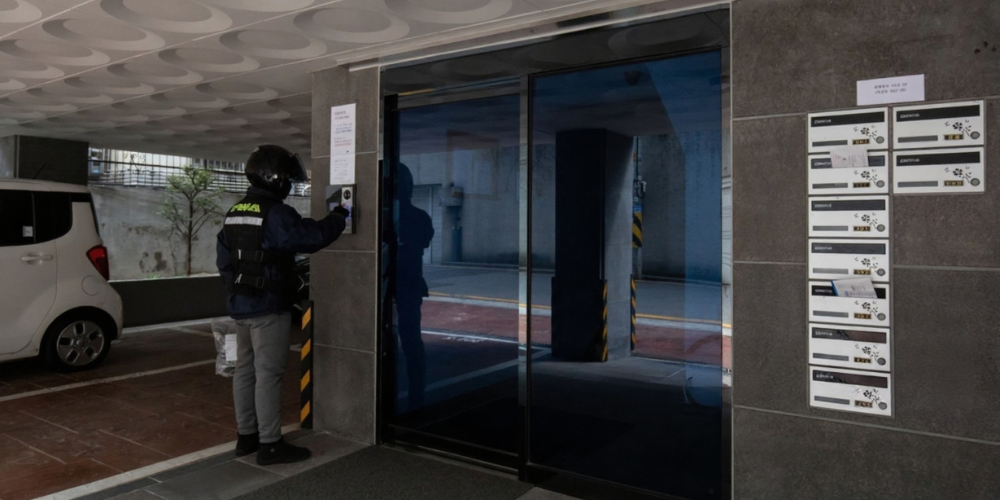
Intecom delivery man


Thinking about adding an intercom to your property? Contact Techcom Engineering for expert advice and installation in Singapore!

Why Install an Intercom System?

Whether you’re securing a home, managing a commercial building, or streamlining operations in a large facility, an intercom system offers powerful benefits. It’s more than just a communication tool—it’s an investment in safety, convenience, and efficiency. Here are the top reasons why intercoms are essential in today’s connected environments:

Enhanced Security

Intercoms serve as the first line of defense by allowing you to screen visitors before they ever enter your premises.

• Video intercoms provide live visual verification, reducing the risk of unauthorized access.
• Pairing with door access systems ensures only verified individuals are granted entry.
• Useful in both residential and commercial settings where safety is a priority.

This added layer of control is critical in a time when threats to property and personal safety are becoming more sophisticated.

Convenience

Modern intercoms eliminate the hassle of physically going to doors or gates to greet visitors.

• Answer calls and open doors using a mobile app, even if you’re not on-site.
• Hands-free communication makes it easy to manage entry while multitasking.
• Reduces the time and effort required to handle routine interactions.

Perfect for busy households, reception areas, or facilities with high foot traffic.

Professionalism

In office buildings and customer-facing businesses, intercoms enhance first impressions and operational flow.

• Welcomes visitors in a structured, secure manner.
• Directs guests or deliveries to the appropriate personnel without delays.
• Integrates with reception management systems for improved visitor tracking.

This creates a seamless and polished experience that reflects well on your brand or organization.

Better Communication

Intercoms make it easy to communicate between departments, rooms, or buildings without needing phones or walkie-talkies.

• Speeds up coordination across large offices, schools, or factories.
• Useful for announcements, emergencies, or routine updates.
• Reduces response times and boosts productivity.

This is especially valuable in environments where fast, clear communication is essential.

Integration with Existing Systems

Modern intercom systems are no longer isolated devices—they’re part of an interconnected security ecosystem.

• Seamlessly integrate with CCTV systems, access control panels, alarm systems, and smart home platforms.
• Centralized control makes it easier to manage security and monitor activity.
• Enables automation—such as unlocking doors when specific users are recognized.

This holistic approach improves overall building intelligence and user control.

Installing an intercom system isn’t just about communication—it’s about creating a safer, smarter, and more responsive environment for everyone who lives or works within it. Whether you’re managing a small home or a large facility, the right intercom solution can make all the difference.

Learn more about how EM Locks enhance access control and integrate seamlessly with intercom systems.

Image of intercom system installation diagram.


Explore our range of reliable intercom systems — browse products now and find the perfect fit for your home or office in Singapore!

What to Consider When Choosing an Intercom

Not all intercom systems are alike—and choosing the right one depends on a variety of practical factors. From environment to long-term scalability, understanding your specific requirements will help you select the best system for your needs. Here’s what to keep in mind before making your decision:

Environment

Will the intercom be used indoors or outdoors? Is it for a residential setup, a commercial building, or an industrial site?

Outdoor intercoms need to be weatherproof, durable, and resistant to tampering or corrosion.
• Indoor units may prioritize aesthetics, integration, and internal communication features.
• Usage in high-noise or high-traffic environments may also call for specialized audio hardware or visual indicators.

Size of Property

Evaluate how many entry points, stations, or units you need to connect.

• A small home may require only one main unit and a mobile app.
• A multi-storey office or apartment complex might need multiple intercom panels, indoor receivers, and backend integration.
• Consider future expansion—especially if your property or team is expected to grow.

Wired vs. Wireless

Your building’s existing infrastructure will heavily influence this decision.

Wired systems offer stable, interference-free communication and are great for permanent setups or buildings with existing cabling.
• Wireless systems offer flexibility, ease of installation, and lower upfront costs, making them ideal for temporary setups or areas where wiring is difficult.
• Also consider signal interference, especially in metal-heavy or high-tech environments.

Audio or Video

Do you simply need to talk to visitors, or do you also want to see them?

• Audio-only intercoms are more affordable and may be sufficient for internal use or low-security areas.
Video intercoms provide enhanced security by allowing visual verification, ideal for front gates, lobbies, and entryways.
• Choose based on your security level, risk factors, and the importance of identity verification.

Integration Capabilities

Does your intercom need to work with smart home systems, mobile apps, CCTV, or access control platforms?

• Look for systems that support IP networking, cloud access, or API integrations.
• Smart intercoms can sync with mobile devices, smart locks, and AI-powered platforms for automation and remote access.
• Integration enhances security, centralizes control, and improves the user experience.

Budget & Scalability

Are you installing a basic system now with plans to expand later? Or do you need an enterprise-grade solution from the start?

• Entry-level systems may be sufficient for small homes or businesses with minimal needs.
• For growing businesses, choose a system that supports additional units, devices, or software licenses without needing full replacement.
• Factor in not just the initial cost, but also maintenance, upgrades, and expansion capability.

Professional Intercom System Installation & Support in Singapore

Installing an intercom system isn’t just about mounting devices—it’s about ensuring every component works together flawlessly. Whether it’s a wired or wireless system, audio-only or video-enabled, professional installation is crucial to achieving reliable performance, seamless integration, and long-term durability.

Why Professional Installation Matters?

Intercom systems often need to be integrated with other security and communication tools like:

CCTV cameras
• Door access control
• Alarm systems
• Smart locks or home automation platforms

Improper placement, faulty wiring, or poor configuration can result in dropped signals, unclear audio, or unreliable video feeds. A professional setup ensures:

• Correct wiring and power supply (especially for wired systems)
• Strategic placement for maximum coverage and minimal blind spots
• Secure mounting for outdoor durability and tamper resistance
• System optimization for fast communication and high clarity
• Scalability to support future upgrades or expansion

Why Choose Techcom Engineering for Intercom Systems in Singapore

At Techcom Engineering, we specialize in delivering reliable, secure, and modern intercom solutions tailored to residential, commercial, and industrial needs in Singapore. From basic audio systems to advanced smart video intercoms, we provide consultation, installation, and long-term support to ensure your communication system works exactly the way you need it to.

Whether you’re securing your HDB unit, upgrading your office entry system, or rolling out a full smart building setup, we’ll help you find the right solution—on time and within budget. Contact us today for a free consultation or quote.

How a PoE Switch Can Supercharge Your Smart Office Setup Today

How a PoE Switch Can Supercharge Your Smart Office Setup Today

By Techcom Engineering Pte. Ltd.

Published: July 22, 2025 at 3:58 pm

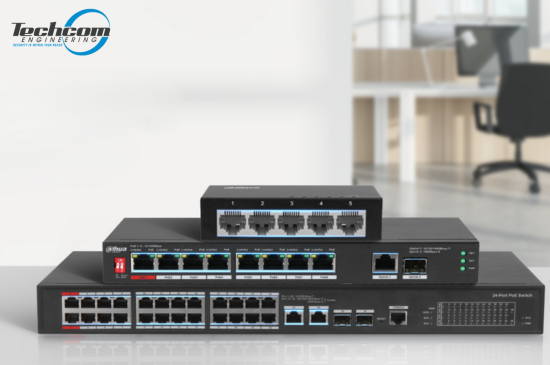
Image of PoE Switch Singapore


Power up your smart office with the right PoE switch — Contact us today for expert advice and installation in Singapore!

In today’s fast-paced, tech-driven workspaces, efficiency, flexibility, and smart infrastructure are key to staying competitive. One essential component that supports these goals is the PoE (Power over Ethernet) switch. This article explores the many advantages of incorporating a PoE switch into your smart office setup — with a special focus on the popular 4-port PoE switch — and how it can dramatically improve your network infrastructure.

We’ll cover the core benefits of PoE switches, their common applications in modern offices, and the key factors to consider when deciding between managed and unmanaged PoE switches. Whether you’re launching a new office or upgrading an existing one, understanding how PoE technology works — and how to choose the right switch — can help you create a reliable, scalable, and future-ready office environment.

What is a PoE Switch?

A PoE switch allows electrical power and data to be transmitted over a single Ethernet cable to connected devices. This capability eliminates the need for separate electrical wiring, reducing clutter and making installations easier and more flexible. By consolidating power and data transfer, PoE switches provide a streamlined solution that addresses the challenges of traditional cabling, such as the need for proximity to power outlets. This not only simplifies the physical setup but also enhances the aesthetic appeal of the workspace by minimizing visible wiring.

How Does a PoE Switch Work?

A PoE (Power over Ethernet) switch is a smart networking device that transmits both data and electrical power through a single Ethernet cable to connected devices. This dual-functionality removes the need for separate power supplies, making installations faster, cleaner, and more cost-efficient—especially for devices in hard-to-reach areas.

PoE switches are commonly used in settings that rely on IP-based devices such as CCTV cameras, Wi-Fi access points, VoIP phones, intercoms, and IoT sensors. Here’s a deeper dive into how PoE technology works and why it’s so useful:

Here’s a more detailed explanation:

Standard Cabling:

PoE switches use stanPoE switches use standard network cables—typically Cat5e, Cat6, or higher—to carry both power and data.

• No need for additional power cords or adapters.
• Up to 100 meters (328 feet) of combined data and power transmission over a single cable.
• Simplifies wiring in places like ceilings, outdoor poles, or remote areas where power outlets are limited or unavailable.

Power Sourcing Equipment (PSE):

The PoE switch functions as a Power Sourcing Equipment (PSE)—the source of the electrical power.

• It sends power to compatible Powered Devices (PDs) such as IP cameras, access points, or VoIP phones.
• Each port on the switch can automatically determine how much power the connected device requires.
• No need to manually configure or add external power injectors for each device.

Smart Detection:

A high-quality PoE switch includes intelligent power detection:

• It checks whether the connected device is PoE-compatible before sending power, preventing damage to non-PoE devices.
• The switch only supplies the necessary amount of power, which improves energy efficiency and device safety.
• Some advanced switches feature power prioritization and load balancing, ensuring critical devices receive power even during high-load conditions.

Compliance with Standards:

PoE switches follow well-established standards defined by the IEEE (Institute of Electrical and Electronics Engineers) to ensure safety and compatibility:

IEEE 802.3af (PoE): Provides up to 15.4W per port, typically used for basic devices like VoIP phones and simple IP cameras.
IEEE 802.3at (PoE+): Offers up to 30W per port, supporting more power-hungry devices like PTZ (pan-tilt-zoom) cameras or dual-band wireless APs.
• IEEE 802.3bt (PoE++): The latest standard, delivering up to 60W–100W per port for high-performance equipment like touchscreens, thin clients, or access control panels.

These standards ensure that PoE systems are safe, scalable, and interoperable with devices from multiple manufacturers.

Image illustration of managed poe switch vs unmanaged poe switch.


Not sure if you need a managed or unmanaged PoE switch? Talk to our experts — we’ll guide you to the right choice for your setup in Singapore.

Types of PoE Switches

Unmanaged PoE Switch:

Best for: Home users, small offices, simple networks

Unmanaged PoE switches are the most straightforward type, offering plug-and-play functionality with no setup required.

Easy to use: Just plug in your Ethernet devices, and the switch automatically delivers data and power where needed.
• No configuration needed: Ideal for users without networking expertise or IT support.
Reliable for basic needs: Supports essential PoE functions to power IP cameras, VoIP phones, wireless access points, and other low-maintenance devices.
Affordable option: Lower cost makes these switches a go-to for small-scale or temporary installations.
These switches are perfect for anyone who needs to quickly get a few PoE-enabled devices online without diving into advanced networking settings.

Managed PoE Switch:

Best for: Medium to large businesses, enterprise networks, IT professionals

Managed PoE switches offer full network control and customization, making them ideal for complex environments that require precision, security, and scalability.

Advanced features: Includes VLAN support, QoS (Quality of Service) settings, port mirroring, SNMP monitoring, and security controls.
Remote management: Configure and monitor your switch via a web interface, CLI (command-line interface), or centralized software.
Scalability: Easily supports expansion as your business or device count grows.
• Optimized performance: Fine-tune how bandwidth and power are distributed across ports to prioritize mission-critical devices like surveillance cameras or VoIP systems.

Improved security: Managed switches help isolate network traffic and limit access to sensitive data.
While they require more setup and technical knowledge, managed PoE switches provide unmatched flexibility and reliability for demanding environments such as corporate offices, hotels, schools, data centers, or multi-building facilities.

Image of an empty office in Singapore.


Explore our range of reliable PoE switches — browse products now and find the ideal solution for your network.

Choosing the Right PoE Switch for Your Office Size

Selecting the correct PoE switch isn’t just about how many ports it has—it’s about matching the switch to your office size, device count, and growth plans. Whether you’re equipping a compact office or a multi-floor corporate setup, there’s a PoE switch configuration designed to meet your unique networking and power requirements.

4-Port PoE Switches

Best for: Small offices, meeting rooms, startups, retail shops

These compact switches are perfect for limited device environments:

• Connect a few IP cameras, VoIP phones, or wireless access points.
• Ideal for temporary setups, remote offices, or home office networks.
• Low power consumption and minimal space usage.

If you’re just starting out or only need to power a few critical devices, a 4-port switch offers a simple, cost-effective solution without unnecessary complexity.

8-Port & 16-Port PoE Switches

Best for: Medium-sized businesses, growing offices, multi-department setups

These switches offer a great balance between capacity and affordability:

• Power multiple devices such as access control panels, surveillance systems, desk phones, and wireless APs.
• Easily support multiple teams or departments across the same floor.
• Many models include a few uplink ports for connecting to a router or core switch.

With room to expand and smart traffic management features (in managed models), these mid-sized switches are ideal for businesses planning for moderate growth.

24-Port & 26-Port PoE Switches

Best for: Large enterprises, multi-floor buildings, security networks, and IoT-heavy environments

These high-capacity switches are built to support intensive connectivity:

• Handle dozens of devices including CCTV cameras, IP telephony systems, smart building controls, and digital signage.
• Great for IT rooms, central network cabinets, or as core switches in structured cabling systems.
• Many models offer PoE+ or PoE++ support, higher power budgets, link aggregation, and advanced security controls.

They’re ideal for businesses that need maximum scalability, system redundancy, and future-proof performance.

Why Choose a PoE Switch?

A PoE switch is designed to deliver both power and data to connected devices using standard Ethernet cables. Whether you’re setting up a small office with a few IP cameras or managing a large-scale smart building, PoE switches offer scalable and flexible networking solutions. They eliminate the need for separate power supplies, simplifying installation and reducing cable clutter.

From compact 4-port models perfect for tight spaces, to enterprise-grade switches supporting dozens of devices, there’s a PoE switch to suit every need. These switches are ideal for powering devices like VoIP phones, wireless access points, IP cameras, and even door access systems. Their ease of use, energy efficiency, and cost-effectiveness make them a smart investment for any modern office or security system.

poe switch benefits


Power up your smart office with the right PoE switch — Contact us today for expert advice and installation in Singapore!

Key Benefits of Using a PoE Switch

Simplified Installation and Reduced Costs

Installing traditional network devices requires both electrical outlets and data ports, which can be cumbersome and expensive. A PoE switch simplifies the installation process by delivering both power and data over a single cable. This not only reduces the number of cables needed but also allows you to position devices in locations where power outlets might not be available.

Additionally, the reduced cabling requirements mean less time and labor are needed for installation, which can lead to significant cost savings.

Energy Efficiency and Environmental Impact

PoE switches help reduce costs in several ways. First, they eliminate the need for additional electrical wiring and outlets. Second, they reduce energy consumption by supplying power only when needed and cutting off power to inactive devices.

Moreover, the scalability of PoE switches allows businesses to grow their network incrementally, avoiding large capital expenditures.

Flexibility and Scalability

With a PoE switch, you can easily expand your network without worrying about electrical infrastructure. Need to add more devices? Simply connect them to the switch using Ethernet cables. This flexibility makes PoE switches ideal for growing businesses.

As new PoE-enabled devices are developed, businesses can seamlessly integrate them into their existing network.

Enhanced Network Performance

PoE switches are designed to enhance network performance. By providing stable power and data transmission, they ensure that connected devices operate efficiently. This reliability is crucial in a smart office, where downtime can lead to significant productivity losses.

Advanced models of PoE switches often include features that prioritize traffic and manage bandwidth efficiently.

Safety and Reliability

PoE switches are equipped with features that ensure safe and reliable operation. They are designed to protect against power surges and overloading, which can damage connected devices. Additionally, PoE switches adhere to strict industry standards that ensure safe power delivery.

Moreover, PoE switches are highly reliable, with many models offering remote management and diagnostics to ensure continuous operation.

Image of smart devices that can be connected to a poe switch.


Explore our range of reliable PoE switches — browse products now and find the ideal solution for your network.

Smart Office Applications of a PoE Switch

IP Security Cameras

PoE switches are ideal for powering and connecting IP surveillance cameras. With power and data delivered through a single Ethernet cable, you can place cameras exactly where you need them—without being limited by the location of power outlets.

VoIP Phones

VoIP phones rely on stable data and power connections. A PoE switch ensures reliable communication across your office network while eliminating the need for separate power adapters.

Wireless Access Points (WAPs)

Wireless connectivity is critical for any modern office. PoE switches make it easy to install WAPs in optimal positions—such as ceilings or high walls—without needing nearby power sockets.

Access Control & Intercom Systems

Door access readers, biometric scanners, and intercom panels are often PoE-compatible. A PoE switch simplifies installation and reduces wiring complexity in entry management systems.

Digital Signage & IoT Devices

From interactive displays to environmental sensors, PoE switches support a wide variety of smart office hardware. This flexibility makes them ideal for evolving IoT-driven environments.

What to Consider When Choosing a PoE Switch

Before investing in a Power over Ethernet (PoE) switch, it’s important to evaluate your current needs and plan for future expansion. From power capacity to network performance and control features, the right switch can help you build a more reliable, scalable, and efficient network. Here are the key factors to keep in mind:

Power Budget:

The power budget determines how much total wattage the switch can deliver to all connected devices.

• Each PoE port provides a certain amount of power—commonly 15.4W (PoE), 30W (PoE+), or up to 60–100W (PoE++).
• Add up the power requirements of your devices (e.g., IP cameras, access points, VoIP phones) to ensure the switch can support them all simultaneously.
• If your network includes high-power devices like PTZ cameras or touchscreen displays, opt for a switch with a higher total power output.

Tip: Always choose a switch with at least 20–30% more power budget than your current needs to account for future additions.

Data Transfer Rate:

A PoE switch doesn’t just supply power—it’s also responsible for transmitting data between devices.

• Common speeds include 10/100 Mbps (Fast Ethernet) or 10/100/1000 Mbps (Gigabit Ethernet).
• For bandwidth-heavy applications—like video streaming from multiple IP cameras or cloud-based systems—Gigabit ports are highly recommended.
• If the switch will be connected to a central router or server, make sure it has high-speed uplink ports to avoid bottlenecks.

Tip: Choose a Gigabit switch for modern networks to ensure smooth performance and reduce lag, especially for video surveillance or VoIP systems.

Managed vs. Unmanaged:

Understanding the difference between managed and unmanaged PoE switches helps ensure the right level of control and performance:

Unmanaged switches offer plug-and-play simplicity with no configuration needed—ideal for small offices or basic installations.
• Managed switches allow detailed configuration, including VLAN segmentation, traffic prioritization (QoS), port monitoring, and remote management—perfect for growing networks or sensitive environments.

Tip: If you need to isolate departments, prioritize bandwidth for specific devices, or manage your network remotely, a managed switch is the better choice.

Scalability:

Think ahead—will your network grow in the next 12–24 months?

• Choose a switch with more ports than you currently need, allowing room for expansion.
• Some switches support stacking, which lets you connect multiple switches together and manage them as a single unit.
• Look for models that support modular add-ons or uplink to a larger core switch if future growth is expected.

Tip: It’s more cost-effective to invest in a slightly larger switch now than to replace it later when you run out of ports or bandwidth.

Conclusion

Incorporating a PoE switch into your smart office setup offers numerous advantages — from simplified installations and reduced cabling to improved energy efficiency and enhanced network performance. By delivering both power and data over a single Ethernet cable, PoE switches offer unmatched flexibility, making them an essential component in modern office and security environments.

Whether you’re connecting a few devices or managing a complex, multi-floor network, choosing the right PoE switch allows you to build a robust, scalable infrastructure that supports your current needs and future growth. It’s a forward-thinking investment that helps keep your business agile, connected, and competitive in today’s technology-driven world.

At Techcom Engineering, we provide smart networking solutions tailored for Singapore’s offices, retail spaces, and commercial buildings. From consultation to installation, our team ensures your PoE deployment is seamless and reliable. Contact us now for personalized advice and expert installation services.

Turnstiles Gate What Security Experts Say Most People Get Wrong

Turnstile Gate What Security Experts Say Most People Get Wrong

By Techcom Engineering Pte. Ltd.

Published: July 17, 2025 at 5:24 pm

Image of a woman passing through a turnstile gate.

Ready to secure your premises with a turnstile gate system? Contact us now for a tailored solution in Singapore.

Turnstiles have become a staple in modern security systems, serving as vital components at various entry points. From office buildings to subway stations, turnstiles are designed to manage the flow of people while enhancing security. However, according to security experts, there are several misconceptions about these seemingly simple devices. In this article, we’ll explore what most people get wrong about turnstiles and how you can optimize their use for better security.

Automatic turnstile gates are increasingly popular due to their ability to streamline access control. These gates use sensors and mechanical arms to allow entry to one person at a time, thus preventing unauthorized access. They can be integrated with various access control systems, such as key cards or biometric scanners, to further enhance security.

Many people assume that turnstiles are just barriers, but they serve a more significant purpose. Their primary role is to ensure that only authorized individuals gain entry to a facility. This is particularly important in high-security areas where unauthorized access could have severe consequences.

One of the most common misconceptions about turnstiles is that they are foolproof. While turnstiles are effective, they are not impenetrable. Security experts warn that relying solely on turnstiles without additional security measures can be risky. Tailgating, where an unauthorized person follows an authorized individual through the gate, is a known vulnerability.

Image of a turnstile gate system in Singapore train station.

Not sure which turnstile gate suits your needs? Speak with our security experts and get personalized advice today.

In Singapore, turnstiles are a common feature in both public and private spaces. The city-state is known for its advanced security infrastructure, and turnstiles play a crucial role in maintaining order and safety. However, even in a place with stringent security protocols, there are lessons to be learned.

1. Integration with Other Systems: Singapore’s approach to turnstile security involves integrating these gates with CCTV and alarm systems. This multi-layered approach ensures that any breach is quickly detected and addressed.

2. Regular Maintenance: Regular maintenance checks are crucial. In Singapore, turnstiles are inspected frequently to ensure they function correctly. This prevents malfunctions that could compromise security.

3. Public Awareness: Educating the public about the proper use of turnstiles is essential. In Singapore, clear signage and public announcements help to minimize misuse and enhance compliance.

Types of turnstiles gate:

For businesses looking to optimize their entrance turnstile gates, there are several strategies to consider: There are various types of turnstiles 
available, including full-height, waist-high, and optical turnstiles. Each type has its own advantages and is suited to different environments. 

Tripod Turnstiles

Tripod turnstiles are among the most widely used and recognizable types of pedestrian access control systems. They consist of a simple yet effective rotating mechanism with three horizontal arms arranged in a tripod formation. As a person pushes one of the arms, the mechanism rotates to allow passage, one person at a time. This design offers a reliable way to control and monitor foot traffic in various environments such as office buildings, stadiums, public transit stations, and recreational facilities. Tripod turnstiles are favored for their durability, ease of installation, and cost-effectiveness. Additionally, they can be integrated with access control technologies like RFID cards, biometric scanners, or ticketing systems, making them versatile solutions for managing secure entry while maintaining smooth pedestrian flow.

• Full Height Turnstiles:

Full height turnstiles are robust, tall rotating barriers engineered specifically for environments where security is paramount. Unlike tripod turnstiles, these extend from floor to ceiling, creating a physical gate that effectively blocks any attempt to climb over or crawl under, ensuring that only authorized individuals can pass through. Their solid construction makes them ideal for high-security areas such as industrial sites, government buildings, stadiums, and correctional facilities. These turnstiles provide 360-degree controlled access, preventing tailgating or piggybacking by unauthorized persons. Full height turnstiles can be seamlessly integrated with various access control systems including biometric readers, proximity cards, or keypad entry, offering a sophisticated yet sturdy solution for stringent security needs without compromising on throughput efficiency.

• Speed Gates:

Speed gates are sleek, modern access control solutions designed to combine high security with a smooth user experience. Featuring fast, automated sliding or swinging barriers made from glass or metal, they create an elegant and unobtrusive entry point that seamlessly fits into contemporary office lobbies, corporate buildings, airports, and upscale facilities. These gates work in tandem with advanced access control systems—such as RFID cards, biometrics, or mobile credentials—to quickly verify and allow authorized entry while preventing unauthorized access. Speed gates are prized for their ability to maintain efficient pedestrian flow without compromising safety, offering both a sophisticated aesthetic and reliable security. Their fast response times and quiet operation make them a popular choice where convenience and professionalism are key priorities.

• Swing Gate Turnstiles:

Swing gate turnstiles are designed with either motorized or manual swinging gates that open smoothly once access is granted, providing an accessible and user-friendly entry solution. Unlike traditional rotating arms, these gates swing open like a door, making them especially suitable for wider passageways and accommodating users with luggage, wheelchairs, or strollers. They are commonly found in office buildings, healthcare facilities, airports, and other locations where ease of access and accessibility are essential. Swing gate turnstiles can be integrated with a variety of access control technologies—such as card readers, biometric scanners, or QR code systems—to ensure secure entry while maintaining a smooth flow of pedestrian traffic. Their versatility and elegant design make them a practical choice for both security and convenience.

The True Purpose of Turnstiles

Many assume that turnstiles simply act as physical barriers, but they fulfill a much larger role in security. Their primary purpose is to ensure that only authorized individuals are granted entry to a facility, particularly in high-security areas where unauthorized access can have severe implications.

Image of turnstile gate Singapore.

Still unsure about installing a turnstile gate? Don’t wait—reach out today and let our team guide you.

Common Misconceptions About Turnstiles

One prevalent misconception is that turnstiles provide foolproof security. While these gates are efficient, they are not entirely impenetrable. Security experts caution against relying solely on turnstiles without implementing additional security protocols. A known vulnerability, tailgating—where an unauthorized person follows an authorized individual through the gate—poses a significant risk.

Enhancing Turnstile Gate Systems with Smart Security Integration

Integrating your turnstile gate with an access control system can significantly enhance security. Options include card readers, biometric scanners, and mobile access systems. Each of these technologies adds an additional layer of protection by ensuring that only verified individuals can pass through the gate.

Even the best turnstile systems require human oversight. Providing regular training for security personnel ensures they are prepared to handle issues such as tailgating or responding to alerts from the integrated security systems.
As technology advances, so does the potential of turnstile gate systems. The future looks promising, with innovations that can further enhance their efficiency and effectiveness.

Smart turnstiles now come equipped with advanced features such as facial recognition and real-time data analytics. These tools offer security teams valuable insights into traffic flow and potential threats, enabling more proactive and informed responses.

Image of a woman passing through a turnstile gate using contactless entry.

Explore our advanced turnstile solutions — Shop Turnstile Gates now and upgrade your access control.

Advancing Turnstile Gate Systems: Contactless Access, Energy Efficiency, and Security Optimization

In a post-pandemic world, the demand for contactless solutions has surged. Turnstile gate systems are evolving to include contactless entry
options, reducing the need for physical interaction and thus enhancing hygiene and convenience.

Modern turnstile systems are being designed with energy efficiency in mind. With features like low-power consumption motors and energy-saving standby modes, these systems are not only secure but also environmentally friendly.

Turnstiles are more than just mechanical barriers; they are a crucial component of modern security systems. By understanding their limitations and optimizing their use, organizations can enhance their security posture significantly. Remember, the key to effective turnstile security is integration with other systems, regular maintenance, and ongoing education for both security personnel and the public. As technology continues to evolve, so too will the capabilities of turnstile gate systems, promising even greater security in the future.

Turnstile Security in Singapore

In Singapore, turnstiles are a common sight in both public and private spaces, reflecting the city-state’s commitment to an advanced
security infrastructure. The following strategies have proven effective in optimizing turnstile use in this region:

1.Integration with Other Systems: Singapore emphasizes the importance of integrating turnstile systems with CCTV and alarm systems. This multi-layered approach ensures that any security breaches are swiftly detected and addressed.

2.Regular Maintenance: Routine inspections of turnstiles are crucial for maintaining functionality. Singapore conducts frequent checks to preempt malfunctions that could compromise security.

3.Public Awareness: Educating the public about the proper use of turnstiles is essential. Singapore employs clear signage and public announcements to minimize misuse and enhance compliance.

Strategies for Businesses to Optimize Entrance Turnstile Gates

When considering the optimization of entrance turnstile gates, businesses should explore several strategic approaches:

• Choosing the Right Type of Turnstile: Options include full-height, waist-high, and optical turnstiles, each offering distinct advantages suited to different environments. Full-height turnstiles provide higher levels of security for outdoor settings, whereas optical turnstiles cater to indoor environments where aesthetics matter.

• Integration with Access Control Systems: Enhancing security through integration with access control measures—such as card readers, biometric scanners, and mobile access systems—ensures that only verified individuals can access secured areas.

• Human Oversight and Training: No turnstile system is complete without human oversight. Regular training for security personnel is vital
 to equip them with the skills needed to manage issues like tailgating or respond to alerts from integrated security systems.

Image of a girl passing through turnstile gate using face recognition.

Explore our advanced turnstile solutions — Shop Turnstile Gates now and upgrade your access control.

The Future of Turnstile Gate Systems

As technology continues to advance, the capabilities of turnstile systems are expected to evolve. Innovations to look out for include:

• Smart Turnstiles: These are equipped with advanced features, such as facial recognition and real-time data analytics, providing security teams with insights into traffic patterns and potential threats, allowing for more proactive security measures.

• Contactless Solutions: The demand for contactless solutions in a post-pandemic world has surged. Turnstile systems are integrating contactless entry options to enhance hygiene and convenience while reducing physical interaction.

• Energy Efficiency: Modern turnstile systems are being designed with energy efficiency in mind, featuring low-power consumption motors and energy-saving standby modes to ensure security while being environmentally friendly.

Frequently Asked Questions (FAQ)

Q1: What is the difference between turnstiles
and access gates?

 Turnstiles are typically used for controlling pedestrian access one person at a time, often with rotating arms or sliding panels. Access gates can include swing or sliding doors and may allow for wider entry, such as for wheelchair access. Turnstiles offer more stringent control in high-traffic areas.

Q2: Are turnstiles suitable for offices and
commercial buildings in Singapore?

 Yes. Many commercial properties in Singapore now use turnstile gates at lobbies and lift areas to manage staff and visitor access. These systems improve security and visitor tracking while reducing manpower needs.

Q3: Can turnstiles be integrated with biometric
or card-based access systems?

 Absolutely. Modern turnstile systems support integration with biometric scanners, RFID card readers, QR code scanners, and even mobile apps, allowing for seamless security authentication.

Q4: How much does a turnstile gate cost in 
Singapore?

Prices vary depending on the type (tripod, flap, full-height, etc.) and the level of integration required. Basic models start around S$2,000–S$4,000, while premium systems with biometrics or facial recognition may cost S$6,000 or more.

Conclusion: Secure Smarter with the Right Turnstile Gate System

Investing in the right turnstile gate system isn’t just about security — it’s about controlling access with confidence, streamlining foot traffic, and projecting professionalism. Whether you’re managing a commercial building, an industrial facility, or a residential development, choosing the right turnstile makes a lasting impact.

At Techcom Engineering, we specialize in designing and deploying advanced entry control systems, including automatic turnstile gates, entrance turnstile gates, and integrated turnstile gate systems across Singapore. With years of experience in the local security industry, we help businesses and property owners make smarter, future-ready decisions.

Whether you’re securing a small office entrance or managing high-traffic access points, we’re here to help.

👉 Not sure which turnstile gate is right for your premises? Explore our full range of Turnstile Gate Systems or get in touch with Techcom Engineering — your trusted security systems provider in Singapore.

Fiber Cable Installer in Singapore: Avoid Costly Mistakes with This Expert Guide

Fiber Cable Installer in Singapore: Avoid Costly Mistakes with This Expert Guide

By Techcom Engineering Pte. Ltd.

Published: July 11, 2025 at 4:05 pm

Image of a professional fiber cable installer checking the wiring

Not sure how to set up your network? Let our experts handle it — explore our Fiber Cabling Services.

As Singapore pushes for smart nation initiatives and ultra-fast connectivity, the role of a fiber cable installer becomes more critical than ever. Whether you’re setting up a new office, upgrading a surveillance system, or preparing your home for high-speed internet, hiring a professional fiber cable installer ensures reliable, safe, and future-ready infrastructure.

But what exactly does a fiber cable installer do? How do you choose the right one in Singapore? And why can’t just any electrician do the job?

This guide answers all that — and more.

What is a Fiber Cable Installer?

Image of professional fiber cable installers setting up fiber cable for installations

Need a professional fiber cabling installer? Contact us today for a free consultation.

A fiber cable installer is a skilled technician trained to lay, terminate, test, and document fiber optic cabling systems. Fiber optic cables, made of ultra-thin glass or plastic strands, transmit data as light signals — allowing for lightning-fast speeds and minimal signal degradation.

Their responsibilities include:

• Installing fiber cables through conduits, ceilings, or underground ducts
• Fusion splicing and terminating fibers
• OTDR and power meter testing
• Labeling and documenting fiber runs
• Following industry best practices and local codes (e.g. BCA regulations in Singapore)

Fiber installers typically work on projects ranging from office buildings and factories to HDB flats and condominiums, especially where CCTV systems or structured cabling is involved.

When Do You Need a Fiber Cable Installer?

You should engage a certified fiber cable installer when:

• Setting up a new office, warehouse, or retail outlet
• Upgrading from copper Ethernet to fiber for higher bandwidth
• Installing or expanding a CCTV surveillance system across long distances
• Creating a fiber backbone to link multiple network cabinets or IDFs
• Ensuring compliance with building codes or BCA submissions
• Extending fiber to endpoints in commercial buildings or landed properties

Many clients in Singapore also hire fiber installers during renovations to future-proof their space for 10Gbps or even 40Gbps speeds.

Fiber Optics vs Copper: Why It Matters

If you’re still unsure why fiber matters — consider this comparison:

Image of a table with comparison details of Fiber optics vs. Copper wire.

For setups involving CCTV, inter-building networks, or data centers, fiber is the clear winner — and a professional installer ensures you get the performance you’re paying for.

Skills & Tools, a Professional Installer Should Have

A qualified fiber cable installer in Singapore should have:

• Proficiency in both single-mode and multi-mode systems
• Experience with fusion splicing and OTDR testing
• Familiarity with patch panels, fiber enclosures, and distribution frames
• Compliance knowledge (BCA, SCDF, structured cabling standards)
• Certifications (e.g. FOA, BICSI, or local telecom credentials)

They should also be equipped with:

• OTDR (Optical Time Domain Reflectometer)
• Visual Fault Locators
• Fiber cleavers, strippers, and splicing tools
• Label printers and documentation software

These tools allow them to verify signal strength, locate faults, and certify the installation.

Image of fiber optic cable installation or repair tools.

Need a professional fiber cabling installer? Contact us today for a free consultation.

⚠️ Why a General Electrician Isn’t Enough

Not all electricians are trained in fiber optics.

Fiber cables are delicate, require precise splicing and specialized tools, and can’t be tested with typical multimeters or voltage testers. Hiring someone without the right experience could lead to:

• Improper terminations
• Signal loss or unstable connections
• Risk of fire code violations
• Non-compliance with warranty requirements
• Costly rework and downtime

Hiring a licensed and trained fiber installer from the start saves time and long-term expense.

Typical Fiber Installation Process

Here’s what you can expect from a professional fiber installation in Singapore:

1. Site Survey – Assess layout, distances, and endpoints
2. Design & Planning – Determine fiber type, route, and hardware
3. Cable Pulling – Through conduits, risers, or tray systems
4. Splicing & Termination – Use of fusion splicers or connectors
5. Testing & Certification – OTDR results and loss measurements
6. Documentation – Fiber map, cable labels, test reports

Need a reliable, compliant install? Click here to contact our team.

Common Mistakes in DIY or Low-Cost Installs

Image of Fiber Optic Cables properly labeled before installation.

Avoid common fiber cabling mistakes — Schedule a Free Consultation with Techcom Engineering for expert advice and installation.

Cutting corners on fiber installations can backfire. Common issues we’ve seen:

Overbent fiber that leads to signal loss
• Unprotected terminations exposed to dust and moisture
• No OTDR testing, leaving silent faults undetected
• Improper grounding in mixed copper/fiber environments
• Inadequate labeling, making future upgrades difficult

That’s why you should always trust experienced professionals like Techcom Engineering.

Choosing the Right Fiber Installer in Singapore

Look for these before hiring:

✅ MOH/BCA-compliant procedures
✅ Experience in both residential and commercial projects
✅ Full OTDR reports and certification
✅ Clear quotation and transparent pricing
✅ Responsive post-installation support

For example, Techcom Engineering has completed fiber projects for CCTV systems, backbone links, and server room setups across Singapore.

Why Fiber is Perfect for CCTV Networks

Image of a CCTV Camera installed inside a building parking lot.

If you’re upgrading your CCTV camera system, fiber is the future:

• Allows coverage of large sites (factories, schools, buildings)
• Maintains signal quality across long distances
• Supports PoE extenders or media converters
• Eliminates interference from electrical wiring or lifts

We often install fiber cable for Dahua IP cameras, NVRs, and network switches — all integrated into one stable system.

Looking for CCTV-ready fiber cabling? Explore our CCTV camera range →

Case Study: Office Fiber Install in Singapore

A recent client in Tanjong Pagar needed high-speed links between two floors of office space. Their Cat6 setup had bottlenecks due to distance. We installed single-mode fiber between network cabinets with LC connectors, tested with OTDR, and documented everything.

The result? 10Gbps links with zero signal loss and a fully upgradable setup.

Final Thoughts: Trust a Certified Fiber Installer

In Singapore’s fast-paced, digitally connected world, poor cabling can cripple operations. Choosing a professional fiber cable installer ensures not just better performance — but compliance, safety, and peace of mind.

Whether you need a simple link between two rooms or a full-scale structured cabling solution, we’re ready to help.

👉 Not sure how to install your fiber system? Click here to get in touch with Techcom Engineering — your trusted fiber cable installer in Singapore.

CCTV Surveillance: 10 Facts About Modern Surveillance Cameras

CCTV Surveillance: 10 Facts About Modern Surveillance Cameras

By Techcom Engineering Pte. Ltd.

Published: July 03, 2025 at 2:55 pm

CCTV Systems

New to this? Read our Complete Guide to CCTV Camera Systems in Singapore.

CCTV systems has become an essential component of modern security, safeguarding everything from high-security government facilities to everyday retail shops. Over the years, surveillance cameras have evolved far beyond their grainy analog beginnings. Today’s systems are smarter, more connected, and more capable than ever, offering advanced features like AI-powered detection, cloud storage, and mobile access.

To help you stay informed and choose the right solution for your home or business, we’ve compiled 10 fascinating facts about CCTV surveillance and modern surveillance cameras in 2025. Don’t forget to check out our Essential Tips for CCTV Camera Installation for practical guidance on setting up your system effectively.

To help you make an informed decision for your business or property, we’ve compiled 10 fascinating facts about CCTV systems in 2025. Also, don’t miss our Essential Tips for CCTV Camera Installation for practical guidance on setting up your system the right way.

1. The First CCTV Systems Dates Back to WWII

The first known use of CCTV surveillance dates back to 1942, when German engineer Walter Bruch developed a system to monitor V-2 rocket launches. This pioneering setup allowed real-time video monitoring without the need for film, laying the foundation for modern surveillance camera technology.

Bruch’s system was designed for the German military at the Peenemünde Army Research Center. Using a wired transmission setup, live video from the rocket launch site was relayed to a remote monitoring station—making it the earliest practical application of electronic video surveillance.

Unlike traditional film-based methods, Bruch’s innovation transmitted video images directly to monitors. This breakthrough not only enabled immediate observation but also set the stage for the advanced CCTV surveillance systems we rely on today. After the war, Bruch continued shaping the future of video technology, contributing to the development of the PAL (Phase Alternating Line) color television system, which became a global broadcast standard.

Looking for dependable security systems? Dive into everything about our CCTV Camera solutions.

Image of Walter Bruch A German Scientist who invented the first CCTV Camera System

Walter Bruch, German engineer and inventor of the first operational CCTV system.

An Image of A V-2 rocket being prepared for launch at Peenemünde in 1942

A V-2 rocket being prepared for launch at Peenemünde in 1942—monitored by one of the world’s first closed-circuit television systems developed by Walter Bruch.

2. Color CCTV systems Surveillance Arrived in 1956

In 1956, RCA introduced the first color CCTV surveillance system, adapting its pioneering broadcast television technology for security applications. This innovation was a significant milestone for surveillance cameras, as it allowed operators to identify critical visual details—such as clothing colors, vehicle types, and product labels—with much greater accuracy.

Initially, color CCTV was costly and primarily used in high-security or industrial environments. However, it gradually enhanced recognition capabilities and set the stage for the advanced video surveillance systems we rely on today. This development laid a critical foundation for modern CCTV standards, making surveillance more precise and effective.

rca color

3. Over 1 Billion CCTV Surveillance Cameras Operate Globally

As of 2024, over 1 billion CCTV surveillance cameras are in operation worldwide, highlighting how deeply CCTV surveillance has become embedded in modern infrastructure. China leads the global count, with hundreds of millions of cameras installed across public and private sectors.

Other highly urbanized nations, including the United States and the United Kingdom, follow closely behind, employing extensive surveillance camera networks to monitor public spaces, enhance security, support law enforcement, and manage traffic. This widespread adoption underscores the critical role of CCTV surveillance in maintaining safety and operational efficiency in cities around the globe.

cctv camera statistics

Pan-Tilt-Zoom (PTZ) CCTV Surveillance Cameras Revolutionized Public Safety

The first outdoor CCTV surveillance system with pan-tilt-zoom (PTZ) functionality was installed in Bournemouth, England, in 1985 to monitor and manage large football crowds. This innovation marked a turning point in public surveillance, introducing unprecedented flexibility and coverage.

Modern PTZ surveillance cameras have since evolved significantly, offering 360-degree rotation, powerful zoom capabilities, remote directional control, and AI-powered tracking that can automatically follow moving subjects. These advanced features make PTZ cameras indispensable for city-wide CCTV surveillance, traffic management, crowd monitoring, and high-security facilities where wide-area coverage and real-time responsiveness are crucial.

An image of a CCTV System installed outdoor

👉 Ready to upgrade your security? Explore our best-selling CCTV cameras here.

5. Dummy CCTV Surveillance Cameras Are Still Widely Used for Deterrence

Although non-functional, dummy CCTV surveillance cameras remain a widely used and cost-effective deterrent in both residential and commercial settings. While these replicas cannot record footage, detect motion, or connect to monitoring systems, their realistic design—often featuring blinking LEDs and visible wiring—creates the impression of active CCTV surveillance.

This perceived presence alone can significantly reduce opportunistic crimes such as theft or vandalism, particularly in low-risk areas where installing a full surveillance camera system may be unnecessary or impractical. When used strategically, dummy cameras can complement real CCTV setups, enhancing overall security without the full cost of active systems.

Image of Dummy CCTV Cameras

6. Chongqing is now the most surveilled city per capita

As of 2024, Chongqing, China, has officially surpassed Orwell City in CCTV density, earning the distinction of being the world’s most heavily monitored city per capita. With over 2.6 million surveillance cameras installed across its urban landscape, Chongqing averages more than 400 cameras for every 1,000 residents.

This immense deployment highlights China’s commitment to CCTV surveillance as part of its smart city initiatives, leveraging technologies such as facial recognition and AI-driven analytics. The network enhances public security, improves traffic management, and supports law enforcement operations, while also sparking important discussions around privacy, data protection, and responsible monitoring practices.

chongqing china

7. Thermal Imaging CCTV Surveillance Cameras Enable Clear Visibility in Darkness

Thermal CCTV surveillance cameras detect infrared radiation (heat) instead of relying on visible light, enabling effective operation in complete darkness. This technology is especially valuable in challenging environments where conventional surveillance cameras struggle, such as heavy smoke, fog, dust, or severe weather conditions.

By visualizing heat signatures from people, vehicles, or machinery, thermal cameras can detect intrusions or anomalies that might otherwise go unnoticed. These capabilities make them indispensable for high-security areas, perimeter protection, critical infrastructure, and industrial sites, where early threat detection is vital for safety and operational efficiency.

Image of Thermal Imaging

8. Laser microphones can capture audio without a mic

Laser-based surveillance technology—sometimes called laser spy tech—represents a cutting-edge advancement in CCTV surveillance and covert monitoring. This system can capture conversations from distances exceeding 50 meters by detecting microscopic sound vibrations on surfaces such as glass windows, walls, or objects. By aiming a laser beam at a reflective surface near a conversation, it converts these vibrations into intelligible audio.

Although rarely used in standard commercial or residential surveillance camera systems due to its specialized application, this technology illustrates how sophisticated and precise modern surveillance methods have become. It also highlights the importance of understanding potential privacy vulnerabilities in high-security environments and the growing role of advanced monitoring technologies.

laser microphone

9. IP cameras and AI analytics are replacing analog

As of 2025, IP CCTV surveillance cameras have emerged as the dominant choice in modern video monitoring, thanks to their advanced capabilities and flexible deployment options. These cameras deliver high-definition video—often in 4K resolution—and support features such as two-way audio, real-time alerts, and remote access via smartphones, tablets, or web browsers.

Many models also include secure cloud-based recording, eliminating the need for local storage and simplifying data management. What sets these surveillance cameras apart is their integration with AI-powered features, including facial recognition, people counting, line-crossing alerts, and behavior analysis. This combination of high-quality imaging and intelligent monitoring makes IP cameras ideal for both residential and commercial security systems seeking smarter, more proactive surveillance solutions.

wireless cctv camera

👉 Ready to upgrade your security? Explore our best-selling CCTV cameras here.

10. Even museums use CCTV systems in creative ways

The Museum of Food and Drink in New York continues to charm visitors with its unique chocolate-monitoring CCTV feed, offering a behind-the-scenes look at the chocolate-making process through live video streaming. This creative use of surveillance technology blends entertainment, education, and transparency—turning what is typically a security tool into an engaging visitor experience. As of 2025, such novelty applications of CCTV systems remain popular in museums, public art installations, and interactive exhibits around the world, where live feeds add an immersive and often playful element to traditional displays.

museum food and drink new york

Ready to Upgrade Your Security?

Don’t compromise when it comes to safety and peace of mind. Whether you’re installing a brand-new CCTV systems, upgrading from an outdated analog setup, or looking to integrate surveillance with smart access control and alarm systems, our team of experts is here to guide you every step of the way. We provide tailored solutions that align with your property’s needs, ensuring reliability, scalability, and ease of use. From consultation to installation and support, we’re committed to helping you secure what matters most.

Click here to schedule a free consultation with Techcom Engineering today.

Expert Electrical Cabling Services for Homes and Businesses in Singapore

Expert Electrical Cabling Services for Homes and Businesses in Singapore

By Techcom Engineering Pte. Ltd.

Published: July 01, 2025 at 1:04 pm

electrical cabling

Need a reliable electrical services in Singapore? Click here to get in touch with Techcom Engineering today!

At Techcom Engineering Pte Ltd, we specialize in delivering high-quality electrical cabling solutions tailored to meet the specific needs of both residential and commercial environments. With a strong commitment to safety, efficiency, and reliability, our team designs and installs structured cabling systems that ensure seamless power distribution and long-term performance. Whether you are building a new property, undergoing a renovation, or upgrading your current infrastructure, we provide expertly planned, future-ready cabling solutions that support your electrical systems, smart technologies, and day-to-day operations — all while keeping your space organized and compliant with industry standards.

professional electrical cabling

Need a professional electrical services in Singapore? Click here to get in touch with Techcom Engineering today!

Professional Electrical Cabling is Our Core Service

Proper electrical cabling is essential for ensuring the safety, efficiency, and long-term scalability of any building’s electrical infrastructure. At Techcom Engineering Pte Ltd, our team of certified and experienced electricians is dedicated to designing and implementing robust cabling systems that meet the highest standards. We focus on minimizing power loss, reducing potential fire and safety hazards, and optimizing energy distribution to ensure reliable performance of all connected devices and appliances. Whether for residential, commercial, or industrial applications, our expertly crafted solutions provide a stable foundation for current demands and future technology upgrades.

Our Electrical Cabling Services Include:

• Power and lighting point cabling for homes and offices
• Cable trunking, conduit, and surface/flush installations
• Cabling for CCTV, network devices, and smart home systems
• Load balancing and DB box wiring upgrades
• Custom wiring solutions for retail, F&B, and industrial setups

Our electrical cabling work complies with Singapore’s safety codes and is suitable for HDBs, condos, landed properties, commercial units, and more.

simple electrical repair

Need help with electrical repairs or installations? Click here to speak with our support team today.

Electrical Repairs and Installations – Support Services You Can Rely On

While electrical cabling remains our primary focus, we also offer dependable electrical repair and installation services to support the continued safety, efficiency, and adaptability of your power systems. Whether it’s addressing urgent issues or adding new electrical points, our experienced electricians ensure quality workmanship and timely service for residential and commercial properties alike.

Electrical Repairs We Offer:

• Troubleshooting tripped breakers and faulty wiring
• Repair or replacement of damaged sockets and switches
• Resolving lighting, outlet, and power supply issues

Electrical Installation Services:

• Installation of lighting fixtures, fans, and power points
• Smart device wiring and setup
• CCTV and door access power integration

Whether you’re setting up new electrical equipment, expanding your system, or addressing existing faults, our responsive team at Techcom Engineering Pte Ltd ensures every task is carried out with efficiency, precision, and strict attention to safety standards. We take pride in delivering prompt, professional service that minimizes downtime and keeps your operations running smoothly—no matter the size or complexity of the job.

electric cabling hero image

Need a reliable electrical services in Singapore? Click here to get in touch with Techcom Engineering today!

Why Choose Techcom Engineering Pte Ltd?

At Techcom Engineering Pte Ltd, we combine deep expertise in both electrical and security systems to provide our clients with a dependable, all-in-one solution. Our integrated approach ensures seamless coordination across your infrastructure needs—whether it’s for safe, organized cabling or full-scale power distribution. We are committed to delivering excellence in every project, with meticulous attention to detail, clean and professional installations, and a focus on long-term reliability. With a reputation built on quality, safety, and customer satisfaction, we aim to be your trusted partner for all things electrical.

safety first

Safety First

We strictly adhere to international safety standards, conducting comprehensive risk assessments and control measures to ensure that every project undergoes rigorous safety inspections, eliminating potential hazards.

risk management

Risk Control Measures

We implement thorough risk assessments and control measures throughout the construction process, ensuring every project is free from safety hazards and protecting your equipment and personnel.

excellent quality 1

Excellent Quality

We use high-standard construction techniques and premium materials, combined with advanced technology to ensure the long-term stability and reliability of our cabling systems, meeting the demands of complex environments.

quality assurance

Quality Assurance

All solutions are designed to meet the highest standards, ensuring full control from project start to finish.


efficiency construction

Efficient Construction

With extensive project management experience and a skilled technical team, we optimize construction processes to shorten timelines and reduce costs, eliminating the risks associated with DIY solutions.


on time delivery

On-Time Delivery

Our professionalism guarantees on-time delivery, with every procedure following industry best practices.


transparent price

Transparent Pricing

We provide a detailed quotation list and comprehensive warranty services, ensuring clients understand all costs and receive cost-effective solutions without hidden fees.


trusted personnel

Trusted Personnel

Every team member undergoes strict background checks, offering complete peace of mind and trustworthy service.


support maintenance

Support & Maintenance

Upon project completion, we provide full follow-up services and regular maintenance to ensure the continuous and efficient operation of your cabling system.


Our professional certification and your guarantee:

ISO

ISO quality management system certification

Ensure that all services and products meet international quality standards and provide traceable quality assurance.

BCA

BCA Building and Building Materials Certification

Ensures that we meet the strict specifications and technical requirements of the construction industry in electrical and mechanical wiring projects.

BizSafe

BISAFE Safety Management Certification

Strengthens our safety management during the construction process to ensure that every project is free of safety hazards.

Singapore Police Force

Police Background Check Certification

Provides customers with a higher level of trust and ensures the integrity and reliability of all staff.


Our Service Process

survey

Step 1: On-Site Consultation

We visit your premises to assess coverage zones, lighting conditions, and security concerns, then recommend an ideal CCTV package.

quotation

Step 2: Custom Quotation

We prepare a customized plan with detailed cost estimates and product specifications based on your needs.

Installation and testing

Step 3: Installation & Testing

Our skilled technicians will handle the complete CCTV installation, from cabling and mounting to network setup and testing.

maintenance support

Step 4: Maintenance & Support

We offer routine system checks and on-demand support to ensure your CCTV camera system operates flawlessly at all times.

Book Your Electrical Cabling Service Today!

If you need reliable electrical cabling services—along with the added benefit of professional repairs and installations—Techcom Engineering Pte Ltd is here to help. With years of experience serving both residential and commercial clients across Singapore, we deliver tailored solutions that prioritize safety, functionality, and future scalability. Whether you’re upgrading an existing system or starting from scratch, our team is ready to provide expert guidance every step of the way. Contact us today to schedule a free consultation or on-site assessment, and let us power your space with confidence and care.

Need a reliable electrical services in Singapore? Click here to get in touch with Techcom Engineering today!

Wireless CCTV Camera with Mobile Connectivity – Easy Home Monitoring

Wireless CCTV Camera with Mobile Connectivity

By Techcom Engineering Pte. Ltd.

Published: June 19, 2025 at 4:22 pm

Smartphone displaying live feed from a wireless CCTV camera with mobile connectivity, showing real-time monitoring of a home for enhanced security and remote access.

New to this? Read our Complete Guide to CCTV Camera Systems in Singapore.

Ensuring the safety of your home has never been more critical, and a wireless CCTV camera with mobile connectivity is one of the most effective ways to protect your property. Unlike traditional CCTV systems, these cameras allow homeowners to monitor live footage remotely via smartphones, tablets, or computers, giving real-time insights no matter where they are.

Modern wireless CCTV cameras offer a range of features, including motion detection, night vision, cloud storage, and push notifications, all integrated into easy-to-use mobile apps. Proper installation is essential to maximize coverage, reduce blind spots, and ensure the system operates reliably.

In this guide, we’ll walk you through the key considerations for choosing and installing a wireless CCTV camera with mobile connectivity, helping you secure your home efficiently while taking full advantage of modern technology.

Understanding Mobile-Connected Wireless CCTV Cameras

A wireless CCTV camera with mobile connectivity is a modern security solution that connects directly to your smartphone or tablet through an app. This feature lets you view live footage, receive instant alerts, and control camera settings remotely, all from your mobile device. With this seamless integration, you can monitor your home in real time, whether you’re at work, traveling, or simply away, providing peace of mind and enhanced security.

Diagram illustrating the connection of a wireless CCTV camera with mobile connectivity to a home Wi-Fi network

Prefer a hassle-free setup? Click here to have your CCTV system professionally installed by Techcom Engineering Pte Ltd.

How Mobile Connectivity Works

A wireless CCTV camera with mobile connectivity uses your home Wi-Fi network and a dedicated smartphone app to keep you connected to your property in real time. Once the camera is installed and linked to the app, it streams live video directly to your mobile device and sends instant alerts if unusual activity is detected.

For smooth operation, both your camera and smartphone require a stable internet connection. The app acts as a bridge, converting data from the camera into a format your phone can display, allowing you to monitor your home anytime, anywhere.

Many apps also provide customizable settings, such as motion or sound sensitivity, so you receive alerts only for important events, minimizing false alarms and ensuring reliable home security.

Woman using a smartphone to access a wireless CCTV camera with mobile connectivity, reviewing live footage and receiving alerts for comprehensive home security and remote monitoring.

Browse Our Full Range of CCTV Camera Products Now

Benefits of Mobile-Connected CCTV Cameras

Remote Monitoring

A wireless CCTV camera with mobile connectivity allows you to monitor your home from anywhere in real time. Whether at work, traveling, or away for the day, you can check live footage instantly via your smartphone or tablet, providing continuous security and peace of mind.

Instant Alerts

These cameras send instant notifications to your mobile device whenever motion or unusual activity is detected. With a wireless CCTV camera with mobile connectivity, you can respond quickly to potential threats, whether it’s contacting authorities or handling the situation directly.

Ease of Use

Mobile-connected cameras are designed with user-friendly apps, making it easy for anyone to manage and control their home security system. Even those who aren’t tech-savvy can navigate the app effortlessly, access footage, and adjust settings with confidence.

Two-Way Communication

Many wireless mobile-connected CCTV cameras feature two-way audio, enabling you to speak to visitors at your door or deter intruders remotely. This feature adds flexibility and security, allowing you to interact with people on your property without being physically present.

Cloud Storage

Most wireless CCTV cameras with mobile connectivity include cloud storage options, ensuring your footage is safe even if the camera is damaged or stolen. Cloud storage provides a secure off-site backup, giving homeowners peace of mind that their data is always protected.

Choosing the Right CCTV Camera for Your Home

When selecting a CCTV camera with mobile connectivity, several factors should be considered to ensure you get the best system for your 
needs.

Key Features to Look For

resolution

Resolution

Look for cameras with high-definition (HD) resolution to ensure clear images. Cameras with 1080p or higher resolution are
ideal. Higher resolution cameras provide more detail, making it easier to identify faces and license plates.

field of view

Field of View

A wider field of view allows the camera to cover more area. Cameras with a 120-degree or higher field of view are 
recommended for optimal coverage. This wide-angle view minimizes blind spots, ensuring comprehensive monitoring.

night vision

Night Vision

Ensure the camera has good night vision capabilities to monitor your home effectively, even in low-light conditions. Infrared LEDs are typically used to provide visibility in the dark, maintaining security around the clock.

motion detection

Motion Detection

Advanced motion detection features can reduce false alarms and ensure you are alerted only when significant movement is detected. Some cameras allow you to customize detection zones, focusing on critical areas.

cctv camera weatherproof

Weatherproofing

 If the camera is for outdoor use, ensure it is weatherproof to withstand various weather conditions. Look for IP ratings indicating resistance to dust and water, essential for durable outdoor performance.

Top Wireless CCTV Camera Brands and Models for Mobile Connectivity

Dahua

Dahua is a leading brand in professional-grade CCTV systems and the top choice for homeowners seeking reliable mobile connectivity. Through the Dahua DMSS app, users can remotely access live footage, control PTZ cameras, receive motion alerts, and playback recordings—all from a smartphone or tablet. Popular Dahua models for home use include:

• Dahua Lite Series Dome Cameras – Compact and ideal for indoor areas, with HD resolution and remote viewing support.

• Dahua Bullet Cameras (Cooper Series) – Perfect for outdoor use, featuring night vision and mobile alerts via the DMSS app.

• Dahua PTZ Cameras – Equipped with pan, tilt, and zoom functions, fully controllable from your mobile device.

• Dahua IP Cameras (WizSense Series) – Smart motion detection, high-resolution video, and seamless remote access.

While Dahua leads in professional CCTV systems, other smart home camera brands also offer excellent mobile features:

Google Nest Cam

A reliable wireless CCTV camera with mobile connectivity that integrates seamlessly with Google Home. It provides intelligent alerts, real-time notifications, and remote access via the Google Home app, making it perfect for homeowners who want a smart, connected security solution.

Arlo Pro 4

his wire-free wireless CCTV camera with mobile connectivity offers full app-based control, flexible installation, and high-resolution video. Ideal for home setups that require mobility and convenience, you can monitor your property anytime using the Arlo app.

Ring Stick Up Cam

A versatile wireless CCTV camera with mobile connectivity suitable for both indoor and outdoor use. With full integration into the Ring app, it delivers live video streaming, instant alerts, and two-way communication for easy interaction with visitors or to deter intruders.

EufyCam 2

A cost-effective wireless CCTV camera with mobile connectivity that requires no monthly fees. It provides secure remote access via the Eufy Security app, offering homeowners flexibility, reliable monitoring, and easy-to-manage storage options.

Reolink Argus 3 Pro

This solar-powered wireless CCTV camera with mobile connectivity ensures uninterrupted surveillance while being eco-friendly. Controlled via the Reolink app, it allows live monitoring, instant alerts, and flexible installation without worrying about frequent battery replacements.

Setting Up Your Mobile-Connected Wireless CCTV Camera

Setting up a wireless CCTV camera with mobile connectivity is generally straightforward, but following the correct steps ensures optimal performance and reliable monitoring. Here’s a step-by-step guide to help you get started:

Installation Steps:

Choose a Location

Selecting the right location for your wireless CCTV camera with mobile connectivity is crucial for effective home security. Beyond simply covering entry points and driveways, consider areas where valuable items are stored or where intruders are most likely to approach. Position the camera to minimize blind spots and take advantage of natural lighting, while avoiding direct glare or shadows that can compromise video quality. Strategic placement not only captures clearer footage but also maximizes the deterrent effect, helping prevent incidents before they happen.

Mount the Camera

Properly mounting your wireless CCTV camera with mobile connectivity is more than just following the instructions—it’s about ensuring long-term reliability and security. Choose a stable surface that can support the camera’s weight and minimize vibration, which can blur footage. Secure the camera using the provided hardware, but also consider reinforcement if it’s in a high-risk or outdoor area. Position it so the lens is not easily reachable or obstructed, making tampering difficult and ensuring your system captures clear, consistent video at all times.

Connect to Wi-Fi

Connecting your wireless CCTV camera with mobile connectivity to a stable Wi-Fi network is critical for seamless real-time monitoring. Place the camera within optimal range of your router to avoid signal drops, which can cause delayed alerts or interrupted video streams. For larger homes or areas with thick walls, consider a Wi-Fi extender or mesh system to maintain consistent coverage. Expert tip: test the signal strength at the camera’s location before final installation to ensure uninterrupted mobile access and reliable notifications.

Configure the App

Configuring the app for your wireless CCTV camera with mobile connectivity is where you transform a simple camera into a proactive security tool. Beyond creating an account, fine-tune settings such as motion detection zones, sensitivity levels, and alert preferences to match your home’s specific layout and risk areas. Many apps allow scheduling, privacy zones, or integration with other smart devices—use these features to reduce false alerts and maximize coverage. Expert tip: regularly review and adjust settings as your security needs or home environment changes to maintain peak performance.

Test the System

Testing your wireless CCTV camera with mobile connectivity is essential to ensure your security setup functions exactly as intended. Walk through each monitored area to confirm the camera’s field of view covers all vulnerable spots and that there are no blind zones. Trigger motion alerts to verify notifications arrive promptly on your smartphone, and check video clarity under different lighting conditions. Regular testing helps identify issues early—like weak Wi-Fi signals, obstructed angles, or misconfigured settings—allowing you to troubleshoot before a real security incident occurs.

Technician installing a wireless CCTV camera with mobile connectivity on a ceiling, ensuring proper placement and secure mounting for optimal home surveillance and real-time monitoring.

Prefer a hassle-free setup? Click here to have your CCTV system professionally installed by Techcom Engineering Pte Ltd.

Maximizing the Use of Your Wireless CCTV Camera with Mobile Connectivity

To get the most out of your wireless CCTV camera with mobile connectivity, follow these practical tips to ensure optimal performance, security, and convenience.

Regular Maintenance

Keep the Lens Clean

Regularly maintaining your wireless CCTV camera with mobile connectivity lens is critical for capturing sharp, reliable footage. Even a thin layer of dust, fingerprints, or smudges can distort images, obscure important details, or reduce night-vision clarity.

Expert tip: use a soft microfiber cloth and gentle lens cleaner, avoiding harsh chemicals that could damage the lens coating. For outdoor cameras, check the lens more frequently after rain, wind, or construction activity to maintain optimal video quality at all times.

Check Wi-Fi Connectivity

Ensuring a stable Wi-Fi connection is essential for your wireless CCTV camera with mobile connectivity to function reliably. Signal interruptions can cause delayed alerts, dropped video feeds, or failed recordings.

Expert tip: position your router strategically to cover all camera locations, avoiding thick walls or electronic interference. For larger homes or outdoor cameras, consider using a Wi-Fi extender or mesh network to maintain strong, uninterrupted connectivity, ensuring you receive real-time notifications whenever motion is detected.

Update Firmware

Regularly updating the firmware of your wireless CCTV camera with mobile connectivity is essential for both performance and security. Firmware updates often include new features, improved functionality, and crucial security patches that protect your system from vulnerabilities.

Expert tip: schedule updates during low-traffic times to avoid missing important footage, and always ensure your camera stays connected to a stable network during the process. Staying up to date helps maintain a robust, reliable security system that adapts to evolving threats.

Inspect Physical Condition

Regularly examining your wireless CCTV camera with mobile connectivity for physical damage or wear is crucial to maintaining a reliable security system. Look for loose mounts, cracked housings, or exposed wiring, especially in outdoor cameras exposed to weather.

Expert tip: schedule a quick visual inspection monthly and after storms or construction activity to catch issues early. Promptly addressing damage prevents system failures, ensures uninterrupted monitoring, and extends the lifespan of your investment.

Integrate with Other Smart Devices

Enhancing your wireless CCTV camera with mobile connectivity by integrating it with other smart home devices can significantly boost both security and convenience. Linking cameras with smart lights, locks, or voice assistants allows your system to respond automatically—for example, turning on lights when motion is detected or locking doors remotely. This seamless integration gives you greater control over your home, creating a proactive security environment that adapts to your daily routines.

Smart Locks

Pairing your wireless CCTV camera with mobile connectivity with smart locks gives you complete control over access to your home. You can verify visitors in real time and unlock doors directly through your app, reducing the need for physical keys and enhancing entry security. This integration not only deters unauthorized access but also streamlines daily routines, making your home safer and more convenient to manage.

Smart Lighting

Integrating your wireless CCTV camera with mobile connectivity with smart lighting adds an extra layer of security by simulating occupancy when you’re away. Automated lights can respond to motion detection alerts, illuminating pathways or areas of interest, which can deter potential intruders. This combination not only enhances safety but also provides peace of mind, ensuring your home appears active even when you’re not around.

Voice Assistants

Connecting your wireless CCTV camera with mobile connectivity to voice assistants like Alexa or Google Assistant allows you to manage your security system hands-free. With simple voice commands, you can view live footage, arm or disarm your cameras, and even receive alerts without touching your smartphone. This integration streamlines security management, making it more intuitive and accessible while enhancing overall convenience and responsiveness.

Utilize Cloud Storage

Ensuring secure storage for your wireless CCTV camera with mobile connectivity is vital for preserving valuable footage. Cloud storage provides off-site backup, keeping your videos safe and accessible even if the camera is damaged or stolen, while local storage offers direct control over your data. Choosing the right storage solution and managing it effectively guarantees that critical recordings are always available when needed, supporting both security and peace of mind.

Subscription Plans

When using cloud storage for your wireless CCTV camera with mobile connectivity, it’s important to choose a subscription plan that aligns with your security needs. Some plans offer extended video history, advanced analytics, or higher resolution storage, allowing you to review past events more effectively and gain deeper insights into activity patterns. Selecting the right plan ensures that your footage is retained safely and that your system remains both comprehensive and future-proof.

Local Storage

For homeowners concerned about privacy, wireless CCTV cameras with mobile connectivity often provide local storage options, keeping footage directly on a device like an SD card or network-attached storage (NAS). This setup offers complete control over your data, but it requires regular monitoring and maintenance to prevent data corruption or loss. Properly managing local storage ensures your recordings remain secure and accessible whenever you need them.

Data Encryption

Protecting your footage is a critical part of any wireless CCTV camera with mobile connectivity setup. Whether stored in the cloud or locally, ensuring that data is encrypted safeguards sensitive information from unauthorized access or tampering. Modern encryption protocols not only enhance privacy but also provide peace of mind, knowing that your recordings are secure and only accessible to authorized users.

Looking for dependable security systems? Dive into everything about our CCTV Camera solutions.

Conclusion

Investing in a wireless CCTV camera with mobile connectivity can greatly enhance your home security. By allowing you to monitor your property remotely, receive instant alerts, and integrate with other smart devices, these cameras provide a robust security solution tailored to modern lifestyles. Evaluate your needs, choose the right camera, and enjoy the peace of mind that comes from knowing your home is always under watchful eyes.

A well-chosen mobile-connected CCTV system not only safeguards your property but also elevates your home’s intelligence. As technology evolves, these systems will become even more integral to maintaining a secure and connected home environment.

For a hassle-free and professional installation, Contact us today and ensure your wireless CCTV camera with mobile connectivity is set up efficiently and effectively. Take a proactive step towards fortified home security and enjoy complete peace of mind.

CCTV Camera Installation Singapore – Smart Security Tips

CCTV Camera Installation Singapore – Smart Security Tips

By Techcom Engineering Pte. Ltd.

Published: June 18, 2025 at 3:47 pm

Technician performing professional CCTV camera installation for home and business security

New to this? Read our Complete Guide to CCTV Camera Systems in Singapore.

Securing your home or business starts with a reliable surveillance system. CCTV installation is one of the most effective ways to protect your property, deter intruders, and monitor activities around the clock.

A properly installed CCTV system ensures clear coverage, captures crucial details, and gives you peace of mind knowing your property is continuously monitored. From preventing theft and vandalism to providing evidence in case of incidents, professional CCTV Camera installation maximizes the effectiveness of your security setup.

Simply purchasing cameras isn’t enough—strategic placement, correct angles, and reliable connections are key to a system that truly works. This guide will walk you through essential tips for CCTV installation, helping you achieve optimal performance and long-term security.

Understanding CCTV Cameras

Before starting CCTV Camera installation, it’s important to understand the different types of CCTV cameras available. Choosing the right camera ensures proper coverage, optimal performance, and a system tailored to your property’s security needs.

The most common types of CCTV cameras include:

Dome Cameras: Ideal for indoor use, offering discreet surveillance and wide-angle coverage.
• Bullet Cameras: Perfect for outdoor monitoring, providing long-range visibility and a visible deterrent.
• PTZ (Pan-Tilt-Zoom) Cameras: Highly flexible cameras that can rotate and zoom for comprehensive area coverage.

Understanding the differences between these camera types will help you select the right system during CCTV Camera installation, ensuring maximum effectiveness and reliability for your home or business.

Dome CCTV camera mounted during professional CCTV camera installation for indoor security monitoring

Click here to Browse CCTV Cameras Now

Dome CCTV Camera

Dome cameras are a popular choice for indoor monitoring because of their sleek, low-profile design that blends seamlessly with most interiors. Enclosed in a protective dome-shaped housing, these cameras are less noticeable and harder for intruders to tamper with or determine the direction of the lens.

With wide-angle coverage, dome cameras are perfect for monitoring large indoor spaces such as offices, retail stores, hallways, and lobbies. Proper CCTV Camera installation ensures that dome cameras are positioned for maximum coverage and effectiveness, providing reliable surveillance without disrupting the aesthetics of your space.

Bullet CCTV camera installed during professional CCTV camera installation for outdoor property surveillance

Click here to Browse CCTV Cameras Now

Bullet CCTV Camera

Bullet cameras are known for their long-range viewing capabilities and are most commonly used for outdoor monitoring. Their cylindrical design makes them highly visible, serving as a deterrent to potential intruders.

Built to withstand harsh weather conditions, bullet cameras often include protective casings and infrared night vision for reliable 24/7 surveillance. They are ideal for covering driveways, building perimeters, parking lots, and other wide outdoor areas. Proper CCTV Camera installation ensures these cameras are mounted at optimal angles and heights, maximizing coverage and enhancing overall security.

PTZ CCTV camera set up during professional CCTV camera installation for flexible and wide-area surveillance

Click here to Browse CCTV Cameras Now

PTZ CCTV Camera

PTZ (Pan-Tilt-Zoom) cameras offer advanced surveillance capabilities by allowing users to remotely control movement and zoom functions. With the ability to pan horizontally, tilt vertically, and zoom in on specific details, PTZ cameras are perfect for monitoring large areas such as warehouses, parking lots, and public spaces.

These cameras can be set to automatically patrol predefined paths or manually adjusted in real time, making them ideal for active security monitoring where flexibility and wide coverage are essential. Proper CCTV Camera installation ensures PTZ cameras are positioned and configured correctly to take full advantage of their pan, tilt, and zoom capabilities, providing maximum protection for your property.

IP CCTV camera installed during professional CCTV camera installation for high-resolution network surveillance

Click here to Browse CCTV Cameras Now

IP CCTV Camera

IP (Internet Protocol) cameras are network-based surveillance devices that connect to the internet or a local network, enabling high-resolution video transmission and remote monitoring. Compared to traditional analog systems, IP cameras deliver superior image quality and often include advanced features such as motion detection, cloud storage, and real-time alerts.

These cameras are ideal for both residential and commercial properties, allowing users to view live or recorded footage from smartphones, tablets, or computers. Proper CCTV Camera installation ensures IP cameras are configured correctly for reliable connectivity, optimal coverage, and seamless remote access, maximizing the effectiveness of your security system.

CCTV camera installation plan showing camera layout and strategic placement for home security

Looking for dependable security systems? Dive into everything about our CCTV Camera solutions.

Planning Your CCTV Camera Installation Layout

Effective CCTV Camera installation starts with careful planning to maximize coverage and minimize blind spots. Begin by identifying high-risk or vulnerable areas such as entry points, driveways, hallways, and common gathering spaces.

Take into account the property layout, potential obstructions, and lighting conditions when mapping camera positions. Planning in advance ensures strategic placement, efficient wiring, and optimal system performance, providing a reliable surveillance setup that protects your home or business.

 Identify High-Risk Areas

A successful CCTV Camera installation begins with identifying the areas that require the most surveillance. High-risk spots often include entry and exit points, driveways, garages, and other vulnerable locations.

For businesses, it’s also important to monitor cash registers, storage areas, and customer service points. Properly identifying these critical areas ensures your cameras are strategically placed to capture essential footage and maximize the effectiveness of your security system.

CCTV camera installation with live monitoring on a tablet for real-time home and business security

Prefer a hassle-free setup? Click here to have your CCTV system professionally installed by Techcom Engineering Pte Ltd.

Determine Camera Placement

Strategic camera placement is essential for a successful CCTV Camera installation and optimal coverage. Take into account the field of view, camera range, and potential obstructions, and avoid locations where cameras could be easily tampered with or damaged.

Height: Install cameras 8 to 10 feet above ground to prevent unauthorized access.
Angle: Position cameras to cover the desired field of view while minimizing blind spots.
Lighting: Avoid direct sunlight or glare that can compromise video quality.
Careful planning of camera placement ensures your CCTV system captures clear, comprehensive footage, enhancing the overall effectiveness of your security setup.

Next, we can optimize the “Wiring and Connectivity” or equivalent section to guide u

Consider Wiring and Power Supply

When planning your CCTV Camera installation, it’s important to determine the wiring and power setup for your cameras. Decide whether to use wired or wireless systems based on your property and security needs.

Wired Cameras: Often require professional CCTV Camera installation but provide stable connections and consistent power supply.
• Wireless Cameras: Offer greater flexibility in placement and easier setup, though they may rely on battery life or Wi-Fi connectivity.

Properly planning wiring and power ensures your CCTV system operates reliably and maintains uninterrupted surveillance.

CCTV camera installation diagram illustrating camera positions, wiring, and coverage for effective security setup

Prefer a hassle-free setup? Click here to have your CCTV system professionally installed by Techcom Engineering Pte Ltd.

Installing Your CCTV Cameras

Once you’ve planned your layout, it’s time to install your CCTV cameras. Follow these steps for a smooth installation process:

CCTV camera installation equipment including cameras, cables, and tools for professional security setup

Skip the stress of setup. Click here to have your CCTV system professionally installed by Techcom Engineering Pte Ltd.

Gather Necessary Tools and Equipment

Before starting, ensure you have all the necessary tools and equipment, including:

• Drill and drill bits
• Screwdrivers
• Cable clips and fasteners
• Ladder
• Level
• Safety gear

Mount the Cameras

Securely mount the cameras in the predetermined locations. Use a level to ensure cameras are straight and aligned. If installing outdoors, use weatherproof housing to protect cameras from the elements.

Connect the Cameras

For wired cameras, connect the cables to the DVR or NVR system. Ensure connections are secure and protected from the weather. For wireless cameras, follow the manufacturer’s instructions to connect them to your Wi-Fi network.

Power Up the System

Once all cameras are securely installed and properly connected, it’s time to power up your CCTV system. Turn on the DVR or NVR, and verify that each camera is receiving power. Check that all video feeds are transmitting correctly to the recording device or display monitor. This step ensures your entire surveillance setup is functioning smoothly and ready for operation.

Testing and Adjusting Your System

After installation, it’s crucial to thoroughly test and fine-tune your CCTV system to ensure optimal performance. Begin by checking each camera feed for clarity, angle, and coverage. Make adjustments to camera positioning if there are any blind spots or overexposed areas. Test recording functions, motion detection (if applicable), and playback features to confirm everything is working as expected. Proper testing ensures your security system is reliable and provides complete coverage.

Check Camera Angles and Coverage

Carefully review the live video feed from each installed camera to assess the field of view and image quality. Adjust the angles as needed to eliminate any blind spots, overlapping zones, or areas with poor visibility. Ensure that all key entry points, walkways, and critical areas are fully covered. Proper camera alignment is essential for achieving effective surveillance and maximizing the usefulness of your CCTV system.

Test Video Quality

Ensure the video quality is clear and sharp. Check for any interference or distortion in the video feed. Adjust camera settings as needed to improve image quality.

Verify Remote Access

If your system supports remote access, test it to ensure you can view the camera feed from your mobile device or computer. This feature allows you to monitor your property from anywhere, providing added peace of mind.

Dome CCTV camera installed on the ceiling during professional CCTV camera installation for indoor surveillance

Professional CCTV installation made easy. Click here to secure your property with Techcom Engineering Pte Ltd

Maintenance Tips for Your CCTV System

Keeping your CCTV system in top condition requires consistent care. Regular maintenance not only ensures smooth operation and clear video quality but also helps prevent technical issues before they become serious. Follow these essential tips to maintain system reliability and extend the life of your surveillance equipment.

Clean Cameras Regularly

Over time, dust, dirt, fingerprints, and even cobwebs can accumulate on your CCTV camera lenses, leading to blurry or distorted footage. To maintain optimal image clarity, it’s important to clean the lenses on a regular basis. Use a soft, dry microfiber cloth to gently wipe the lens surface, avoiding harsh chemicals or abrasive materials that could scratch it. Regular maintenance helps ensure your cameras consistently capture clear and reliable video.

Inspect Wiring and Connections

Regularly inspecting the wiring and connections of your CCTV system is essential for long-term reliability. Over time, cables may become loose, corroded, or damaged due to environmental factors, rodents, or simple wear and tear. Make it a habit to check all connectors, power supplies, and data cables to ensure they are secure, properly insulated, and functioning as intended. Promptly addressing any wiring issues helps prevent signal loss, power failures, or video recording interruptions.

Update Software and Firmware

Keeping your CCTV system’s software and firmware up to date is vital for security and performance. Manufacturers often release updates that fix bugs, patch vulnerabilities, and introduce new features. Regularly check for available updates through the system’s interface or the manufacturer’s website. Applying these updates ensures your surveillance system runs smoothly, remains compatible with connected devices, and stays protected against emerging threats.

Conduct Routine System Checks

Perform routine checks of your CCTV system to ensure everything is functioning correctly. Test each camera and verify that the recording device is capturing footage as expected.

Conclusion

Installing a CCTV camera system is a smart and worthwhile investment in protecting your home, business, or property. With thoughtful planning, choosing the right equipment, and executing proper installation, you can create a surveillance system that offers reliable, all-around coverage. Ensuring each camera is correctly positioned and fully operational helps maximize effectiveness from day one. In addition, regular maintenance and timely updates will keep your system running efficiently, reducing the risk of failure or blind spots. By following these essential tips, you’ll not only enhance security but also gain long-term peace of mind knowing your premises are well monitored.