Biometric Door Access System in Singapore: How It Works and How to Choose One
By Techcom Engineering Pte. Ltd.
Published: October 22, 2026 at 01:43 PM
Ready to upgrade your office or building entry? Secure your facility with a custom Biometric Door Access System tailored to your specific infrastructure.
A biometric door access system decides who can open a door by checking a physical characteristic, usually a face or a fingerprint, instead of relying on a key or a card that anyone can pass along. For Singapore offices, server rooms and stockrooms, that moves control from “who is holding a credential” to “is this person authorised to enter here”.
Choosing one takes more than picking a scanner. The reader, the lock, the connection to the fire alarm and the way you handle employees’ biometric data all decide whether the installation works and whether it stands up to scrutiny.
This guide is for business owners, facility managers and IT managers comparing options. It explains how a biometric door access system works, how face recognition and fingerprint readers differ, where a thumbprint lock fits, and what Singapore’s fire safety and data protection requirements mean for your project.
Last reviewed: October 2026. Regulations and guidance can change, so confirm current requirements with the relevant authority before you commit to a design.
What Is a Biometric Door Access System?
A biometric door access system is an electronic access control setup that unlocks a door only after verifying a biological characteristic. Fingerprint and face are the most common in commercial buildings. Some products support other characteristics, but the range depends on the manufacturer and model.
Most installations combine the same building blocks:
• Biometric reader or terminal: captures the fingerprint or face and performs the matching. • Access controller: applies the permission rules and sends the unlock signal. In many compact products it sits inside the terminal. • Electronic lock: holds the door shut until the controller approves entry. • Exit device: a button, handle or other release that lets people leave. • Power supply: feeds the reader and lock. Some designs add battery backup. • Management software: registers users, sets permissions and stores entry records. Not every standalone unit has this. • Fire alarm interface: where the door is part of an escape route, the lock release must be designed with the fire safety requirements in mind (covered below).
Standalone vs networked systems
A standalone terminal manages its own user list on the device. It suits a single door with a small, stable group of users.
A networked system connects several terminals to central software. Administrators add or remove a person once and the change applies to every door they are permitted to use. For a business with a server room, a finance office and a general entrance, central control saves time and reduces the chance of a leaver keeping access at a forgotten door.
How a Biometric Door Access System Works
Designs differ by manufacturer, but the sequence is broadly the same.
1. Enrolment. An administrator registers each user by capturing a fingerprint or face image, often alongside a card or PIN as a fallback. 2. Template creation. The device converts the captured sample into a digital template, a mathematical representation used for matching. 3. Verification. When someone presents a finger or face, the reader compares the new capture with the stored template. 4.Decision. The controller checks that the person is recognised and is permitted to use this door at this time. 5. Door release. If approved, the controller releases the lock for a set period, then relocks. 6. Record. Many systems log successful and failed attempts with a time stamp. The detail available depends on the device and software.
The distinction between sample and template matters for data protection, and we return to it in the PDPA section.
Why biometric matching is never perfectly certain
Every biometric reader balances two kinds of error. A false rejection turns away someone who is authorised. A false acceptance admits someone who is not. Tightening the matching threshold reduces false acceptances but tends to increase false rejections, and the reverse is also true.
Singapore’s Personal Data Protection Commission (PDPC) lists error in identification, along with spoofing and risks to stored templates, among the risks organisations should understand before procuring a biometric system. When you compare products, ask the supplier how the device performs under your conditions, not only how it performs in a brochure.
Face Recognition vs Fingerprint Access: Which Suits Your Premises?
Both methods give keyless entry. They fail in different ways, so the better choice depends on who uses the door and in what conditions.
Face recognition for contactless entry
Face recognition identifies a person from facial features captured by a camera or sensor. Users do not need to touch the device, which suits busy entrances and people carrying items.
Performance depends on lighting, camera position, how users approach the reader and the quality of the recognition software. A reader that works in a bright lobby may struggle in a dim corridor or beside a window with strong backlight.
Spoofing deserves attention. A reader that can be fooled by a photo or a video on a phone offers weaker protection than its price suggests. The PDPC’s biometric guide recommends anti-spoofing measures such as liveness detection, and for facial recognition it also recommends installing the system near a manned security post or security officers. Ask suppliers what liveness or presentation-attack protection a model offers and how it was tested.
Fingerprint recognition for personalised access
Fingerprint recognition verifies identity from the ridge pattern of a finger. Many people search for “finger print” as two words, but fingerprint is the standard term in product specifications and technical documents.
The user places a finger on the sensor, which compares the capture with the enrolled template. Fingerprint terminals are common in offices and staff-only areas, and many models also accept cards or PINs.
Fingers that are wet, dirty, dry or worn can reduce read reliability, and some users have prints that a given sensor captures poorly. Sensor type and quality vary between models, so test with your actual users, including those who handle chemicals, paper or cleaning products daily.
Comparing the two methods
Consideration
Face recognition
Fingerprint recognition
Contact with the reader
None
Required
Main sources of failed reads
Lighting, angle, camera position
Finger condition, sensor quality, placement
Spoofing concern
Photos, screens or masks, so liveness detection matters
Artificial copies, so check anti-spoofing capability
Typical fit
High-traffic entrances, hands-full users
Staff-only rooms, offices with stable user groups
Fallback if the read fails
Depends on the device (card, PIN)
Depends on the device (card, PIN)
Neither method is better in every setting. The suitability of a specific model depends on its sensor, software and installation.
Combining methods for higher assurance
Some devices accept a card, PIN or second biometric in addition to the primary method. The PDPC guide suggests using additional factors, such as access cards, to complement matching thresholds. For a server room or records store, requiring two factors can reduce the damage from a single false acceptance. It also adds friction, so reserve it for doors where the extra control is justified.
Thumbprint Lock vs Commercial Biometric Door Access System
A thumbprint lock is a biometric lock that verifies a thumbprint before releasing the door. People often use the term interchangeably with a fingerprint lock, though a thumbprint is simply one finger’s print.
Many thumbprint locks are self-contained digital locks fitted to a single door. Some combine fingerprint, PIN, card, mobile app and a mechanical key. They are widely sold for homes and small premises.
A commercial biometric door access system is built differently. It usually separates the reader, controller and lock, supports many users and doors, and links to software that handles permissions and records.
Factor
Standalone thumbprint lock
Networked biometric door access system
Best suited to
One door, few users
Several doors, many users, different permission levels
User management
At the lock
Central software (on most systems)
Entry records
Limited, model dependent
Broader, software dependent
Lock hardware
Integrated
Separate, chosen for the door type
Fire alarm integration
Check the model and door type
Designed into the door’s wiring and controller
For a single private office door with a handful of users, a standalone lock may be enough. For a business that needs to remove leavers quickly, restrict rooms by role or review who entered where, a networked system is usually the better fit.
Choosing the Lock: What Actually Secures the Door
The biometric reader only makes the decision. The lock does the work of holding the door shut, and the wrong lock can undermine a good reader.
Two terms matter. A fail-safe lock unlocks when power is lost. A fail-secure lock stays locked when power is lost. Which one suits a door depends on whether the door is part of an escape route and on what the fire safety rules require.
Lock type
How it works
Points to check
Electromagnetic lock
An electromagnet on the frame holds a metal plate on the door. It is fail-safe by nature, because cutting power releases it.
Needs a reliable, code-compliant release arrangement for people leaving. Door alignment and frame strength affect performance.
Electric strike
Replaces the strike plate and releases the latch when energised. Models can be fail-safe or fail-secure.
Works with the door’s latch. Confirm the model suits the door and any fire rating.
Electromechanical or electrified lockset
Motorised or solenoid mechanism built into the lock body.
Compatibility with the door type and the fire safety requirements for that door.
Door material, fire rating, door closer, frame condition and traffic volume all affect which hardware is suitable. A site survey before purchase prevents the common problem of buying a reader that the door cannot support.
Fire Safety Rules for Electronic Door Locks in Singapore
A door that is secure but cannot be opened in a fire is a life-safety problem. In Singapore, the main reference is the Singapore Civil Defence Force’s (SCDF) Code of Practice for Fire Precautions in Buildings, known as the Fire Code. The current edition is the 2023 edition.
Several related points in the Code are worth knowing before you design a layout:
• Locking devices on doors in the escape path have to be connected to the building’s fire alarm system so they release in an emergency. The Code also addresses how that connection may be made, including linking through other systems such as access control or building management systems, so do not assume your access control software can provide the release. • Locking exit doors is generally restricted. For certain healthcare and detention and correctional occupancies, locking is allowed only with prior SCDF consent. • Where one-way locking devices or electromagnetic and electromechanical locks are fitted to exit staircase doors, warning signage is needed to tell occupants they cannot re-enter from the stairwell. • Digital locksets installed on exit or exit access doors have their own provisions.
These are summaries of selected provisions, not a substitute for the Code. Which clauses apply depends on the building, the occupancy type, whether the door is on an escape route and whether it is fire-rated. Your Qualified Person or fire safety consultant should confirm the approach for each door before installation, and your landlord or building management may impose further conditions.
A biometric door access system on the main entrance of a small office, away from the escape route, will face different considerations than one on a staircase door. Identify which doors are exit doors early. Changing a design after the hardware is bought is expensive and, in some cases, not permitted.
PDPA: Handling Biometric Data in Singapore
Fingerprints and facial images are personal data. A biometric door access system collects, stores and uses them, so the Personal Data Protection Act 2012 (PDPA) applies to the organisation operating it.
The PDPC published its Guide on the Responsible Use of Biometric Data in Security Applications in May 2022. The guide is not legally binding, but it shows how the PDPC views biometric data used for security, and it is a practical benchmark for procurement. It covers building and premises owners, management corporations and security companies, among others, and it applies to security uses such as access control rather than other commercial purposes.
The PDPC separates biometric samples (such as a facial image or a fingerprint capture) from biometric templates (the data derived from them for matching). Among its recommendations:
• Obtain individuals’ consent before collecting their biometric data. • Convert samples to templates immediately, use templates for recognition, and discard the samples once the templates are extracted. • Build in anti-spoofing measures such as liveness detection. • Install facial recognition systems near a manned security post or security officers. • Use an additional factor, such as an access card, to complement the system’s matching thresholds.
Other PDPA obligations also apply to biometric data, including the protection, retention limitation, access and correction, and data breach notification obligations. An organisation must also appoint a data protection officer. In response to access requests, the PDPC’s guide indicates that organisations need not disclose the templates themselves.
Fail-safe release and fire alarm connection on exit doors
Regulatory (Fire Code)
Building owner, occupier and installer, as applicable
SCDF Fire Code
Approval for modifying doors in multi-tenant buildings
Contractual or property-specific
Tenant
Landlord or building management
Two factors on sensitive rooms
Recommendation
Business decision
Security risk assessment
In practice, that means telling staff what you collect and why, deciding where templates are stored, restricting who can administer the system, and asking your supplier how the product handles each of the points above. If the supplier’s system stores or processes data outside Singapore, raise it with your data protection officer before purchase.
Where a Biometric Door Access System Works Well, and Where It Does Not
Biometric access control is a good match when the identity of the person matters, not just possession of a credential.
• Offices and corporate premises: main entrances, finance and HR rooms, and areas holding confidential documents. • Server and network rooms: where an entry record and a stronger identity check support a layered security approach. • Stockrooms and storage areas: where access should be limited to named staff. • Multi-tenant floors: where tenants control their own units while the building manages common areas. I It is a weaker fit in some situations. Very high visitor volumes complicate enrolment. Environments where gloves, dust or moisture are routine can degrade fingerprint reads. Doors that form part of a protected escape route may be unsuitable for certain lock types.
An entry log is also not surveillance. A log shows that a credential was accepted at a particular time. It does not show who else came through the door or what happened afterwards. Pairing access control with CCTV, where the system and site allow it, gives you the visual context a log lacks, and helps you review tailgating, where an unauthorised person follows an authorised one through the door.
How to Choose a Biometric Door Access System
Compare specifications against how the door will actually be used, not against a feature list.
What to check
Why it matters
User capacity
Template storage limits should exceed your headcount plus growth.
Matching performance and thresholds
Look for test conditions, not just a headline speed.
Anti-spoofing or liveness detection
Reduces the chance of a photo, screen or copy being accepted.
Fallback credentials
Cards or PINs keep people moving when a read fails, but weaken a biometric-only policy.
Transaction log capacity and export
Determines how much history you can keep and review.
Connectivity and integration
Confirms compatibility with your controller, lock, exit device, fire alarm interface and any existing systems.
Template storage and encryption
Affects your PDPA protection obligation. Ask where templates are held and how they are protected.
Environmental suitability
Check suitability for outdoor, humid or high-glare locations.
Support and updates
Ask how firmware updates are delivered and for how long a model will be supported.
Reader-to-controller communication also matters. Older installations commonly use the Wiegand interface, while newer designs may support supervised, encrypted protocols such as OSDP. Ask whether the reader and controller you are considering support the protocol your site needs.
What the Installation Process Involves
A well-run project follows a sequence. Timelines depend on the building, the number of doors and landlord approvals, so treat any quoted schedule as project-specific.
Testing the fail-safe and fire alarm release behaviour is part of commissioning, not an optional extra.
Stage
Action
Dependency
Outcome
Assessment
Survey doors, frames, cabling routes, power and existing systems
Access to the premises
List of suitable doors and constraints
Design
Choose readers, locks and controllers; define permissions
Fire safety and building requirements confirmed
Agreed system design
Approvals
Obtain landlord, building management and any authority approvals
Design finalised
Permission to proceed
Installation
Fit hardware, cabling and power; configure software
Approvals and delivery
Installed system
Testing
Test each door, release, fallback and fire alarm release
Installation complete
Verified operation
Enrolment and handover
Register users, train administrators, document the setup
Staff notice and consent process
Live system
What Affects the Cost?
Costs vary widely, so a single price would mislead. The main variables are:
• the number of doors and the type of lock on each • reader type and features such as liveness detection • cabling distance and difficulty, especially in older buildings • whether doors need replacing or reinforcing • software licensing and user numbers, where applicable • fire alarm interface work • integration with existing CCTV or other systems • building management fees and reinstatement requirements at lease end • support and maintenance arrangements
Ask suppliers to itemise hardware, installation, software and ongoing support so quotes can be compared fairly.
Ready to upgrade your office or building entry? Secure your facility with a custom Biometric Door Access System tailored to your specific infrastructure.
Keeping a Biometric Door Access System Secure Over Time
Keeping a Biometric Door Access System Secure Over Time
A system is only as good as its administration.
• Remove leavers promptly. Delete their templates and credentials on their last day. • Review permissions at set intervals, particularly for sensitive rooms. • Check logs for repeated failures or after-hours entries. • Update firmware as the supplier releases fixes, and restrict who can administer the system. • Back up configuration data and protect the backup as carefully as the live system. • Test fallback and fire release functions on a schedule your fire safety professional recommends. • Respond to data incidents using the PDPA’s breach assessment and notification obligations.
Next Step: Scope Your Biometric Door Access Project
sound access control design begins with a door-by-door assessment of users, risks, exit routes, and building rules, then selects credentials, locks, and software to match. If you want a tailored site assessment or an itemized proposal, Contact Techcom Engineering Pte Ltd is the place to start.
Attempting to design a physical security framework without mapping how individuals interact with physical openings can leave serious gaps in your corporate protection. A thorough site survey helps businesses choose between high-speed face recognition terminals for high-traffic entryways or a secure thumbprint lock setup for restricted server rooms. Security teams must ensure that their chosen fingerprint scanners, digital processing panels, and electronic locks work together seamlessly under a unified management dashboard while adhering strictly to Singapore life safety guidelines to guarantee safe egress during an emergency.
Ready to secure your premises with a professional, fully compliant security architecture? Take the guesswork out of your planning and get in touch with our experts today to book your comprehensive site assessment and receive an itemized proposal tailored specifically to your facility.
Frequently Asked Questions
Is a biometric door access system allowed in Singapore?
Yes, organisations can use biometric access control for security purposes, subject to the PDPA and, for doors on escape routes, the Fire Code. The PDPC’s guide sets out how to handle biometric data responsibly.
Do employees have to consent to biometric enrolment?
The PDPC guide recommends obtaining consent before collecting biometric data. How the PDPA’s consent rules and exceptions apply to your situation can depend on the circumstances, so confirm with your data protection officer or legal adviser.
Can I use an electromagnetic lock on a fire exit door?
The Fire Code sets conditions for access control on exit and exit access doors, including fail-safe operation and a connection to the fire alarm system. Do not install one without confirming the requirements for that specific door with your Qualified Person or fire safety consultant.
Does fingerprint access work with wet or dirty hands?
It can be less reliable. Finger condition affects reads, and sensors differ. Test models with your real users, or choose face recognition or a card fallback for those areas.
What is the difference between a thumbprint lock and a fingerprint lock?
A thumbprint lock reads a thumb. A fingerprint lock reads whichever finger is enrolled. In everyday use the terms overlap, and many devices let each user enrol more than one finger.
Can a biometric door access system work with CCTV?
Many can be paired with CCTV so entry events can be reviewed alongside video. Whether and how depends on the equipment and software, so confirm compatibility before purchase.
Install CCTV Outside Condominium Units in Singapore: What MCST Rules Allow
By Techcom Engineering Pte. Ltd.
Published: October 8, 2026 at 10:10 AM
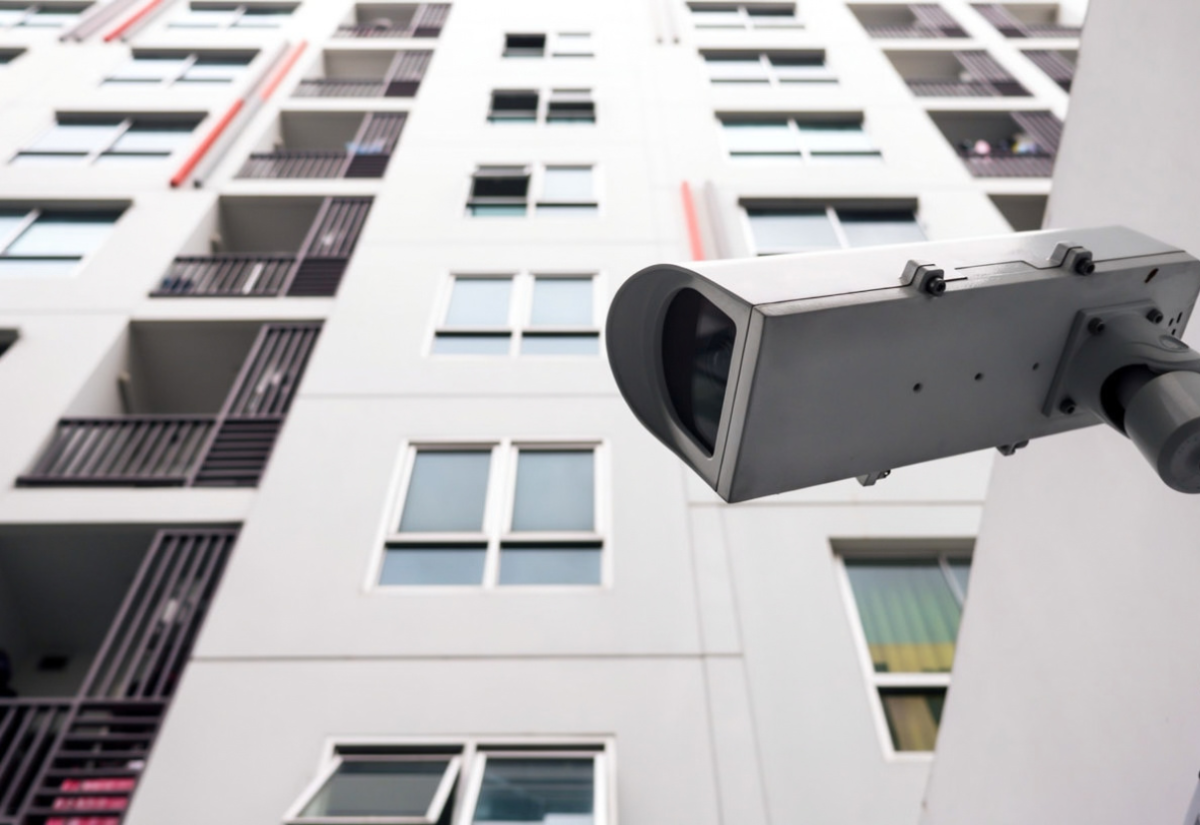
If you want to learn more about installing a system at your property, you can check out the options on our main cctv camera page.
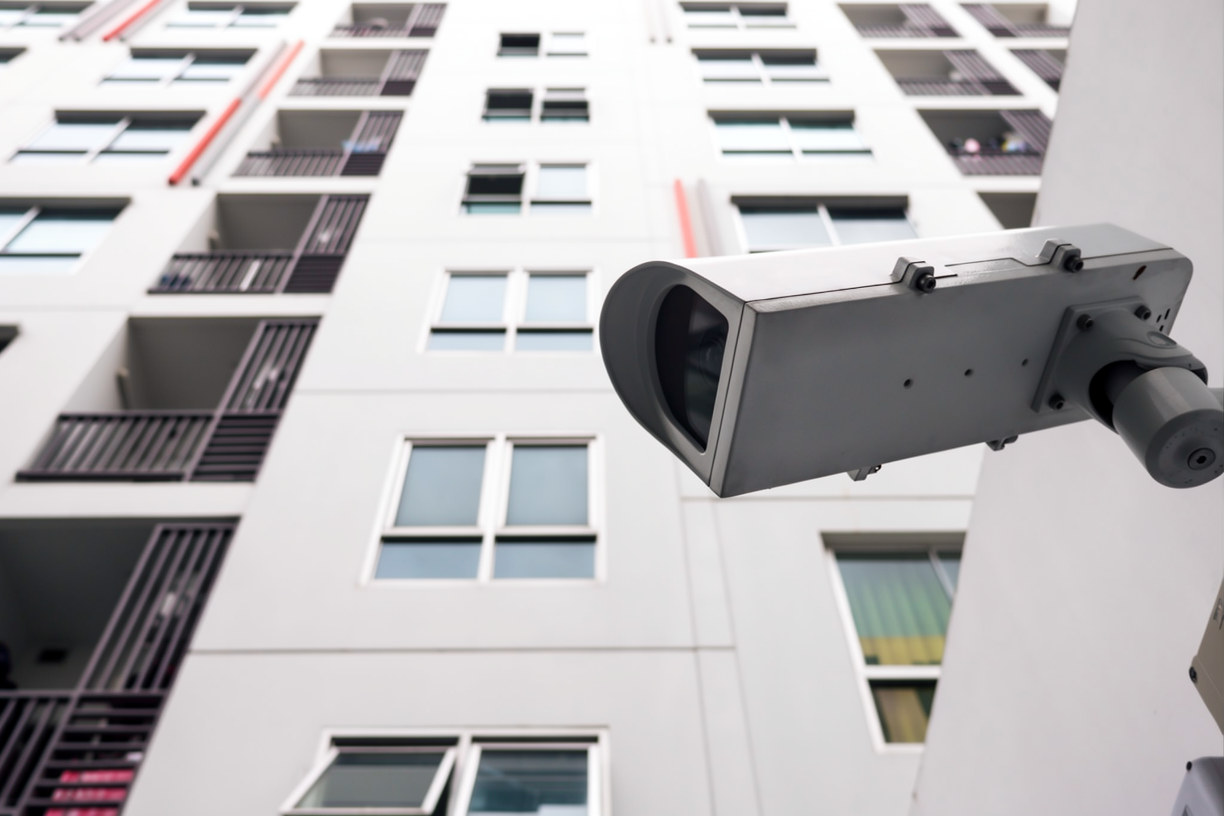
If you want to install CCTV outside condominium units in Singapore, the answer is rarely a flat yes or no. It depends on several highly specific technical and legal factors, such as where the camera is mounted, what type of surface it is attached to, how its power and data cables run, and exactly what area the camera lens records.
The space just outside your front door is usually not your personal property. In almost all strata-titled developments across Singapore, the exterior corridors, stairwells, and outer walls are classified as common property managed by the development’s Management Corporation Strata Title (MCST). Because of this shared ownership structure, any resident looking to install CCTV outside condominium doorways must navigate both estate-specific bylaws and national privacy frameworks.
This comprehensive guide is designed for condo owners, residents, MCST council members, and managing agents alike. It breaks down the exact regulatory guidelines that apply to home surveillance, outlines when you must formally ask for management approval, explains how the Personal Data Protection Act (PDPA) fits into residential recording, and provides actionable advice on how to plan a security setup that effectively protects your home without creating friction or legal disputes with your neighbors.
Can You Install CCTV Outside Condominium Unit? The Short Answer
Sometimes, and it depends entirely on the specifics of the installation. Three core questions decide the vast majority of cases:
1. Is the camera and its cabling entirely within your strata lot boundary, or does it touch common property? (For example, mounting a wire-free device directly onto your own wooden door vs. drilling into a shared concrete hallway wall).
2. Does a statutory exception for safety equipment apply to your situation? (Whether local building regulations or fire safety codes grant specific allowances for residential security measures).
3. Does your development’s by-laws say anything specific about security cameras, external fixtures, or drilling? (Every estate has unique internal rules that govern the overall aesthetic and structural integrity of the property).
If any part of the installation process requires you to drill into, attach hardware to, or run electrical cable through a corridor wall, ceiling, or external structural wall, you must treat MCST permission as a strict prerequisite. If you want to safely and legally install CCTV outside condominium units, you must secure this permission in writing before any installation work begins. Do not assume that authorization is optional or that verbal consent from a managing agent is enough to protect you from a future removal order.
What Counts as “Outside” Your Condo Unit?
Owners often assume that the area directly outside their front door is a natural extension of their private home. However, under strata ownership laws, that is frequently not the case. Recognizing where your private boundary ends and shared space begins is essential before you attempt to install CCTV outside condominium doorways.
The Building and Construction Authority (BCA) explains that common property refers to areas that do not belong to individual units. Its examples include lift lobbies, corridors, car parks, gardens, and exterior building walls. To know exactly what you own, you must look at your strata title plan. The strata plan shows what falls inside and outside your lot boundary with precise lines.
If the exact spot where you plan to install CCTV outside condominium units (such as the door frame, the hallway ceiling, or the adjacent wall) falls outside those boundary lines, it is legally common property. This means it is under the jurisdiction of the estate’s management council, rather than the individual unit owner.
Location
Typically
What to check
Inside your unit
Your strata lot
By-laws on external-facing features; your sale and purchase or tenancy terms
Common corridor or lift lobby
Common property
MCST approval for mounting, cabling and field of view
External wall of the building
Common property; BCA says alterations to external features need MCST and any relevant government approval
MCST approval, plus any other authority involved
Your own entrance door
Depends on the door and development
Strata plan, by-laws, and whether the installation changes its appearance
This table describes the usual position. Your development’s strata title plan and by-laws are the authority for your property.
If you want to learn more about installing a system at your property, you can check out the options on our main cctv camera page.
What Singapore’s Strata Law Says About Safety Equipment
The main statute is the Building (Strata Management) Act. It was previously called the Building Maintenance and Strata Management Act, so older guides and case reports use the earlier name. The same section also has had different numbering over time, so check the current text on Singapore Statutes Online.
The safety-equipment provision
In 2017, the Singapore Parliament amended the Building Maintenance and Strata Management Act to insert a brand new legal provision, originally numbered section 37A. According to the official Singapore Statutes Online database, this specific law allows a subsidiary proprietor (the legal term for an individual condominium unit owner) to install listed types of safety equipment directly on their lot, or as part of an outward-facing window, door, or opening on their lot, without first needing to secure formal MCST approval. The statute explicitly includes an intruder alarm or monitoring system as well as security locks within its approved list of equipment.
However, the specific conditions attached to this provision matter immensely:
• Property Repair Obligations: The unit owner must fully repair any physical damage caused to the common property or limited common property by the installation process.
• Competent Workmanship: The safety equipment must be installed in a competent, proper, and professional manner.
• Aesthetic Uniformity: The appearance of the equipment after it has been fully set up must remain completely in keeping with the overall appearance of the building.
There are two critical legal limits here that are very easy to miss. First, the provision covers only the exact types of equipment it explicitly lists. Singapore’s Strata Titles Boards have historically treated these statutory lists very strictly, applying a narrow interpretation in past cases involving balcony awnings. Second, it remains highly legally ambiguous whether a corridor-facing security camera mounted on a shared hallway wall actually falls within this statutory right. Because this is a nuanced legal question that completely turns on the specific physical facts of your property, you should never rely on this provision alone to justify drilling into common property to install CCTV outside condominium doorways.
The by-law on marking and fixing to common property
The Second Schedule to the Building Maintenance (Strata Management) Regulations contains a foundational, statutory by-law that explicitly stops a unit owner from driving nails, screws, or heavy anchors into any common property structures without first obtaining the MCST’s formal written approval. However, this exact same piece of legislation contains an important statutory exception. It specifically allows individual owners to install a locking device or other safety device to fundamentally improve security and prevent unauthorized entry within their own private strata lot
Singapore’s Strata Titles Boards have historically applied that safety device exception to resolve a variety of common property disputes, most notably in legal cases involving the installation of safety-related balcony awnings. Despite these precedents, it has not been definitively settled in the legal sources and case logs reviewed whether this locking and safety device exception comfortably extends to a digital monitoring camera that actively records a shared corridor. Because a hallway camera captures video footage of public areas beyond your private boundary, you should not assume this specific exception grants you automatic permission to install CCTV outside condominium doorways without formal management authorization.
What this means in practice
Statutory exceptions exist, but they are narrow, they come with conditions, and their application to a particular corridor camera is uncertain. An MCST that objects may be right or wrong. The safest course is to ask first, in writing, and to design the installation so it raises as few questions as possible.
When Is MCST Approval Likely Needed?
This matrix summarises how the issues usually play out. It is general guidance, not legal advice.
Situation
Common-property issue?
Likely approach
Camera inside your unit, not mounted on the door or external wall
Generally no
Check by-laws on external-facing features; mind field of view
Camera or viewer built into your own door
Possibly, depending on the door and by-laws
Check by-laws; consider the safety-equipment provision and its conditions
Camera screwed or drilled into a corridor wall or ceiling
Yes
Ask the MCST in writing before any work
Cable running along or through common trunking, ducts or walls
Yes
Ask for approved routing
Camera on an external wall or window frame
Yes; BCA says external-feature alterations need MCST and any relevant government approval
Ask the MCST; check with relevant authorities if applicable
Camera that records the corridor widely
Not an approval question alone; also a privacy and by-law question
Narrow the view or use masking
How to Ask Your MCST Before You Install CCTV Outside Your Condominium Unit
A clear, well-documented request is the single most useful thing you can do to ensure your security project moves forward smoothly. Preparing a structured application package significantly speeds up the MCST management committee’s decisions, as it immediately answers the typical technical questions they are legally required to ask. Furthermore, maintaining a written copy of your request and their subsequent approval protects you later from any sudden policy shifts, new committee members, or complaints from incoming neighbors. If you take the time to formalize your proposal before you attempt to install CCTV outside condominium doorways, you establish an undisputed paper trail that proves you acted with total transparency and compliance from day one.
Step
Action
Output
1
Get the by-laws from the MCST or managing agent
A copy of current by-laws
2
Decide the exact location, mounting method and cable route
A short written plan
3
Send the MCST a request with photos and specifications
Written submission
4
Ask for the decision and any conditions in writing
Approval, conditions, or reasons for refusal
5
Keep the reply before any work begins
A paper trail
What to Include in Your Formal Submission
When preparing your written application, providing exhaustive details leaves no room for ambiguity or hesitation from your management council. To give your application the highest chance of quick approval, make sure to include the following comprehensive details in your request:
• Hardware Visuals and Dimensions: A clear photo of the proposed physical installation location alongside the exact camera model, including its official dimensions and aesthetic color.
• Mounting Methodology: The specific mounting method you plan to use, explicitly stating whether drilling into shared masonry is required or if you are using non-destructive heavy-duty adhesives.
• Cable Infrastructure: A precise blueprint or description of how the power and data cables will be routed, confirming they will not hang loosely or create a tripping hazard in the corridor.
• Field of View and Privacy Plan: A clear description of exactly what area the camera lens will cover, along with an explanation of how you will limit the field of view (such as using digital privacy masks) to avoid filming common walkways or your neighbors’ front doors.
• Data Storage Protocols: A clear explanation of whether the recorded footage will be stored locally on an encrypted secure drive inside your home or uploaded to a password-protected cloud server.
What If the MCST Says No?
Do not install the camera anyway. Ask the MCST to explain its reasoning and to identify the by-law or guideline it relies on.
BCA explains that concerns about the validity or appropriateness of by-laws can be raised at the next general meeting or by applying to the Strata Titles Boards. Owners may also seek mediation through the Community Mediation Centre or the Singapore Mediation Centre. BCA notes that government agencies are generally not empowered to compel action in these private disputes.
If the dispute becomes serious, get legal advice. A lawyer can assess whether the by-laws apply as the MCST says, and whether a statutory exception is relevant.
Privacy and PDPA: Who Is Responsible for the Footage?
CCTV footage showing identifiable people is personal data. Whether the Personal Data Protection Act (PDPA) imposes duties on you depends on who you are.
If you are an individual homeowner
The PDPC’s Advisory Guidelines explain that the PDPA does not apply to individuals acting in a personal or domestic capacity. The PDPA defines “domestic” as related to home or family. Home security often fits that description.
Two cautions apply. First, whether a camera that records shared corridors still counts as personal or domestic use is fact-specific, and I did not find a PDPC ruling on that point. Second, being outside the PDPA does not make a camera acceptable to the MCST or your neighbours. By-laws and neighbour disputes are separate questions.
If you represent an MCST or managing agent
An MCST is an “organisation” under the PDPA. The PDPC has published Advisory Guidelines for Management Corporations that address MCSTs’ use of CCTV, including notices, access requests, protection and retention of footage.
A published PDPC undertaking involving a condominium’s perimeter camera shows how this plays out. The MCST had no data protection policy at the time. The complainant could not be identified from the footage, so the access obligation did not arise. The PDPC still accepted an undertaking requiring the MCST to improve its practices, including training the managing agent, which acts as its data intermediary.
If you want to learn more about installing a system at your property, you can check out the options on our main cctv camera page.
Designing the Camera View: Field of View and Privacy
A narrower view is easier to justify and easier to defend.
Start with the problem you are trying to solve. If it is parcels going missing or suspicious activity at your door, you may only need to cover your entrance and a short approach. You do not need the whole corridor, the lift lobby, or your neighbour’s doorway.
Practical design points:
• Angle the camera toward your own door rather than along the corridor. • Choose a lens and mounting height that frame the area you need and no more. • Use privacy masking if the camera supports it, to blank out neighbouring doors or windows. • Leave audio off unless you have a specific reason, since audio raises additional privacy concerns. • Never point a camera into a neighbour’s window or through a doorway.
These are recommendations and good practice, not statutory requirements.
Setups That Raise Fewer Approval Questions
Different setups raise different questions. None removes the need to check your by-laws.
Option
Touches common property?
Considerations
Camera inside the unit looking through your own door area
Usually not
Check by-laws; field of view still matters
Camera or viewer integrated into your own door
Possibly
Door status and appearance rules; installation conditions
Wired camera on a corridor wall
Yes
Drilling, cable route, appearance; ask the MCST
Wireless camera on a corridor wall
Yes (mounting)
Mounting is still an attachment to common property
Request MCST common-area CCTV
MCST decision
Slower, but resolves corridor coverage for all residents
Asking the MCST council to consider common-area coverage is a legitimate route if corridor safety is your real concern. Whether it succeeds is up to the MCST.
Storing and Protecting Footage
Footage is only useful if it is kept securely and for a sensible period.
• Storage: Decide whether footage stays on a local recorder or goes to a cloud service. Each affects who can access it. • Access: Use strong, unique passwords and avoid sharing logins. • Retention: Keep footage only as long as you need it. Organizations covered by the PDPA are subject to a retention limitation obligation; individuals should apply the same discipline. • Disclosure: Do not post footage of neighbors online. Share it with the MCST or police when there is a real security reason.
Choosing an Installer for a Condo
A good installer will ask about your by-laws before they ask about camera models.
Questions to put to any contractor:
• Will you work from the MCST’s written approval and conditions? • How will you route cables, and how will you make good any damage to common property? • Can the camera’s view be limited, and can it be masked? • Where will recordings be stored, and who can access them?
The Ministry of Communications and Information stated in 2019 that anyone providing CCTV installation or maintenance as a service needs a Security Service Provider licence under the Private Security Industry Act. Confirm current requirements with the Police Licensing and Regulatory Department, and ask to see a contractor’s licence.
If you want help planning placement, cabling and storage for a Singapore condo, [Internal Link: Residential and Condominium CCTV Installation Services] is a sensible place to start the conversation.
Common Mistakes to Avoid
When homeowners feel their security is compromised, they often rush into buying and mounting surveillance equipment. However, making missteps during this process can lead to costly fines, forced removal of your equipment, and strained relations with your neighbors. Be sure to avoid these frequent errors before and during your project:
• Installing First and Asking Later: Mounting a camera without prior authorization is the fastest way to get flagged by property management. You should always secure written approval before any work begins on the property.
• Assuming the Corridor Outside Your Door Is Private: The hallway right outside your main entrance is legally classified as common property. Treating this shared walkway as your own personal zone will likely breach your estate’s structural and aesthetic regulations.
• Pointing the Camera at a Neighbor’s Entrance: Aiming a lens directly at another resident’s front door or private entryway is a major violation of privacy. Your camera should be strictly angled to cover your own immediate doorstep.
• Running Exposed Cables Through Common Areas Without Approval: Leaving loose, unsightly power or data wires dangling along shared corridor walls or ceilings creates an immediate tripping hazard and a visual eyesore that MCST councils will reject.
• Choosing a Wide-Angle Camera When a Narrow View Would Do: Purchasing a fish-eye or wide-angle lens often captures unnecessary footage of the entire floor. Opting for a camera with a narrow field of view helps you focus purely on your entryway while respecting public boundaries.
• Treating the Safety-Equipment Provision as Automatic Permission for Any Camera Anywhere: Misinterpreting local laws to mean you have a blanket right to mount hardware wherever you please is a major legal risk. The safety provision has strict limitations, and it never gives you automatic permission to install CCTV outside condominium units on shared walls without checking building guidelines first.
Final Checklist: Before You Install CCTV Outside Your Condominium
To ensure your home security project is entirely legal, safe, and respectful of your community, follow this structured, five-phase roadmap. Checking off these crucial steps will streamline your setup process and protect you from unexpected compliance issues.
Phase 1: Planning
• Identify Private vs. Common Boundaries: Carefully determine whether your desired camera location falls completely inside your private strata lot or if it sits on shared common property.
• Document the Security Problem: Clearly write down the specific security vulnerability or problem you are trying to solve, as having a clear justification helps when presenting your case to management.
• Minimize the Surveillance Zone: Decide on the absolute smallest physical area you actually need to cover to protect your doorway, avoiding expansive views of shared spaces.
Phase 2: Preparation
• Review Estate Management Rules: Obtain and thoroughly read through your specific MCST or HOA by-laws to understand the exact regulations governing external additions.
• Compile Technical Specifications: Prepare clear photos of the site, detailed camera hardware specifications, your intended mounting method, and a precise map of the cable route.
• Secure Landlord Consent If Renting: If you are a tenant renting the unit, check your tenancy agreement and make sure to secure your landlord’s formal consent before approaching property management.
Phase 3: Approval
• Submit a Written Request: Send a comprehensive, formalized written request containing your installation plan directly to the MCST board or the managing agent.
• Retain Official Documentation: Keep a safe digital and physical copy of the written decision alongside any specific conditions or restrictions imposed by the council.
• Request Clear Justification If Denied: If your request is refused, politely ask the management team for the exact by-law or clause they relied on so you can evaluate your next legal steps or adjustments.
Phase 4: Installation
• Hire a Compliant Contractor: Use a professional security installer or contractor who explicitly agrees to follow all of the conditions set forth by the MCST.
• Verify Professional Credentials: Confirm that the contractor holds valid licensing with the Police Licensing and Regulatory Department (PLRD) to ensure a fully legal, professional setup.
• Remediate Any Structural Impacts: Promptly repair any accidental physical damage caused to the common property walls or ceilings during the mounting process.
Phase 5: After Installation
• Fine-Tune the Lens Angle: Double-check the live field of view immediately after mounting and apply digital privacy masking over areas that capture neighbor walkways.
• Secure the Device Access: Set strong, unique passwords on the camera software and strictly limit access to the live feed to authorized household members only.
• Establish a Data Retention Protocol: Set a clear video retention approach (such as automatically deleting clips after 7 to 14 days) and stick to it strictly to respect local privacy frameworks.
Frequently Asked Questions
Can I install CCTV outside my condo unit without MCST approval?
This cannot be safely assumed. The requirement for approval almost always depends on whether the installation attaches to, drills into, or physically crosses over common property. While a specific statutory exception for safety equipment does exist under local regulations, it is narrow, highly conditional, and strictly interpreted. Proceeding without written authorization places you at risk of receiving an enforcement notice from management.
Does the PDPA apply to my home CCTV?
According to official advisory guidelines issued by the Personal Data Protection Commission (PDPC), the Personal Data Protection Act (PDPA) does not apply to individuals who are acting in a purely personal or domestic capacity. However, MCSTs, management bodies, and commercial organizations are fully covered by these strict regulations. Because a corridor-facing camera captures footage of individuals passing through shared communal areas, it sits in a complex legal grey area that is always worth discussing explicitly with your MCST to avoid privacy complaints.
Can my MCST make me remove a camera?
That ultimately depends on the specific wording of your estate by-laws and the physical facts of your installation. If a camera violates the rules on common property alterations, the management council has the authority to issue a removal demand. If you believe the request is unjust, concerns about by-laws can be formally raised by residents at an annual general meeting, or the dispute can be escalated and taken to the Strata Titles Boards for a formal ruling. You should seek independent legal advice if the dispute becomes serious or heads toward litigation.
I rent my unit. Can I install a camera?
If you are a tenant, you must check your tenancy agreement and speak directly to your landlord before purchasing any hardware. Even if your landlord grants you personal permission, the formal MCST approval process still applies completely if the installation touches or involves common property. Getting both the property owner and the condo management board to sign off on your plan ensures you do not inadvertently breach your lease terms or estate regulations.
Essential Items Every Small Business Owner Needs to Succeed
By Techcom Engineering Pte. Ltd.
Published: March 09, 2026 at 09:46 AM
Need reliable office equipment in Singapore? CPC Solution offers flexible copier rental from SGD 90/month and expert ad hoc maintenance support.
Running a business in Singapore means staying efficient, managing costs, and keeping operations moving without interruption. One decision that directly impacts all three is how you handle your office printing and copying equipment. For most businesses, purchasing a copier outright brings hidden costs, unexpected breakdowns, and the ongoing burden of managing repairs. CPC Solution offers a smarter way forward. With over 25 years of industry experience, CPC Solution is one of Singapore’s most trusted providers of office imaging solutions. From small startups to large enterprises, businesses across the island rely on CPC Solution to keep their offices productive without the hassle of owning and maintaining equipment themselves.
Flexible Copier Rental Plans Built for Every Business
Buying a copier means taking on depreciation, servicing costs, and eventual replacement all at your own expense. A flexible copier rental arrangement replaces that unpredictability with a simple, all-inclusive monthly fee starting from just SGD 90 per month.
Every rental plan includes free delivery and installation anywhere in Singapore, toner replacement, regular servicing, and on-site technical support with a two-hour response time. There are no hidden charges and no surprise bills just reliable equipment and dependable support.
CPC Solution works with the world’s leading office imaging brands, including Canon, Fujifilm, Ricoh, Brother, Konica Minolta, HP, Toshiba, Kyocera, Sharp, and Xerox. Whether you need a compact unit for a small team or a high-volume machine for a busy operations floor, there is a model and a plan that fits. Rental terms are equally adaptable choose from daily, weekly, monthly, or long-term arrangements depending on your business needs.
On-Demand Support with Ad Hoc Maintenance
Not every business requires a full rental commitment, and not every equipment problem follows a predictable schedule. For businesses that own their copiers or are between service contracts,ad hoc maintenance provides the flexibility to get expert support exactly when you need it with no long-term obligation.
Whether your copier has stopped feeding paper, is producing poor-quality prints, or has developed a fault that your team cannot resolve, CPC Solution’s certified technicians are available for one-time service visits. They are experienced across all major brands and models, so they arrive prepared to diagnose and fix the issue quickly.
This service is particularly useful for businesses that have recently acquired second-hand equipment, companies whose maintenance agreements have lapsed, or offices that simply prefer to call for help only when a problem arises. It is professional, efficient support without the commitment of a full contract.
A Partner You Can Count On
What sets CPC Solution apart is not just the equipment, it is the support behind it. Every client benefits from fast installation, consistent maintenance, and a technical team that understands the real cost of downtime in a busy office.
With rental plans starting from SGD 90 per month and responsive ad hoc maintenance available across Singapore, CPC Solution makes it easy for businesses of every size to access reliable, high-performance equipment without the complexity of ownership.
If you are reviewing your current setup or planning for a new office space, get in touch with CPC Solution today. The right equipment and the right support are ready when you are.
Future-Proofing Your Office Operations
In the fast-paced Singapore market, business needs can shift overnight. One of the biggest advantages of partnering with CPC Solution is the ability to scale your equipment as your team grows. If your print volume increases or you require more advanced features like high-speed scanning or secure cloud integration, upgrading your rental plan is seamless.
Furthermore, choosing a rental and maintenance model supports a sustainable office environment. By ensuring your machines are professionally tuned and using high-quality toner through regular servicing, you reduce paper waste and energy consumption. Instead of dealing with the headache of disposing of obsolete hardware, you gain a partner dedicated to keeping your office efficient, eco-friendly, and technologically up-to-date for the long haul.
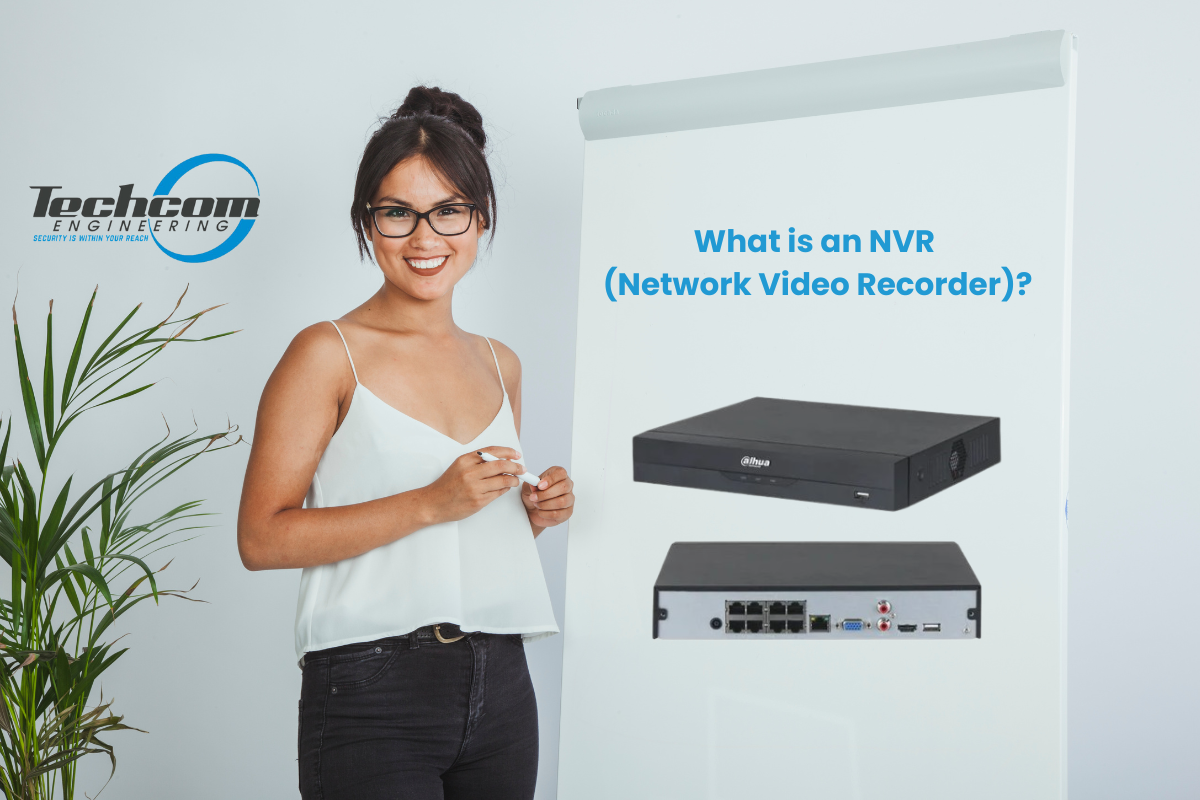
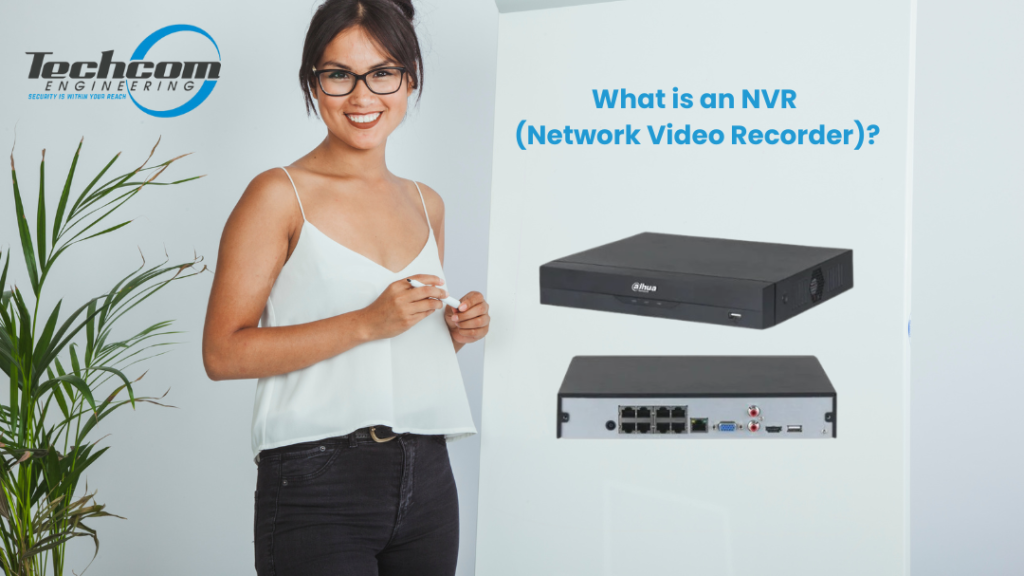
If you are planning to install CCTV cameras for your home, office, shop, or warehouse, you will often hear the term NVR. Many people feel confused because it sounds technical — but in reality, an NVR (Network Video Recorder) is easy to understand once explained properly.
This guide explains what an NVR is, how it works, why it is important in modern security systems, and how it compares with older DVR systems — all in simple, non-technical language.
What Does NVR Mean?
NVR stands for Network Video Recorder.
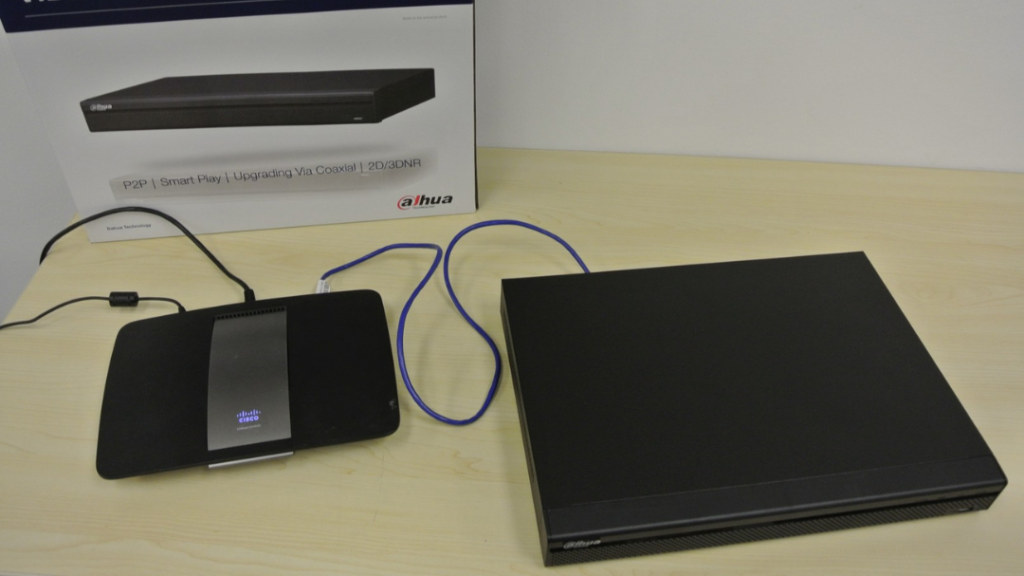
An NVR is a device that records, stores, and manages video footage from IP cameras (network cameras). Instead of connecting cameras directly using old analog cables, the cameras send video through a computer network (LAN or internet) to the NVR.
Think of the NVR as the “brain” of your CCTV system:
• It receives video from all cameras • It saves the recordings on a hard drive • It lets you view live video and playback • It manages camera settings and storage
Without an NVR, your IP cameras would not have centralized recording and monitoring.
Need help choosing the right NVR for your CCTV system? Explore our full range of NVR products.
How Does an NVR Work in a CCTV System? (Simple Explanation)
1. IP Cameras Capture Video
The first step in an NVR-based CCTV system begins with the IP cameras themselves. These cameras capture live video of the area being monitored, converting the images into digital data. Unlike older analog cameras, IP cameras process the video at the source, which means the footage is already in a format that the NVR can understand. The cameras are responsible for seeing and capturing everything, but they rely on the NVR to store the video safely and manage it effectively. Essentially, the cameras “watch,” while the NVR “remembers.”
2. Video Is Sent Through the Network to the NVR
Once the video is captured, the IP cameras send it to the NVR over a network, typically using Ethernet cables or Wi-Fi. If the NVR has PoE (Power over Ethernet) ports, a single cable can deliver both power and video data, simplifying installation and reducing the number of cables required. The NVR acts as the central hub where all video streams from multiple cameras converge. This ensures that footage from every camera is organized and ready for recording, monitoring, and future playback.
3. The NVR Records and Stores the Video
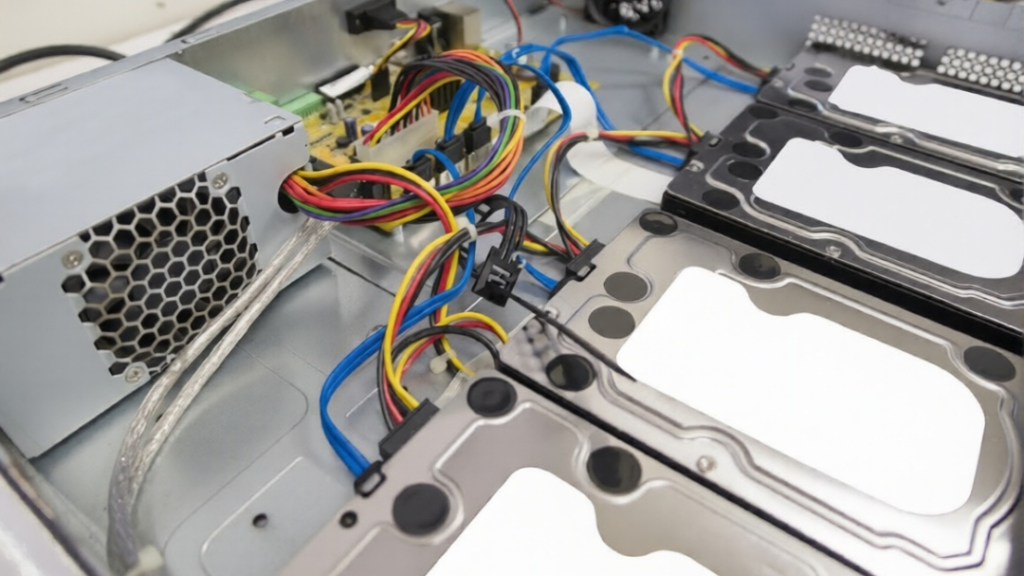
After receiving the video streams, the NVR’s main task is to record and store the footage on its internal hard drive. It manages how recordings are saved, including scheduling, motion detection, and retention time. This allows users to review past events, export evidence, and maintain an organized archive. Without the NVR, cameras would capture video, but there would be no centralized system to store or manage it, making monitoring and security management difficult or impossible.
4. The NVR Displays and Manages the Video
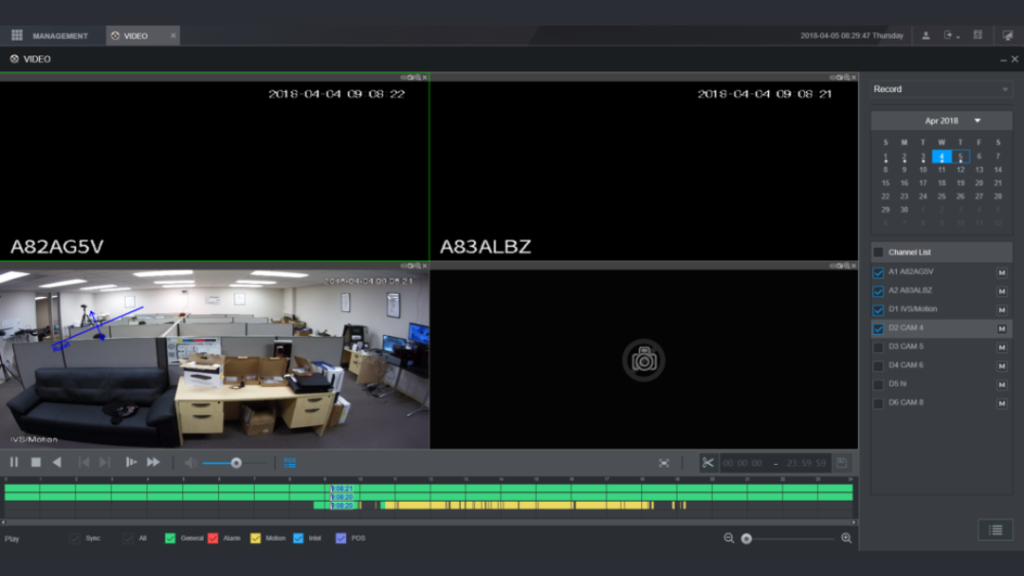
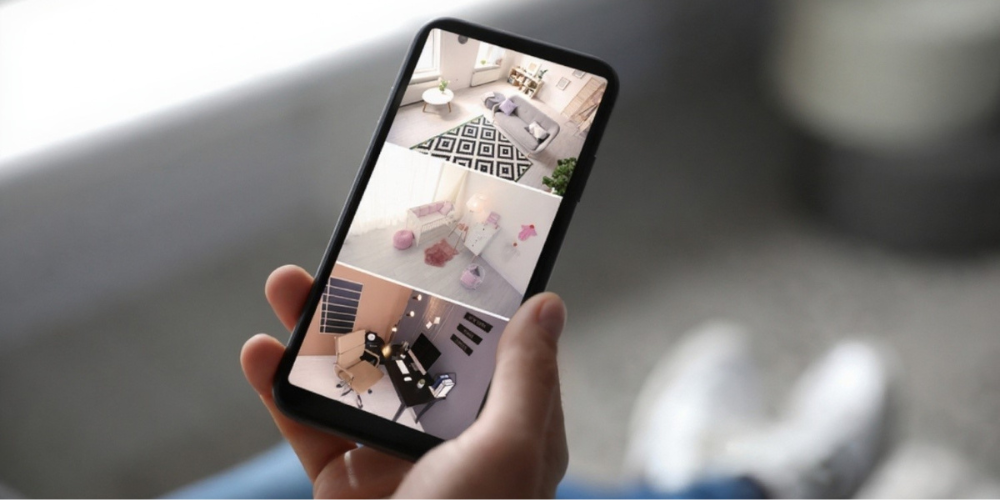
Finally, the NVR provides the interface that allows users to view live video, replay recordings, and configure camera settings. The video can be displayed on a monitor, accessed through a computer, or viewed remotely via a mobile app. Users interact with the entire CCTV system through the NVR, making it simple to control multiple cameras from one location. Essentially, the NVR turns raw video streams into usable security information, giving homeowners and businesses the ability to monitor their property efficiently.
In summary, an NVR is critical for modern CCTV systems because it records, stores, and manages all the video from IP cameras. While the cameras capture the images, the NVR ensures the footage is safe, organized, and easy to access whenever it is needed. Without an NVR, a CCTV system would lack centralized recording, making it much harder to monitor and secure your property. In simple terms: IP cameras see, and the NVR records and controls.
Ready to secure your property with reliable CCTV cameras? Browse our CCTV camera products and find the perfect match for your NVR system.
Key Features of an NVR System
Modern NVR (Network Video Recorder) systems offer powerful features that make them reliable and easy to use for homes and businesses. Each feature below explains what the NVR does and how it improves your CCTV system.
• Power over Ethernet (PoE)
Many NVRs come with built-in PoE ports, allowing a single network cable to deliver both power and video data between the camera and the NVR.
This means the camera does not need a separate power adapter, which reduces wiring, speeds up installation, and creates a cleaner setup. The NVR acts as the central connection point where cameras receive power and send video at the same time, making the system more stable and easier to maintain. This feature is widely used in offices, retail shops, warehouses, and commercial buildings.
• High-Resolution Video Support
An NVR supports high-definition IP cameras such as Full HD (1080p), 4MP, 5MP, 4K Ultra HD, and even 8K, depending on the model.
This means the NVR is capable of receiving, recording, and playing back clear video without losing quality. Higher resolution allows better identification of faces, license plates, and small details, which improves security monitoring and evidence quality.
• Scalable and Expandable
An NVR allows you to expand your CCTV system as your security needs grow.
You can add more cameras by connecting additional network switches or upgrading to a higher-channel NVR (for example, from 8 channels to 16 channels). The NVR controls how many cameras can be connected and managed, making it easy to scale the system without replacing all equipment.
This makes NVR systems suitable for both small installations and future expansion.
• Centralized Control
An NVR provides centralized control for the entire camera system from one interface.
Users can view all cameras on one screen, search recordings by date and time, back up important footage, configure camera settings, and access the system remotely using a mobile phone or computer. Instead of managing each camera separately, everything is controlled directly through the NVR, making daily operation simple even for non-technical users.
NVR vs DVR – What’s the Difference?
Many customers ask: Should I choose an NVR or DVR?
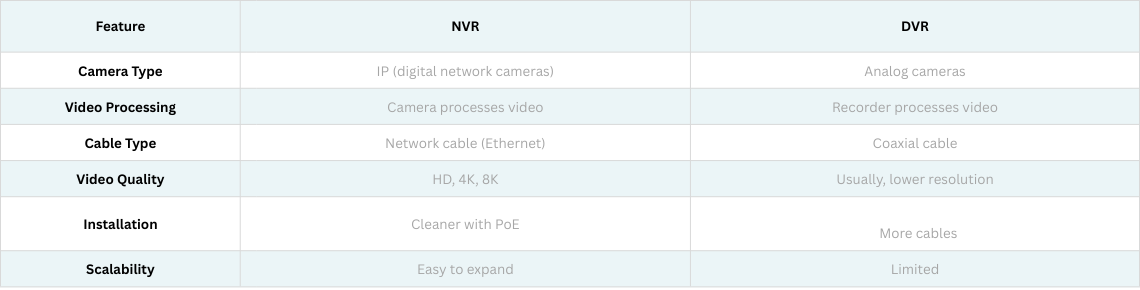
Here is the simple comparison:
NVR systems are modern, flexible, and higher quality, while DVR systems are older and mostly used for legacy installations. For new CCTV projects, NVR is strongly recommended.
Need to install your CCTV system the right way? Learn how to install CCTV cameras legally in Singapore with our step-by-step guide. Read our article on How to Install CCTV Cameras Legally in Singapore.
Where Is an NVR Commonly Used?
An NVR-based CCTV system is highly versatile, making it suitable for almost any location that requires reliable video monitoring. Its combination of centralized recording, high-resolution support, and easy scalability gives it advantages over traditional analog CCTV systems, providing clearer images, simpler management, and greater flexibility.
• Homes and condominiums
In homes and condominiums, an NVR allows residents to monitor entrances, living areas, and common spaces in high definition. What sets it apart from standard CCTV setups is that all cameras connect to a single recorder, providing centralized storage and easy playback. Homeowners can view live feeds or past recordings on a mobile app or computer from anywhere, and high-resolution footage is stored securely for weeks. This combination of remote access, centralized control, and reliable storage ensures peace of mind and allows quick action if an incident occurs.
• Offices and corporate buildings
For offices and corporate buildings, an NVR system streamlines security management. Multiple cameras can be connected and monitored from a single interface, reducing the complexity of managing separate recorders or DVRs. The system supports high-definition recording for better identification of visitors or staff in restricted areas, and remote access allows security personnel to check the building in real time. Compared to traditional analog CCTV, an NVR provides faster setup, easier expansion, and clearer evidence in case of incidents.
• Retail shops and malls
In retail shops and malls, NVRs help prevent theft and monitor customer activity efficiently. High-resolution video allows managers to see small details, like faces or product handling, which can be difficult with older analog systems. The centralized recording system also makes it easier to retrieve and review footage quickly, reducing response time in security incidents. The plug-and-play nature of PoE-enabled NVRs simplifies installation even in spaces with many cameras, making it a practical solution for growing retail businesses.
• Warehouses and factories
For warehouses and factories, NVRs provide comprehensive coverage over large areas, ensuring inventory and equipment are monitored effectively. With scalability built in, additional cameras can be added as the facility expands, and the NVR’s centralized storage allows long-term recording of high-resolution footage. This makes it easier to investigate accidents or thefts, maintain safety standards, and reduce operational risk, advantages that basic CCTV systems or standalone cameras cannot fully provide.
• Schools and campuses
Schools and campuses benefit from NVRs through improved safety and centralized monitoring. Administrators can view live footage from multiple buildings and entrances on a single interface and quickly review past events if an issue arises. The ability to access the system remotely adds an extra layer of security during off-hours. Compared to traditional DVR-based CCTV, NVRs deliver clearer images, easier management, and better scalability for expanding educational facilities.
• Hotels and apartments
In hotels and apartment complexes, NVRs ensure security across lobbies, corridors, common areas, and entrances. Instead of relying on multiple DVRs or cameras with limited storage, an NVR provides centralized recording, making it easier to manage multiple cameras and retrieve footage when needed. High-resolution recording and remote access also allow staff or management to respond quickly to guest concerns or security incidents, increasing operational efficiency and safety.
• Car parks and outdoor areas
Finally, in car parks and outdoor areas, NVR systems provide high-quality coverage, even over wide or poorly lit spaces. Centralized recording allows multiple cameras to be monitored simultaneously, and high-resolution video ensures that vehicles, license plates, and individuals are clearly visible. Compared to standalone CCTV cameras or older analog systems, an NVR setup offers more reliable storage, easier system expansion, and remote monitoring capabilities, making it ideal for managing outdoor security.
In summary, anywhere reliable, high-resolution video monitoring is needed, an NVR CCTV system provides clear advantages over standard CCTV setups. Its centralized management, long-term storage, scalability, and remote access make it a modern, flexible, and efficient solution for homes, businesses, and large facilities alike.
Benefits of Using an NVR for CCTV
Using an NVR system in your CCTV setup provides a range of advantages that make it ideal for homes, offices, and large-scale enterprises. NVRs are designed to deliver high-resolution recording, centralized management, and easy scalability — features that set them apart from traditional CCTV systems. Below are the key benefits explained in detail.
• Clear High-Definition Video
An NVR supports high-resolution IP cameras, including Full HD, 4K, and even 8K in advanced systems. This ensures that footage is crisp and detailed, allowing you to clearly identify faces, license plates, or other important details. Unlike older analog CCTV systems, which often have lower quality recordings, an NVR captures every frame digitally, providing reliable evidence when it matters most.
• Easy Installation with Poe
Many modern NVRs come with Power over Ethernet (PoE) ports, which allow a single cable to deliver both power and video to the camera. This simplifies installation, reduces wiring complexity, and lowers setup costs. For homes or businesses with multiple cameras, PoE makes the system cleaner and faster to install, eliminating the need for separate power adapters for each camera.
• Remote Viewing on Mobile Phones and Computers
An NVR allows users to access live feeds and recorded footage from anywhere using a mobile app or computer. This feature gives homeowners and security personnel the ability to monitor their property in real time, even when off-site. Remote access is particularly valuable for large businesses or multi-location setups, where constant on-site monitoring would be difficult without an NVR.
• Reliable Recording and Storage
All footage from connected IP cameras is stored securely on the NVR’s internal hard drive. Many systems include options for motion-triggered recording, scheduled recording, and backup, ensuring important events are never lost. This centralized storage makes it easy to review footage, export evidence, and maintain an organized video archive — advantages that standalone cameras or older DVR systems cannot match.
• Simple Expansion for Future Cameras
NVRs are highly scalable. Most systems support multiple camera channels, and additional cameras can be added easily by upgrading to a higher-channel NVR or connecting extra network switches. This future-proof design allows your CCTV system to grow alongside your home, office, or business without requiring a full replacement of your existing setup.
• Professional-Grade Security Management
An NVR provides centralized control for the entire CCTV system. From monitoring live video and reviewing recordings to configuring camera settings and controlling user access, the NVR makes security management simple and efficient. Even non-technical users can operate the system effectively, giving homes and businesses a professional-grade security solution without the complexity of multiple recorders or systems.
Not sure which NVR fits your security needs? Browse our complete range of NVR products and find the right solution for your CCTV system.
How to Choose the Right NVR?
Selecting the right NVR for your CCTV system is essential to ensure reliable recording, smooth operation, and future scalability. There are several factors to consider, and understanding why each one is important will help you make the best choice for your home, office, or business.
• Number of Cameras
The first factor to consider is how many cameras you plan to connect to your NVR. NVRs come in different channel sizes, such as 4-channel, 8-channel, or 16-channel models, which determine the number of cameras that can be managed simultaneously. Choosing an NVR with the right number of channels ensures all cameras can be monitored and recorded without overloading the system. For properties that may expand in the future, selecting a higher-channel NVR provides flexibility and allows you to add more cameras without replacing the entire recorder.
• Storage Capacity
Another important consideration is the NVR’s storage capacity, which determines how long video recordings can be retained. Larger storage allows longer retention of high-resolution footage, which is critical for reviewing past events or investigating incidents. Understanding your recording needs, including the number of cameras and expected resolution, helps you select an NVR with sufficient storage, so footage is always available when you need it.
• Poe Support
Many modern NVRs include built-in Power over Ethernet (Poe) ports, which supply both power and video to connected cameras through a single network cable. This simplifies installation, reduces wiring complexity, and lowers costs compared to systems that require separate power lines for each camera. For homes, offices, and larger facilities, Poe support makes setup faster, cleaner, and more efficient.
• Video Resolution Compatibility
It is essential to ensure that the NVR supports the resolution of your IP cameras, whether Full HD, 4K, or higher. A mismatch between the NVR and camera resolution can result in lower-quality recordings or limit the clarity of your video. Choosing an NVR that matches or exceeds your cameras’ resolution ensures sharp, detailed footage that can be relied upon for monitoring or evidence purposes.
• Remote Viewing Features
Many NVRs allow you to view live feeds and recorded footage remotely using a mobile app or computer. This feature adds convenience and peace of mind, allowing homeowners or security personnel to monitor the property in real time, even when away from the site. For businesses with multiple locations or security teams on the move, remote access ensures consistent monitoring without being tied to a single workstation.
• Brand Reliability and Warranty
Finally, the reputation of the NVR brand and the warranty offered are important factors to consider. Established brands often provide better performance, more reliable hardware, and responsive technical support. Investing in a reliable NVR ensures your CCTV system will function consistently over the long term and that any issues can be addressed quickly, minimizing downtime and protecting your investment.
A professional installer can also help determine the right NVR for your project, taking into account the number of cameras, storage needs, and site layout. This ensures your CCTV system operates efficiently and meets all your security requirements without unnecessary complications.
Frequently Asked Questions About NVR
1. What is an NVR in CCTV?
An NVR (Network Video Recorder) is a device that records and manages video footage from IP cameras over a network. It stores recordings and allows users to monitor, playback, and manage multiple cameras from one system.
2. What is the difference between NVR and DVR?
An NVR works with digital IP cameras and sends video over network cables, while a DVR works with analog cameras and processes video at the recorder. NVR systems offer higher resolution, easier installation, and better scalability.
3. Do NVR cameras need internet?
An NVR system does not require internet to record video locally. Internet is only needed if you want remote viewing on your mobile phone or computer.
4. How many cameras can an NVR support?
An NVR can support different numbers of cameras depending on the model, such as 4-channel, 8-channel, 16-channel, or more. Always choose an NVR with extra capacity for future expansion.
5. What does PoE mean in an NVR system?
PoE (Power over Ethernet) allows one network cable to supply both power and video data to the camera, making installation simpler and cleaner.
Conclusion: Why Choosing the Right NVR Matters?
The NVR (Network Video Recorder) is the backbone of any modern IP CCTV system. It records high-resolution video from multiple cameras, centralizes storage, simplifies system management, and allows you to monitor your property anytime using a computer or mobile device. Unlike older analog systems, an NVR captures sharper details, making it easier to identify faces, vehicles, and critical events when security matters most.
With advanced features such as PoE support, scalability, and remote access, an NVR makes installation cleaner, future expansion easier, and daily operation more efficient. Homeowners and businesses gain full control of their surveillance system without the complexity of multiple recorders or excessive cabling, ensuring long-term reliability and flexibility.
Choosing an NVR is not just a technical upgrade — it is an investment in dependable, future-ready security. Whether you are installing a new CCTV system or upgrading an existing one, selecting the right NVR ensures consistent performance, better protection, and peace of mind.
If you need professional guidance in selecting, supplying, and installing the right NVR and CCTV system, Techcom Engineering Pte Ltd is here to help. Our experienced team provides expert consultation, reliable products, and tailored security solutions for homes and businesses.
Hurry and Contact us today to get professional advice and a free quotation.
The Role of AI-Powered Smart Glasses in Enhancing Security Operations
By Techcom Engineering Pte. Ltd.
Published: August 28, 2025 at 10:00 AM
In today’s fast-paced environment, businesses and organizations in Singapore increasingly rely on advanced surveillance systems to protect their assets, safeguard people, and ensure regulatory compliance. From CCTV cameras that monitor activity in real-time, to access control systems that regulate entry, and network cabling solutions that tie everything together, these technologies form the backbone of modern security infrastructures.
Yet, the landscape of security is evolving rapidly. A new wave of innovation is now complementing these traditional systems — AI-powered smart glasses. Unlike standard wearables, these smart glasses integrate artificial intelligence, live video capture, and real-time data processing, enabling security teams to respond faster, make smarter decisions, and extend surveillance beyond fixed camera networks. For organizations looking to stay ahead of threats, this fusion of CCTV and AI-driven wearables represents the future of proactive security management.
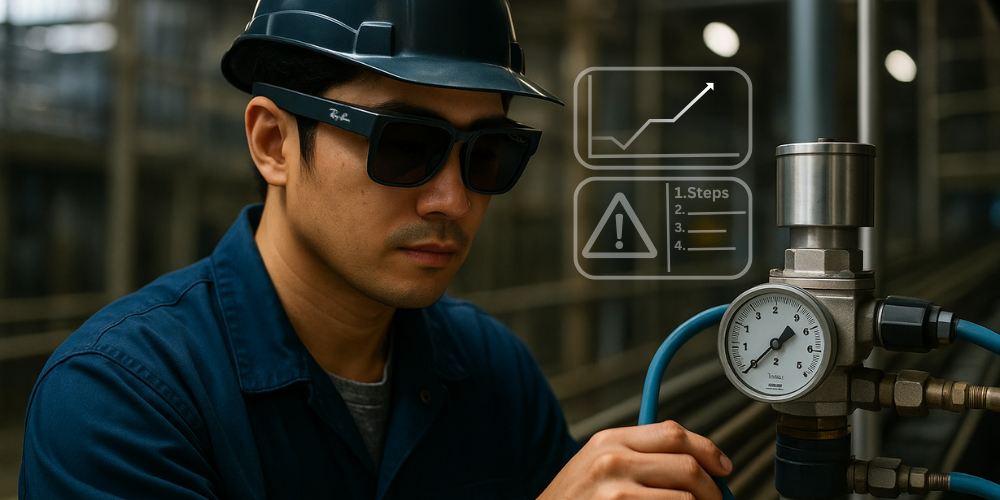
Smart glasses, such as the Ray-Ban Meta and Oakley Meta, are not just lifestyle gadgets; they are becoming powerful tools for fieldwork. Security teams can benefit from features like real-time video capture, voice-activated commands, and AI-driven object recognition. This enables guards and technicians to monitor, report, and even livestream incidents directly from their perspective without needing handheld devices.
For businesses in Singapore, this hands-free technology brings a new layer of efficiency to traditional surveillance setups. Instead of relying solely on fixed CCTV cameras, smart glasses allow officers to extend visibility into areas that cameras cannot cover, bridging blind spots and providing dynamic, on-the-ground intelligence. By integrating AI-powered wearables with existing CCTV networks, organizations gain a 360-degree security ecosystem — combining stationary monitoring with mobile, real-time situational awareness.
Imagine a technician working on-site at a surveillance installation. Instead of juggling tools, cables, and a tablet for instructions, he can simply wear AI-powered smart glasses to streamline the entire process. With a glance, he can pull up technical manuals, overlay wiring diagrams directly in his field of view, or even receive step-by-step augmented reality guidance. In critical moments, he can livestream camera feeds or his own point of view back to the control room, allowing supervisors to provide instant feedback or troubleshoot issues remotely.
This hands-free approach not only boosts efficiency and reduces costly errors, but also strengthens communication between field staff and command centers—ultimately leading to faster, more accurate, and safer installations.
Moreover, AI capabilities built into these glasses can help with facial recognition, license plate scanning, or anomaly detection, further supporting the CCTV infrastructure already in place. By combining established surveillance systems with wearable technology, companies can create a stronger, more proactive security environment.
If you want to dive deeper into the world of AI smart glasses and see how they are transforming industries beyond security, you can explore detailed reviews and insights on Ivanzo.com, a blog dedicated to wearable AI technology.
Choosing the right CCTV camera for your property in Singapore is a key step in building a reliable security system. While factors like placement, storage, and budget all matter, camera resolution plays the biggest role in determining image clarity and overall effectiveness.
Resolution, measured in pixels and expressed in megapixels (MP), directly affects how much detail a CCTV camera can capture. Higher megapixels provide sharper images, clearer facial recognition, and better identification of people or objects—particularly in high-traffic or sensitive areas such as entrances, lobbies, and carparks.
In this guide, we’ll explain the most common CCTV camera resolutions in Singapore—1 MP, 2 MP, 4 MP, 5 MP CCTV camera, and 8 MP (4K Ultra HD)—and discuss how each option impacts image quality, storage requirements, and suitability for different types of homes and businesses.
What is Camera Resolution and Megapixels?
Resolution
Resolution is the number of tiny dots, called pixels, that make up an image. The more pixels there are, the sharper and clearer the picture looks. Think of it like a jigsaw puzzle—if you only have a few big pieces, the picture looks rough and blurry, but if you have thousands of small pieces, the picture looks detailed and realistic. In CCTV cameras, higher resolution means you can see finer details, like a person’s face or a car’s number plate, more clearly.
Megapixels (MP)
Megapixels (MP) tell you how many pixels an image is made of. One megapixel equals one million pixels. The higher the megapixel number, the more detail the camera can capture. For example, a 2 MP camera shows more clarity than a 1 MP camera, and an 8 MP (4K) camera can capture very fine details like facial features or license plates even from a distance.
The higher the megapixel count, the clearer and more detailed the footage. Let’s break down the different resolutions commonly used in Singapore’s CCTV systems.
CCTV Camera Resolutions Explained
1 MP CCTV Camera (720p Resolution)
A 1 MP CCTV camera is the most basic option, offering entry-level HD quality. It’s good enough to see what’s happening in an area but not detailed enough for things like identifying faces or reading number plates. Think of it as the “starter” level of CCTV—affordable and simple for general monitoring.
• Resolution: 1280×720 pixels • Quality: Basic HD quality, sufficient for general surveillance but may struggle with fine details like facial recognition or number plates. • Best For: HDB corridors, small shops, or areas with low security risks. • Storage Needs: Generates about 500 MB to 1 GB of data per hour.
2 MP CCTV Camera (1080p Full HD)
A 2MP CCTV camera is the most commonly used option in Singapore today. It delivers clear Full HD footage, making it easier to recognise faces, spot movements, and capture small details compared to 1MP cameras. For many homeowners and businesses, 2MP strikes the right balance between image quality, storage needs, and cost.
• Resolution: 1920×1080 pixels • Quality: One of the most common CCTV resolutions in Singapore. Provides clear images, good for identifying faces and small details. • Best For: Homes, retail shops, and offices that need reliable everyday monitoring. • Storage Needs: Requires around 1–2 GB of storage per hour; H.265 compression can cut this by up to 50%.
4 MP CCTV Camera (1440p Resolution)
A 4MP CCTV camera takes image clarity to the next level, offering noticeably sharper footage than 2MP models. This resolution is especially useful when monitoring medium-sized areas where you need to capture more detail, such as recognising faces from a distance or monitoring activity in larger spaces. It’s a popular choice for businesses and property managers who want higher clarity without jumping to 4K.
• Resolution: 2560×1440 pixels • Quality: Sharper than 2 MP, with more detail for medium spaces. • Best For: Carparks, condo common areas, and medium-sized businesses. • Storage Needs: Around 2–3 GB per hour, with 4–6 Mbps bandwidth.
5 MP CCTV Camera (Super HD Resolution)
A 5MP CCTV camera offers sharper images than 2MP or 4MP models while still being more storage-friendly than 8MP (4K). This makes it the sweet spot for Singapore homeowners and business owners who want clear details like faces, license plates, and small movements—without the high costs of 4K setups. For most security needs, the 5MP CCTV camera strikes the right balance between clarity, affordability, and performance.
• Resolution: 2560×1920 pixels • Quality: Crisp and highly detailed footage, ideal for identifying license plates or small objects. • Best For: Warehouses, commercial buildings, and large outdoor areas. • Storage Needs: Around 3–4 GB per hour, with 5–7 Mbps bandwidth.
8 MP CCTV Camera (Super HD Resolution)
An 8MP CCTV camera, also known as 4K Ultra HD, delivers the highest level of clarity available in today’s surveillance systems. With four times the sharpness of Full HD, these cameras capture extremely fine details, making them ideal for critical security zones where every detail matters. From crowded public spaces to large-scale facilities, 4K cameras ensure nothing goes unnoticed.
• Resolution: 3840×2160 pixels • Quality: Top-of-the-line clarity, four times sharper than Full HD. Perfect for high-security zones and large-scale monitoring. • Best For: Airports, MRT stations, stadiums, large commercial sites, or any environment requiring maximum detail. • Storage Needs: Around 6–10 GB per hour, though H.265 compression can reduce this by up to 70%.
Looking for dependable security systems? Dive into everything about our CCTV Camera solutions.
How to Choose the Right Resolution in Singapore
Selecting the right CCTV resolution isn’t about picking the highest megapixel camera available—it’s about finding the right balance between clarity, coverage, and cost. In Singapore, where property types range from HDB flats to large commercial facilities, your choice should fit both your environment and security goals. Consider these factors:
If you’re also managing online visibility alongside physical security, working with a web designer in Little Rock can help ensure your digital presence is just as strong and well-structured as your CCTV setup.
Budget
CCTV cameras come in different price ranges depending on their resolution. If you only need basic monitoring to see what’s happening, 1MP or 2MP cameras are affordable options. They give you clear enough footage for general use. If you want sharper images without overspending, 4MP or 5 MP CCTV camera are a good middle ground. For those who want the very best quality—like crystal-clear video in 4K—8MP cameras are considered premium, but they also come with higher costs.
Area Size
The size of the place you want to cover matters a lot. For a small indoor space like a room, office, or retail shop, a 2MP camera is usually enough. If you’re monitoring bigger spaces such as a condo lobby, warehouse, or carpark entrance, you’ll get better results with 4MP or 5 MP CCTV camera, as they capture more detail across wider areas. For very large spaces—like entire carparks, factory floors, or open outdoor areas—8MP cameras work best because they can cover more ground without losing clarity.
Purpose
Think about what you want to see on camera. If it’s just to keep an eye on movement and activity, a 2MP camera will do the job. But if you need to recognise faces, read license plates, or spot smaller details, you’ll need higher resolutions like 4MP, 5 MP CCTV Camera, or 8MP. The clearer the footage, the more useful it is when reviewing incidents.
Storage & Bandwidth
The higher the resolution, the more data your camera creates. This means you’ll need more storage space on your recording device (NVR or hard drive) and more bandwidth if you want to view the footage over the internet. For example, an 8MP camera produces much larger video files than a 2MP camera. If your storage or internet connection isn’t strong enough, the system may slow down or fail to keep recordings for long. That’s why it’s important to check if your NVR and network can handle the resolution you choose.
The right camera resolution depends on where you’re installing the cameras and what level of detail you actually need. Here’s a clearer breakdown:
Homeowners (2 MP – 4 MP CCTV Camera):
For most homes in Singapore—whether it’s an HDB flat, condo, or landed property—2 MP or 4 MP cameras are usually more than enough. They provide clear footage to see who’s at the door, what’s happening in the living room, or if someone is loitering outside. A 2 MP camera gives good basic coverage, while 4 MP offers sharper images if you want to recognise faces or details more clearly.
Business Owners (5 MP CCTV Camera):
Shops, offices, warehouses, and F&B outlets often require more detail than homes. A 5 MP camera strikes a good balance between cost and quality. It allows business owners to monitor larger areas—like a retail floor or office lobby—while still being able to zoom in on important details such as cash counters, entrances, or customer interactions without the image becoming too blurry.
High-Security Areas (8 MP / 4K CCTV Camera):
Critical sites like banks, data centres, airports, MRT stations, or large carparks benefit most from 8 MP (4K Ultra HD) cameras. These cameras capture the finest details—like license plates at a distance, crowd behaviour, or even distinguishing individuals in busy areas. They’re designed for maximum clarity, which is crucial when security footage might be used for investigation or evidence.
Future-Proofing Your CCTV System
CCTV technology is improving every year, and what feels “high quality” today might look outdated in just a few years. While 1 MP and 2 MP cameras can still handle simple monitoring, going for higher resolutions like 4 MP, 5 MP CCTV Camera, or even 8 MP (4K) makes sure your system remains useful and reliable well into the future.
Think of it like buying a new phone—if you only choose the basic model, it may work fine now, but you’ll quickly feel its limits as apps and technology demand more. The same applies to CCTV.
A smart, practical approach is to mix different resolutions based on the importance of each area:
Higher MP cameras (4 MP, 5 MP CCTV Camera, 8 MP): Place these at key locations such as entrances, lobbies, cashier counters, and carpark gates—areas where you’ll need sharper images for identification and evidence.
Lower MP cameras (1 MP, 2 MP): Use these for general monitoring like hallways, storage areas, or wide spaces where extreme detail isn’t necessary. This saves both storage space and cost without compromising overall security.
By designing your CCTV system this way, you’re not only cutting costs but also ensuring that your system will still meet modern security standards years down the line.
Conclusion
Choosing the right CCTV camera resolution in Singapore is not just a technical decision—it’s about ensuring the safety of your home, business, and the people who matter most. From 2MP options that provide reliable everyday coverage to advanced 8MP 4K cameras designed for high-security areas, the right choice depends on your needs, budget, and long-term goals.
At Techcom Engineering Pte Ltd, we don’t just supply CCTV cameras—we deliver complete peace of mind through professional installation, tailored solutions, and trusted after-sales support. With our expertise, you can be confident that your property is protected with clarity and reliability today, while also being prepared for the future of security technology.
By understanding how CCTV resolutions and megapixels affect image quality, you can make smarter choices and build a system that truly meets your security needs.
If you’re ready to install or upgrade your CCTV system in Singapore, Techcom Engineering Pte Ltd can help you design a solution tailored to your property. Contact us today to get expert advice and professional installation.
Everything You Need to Know About Data Cable Systems
By Techcom Engineering Pte. Ltd.
Published: March 3, 2025 at 2:42 pm
Network cabling providers are responsible for installing data cable systems in homes and offices. Having an efficient and reliable data cable system is more important than ever, especially as many companies are digitalizing and remote work is becoming the norm during these unprecedented times. A well-structured cabling system ensures seamless communication, faster data transfer, and minimal downtime, which are crucial for business operations. Additionally, professional installation helps future-proof your network, allowing for easy scalability as technology and connectivity demands evolve.
What are Data Cable Systems
Data cable systems are high-density connection systems used to link data and telecommunications equipment from rack to rack. These systems enable multiple network devices located in different areas to communicate with each other using data network cables.
Types of Data Network Cables
Data network cables are essential components of any data cable system, providing connectivity and power in both homes and offices. There are various types of data network cables available, including twisted pair cables, fiber optic cables, and specific categories such as CAT 5e, CAT 6, and CAT 6a.
CAT 5e
CAT 5e (Category 5 Enhanced) is an improved version of Category 5 Ethernet cable, designed to reduce crosstalk and improve data transmission performance. It supports speeds of up to 1 Gbps (Gigabit Ethernet) at distances up to 100 meters (328 feet) and has a bandwidth of 100 MHz. CAT 5e cables are widely used in home and office networks for wired internet connections, VoIP, and other networking applications. They offer better performance and less interference compared to standard CAT 5 cables, making them a cost-effective solution for most networking needs.
CAT 6
CAT 6 (Category 6) is a high-performance Ethernet cable standard designed to support Gigabit Ethernet (1 Gbps) and 10-Gigabit Ethernet (10 Gbps) at shorter distances. It has a bandwidth capacity of 250 MHz, which is more than double that of CAT 5e (100 MHz), allowing for faster and more reliable data transmission. CAT 6 cables feature tighter twists and better insulation, reducing crosstalk and electromagnetic interference (EMI). They can transmit 10 Gbps speeds up to 55 meters (180 feet) and 1 Gbps speeds up to 100 meters (328 feet). These cables are commonly used in businesses, data centers, and high-speed home networks where faster performance and reduced interference are required.
CAT 6A
CAT 6a (Category 6 Augmented) is an upgraded version of CAT 6, designed to support 10-Gigabit Ethernet (10 Gbps) over the full 100-meter (328 feet) distance. It has a higher bandwidth capacity of 500 MHz, double that of CAT 6 (250 MHz), which significantly reduces crosstalk and electromagnetic interference (EMI).
CAT 6a cables have thicker insulation and tighter twisted pairs, making them more durable but also slightly bulkier than CAT 6. They are commonly used in high-speed enterprise networks, data centers, and environments that require long-distance 10-Gigabit connectivity with minimal signal loss.
Twisted pair cables
Twisted pair cables get their name from their design, which involves pairing two wires that are twisted together in a parallel arrangement. This design helps reduce cross-talk and electromagnetic interference, minimizing disruptions between the connected devices. Common applications for twisted pair cables include telephone systems.
Coaxial cables
Coaxial cable are designed for transmitting radio frequency (RF) signals from one location to another. These cables are capable of carrying signals at higher levels, making them ideal for use in cable television services to connect with end-users.
Fiber optic cables
Fiber optic cables, also known as optical fiber cables, have become increasingly popular in recent years. They transmit internet and digital data at very high speeds by using light energy. Additionally, fiber cables are the safest type of cables available, as they cannot be easily compromised by hackers. For this reason, they are often used in office settings, alongside CAT 6 and electrical cables.
To ensure your daily work operations run smoothly, it’s essential to have an effective network cabling system that offers proper connectivity and minimizes disruptions. A well-designed data cable system is both cost-effective and time-efficient, providing flexibility for various uses.
Cost and Time Efficiency: A good data cable system organizes your wiring infrastructure, which saves time during troubleshooting and reduces maintenance costs. Additionally, these systems help limit power consumption, keeping your utility bills low.
Flexible Usage: As your business grows, your IT requirements will naturally evolve. A robust data cable system can be customized to adapt to your network’s needs, allowing for an adjustable and scalable infrastructure that grows alongside your business.
How to Install Data Cable Systems Installing data cable systems is crucial for maintaining your office or home network. Due to the importance of this information and the complexity of the task, it’s advisable to hire a professional network cabling provider. They can manage the entire project from start to finish, including deploying a network cabling contractor, installing the cabling itself, and ensuring proper cable management. This professional approach helps minimize disruption to your workflow. For your safety and peace of mind, choose a network cabling provider that meets all the requirements outlined in TIA-EIA-568-B.2-1 for CAT 5e and CAT 6 cables, as set by the Telecommunications Industry Association (TIA) and accredited by the American National Standards Institute (ANSI).
Contact Us Today to Install Your Data Cable Systems Techcom Engineering Pte Ltd is a leading network cabling provider recognized in Singapore for delivering effective cabling system solutions that help protect and connect businesses in a rapidly changing environment. Reach out to us today to set up your data cable systems.