Access Control for Singapore Offices: Essential 2026 Guide
By Techcom Engineering Pte. Ltd.
Published: October 15, 2026 at 01:58 PM
Explore our smart entry setups and find the right Door Access System for your business.
Access control decides who can enter which door, at what time, and with what proof of identity. For a Singapore office, warehouse or commercial building, it replaces the guesswork of physical keys with rules that administrators can change in minutes and review afterwards.
This guide is written for business owners, facility managers, IT managers and operations leaders who are weighing a card access project. It explains how card access systems work, how card access compares with other credentials, what SCDF’s Fire Code says about locks on exit routes, and where the PDPA becomes relevant. It ends with a five-phase checklist you can hand to an installer.
One point up front: this guide separates what the law or an authority requires from what a landlord, client or good practice suggests. Where the answer depends on your building, we say so.
Last reviewed: October 2026. Fire Code editions, PDPC guidance and product specifications change, so confirm current versions before you commit to a design.
What Is Access Control?
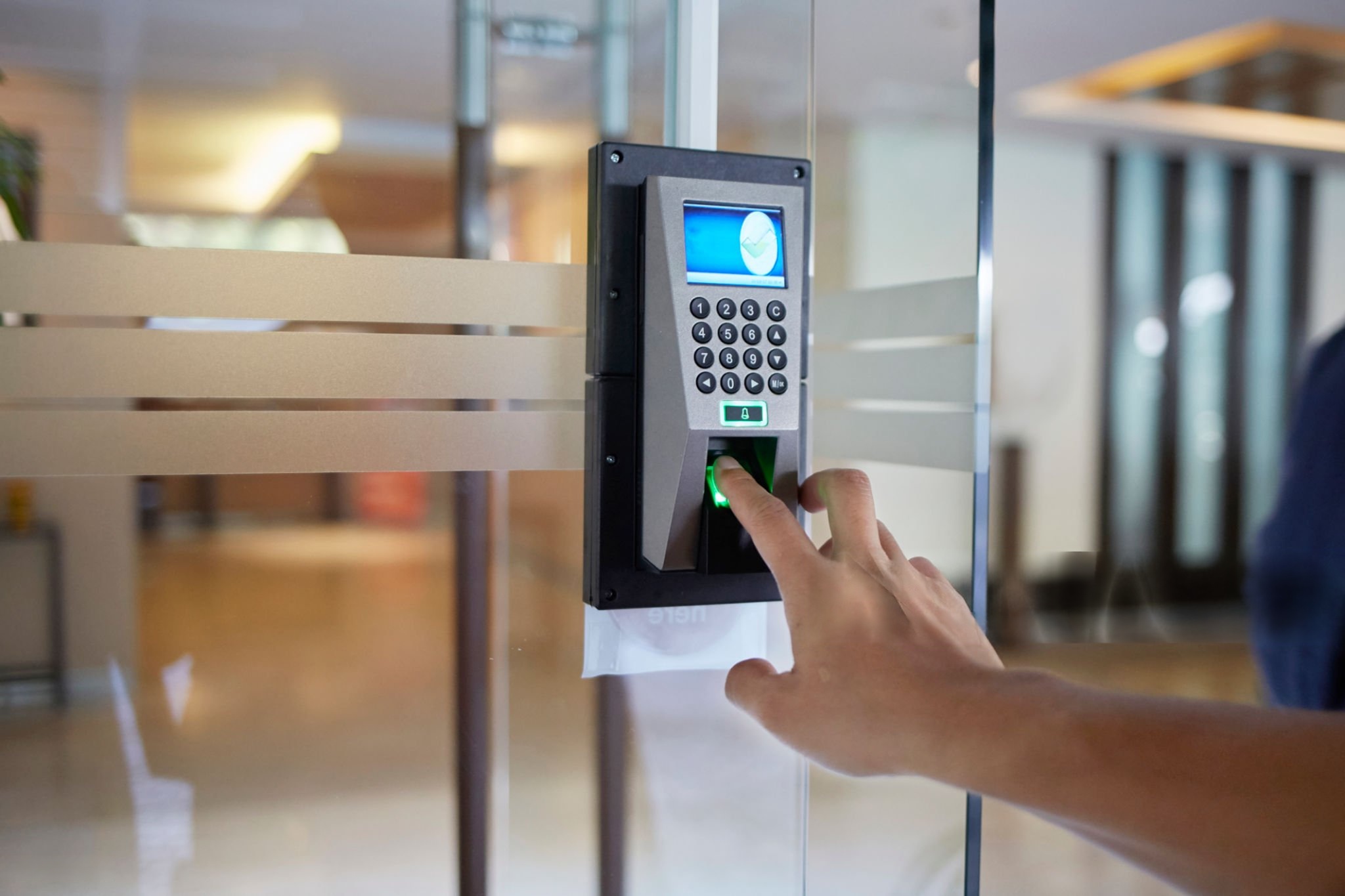
Access control is the process of checking a person’s credential against configured permissions before a door opens. In an electronic system, those permissions can vary by person, door, day and time. An accounts executive might enter the main office from 8 am to 7 pm on weekdays, while the IT manager also holds permission for the server room.
The sections that follow use “card access” to mean the common case where a card or fob is the credential. The same architecture also supports PIN codes, mobile credentials and, in some designs, biometrics.
The five building blocks of an access control system
Component
What it does
What to confirm before buying
Credential (card, fob, PIN, mobile)
Identifies the user
Credential technology and whether it can be copied
Reader
Reads the credential at the door
Compatibility with the credential and controller
Controller (panel)
Holds rules and decides whether to unlock
Doors supported, offline behaviour, event storage
Electronic lock
Secures the door and releases on command
Door type, fail-safe behaviour, fire-code suitability
Management software
Issues credentials, sets schedules, stores logs
User roles, reporting, update process, hosting model
These access control components must work as a set. A strong card paired with a weak controller, or a good lock wired incorrectly, leaves the weakest component as the real security level.
Explore our smart entry setups and find the right Door Access System for your business.
Why Businesses Use Access Control
Businesses adopt access control for practical reasons rather than for technology’s sake.
Restricting sensitive areas. Server rooms, record rooms, stockrooms and finance offices can be limited to the people who need them, while general areas stay open to all staff.
Faster staff changes. When someone leaves, an administrator can disable their credential rather than rekeying locks. Lost cards can be blocked the same day, though the speed depends on how the system is hosted and who has administrator rights.
Access records. Depending on the hardware and software, the system can log successful entries, denied attempts and credential use. These logs help when reviewing an incident, but they only exist if the system was configured to keep them, and they raise personal-data questions covered later in this guide.
Multi-door and multi-site administration. Networked or cloud-managed systems allow one team to manage many doors. The extent of central control depends on the architecture and network design.
How Card Access Systems Work
Card access systems follow the same access control sequence at every door, regardless of brand.
1.The user presents a card or fob. The reader detects the credential using the technology it supports.
2. The system checks permissions. The reader passes the credential data to the controller. Rules may consider the user, the door, the day and the time. Some systems decide locally at the controller, while others rely on a server or cloud platform.
3. The door releases or stays locked. If the credential is valid for that door and time, the controller signals the lock.
4. The event may be logged. Many systems record the credential, door and time, subject to configuration and storage limits.
The detail worth asking an installer about is step 2. If the controller makes decisions locally, doors can keep working when the network drops. If decisions depend on a central server, a network fault can change how doors behave. Ask what each door does when the network, server or internet connection is unavailable.
Card Access vs Other Credentials: Which Suits Your Business?
No single access control credential is best for every site. The right choice depends on who uses the door, how often, and what is behind it.
Credential
Best suited to
Main limitations
Access card
Offices where staff already carry ID badges
Can be lost; security depends on card technology
Key fob
Users who prefer a keyring item
Same dependency on card technology; easy to misplace
PIN code
Low-risk doors or as a second factor
Codes can be shared or observed
Mobile credential
Organisations comfortable managing phones and apps
Depends on user devices, app support and reader compatibility
Biometric
Higher-risk areas where a credential must be tied to a person
Neither a card nor a fob is automatically more secure than the other. What matters is the technology inside the credential, how the system is configured, and how quickly lost credentials are disabled.
For higher-risk rooms, some organizations combine two factors, such as a card plus a PIN. This should follow a risk assessment rather than being added by default.
Card Technology: Why the Chip Inside Matters
Two cards that look identical can offer very different protection. This is the most overlooked decision in card access projects.
Legacy 125 kHz proximity cards broadcast a fixed identification number. Independent testing by the security-research publication IPVM found that a card copier costing about US$30 could duplicate popular 125 kHz formats, including HID Prox and EM4100, and that the copies appeared identical to the system. Because these cards carry no encryption, a copy works anywhere the original works.
13.56 MHz smart cards vary. MIFARE Classic has published cryptographic weaknesses. A 2023 academic survey notes attacks against all generations of MIFARE Classic cards. Newer credentials such as MIFARE DESFire use AES encryption and mutual authentication between card and reader, and the same survey describes DESFire as state of the art, while noting that older DESFire EV0 had a known attack.
For a Singapore business, the practical implication is simple. When specifying card access systems, ask the installer which credential technology the reader and cards use, whether the cards use encryption and authentication, and whether the system is compatible with an upgrade path. Treat “proximity card” as a description of how the card is read, not as a statement about how secure it is.
Product capabilities vary by manufacturer and generation, so confirm specifications with the vendor rather than relying on a general label.
Secure your premises for less by browsing our latest Door Access Promotions to find cost-effective packages for your office or property.
Locks, Exit Routes and the SCDF Fire Code
A door that is secure but cannot be opened in a fire is a life-safety problem. In Singapore, the main reference is SCDF’s Code of Practice for Fire Precautions in Buildings (Fire Code), currently the 2023 edition, whose Clause 2.3 deals with means of escape requirements.
The Fire Code addresses access control on exit routes directly. The points below summarise what the published clauses say. They are not a substitute for the Code itself, the approved plans for your building, or advice from your fire safety professional.
• Electromagnetic and electromechanical locks on exit doors. Where these are used on an exit access door or exit door (excluding revolving doors and doors to residential units), the Code sets specific requirements in its tables. The Code defines such a device as a fail-safe device, meaning it is designed to unlock automatically in a fire, and its definition also covers power failure and faults in the locking components.
• Connection to the fire alarm. The Code states that locking devices on doors in the escape path are to be connected directly to the building’s automatic fire alarm system so that they release. It restricts linking that release through other systems, such as access control or building management systems, unless SCDF permits otherwise through a waiver.
• Digital locksets. Where a digital lockset is installed on an exit door or exit access door, it must have mechanical fail-safe features on the non-secure side that do not depend on electrical power, so occupants can still leave.
• Tenanted spaces. The Code includes separate provisions for access control belonging to tenanted spaces, and release requirements differ by door type, such as common-area doors, staircase doors and doors within a tenant’s unit.
• Features not covered by the Code. The Code states that access and exit facilities not specifically covered shall not be used without SCDF approval.
What this means in practice: the release logic for locks on exit routes should not depend on the access control software or network. Who designs the fire-alarm interface, and who confirms it complies, should be settled before installation begins. Alterations that affect escape routes may also trigger submissions to the authorities. Whether this applies to your project depends on the building, the scope of work and the doors involved, so confirm with the building owner or management office and your fire safety consultant before work starts.
Rule, guidance or good practice? A quick reference
Topic
Type
Who it comes from
Notes
Fail-safe locks on exit and exit access doors
Regulatory requirement under the Fire Code
SCDF
Specifics vary by door type and premises
Mechanical fail-safe on digital locksets
Regulatory requirement under the Fire Code
SCDF
Applies to exit and exit access doors
Landlord approval for works on doors
Property-specific requirement
Landlord or building management
Check your lease and the building’s fit-out rules
Handling of biometric data
Guidance reflecting the PDPC’s stance
PDPC
Guide is not legally binding, but PDPA duties still apply
Moving from 125 kHz to encrypted cards
Recommendation
Security practice
Not a legal requirement
Keeping logs for a set period
Depends on your policy and PDPA considerations
Your organisation
No general retention period is stated in this guide
Access Logs, Personal Data and the PDPA
An access log that records which named employee opened which door at what time is information about an identifiable person. Singapore’s Personal Data Protection Act 2012 (PDPA) may therefore be relevant to how the business collects, uses, protects and retains it. The PDPC publishes guidance on obligations, and organizations should check current requirements rather than rely on this summary.
Biometric systems deserve particular care. In May 2022 the PDPC published its Guide on the Responsible Use of Biometric Data in Security Applications, aimed at organisations such as building owners, management corporations and security services companies. The Guide is not legally binding, but it reflects the PDPC’s position. It discusses risks such as spoofing and errors in identification, and recommends measures organizations can consider when buying or designing biometric systems.
Practical steps for any access control project:
• Decide who can view and export logs, and record that decision.
• Set a retention period that matches a documented purpose.
• Tell staff what is collected and why.
• Secure administrator accounts and the server or cloud account holding the data.
• Ask whether biometrics are needed at all, or whether a card plus PIN meets the risk.
Deployment Options: Standalone, Networked and Cloud-Managed
Option
Best for
Advantages
Limitations
Standalone (single-door)
One or a few doors in a small office or store room
Simple setup; lower dependency on networks
Manual updates at each door; limited reporting
Networked (on-premises server)
Multi-door offices and buildings
Central permissions and logs; local control
Needs IT involvement, server upkeep and backups
Cloud-managed
Multi-site organisations or those without on-site IT
Remote administration; less hardware to maintain
Subscription costs, internet dependency, data-hosting questions
Whichever you choose, confirm three things in writing: how doors behave offline, how event logs are stored and synchronized after an outage, and who is responsible for software updates and security patches.
Planning an Access Control Installation
Map the doors and the people
List every door that needs access control, who uses it, and when. Separate perimeter doors, internal restricted rooms and doors that serve as fire exits. This list drives the number of readers, controllers and locks and highlights doors that need a Fire Code review.
An exhaustive layout mapping process serves as the technical foundation for your hardware architecture, procurement schedule, and system scheduling loops. Security teams must map every physical opening to create a comprehensive matrix detailing user personas, high-traffic shifts, and operational schedules. Perimeter entry points require hardened authentication mechanisms to withstand external vectors, while internal spaces like server rooms, cash vaults, and executive suites demand isolated multi-factor zones. Crucially, tracking how traffic moves across designated emergency paths ensures your layout remains structurally safe. For locations governed by strict local mandates, verifying these layouts against the SCDF Means of Escape Fire Code Regulations is required. This technical mapping determines your ultimate reader counts, processing controller relays, lock configurations, and structural path designs.
Check the existing doors and the premises
Not every lock suits every door. Frame construction, door material, fire-rated doors and existing hardware all affect what can be fitted. If you lease your premises, your landlord or building management may have rules about alterations to doors or shared areas. Those rules are contractual and vary by building.
A physical site survey is required to evaluate structural compatibility before purchasing any electronic locking hardware. Frame materials (such as hollow metal, aluminum storefronts, or frameless glass) directly dictate whether you can use magnetic locks, electronic strikes, or heavy-duty motorized mortise locks. Modifying fire-rated doors requires extreme caution, as drilling or cutting can instantly void their safety certification. To protect your structural integrity, you must verify installation plans against global benchmarking standards such as the Intertek Product Fire Rating Certifications. Tenants in commercial commercial buildings must also coordinate early with property management. Alterations to perimeter boundaries or common corridors often fall under strict lease agreements and require explicit approval from the MCST (Management Corporation Strata Title) to prevent costly structural reinstatement penalties.
Evaluate credential and system security
For any access control purchase, ask about card technology, encryption, administrator permissions, software updates and how lost credentials are disabled. For networked or cloud systems, ask how accounts are protected and how the vendor handles security incidents. IT managers should be involved from the start.
Modern access platforms must be evaluated as critical network infrastructure rather than simple physical hardware. Legacy 125 kHz proximity cards lack encryption and can be easily cloned using cheap, off-the-shelf hacking tools. This vulnerability makes upgrading to cryptographic smart cards or encrypted mobile credentials running advanced Bluetooth/NFC protocols an operational necessity. System administrators should closely evaluate how the software handles data at rest, role-based access controls (RBAC), patch management, and immediate credential revocation workflows. To ensure your platform aligns with modern data privacy frameworks, cross-reference your architecture against the PDPC Advisory Guidelines on Selected Topics. Involving internal IT security teams early helps confirm that cloud or networked systems support Multi-Factor Authentication (MFA), single sign-on (SSO), and secure API endpoints to protect against external network intrusion.
Consider integration, including CCTV
Many systems can connect with visitor management, time and attendance, alarms and video surveillance, but compatibility depends on the products chosen. One common use is linking a door event to a camera view so that a denied or forced entry can be reviewed alongside video. Confirm that the specific access control and CCTV products support the integration you want before you buy either.
Unifying disparate physical security platforms transforms isolated logs into actionable business intelligence. Creating a direct programmatic link between access control events and IP video management systems (VMS) allows security teams to instantly cross-reference digital data with real-time visual proof. When a “door forced open” or “access denied” alert triggers, the integrated system automatically bookmarks the corresponding camera feed, instantly displaying the event on the security dashboard. To prevent proprietary vendor lock-in and ensure seamless interoperability across brands, check that your chosen hardware conforms to global interoperability standards like the ONVIF Profile Specs for Physical Access Control. Confirming deep API compatibility and open protocol standards prior to procurement saves significant middleware integration costs later on.
Plan for maintenance and support
Access control readers, locks and power supplies are physical components that can fail. Ask about warranty terms, response arrangements, software updates, spare parts and what happens to the system if the vendor stops supporting a product.
Physical security infrastructure is subject to constant mechanical wear, environmental exposure, and electronic stress. Deploying these systems requires a proactive, long-term life cycle maintenance program rather than a reactive fix-on-failure approach. Backup batteries inside power supply enclosures must be tested routinely to ensure the property stays secure during power outages. Similarly, electric locks require regular alignment checks to prevent binding issues. To align your system upkeep with global enterprise standards, refer to frameworks like the SIA Physical Security Standards Guidance. Establishing comprehensive Service Level Agreements (SLAs) with your integration partner ensures guaranteed response windows, predictable software update paths, immediate access to critical spare parts, and a clear roadmap if components face unexpected end-of-life (EOL) cycles.
Understand what drives cost
Pricing varies too much to quote a reliable figure here. The main drivers are:
the number of doors and the door type: Total hardware costs scale directly with the number of entry points, but structural variations introduce significant cost differences. Standard wooden office doors can typically be prepped quickly using lower-cost magnetic locks or electric strikes. Conversely, architectural frameless glass doors, heavy-duty fire-rated exits, or secure aluminum storefronts require specialized, high-grade architectural hardware and significantly more labor-intensive preparation.
credential technology and the number of users: Standard proximity cards have a low initial cost but present severe security risks. Modern setups lean toward high-frequency cryptographic smart cards or mobile credentials utilizing secure digital keys. While mobile access eliminates physical card replacement issues, it shifts expenses to user-based software licensing. For a detailed breakdown of user provisioning and modern token costs across identity management networks, consult the Microsoft Identity Access Management Guide.
lock type and any fire-alarm interface work: Basic magnetic locks are affordable to buy but require integration with your building’s fire panel to meet safety laws. Motorized, multi-point mortise locks offer superior physical security but come with a higher price tag. Additionally, you must factor in specialized electrical labor fees for certified technicians to bridge the access control system with local emergency drop-out lines. Ensure these configurations align with local regulatory frameworks, such as the electrical safety guidelines detailed in the SIA Physical Security Industry Guidelines.
cabling and power requirements: Running physical cables through concrete structures, plenum-rated ceilings, or across large facilities can often match or exceed the cost of the actual security hardware. Power supplies also require dedicated battery backups to remain operational during blackouts. To optimize your technical design and better estimate your infrastructure and wiring investments, you can review network cabling standards outlined in the Cisco Campus Network Architecture Guide.
software licensing or cloud subscription: Traditional on-premises systems involve higher upfront perpetual license fees paired with ongoing software maintenance agreements. Modern cloud-managed deployments lower initial capital costs but require recurring monthly or annual operational subscriptions. These fees scale based on the number of active doors, concurrent user profiles, and how long you need to store activity logs.
Integration with other systems: Basic, standalone access setups are straightforward to deploy. However, linking your access logs to an existing Video Management System (VMS), human resource directory (Active Directory/HRMS), or time-and-attendance platform requires specialized software integration. You must account for custom API access charges, software middleware fees, and developer configuration hours.
maintenance and support terms: Long-term system performance relies on your chosen Service Level Agreement (SLA). Basic next-business-day phone support is affordable, but 24/7 emergency physical response windows with guaranteed replacement parts on-site carry a premium. Emergency support terms vary significantly based on your organization’s risk tolerance.
Common Planning Mistakes
Choosing the lock before checking exit-route rules for access control doors: Fire Code requirements for fail-safe release should shape the design, not be retrofitted. Selecting a heavy-duty locking mechanism solely based on its physical strength can lead to severe compliance failures if it restricts a designated egress pathway. For projects subject to local life safety inspections, failure to plan for immediate egress can cause costly construction delays or building layout reinstatements. Security teams must integrate emergency drop-out pathways early by checking their engineering plans against the SCDF Means of Escape Fire Code Regulations to ensure all locks release automatically upon fire alarm activation.
Assuming all cards are equal: Cheap 125 kHz credentials may be convenient but offer little protection against copying. These legacy proximity cards transmit their internal facility codes entirely in plaintext without any encryption layer, making them highly vulnerable to pocket-sized cloning devices available online. To prevent unauthorized credential duplication, organizations should utilize secure smart card layouts that enforce mutual authentication and cryptographic key structures. For a deeper look at modern encryption standards across physical tokens, review the credential definitions in the SIA Physical Security Industry Guidelines.
Skipping the offline test: An access control system that works in the demonstration may behave differently when the network is down. Administrators must explicitly verify how local edge controllers process transactions if they lose connection to a cloud dashboard or central server. A properly engineered system must fall back onto its localized database cache—continuing to grant or deny access based on cached rules—rather than locking users out or opening all doors completely. Testing these fail-secure network states early ensures business continuity during a widespread network outage.
No leaver process: An access control system helps only if someone removes credentials when staff leave. Leaving an inactive credential active in the user directory creates a direct insider threat vector that compromises your physical perimeter. Organizations must establish a strict offboarding workflow that links human resource management software directly with security databases. Implementing automated identity lifecycles prevents forgotten keycards from being used weeks or months after an employee departs.
Over-permissioned users: Giving everyone access to everything defeats the purpose of the system. Granting global administrative access or master-key privileges to standard staff members increases your overall risk profile and makes internal tracking difficult during an incident. Organizations should strictly enforce the Principle of Least Privilege (PoLP) by designing distinct role-based access control (RBAC) groups. This setup ensures personnel only hold authentication rights to the specific zones and time frames required to fulfill their daily duties.
Ignoring personal data: Logs and biometric templates need owners, retention rules and secure storage. Physical tracking systems capture granular timestamps, movement histories, and highly sensitive unique biological data that fall directly under strict data privacy regulations. Compliance teams must treat this data with the same rigorous care as digital financial records. To establish proper corporate governance, review the strict security and disposal rules outlined in the PDPC Advisory Guidelines on Selected Topics.
Buying without an upgrade path: Check whether readers, controllers and software can expand to more doors or newer credentials. Purchasing closed, highly proprietary hardware ecosystem components locks your business into a single vendor’s price changes and limited product roadmap. To protect your initial equipment investment as your company grows, confirm that all procurement plans favor open-architecture hardware that adheres to global connectivity frameworks like the ONVIF Profile Specs for Physical Access Control.
Are Card Access Systems Right for Every Business?
Not necessarily. A small office with one door may do well with a standalone unit. A multi-tenant building may need centralised administration and more than one credential type. Facilities holding highly sensitive assets may add multi-factor authentication or guards.
Electronic access control is also not something this guide found to be mandated for offices in general. Requirements usually come from landlords, clients, sector regulators, insurers or internal policy, so check what applies to your sector and premises.
Access Control Checklist for a Card Access Project
Phase 1: Planning
• List all doors and mark which are exit routes or fire-rated.
• Define user groups, access hours and visitor or contractor needs.
• Name an owner for the system and for its data.
Phase 2: Preparation
• Review your lease and building rules for door alterations.
• Request itemized quotations covering hardware, software, installation and support.
• Ask each vendor about credential technology, encryption and offline behavior.
Phase 3: Approvals and design
• Have your fire safety professional review lock types and fire-alarm interfaces for exit doors.
• Obtain landlord or building management consent where required.
• Confirm whether any authority submission applies to your scope of work.
Phase 4: Installation
• Agree a work schedule that avoids disrupting operations.
• Confirm the release path to the fire alarm is independent of access control software.
• Enroll users and set permissions on a least-access basis.
Phase 5: Testing and handover
• Test every door in normal, power-fail and network-fail conditions.
• Test fire-alarm release with the responsible parties present.
• Record administrator accounts, log retention settings and support contacts.
• Train administrators on issuing, disabling and reviewing credentials.
Next Step: Scope Your Access Control Project
A sound access control design begins with a door-by-door assessment of users, risks, exit routes and building rules, then selects credentials, locks and software to match. If you want a site assessment or an itemized proposal, [Internal Link: Access Control Installation Services in Singapore] is the place to start.
Attempting to design a physical security framework without mapping how individuals interact with physical openings can leave serious gaps in your corporate protection. A thorough site survey helps businesses choose the right components—balancing physical security with everyday usability and legal compliance. Security teams must ensure that their chosen card readers, digital processing panels, and electronic locks work together seamlessly under a unified management dashboard while adhering strictly to life safety guidelines to guarantee safe egress during an emergency.
Ready to secure your premises with a professional, fully compliant security architecture? Take the guesswork out of your planning and Contact Techcom Engineering Pte Ltd or talk to our experts today to book your comprehensive site assessment and receive an itemized proposal tailored specifically to your facility.
Frequently Asked Questions
Does every Singapore office need electronic access control?
This guide did not find a general rule requiring every office to install access control. Obligations typically arise from landlords, clients, sector regulators or internal policy, so check what applies to your premises and industry.
Can card access systems be copied?
It depends on the card technology. Legacy 125 kHz proximity cards carry a fixed, unencrypted ID and have been shown to be copyable with inexpensive devices. Encrypted 13.56 MHz credentials are considerably harder to copy, but no technology removes the need for good lost-card procedures.
Will doors still work if the network or internet fails?
That depends on the architecture. Some controllers decide locally and keep working, while others rely on a server or cloud service. Ask for the offline behaviour of each door type in writing, and test it.
Do electronic locks on fire exits need special arrangements?
Yes. SCDF’s Fire Code sets requirements for access control on exit and exit access doors, including fail-safe release and connection to the fire alarm system. Confirm details for your building with your fire safety professional.
An electromagnetic lock also known as “EM Lock” or “Mag-Lock” is a locking device that uses the power of electromagnetism to secure a door. Instead of relying on traditional keys and mechanical parts, Electromagnetic lock operate purely through an electrical current. When activated, the current generates a strong magnetic force that keeps the door securely closed, providing a reliable method of access control. Because there are no moving parts involved in the locking action, Electromagnetic lock are exceptionally durable, resistant to physical wear, and operate almost silently.
This makes them an ideal choice for high-traffic areas such as office buildings, commercial facilities, and institutions where consistent security and ease of use are required. Additionally, This security lock can be easily integrated with modern security systems—such as card readers, biometric scanners, and keypads—making them versatile and highly adaptable to different access control needs.
Two Main Components of an EM Lock
Electromagnet
The electromagnet is the primary locking component of an EM lock. It is typically installed on the door frame, creating a secure magnetic surface that interacts with the armature plate on the door. When electric current passes through the electromagnet, it generates a powerful magnetic force strong enough to hold the door tightly closed, preventing unauthorized access. The positioning on the frame ensures that the magnet aligns perfectly with the armature plate, maximizing holding strength and maintaining durability even with frequent use.
Armature plate
The armature plate is the counterpart to the electromagnet and is securely fastened to the door. It is typically made of steel and designed to provide a smooth, flat surface that makes direct contact with the electromagnet when the door is closed. Once the magnet is energized, the plate is pulled firmly toward it, creating a strong locking bond that keeps the door shut. To ensure consistent alignment and holding strength, the armature plate is often installed with a flexible mounting system that allows it to adjust slightly, compensating for any minor misalignment between the door and frame.
When electrical current passes through the magnet, it creates a powerful magnetic field that bonds the plate and magnet together—effectively locking the door. When power is cut (via access control, card reader, or push button), the lock releases instantly. This simple yet effective mechanism makes EM locks fail-safe, meaning they unlock during a power failure—critical for emergency exits and fire safety compliance in Singapore.
Why Choose EM Locks in Singapore?
High Security
One of the main reasons people in Singapore choose electromagnetic locks is the high level of security they provide. These systems use strong magnetic force to keep doors securely shut. To put it in perspective, they can withstand holding forces from around 300 pounds (the weight of two full-grown men) to more than 1200 pounds (roughly the weight of a small car engine). This makes it extremely difficult for anyone to force the door open, even with heavy pushing or prying.
Unlike traditional locks with keys that can be picked or duplicated, magnetic door locks have no moving parts that intruders can tamper with. Once the power is activated, the magnetic bond between the lock and the door is so strong that it acts like an invisible barrier, providing peace of mind for homeowners, offices, and commercial properties.
In short, these locks offer a simple but highly effective way to secure doors, making them a trusted choice for places that need reliable protection.
Need professional EM Lock installation with access control? Get expert help »
Seamless Integration
One of the biggest advantages of electromagnetic locks is how easily they work with modern access control systems. Instead of relying only on keys, which can be lost or duplicated, these locks can be connected to a variety of smart access solutions, providing both security and convenience.
They can seamlessly integrate with:
• Biometric systems (fingerprint, face recognition): Only registered users can enter, making it nearly impossible for strangers to gain access. • RFID card readers: Employees or residents can simply tap their access cards for quick and secure entry. • Keypads: A code can be entered to unlock the door, eliminating the need for physical keys. • Mobile app-based access: With just a smartphone, users can unlock doors remotely or grant access to visitors.
This flexibility makes magnetic door locks ideal for offices, residential buildings, and high-security facilities, where both control and convenience are equally important.
Reliability
One of the biggest advantages of electromagnetic locks is their long-lasting design. Unlike traditional locks that rely on keys, springs, or latches, these systems have no moving parts that can wear out over time. This means there’s less risk of jamming, rusting, or mechanical failure. Because of their simple yet solid construction, they can operate smoothly for years with minimal upkeep.
For businesses and property owners in Singapore, this translates to lower maintenance costs and fewer disruptions—saving both time and money while keeping security consistently reliable.
Fire Safety Compliance
In Singapore, fire safety is strictly regulated to protect lives. Electromagnetic locks are fail-safe, automatically releasing during fire alarms, power failures, or emergencies. Fire doors can be integrated with these systems for controlled exit, ensuring compliance with SCDF requirements and giving property owners peace of mind that security won’t compromise safety.
Versatility
Electromagnetic locks are highly adaptable, making them suitable for a wide variety of applications. Whether you’re securing glass doors in offices, wooden doors in residential units, metal doors in industrial facilities, sliding doors in commercial spaces, or even outdoor gates, these systems provide a reliable solution. Their flexibility allows them to be installed across different environments without compromising on strength or functionality, making them a preferred choice for property owners and security professionals in Singapore.
Browse our full range of Entry Systems that integrate seamlessly with EM Locks.
Where Are EM Locks Commonly Used in Singapore?
Electromagnetic locks are widely adopted across different sectors due to their reliability and compliance with local safety standards. Common applications include:
Commercial buildings
In Singapore, EM locks are commonly installed in offices, hospitals, schools, and laboratories. They help control access so only authorised staff or visitors can enter restricted areas. Unlike traditional locks, they can be linked to access cards or biometric systems, making it easier to manage security across large buildings.
Residential properties
More homeowners are starting to use EM locks, especially for main doors, side gates, or even private lifts. When paired with intercoms or smart home systems, they allow residents to unlock doors remotely, adding both convenience and peace of mind.
Emergency exits
One of the biggest advantages of EM locks is their “fail-safe” feature. During a fire alarm, power failure, or emergency, the lock automatically releases to let people exit safely. This makes them suitable for emergency exit doors in malls, offices, and other public spaces where safety compliance is a must.
High-security areas
For places that need strict security—like data centres, research labs, and rooms with sensitive equipment—EM locks are a popular choice. They can be combined with card readers, PIN pads, or fingerprint scanners to create multiple layers of protection, ensuring only authorised individuals gain entry.
Types of EM Locks
Surface-Mounted EM Locks
The most common and cost-effective option, surface-mounted electromagnetic locks are installed directly onto the door frame. They are easy to install, provide strong holding force, and are suitable for a wide range of door types including glass, wooden, and metal doors.
Shear Locks
Designed to secure doors using shear force, these locks are especially suitable for frameless glass doors where maintaining a sleek, modern look is important. Shear locks offer strong holding power without compromising aesthetics, making them a popular choice for high-end offices, showrooms, and commercial spaces.
Mini EM Locks
Compact in design, mini electromagnetic locks are perfect for securing smaller applications such as cabinets, lockers, and sliding doors. Despite their smaller size, they provide reliable holding strength, making them ideal for environments that require both space efficiency and dependable security.
Double EM Locks
Designed specifically for double-leaf doors, double electromagnetic locks provide synchronized locking to secure both sides simultaneously. They are commonly used in office entrances, commercial buildings, and high-traffic areas where wider doorways require strong and balanced access control.
EM Lock Installation in Singapore
Professional installation is highly recommended to ensure proper wiring, alignment, and compliance with Building and Construction Authority (BCA) and SCDF fire safety codes.
At Techcom Engineering Pte Ltd, we specialize in electromagnetic lock installation and integration with door access systems. Whether you need a simple setup for an office door or a large-scale system for a commercial building, our team provides turnkey solutions tailored to your needs.
For professional EM Lock installation in Singapore, Contact us today!
To ensure peak performance and durability, always hire a qualified installer familiar with EM lock systems. For clients based in UK, you may engage Professional locksmith solutions (serving the London and nearby areas) for trusted locksmith services.
EM Lock vs Other Door Locks
Electromagnetic (EM) locks differ from traditional mechanical locks in both operation and functionality. While conventional locks rely on keys, bolts, or latches, EM locks use powerful magnetic force, making them ideal for modern access control systems. They provide seamless integration with keycards, biometrics, and PIN pads, offering greater convenience and security. On the other hand, mechanical locks still have their place, particularly where power supply or electronic systems are not feasible. By understanding the differences, you can choose the right lock type based on your security, usage, and integration needs.
FAQs About EM Locks in Singapore
1. Are EM locks safe for fire exits?
Yes, electromagnetic locks are designed with safety in mind. They are fail-safe, which means the lock automatically releases when there is a power failure or when a fire alarm is triggered. This ensures that people can exit the building quickly and safely during emergencies. By unlocking automatically in critical situations, EM locks comply with Singapore’s strict fire safety regulations, giving property owners peace of mind that security won’t compromise life safety.
2. Can EM locks work with biometric systems?
Absolutely. Electromagnetic locks integrate seamlessly with modern biometric access solutions, including fingerprint scanners, facial recognition systems, and RFID card readers. This allows only authorized personnel to enter, enhancing security while eliminating the risks associated with lost or duplicated keys. By pairing EM locks with biometric systems, businesses and residential properties in Singapore can enjoy a reliable, convenient, and highly secure access control solution.
3. How strong are EM locks?
Electromagnetic locks are known for their impressive holding strength. Standard models typically offer around 600 lbs of holding force, which is more than enough to secure most office and residential doors. Heavy-duty models can exceed 1200 lbs, providing a level of security comparable to the weight of a small car engine. This makes it extremely difficult for intruders to force the door open, giving property owners in Singapore a reliable and robust solution for protecting entrances and restricted areas.
4. Do EM locks require maintenance?
Maintenance requirements for electromagnetic locks are minimal. Since these locks have no moving mechanical parts, they are far less prone to wear and tear compared to traditional locks with keys, springs, or latches. This means fewer breakdowns, less frequent servicing, and lower overall maintenance costs. For businesses and homeowners in Singapore, this translates to a more reliable security system that continues to operate smoothly over many years with minimal upkeep.
5. Can EM locks be installed on glass doors?
Yes. Electromagnetic locks can be installed on glass doors using the appropriate mounting hardware, such as U-brackets or LZ brackets. These brackets securely attach the lock to the door without causing damage, allowing for a clean and professional installation. In addition to glass, these locks are also compatible with wooden and metal doors, making them a versatile choice for offices, commercial spaces, and residential properties in Singapore.
Conclusion
If you’re looking for a reliable, durable, and compliant access control solution in Singapore, EM locks are the smart choice. Designed for both small and large-scale applications, they provide high-level security with seamless integration into modern access control systems. Whether it’s safeguarding office doors, condo entrances, commercial buildings, or restricted facilities, EM locks ensure peace of mind with consistent performance.
At Techcom Engineering, we don’t just supply EM locks—we deliver end-to-end solutions tailored to your needs. From single lock installations for individual doors to comprehensive building-wide access control systems, our expert team ensures every project is installed to the highest security and compliance standards.
Get in touch with us today and secure your property with professional EM lock solutions trusted across Singapore.
Intercom System in Singapore – The Essential Guide Most People Miss
By Techcom Engineering Pte. Ltd.
Published: July 24, 2025 at 10:38 am
Ready to upgrade your security with a smart intercom system? Get in touch with Techcom Engineering for a tailored solution in Singapore!
Whether you’re looking for a video intercom system in Singapore or a reliable wired or wireless intercom setup, choosing the right solution can greatly improve security, convenience, and communication for any property. From HDB flat video intercoms and condominium entry systems to advanced smart IP-based intercoms for offices, retail stores, and industrial facilities, today’s intercom technology delivers seamless access control and crystal-clear communication.
At Techcom Engineering, we specialize in professional intercom installation, configuration, and maintenance services tailored for homes, businesses, and institutions. In this guide, you’ll learn the different types of intercom systems in Singapore, the must-have features to consider, and expert tips for selecting the most suitable solution — ensuring safety, efficiency, and integration with your complete security system.
What Is an Intercom System in Singapore?
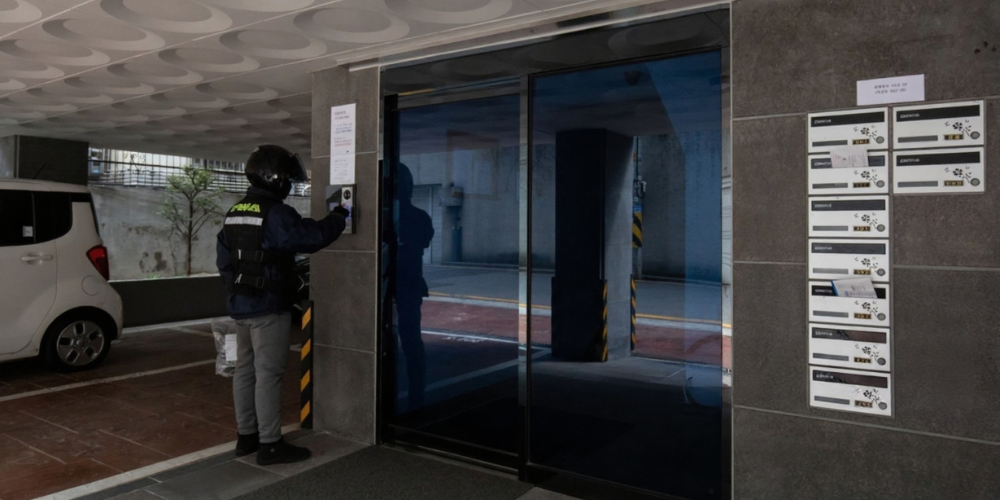
An intercom (short for intercommunication system) is an electronic device that enables two-way audio or video communication between multiple points within a building, complex, or enclosed area. Intercom systems are commonly used to control access to entry points, facilitate internal communication, and monitor visitor activity.
Unlike a regular telephone system, an intercom operates on a localized closed circuit—allowing quick communication without requiring an internet connection or mobile signal. Depending on the system, users may be able to see, hear, and speak to the person on the other end, and even remotely unlock doors or gates.
Key Features of Modern Intercoms
Today’s intercom systems are more than just a way to talk between rooms—they’re integrated, intelligent communication tools that enhance both convenience and security. Here’s a closer look at the advanced features that make them indispensable for homes, offices, and smart buildings:
These enhanced features make modern intercoms a versatile and essential solution for improving building access, communication efficiency, and overall security—whether for residential condos, office buildings, or commercial facilities.
Two-Way Communication
Modern intercoms support clear, real-time two-way audio, allowing users to speak and listen simultaneously. Whether you’re managing front desk communication or checking on someone at the gate, this feature ensures seamless dialogue without delays or cross-talk.
Video Intercom Capability in Singapore
Many contemporary intercom systems are equipped with high-definition cameras, providing a live video feed of the visitor at your door. This visual confirmation adds an extra layer of security, letting you verify identity before granting access.
Door Access Control
Integrated access systems allow users to remotely unlock doors, gates, or barriers. After confirming a visitor’s identity—either through video or voice—you can grant entry with just a tap or click, reducing the need for physical presence at entry points.
Mobile App Integration
Smart intercoms can be connected to mobile apps, giving you control and access even when you’re not on-site. Receive call alerts, stream live video, communicate with visitors, and unlock doors—all directly from your smartphone or tablet. This is ideal for remote management, deliveries, or assisting guests.
Hands-Free or Push-to-Talk
Depending on the environment and use case, intercoms can be configured for hands-free automatic response (great for lobbies or reception areas), or push-to-talk functionality for controlled communication in more private or secure settings.
Network Integration
IP intercoms integrate easily with existing network infrastructure, including VoIP phone systems and other IT assets. This allows for centralized management, remote monitoring, and integration with other smart building technologies, such as surveillance cameras or alarms.
Durability for Indoor & Outdoor Use
Built with rugged materials, modern intercom units are designed to endure tough conditions. Weatherproof and tamper-resistant options make them suitable for exposed environments like gates, external walls, parking lots, or industrial sites, while sleek indoor units blend into modern interiors.
Explore our range of reliable intercom systems — browse products now and find the perfect fit for your home or office in Singapore!
Where Are Intercom Systems Used in Singapore?
In a highly connected and security-conscious country like Singapore, intercom systems are essential tools across a wide range of environments. Their ability to provide instant communication, control access, and integrate with other smart technologies makes them a go-to solution for residential, commercial, and industrial use.
Residential & Condo Intercom Systems in Singapore
Intercoms are a standard feature in most HDB blocks, condominiums, and private residential estates. They allow residents to:
• Screen visitors through video and audio before granting access. • Unlock doors or gates remotely without leaving their unit. • Communicate with the guardhouse or management office.
This not only enhances convenience but also significantly improves residential security by preventing unauthorized entry.
Office Intercom Systems in Singapore
In corporate settings, intercom systems help streamline communication and bolster building security:
• Reception intercoms allow visitors to contact specific offices or departments. • Internal intercoms enable easy communication between multiple floors or departments. • Integrated access systems help manage deliveries, guests, and even staff movement.
This is especially useful for multi-tenant buildings or high-security office spaces.
Schools & Institutions
Educational institutions use intercoms to maintain order and safety across large campuses:
• Broadcast systems make school-wide announcements possible. • Classroom-to-office communication supports emergency coordination and quick response. • Staff can manage visitor access and communicate privately across buildings.
These features are crucial in maintaining discipline and safety in learning environments.
Industrial Facilities
In manufacturing plants, factories, and logistic hubs, intercoms are vital for operational efficiency:
• Allow communication between control rooms, loading bays, and production areas. • Withstand harsh environments—dust, noise, and temperature variations. • Improve worker coordination, especially in hazardous zones where radio signals may be blocked.
This leads to faster decision-making and improved workplace safety.
Retail & Hospitality
From luxury hotels to shopping malls, intercoms are used to improve both customer service and internal operations:
• Staff can communicate discreetly between the front desk and back office. • Security personnel can verify access to restricted areas or VIP zones. • Managers can coordinate deliveries and service staff more efficiently.
This ensures smoother operations and a better experience for customers and guests.
Vehicles & Transportation Hubs
Intercoms are essential for safety and coordination in Singapore’s transport sector:
• MRT stations and control rooms use intercoms for staff-to-staff and staff-to-public communication. • Buses, taxis, and service vehicles use them to report emergencies or receive instructions. • Airports and ferry terminals rely on intercoms for boarding announcements and staff coordination.
These systems help ensure smooth, safe, and timely movement across busy transportation networks.
Types of Intercom Systems
Intercom technology has evolved significantly to accommodate various settings—from compact homes to large commercial buildings. Each type of system comes with unique features suited for specific use cases. Here’s a breakdown of the most common types of intercom systems available in Singapore and their advantages:
Wired Intercom Systems in Singapore
Wired intercoms are physically connected through cabling installed within the walls or ceilings of a building. Advantages:
• Extremely reliable with minimal signal interference. • Consistent performance in environments with high electromagnetic activity. • Ideal for large properties, commercial offices, and long-term installations where infrastructure already exists.
Best for: Condominiums, office towers, educational institutions, and retrofitted buildings with pre-installed cabling.
Wireless Intercom Systems in Singapore
These systems communicate via radio frequencies, Wi-Fi, or other wireless protocols, eliminating the need for complex cabling.
Advantages:
• Quick and flexible installation. • Ideal for setups where running wires is difficult or not permitted. • Portable options available for temporary installations or mobile environments.
Best for: Small offices, event setups, residential properties, or rented premises where permanent modifications aren’t allowed.
Video Intercom Systems in Singapore
Video intercoms combine audio communication with real-time video streaming, adding a crucial visual element to access control.
Advantages:
• Enhances security by allowing visual verification of visitors. • Often features night vision and wide-angle lenses for better visibility. • Useful for facial recognition or license plate capture when used at gates.
Best for: Residential main entrances, office receptions, gated communities, and secure facilities.
IP-Based Intercom Systems in Singapore
These systems operate over Internet Protocol (IP) networks, integrating seamlessly with IT infrastructure and cloud services.
Advantages:
• Scalable and suitable for multi-site or large-scale operations. • Remote access, monitoring, and control via centralized software or mobile apps. • Can integrate with CCTV, VoIP, and smart building systems.
Best for: Corporate buildings, healthcare institutions, campuses, and networked security setups.
Apartment Intercom Systems in Singapore
Purpose-built for multi-unit residential complexes, these systems feature a central access panel (often at the building entrance) connected to multiple internal units.
Advantages:
• Visitors can call specific units by selecting a flat number or using a directory. • Residents can unlock the main door remotely from their unit. • Easy to manage guest access and parcel deliveries.
Best for: Condominiums, HDB flats, serviced apartments, and gated communities.
Smart Intercom Systems for Homes & Offices in Singapore
The newest generation of intercoms leverages smart technology, offering full integration with mobile devices, home automation platforms, and the cloud.
Advantages: • Receive push notifications and video calls on your smartphone. • Integrates with smart locks, cameras, and voice assistants like Alexa or Google Home. • Enables real-time access management—even when you’re overseas.
Best for: Smart homes, tech-forward offices, luxury condos, and modern commercial spaces.
Thinking about adding an intercom to your property? Contact Techcom Engineering for expert advice and installation in Singapore!
Why Install an Intercom System?
Whether you’re securing a home, managing a commercial building, or streamlining operations in a large facility, an intercom system offers powerful benefits. It’s more than just a communication tool—it’s an investment in safety, convenience, and efficiency. Here are the top reasons why intercoms are essential in today’s connected environments:
Enhanced Security
Intercoms serve as the first line of defense by allowing you to screen visitors before they ever enter your premises.
• Video intercoms provide live visual verification, reducing the risk of unauthorized access. • Pairing with door access systems ensures only verified individuals are granted entry. • Useful in both residential and commercial settings where safety is a priority.
This added layer of control is critical in a time when threats to property and personal safety are becoming more sophisticated.
Convenience
Modern intercoms eliminate the hassle of physically going to doors or gates to greet visitors.
• Answer calls and open doors using a mobile app, even if you’re not on-site. • Hands-free communication makes it easy to manage entry while multitasking. • Reduces the time and effort required to handle routine interactions.
Perfect for busy households, reception areas, or facilities with high foot traffic.
Professionalism
In office buildings and customer-facing businesses, intercoms enhance first impressions and operational flow.
• Welcomes visitors in a structured, secure manner. • Directs guests or deliveries to the appropriate personnel without delays. • Integrates with reception management systems for improved visitor tracking.
This creates a seamless and polished experience that reflects well on your brand or organization.
Better Communication
Intercoms make it easy to communicate between departments, rooms, or buildings without needing phones or walkie-talkies.
• Speeds up coordination across large offices, schools, or factories. • Useful for announcements, emergencies, or routine updates. • Reduces response times and boosts productivity.
This is especially valuable in environments where fast, clear communication is essential.
Integration with Existing Systems
Modern intercom systems are no longer isolated devices—they’re part of an interconnected security ecosystem.
• Seamlessly integrate with CCTV systems, access control panels, alarm systems, and smart home platforms. • Centralized control makes it easier to manage security and monitor activity. • Enables automation—such as unlocking doors when specific users are recognized.
This holistic approach improves overall building intelligence and user control.
Installing an intercom system isn’t just about communication—it’s about creating a safer, smarter, and more responsive environment for everyone who lives or works within it. Whether you’re managing a small home or a large facility, the right intercom solution can make all the difference.
Learn more about how EM Locks enhance access control and integrate seamlessly with intercom systems.
Explore our range of reliable intercom systems — browse products now and find the perfect fit for your home or office in Singapore!
What to Consider When Choosing an Intercom
Not all intercom systems are alike—and choosing the right one depends on a variety of practical factors. From environment to long-term scalability, understanding your specific requirements will help you select the best system for your needs. Here’s what to keep in mind before making your decision:
Environment
Will the intercom be used indoors or outdoors? Is it for a residential setup, a commercial building, or an industrial site?
• Outdoor intercoms need to be weatherproof, durable, and resistant to tampering or corrosion. • Indoor units may prioritize aesthetics, integration, and internal communication features. • Usage in high-noise or high-traffic environments may also call for specialized audio hardware or visual indicators.
Size of Property
Evaluate how many entry points, stations, or units you need to connect.
• A small home may require only one main unit and a mobile app. • A multi-storey office or apartment complex might need multiple intercom panels, indoor receivers, and backend integration. • Consider future expansion—especially if your property or team is expected to grow.
Wired vs. Wireless
Your building’s existing infrastructure will heavily influence this decision.
• Wired systems offer stable, interference-free communication and are great for permanent setups or buildings with existing cabling. • Wireless systems offer flexibility, ease of installation, and lower upfront costs, making them ideal for temporary setups or areas where wiring is difficult. • Also consider signal interference, especially in metal-heavy or high-tech environments.
Audio or Video
Do you simply need to talk to visitors, or do you also want to see them?
• Audio-only intercoms are more affordable and may be sufficient for internal use or low-security areas. • Video intercoms provide enhanced security by allowing visual verification, ideal for front gates, lobbies, and entryways. • Choose based on your security level, risk factors, and the importance of identity verification.
Integration Capabilities
Does your intercom need to work with smart home systems, mobile apps, CCTV, or access control platforms?
• Look for systems that support IP networking, cloud access, or API integrations. • Smart intercoms can sync with mobile devices, smart locks, and AI-powered platforms for automation and remote access. • Integration enhances security, centralizes control, and improves the user experience.
Budget & Scalability
Are you installing a basic system now with plans to expand later? Or do you need an enterprise-grade solution from the start?
• Entry-level systems may be sufficient for small homes or businesses with minimal needs. • For growing businesses, choose a system that supports additional units, devices, or software licenses without needing full replacement. • Factor in not just the initial cost, but also maintenance, upgrades, and expansion capability.
Professional Intercom System Installation & Support in Singapore
Installing an intercom system isn’t just about mounting devices—it’s about ensuring every component works together flawlessly. Whether it’s a wired or wireless system, audio-only or video-enabled, professional installation is crucial to achieving reliable performance, seamless integration, and long-term durability.
Why Professional Installation Matters?
Intercom systems often need to be integrated with other security and communication tools like:
• CCTV cameras • Door access control • Alarm systems • Smart locks or home automation platforms
Improper placement, faulty wiring, or poor configuration can result in dropped signals, unclear audio, or unreliable video feeds. A professional setup ensures:
• Correct wiring and power supply (especially for wired systems) • Strategic placement for maximum coverage and minimal blind spots • Secure mounting for outdoor durability and tamper resistance • System optimization for fast communication and high clarity • Scalability to support future upgrades or expansion
Why Choose Techcom Engineering for Intercom Systems in Singapore
At Techcom Engineering, we specialize in delivering reliable, secure, and modern intercom solutions tailored to residential, commercial, and industrial needs in Singapore. From basic audio systems to advanced smart video intercoms, we provide consultation, installation, and long-term support to ensure your communication system works exactly the way you need it to.
Whether you’re securing your HDB unit, upgrading your office entry system, or rolling out a full smart building setup, we’ll help you find the right solution—on time and within budget. Contact us today for a free consultation or quote.
Turnstile Gate What Security Experts Say Most People Get Wrong
By Techcom Engineering Pte. Ltd.
Published: July 17, 2025 at 5:24 pm
Ready to secure your premises with a turnstile gate system? Contact us now for a tailored solution in Singapore.
Turnstiles have become a staple in modern security systems, serving as vital components at various entry points. From office buildings to subway stations, turnstiles are designed to manage the flow of people while enhancing security. However, according to security experts, there are several misconceptions about these seemingly simple devices. In this article, we’ll explore what most people get wrong about turnstiles and how you can optimize their use for better security.
Automatic turnstile gates are increasingly popular due to their ability to streamline access control. These gates use sensors and mechanical arms to allow entry to one person at a time, thus preventing unauthorized access. They can be integrated with various access control systems, such as key cards or biometric scanners, to further enhance security.
Many people assume that turnstiles are just barriers, but they serve a more significant purpose. Their primary role is to ensure that only authorized individuals gain entry to a facility. This is particularly important in high-security areas where unauthorized access could have severe consequences.
One of the most common misconceptions about turnstiles is that they are foolproof. While turnstiles are effective, they are not impenetrable. Security experts warn that relying solely on turnstiles without additional security measures can be risky. Tailgating, where an unauthorized person follows an authorized individual through the gate, is a known vulnerability.
In Singapore, turnstiles are a common feature in both public and private spaces. The city-state is known for its advanced security infrastructure, and turnstiles play a crucial role in maintaining order and safety. However, even in a place with stringent security protocols, there are lessons to be learned.
1. Integration with Other Systems: Singapore’s approach to turnstile security involves integrating these gates with CCTV and alarm systems. This multi-layered approach ensures that any breach is quickly detected and addressed.
2. Regular Maintenance: Regular maintenance checks are crucial. In Singapore, turnstiles are inspected frequently to ensure they function correctly. This prevents malfunctions that could compromise security.
3. Public Awareness: Educating the public about the proper use of turnstiles is essential. In Singapore, clear signage and public announcements help to minimize misuse and enhance compliance.
Types of turnstiles gate:
For businesses looking to optimize their entrance turnstile gates, there are several strategies to consider: There are various types of turnstiles available, including full-height, waist-high, and optical turnstiles. Each type has its own advantages and is suited to different environments.
• Tripod Turnstiles
Tripod turnstiles are among the most widely used and recognizable types of pedestrian access control systems. They consist of a simple yet effective rotating mechanism with three horizontal arms arranged in a tripod formation. As a person pushes one of the arms, the mechanism rotates to allow passage, one person at a time. This design offers a reliable way to control and monitor foot traffic in various environments such as office buildings, stadiums, public transit stations, and recreational facilities. Tripod turnstiles are favored for their durability, ease of installation, and cost-effectiveness. Additionally, they can be integrated with access control technologies like RFID cards, biometric scanners, or ticketing systems, making them versatile solutions for managing secure entry while maintaining smooth pedestrian flow.
• Full Height Turnstiles:
Full height turnstiles are robust, tall rotating barriers engineered specifically for environments where security is paramount. Unlike tripod turnstiles, these extend from floor to ceiling, creating a physical gate that effectively blocks any attempt to climb over or crawl under, ensuring that only authorized individuals can pass through. Their solid construction makes them ideal for high-security areas such as industrial sites, government buildings, stadiums, and correctional facilities. These turnstiles provide 360-degree controlled access, preventing tailgating or piggybacking by unauthorized persons. Full height turnstiles can be seamlessly integrated with various access control systems including biometric readers, proximity cards, or keypad entry, offering a sophisticated yet sturdy solution for stringent security needs without compromising on throughput efficiency.
• Speed Gates:
Speed gates are sleek, modern access control solutions designed to combine high security with a smooth user experience. Featuring fast, automated sliding or swinging barriers made from glass or metal, they create an elegant and unobtrusive entry point that seamlessly fits into contemporary office lobbies, corporate buildings, airports, and upscale facilities. These gates work in tandem with advanced access control systems—such as RFID cards, biometrics, or mobile credentials—to quickly verify and allow authorized entry while preventing unauthorized access. Speed gates are prized for their ability to maintain efficient pedestrian flow without compromising safety, offering both a sophisticated aesthetic and reliable security. Their fast response times and quiet operation make them a popular choice where convenience and professionalism are key priorities.
• Swing Gate Turnstiles:
Swing gate turnstiles are designed with either motorized or manual swinging gates that open smoothly once access is granted, providing an accessible and user-friendly entry solution. Unlike traditional rotating arms, these gates swing open like a door, making them especially suitable for wider passageways and accommodating users with luggage, wheelchairs, or strollers. They are commonly found in office buildings, healthcare facilities, airports, and other locations where ease of access and accessibility are essential. Swing gate turnstiles can be integrated with a variety of access control technologies—such as card readers, biometric scanners, or QR code systems—to ensure secure entry while maintaining a smooth flow of pedestrian traffic. Their versatility and elegant design make them a practical choice for both security and convenience.
The True Purpose of Turnstiles
Many assume that turnstiles simply act as physical barriers, but they fulfill a much larger role in security. Their primary purpose is to ensure that only authorized individuals are granted entry to a facility, particularly in high-security areas where unauthorized access can have severe implications.
One prevalent misconception is that turnstiles provide foolproof security. While these gates are efficient, they are not entirely impenetrable. Security experts caution against relying solely on turnstiles without implementing additional security protocols. A known vulnerability, tailgating—where an unauthorized person follows an authorized individual through the gate—poses a significant risk.
Enhancing Turnstile Gate Systems with Smart Security Integration
Integrating your turnstile gate with an access control system can significantly enhance security. Options include card readers, biometric scanners, and mobile access systems. Each of these technologies adds an additional layer of protection by ensuring that only verified individuals can pass through the gate.
Even the best turnstile systems require human oversight. Providing regular training for security personnel ensures they are prepared to handle issues such as tailgating or responding to alerts from the integrated security systems. As technology advances, so does the potential of turnstile gate systems. The future looks promising, with innovations that can further enhance their efficiency and effectiveness.
Smart turnstiles now come equipped with advanced features such as facial recognition and real-time data analytics. These tools offer security teams valuable insights into traffic flow and potential threats, enabling more proactive and informed responses.
Explore our advanced turnstile solutions — Shop Turnstile Gates now and upgrade your access control.
Advancing Turnstile Gate Systems: Contactless Access, Energy Efficiency, and Security Optimization
In a post-pandemic world, the demand for contactless solutions has surged. Turnstile gate systems are evolving to include contactless entry options, reducing the need for physical interaction and thus enhancing hygiene and convenience.
Modern turnstile systems are being designed with energy efficiency in mind. With features like low-power consumption motors and energy-saving standby modes, these systems are not only secure but also environmentally friendly.
Turnstiles are more than just mechanical barriers; they are a crucial component of modern security systems. By understanding their limitations and optimizing their use, organizations can enhance their security posture significantly. Remember, the key to effective turnstile security is integration with other systems, regular maintenance, and ongoing education for both security personnel and the public. As technology continues to evolve, so too will the capabilities of turnstile gate systems, promising even greater security in the future.
Turnstile Security in Singapore
In Singapore, turnstiles are a common sight in both public and private spaces, reflecting the city-state’s commitment to an advanced security infrastructure. The following strategies have proven effective in optimizing turnstile use in this region:
1.Integration with Other Systems: Singapore emphasizes the importance of integrating turnstile systems with CCTV and alarm systems. This multi-layered approach ensures that any security breaches are swiftly detected and addressed.
2.Regular Maintenance: Routine inspections of turnstiles are crucial for maintaining functionality. Singapore conducts frequent checks to preempt malfunctions that could compromise security.
3.Public Awareness: Educating the public about the proper use of turnstiles is essential. Singapore employs clear signage and public announcements to minimize misuse and enhance compliance.
Strategies for Businesses to Optimize Entrance Turnstile Gates
When considering the optimization of entrance turnstile gates, businesses should explore several strategic approaches:
• Choosing the Right Type of Turnstile: Options include full-height, waist-high, and optical turnstiles, each offering distinct advantages suited to different environments. Full-height turnstiles provide higher levels of security for outdoor settings, whereas optical turnstiles cater to indoor environments where aesthetics matter.
• Integration with Access Control Systems: Enhancing security through integration with access control measures—such as card readers, biometric scanners, and mobile access systems—ensures that only verified individuals can access secured areas.
• Human Oversight and Training: No turnstile system is complete without human oversight. Regular training for security personnel is vital to equip them with the skills needed to manage issues like tailgating or respond to alerts from integrated security systems.
Explore our advanced turnstile solutions — Shop Turnstile Gates now and upgrade your access control.
The Future of Turnstile Gate Systems
As technology continues to advance, the capabilities of turnstile systems are expected to evolve. Innovations to look out for include:
• Smart Turnstiles: These are equipped with advanced features, such as facial recognition and real-time data analytics, providing security teams with insights into traffic patterns and potential threats, allowing for more proactive security measures.
• Contactless Solutions: The demand for contactless solutions in a post-pandemic world has surged. Turnstile systems are integrating contactless entry options to enhance hygiene and convenience while reducing physical interaction.
• Energy Efficiency: Modern turnstile systems are being designed with energy efficiency in mind, featuring low-power consumption motors and energy-saving standby modes to ensure security while being environmentally friendly.
Frequently Asked Questions (FAQ)
Q1: What is the difference between turnstiles and access gates?
Turnstiles are typically used for controlling pedestrian access one person at a time, often with rotating arms or sliding panels. Access gates can include swing or sliding doors and may allow for wider entry, such as for wheelchair access. Turnstiles offer more stringent control in high-traffic areas.
Q2: Are turnstiles suitable for offices and commercial buildings in Singapore?
Yes. Many commercial properties in Singapore now use turnstile gates at lobbies and lift areas to manage staff and visitor access. These systems improve security and visitor tracking while reducing manpower needs.
Q3: Can turnstiles be integrated with biometric or card-based access systems?
Absolutely. Modern turnstile systems support integration with biometric scanners, RFID card readers, QR code scanners, and even mobile apps, allowing for seamless security authentication.
Q4: How much does a turnstile gate cost in Singapore?
Prices vary depending on the type (tripod, flap, full-height, etc.) and the level of integration required. Basic models start around S$2,000–S$4,000, while premium systems with biometrics or facial recognition may cost S$6,000 or more.
Conclusion: Secure Smarter with the Right Turnstile Gate System
Investing in the right turnstile gate system isn’t just about security — it’s about controlling access with confidence, streamlining foot traffic, and projecting professionalism. Whether you’re managing a commercial building, an industrial facility, or a residential development, choosing the right turnstile makes a lasting impact.
At Techcom Engineering, we specialize in designing and deploying advanced entry control systems, including automatic turnstile gates, entrance turnstile gates, and integrated turnstile gate systems across Singapore. With years of experience in the local security industry, we help businesses and property owners make smarter, future-ready decisions.
Whether you’re securing a small office entrance or managing high-traffic access points, we’re here to help.
The Best Access Control Systems for Businesses in Singapore
By Techcom Engineering Pte. Ltd.
Published: March 28, 2025 at 4:07 PM
Businesses that handle confidential information, sensitive data, or valuable machinery and equipment recognize that security is a top priority. Protecting these assets is essential for the success of your business, making it vital to ensure they remain safe and secure at all times. One essential aspect of security is an effective access control system. This electronically powered system regulates access to buildings, areas, and rooms for specific staff members. By doing so, it significantly reduces the risk of physical data breaches and theft of critical equipment.
As a leading security company in Singapore with years of experience, we frequently receive inquiries from customers about effective access control solutions. To address these queries, our team has compiled a list of available options. However, it’s important to remember that each business has unique needs. If you’d like to discuss a personalized access control system tailored to your requirements, feel free to call us.
1. Turnstiles
At some point in your life, you’ve likely encountered and walked through a turnstile. These mechanical gates allow only one person to pass at a time, making them a highly effective component of access control systems for several reasons. Firstly, turnstiles provide a controlled way to restrict access to specific areas of a building. For instance, visitors may only be permitted to access a designated area through a turnstile.
Secondly, they help regulate the flow of people. Rather than having an open area that can lead to crowding, turnstiles require everyone to queue and proceed in a more organized manner. Additionally, this system eliminates the need for manual pass identification since the turnstile can perform this function automatically.
Lastly, turnstiles serve as a strong deterrent for individuals who might otherwise attempt to access restricted areas freely.
2. Biometric Fingerprints
Biometric fingerprinting for access control systems allows entry to buildings, rooms, areas, and even IT systems through the use of fingerprints. In Singapore, fingerprint door access is rapidly gaining popularity due to its efficiency and enhanced security. Staff no longer need access cards; they can simply scan their fingertips to gain entry wherever necessary. This technology is also becoming an effective method for staff to log into their computers.
The use of biometric fingerprints significantly increases security since each person’s fingerprints are unique, and only registered users can access sensitive areas of the premises. Additionally, fingerprints are much harder to replicate than traditional keys, eliminating concerns about losing or forgetting access credentials.
3. Card Reader
In Singapore, one of the most prevalent door access control systems is the card reader. These sophisticated devices play a crucial role in a business’s security framework by accurately verifying the identity of staff members as they scan or swipe their access cards at designated machines located on entry points.
Each card reader can be programmed to recognize specific staff cards, allowing for tailored access control that ensures only authorized personnel can enter restricted areas. This system streamlines operations within a building by eliminating the need for employees to carry multiple keys, which can be cumbersome and increase the risk of unauthorized access.
In addition, card readers can be integrated with monitoring systems to log entry and exit times, providing valuable data for security audits and enhancing overall workplace safety. Businesses can easily manage and update access permissions, making it a user-friendly and efficient solution for maintaining secure environments. Through this technology, organizations can foster a more controlled and secure work atmosphere, empowering employees to focus on their tasks without the burden of traditional key management.
4. Facial Recognition
Facial recognition is another biometric access method used in Singapore, in addition to fingerprint door access. Many current smartphones, tablets, and laptops also feature this technology.
This method is much faster for staff compared to using a card reader or scanning a fingerprint. Employees can simply stand in front of a camera as they walk in, and the door will unlock automatically. Facial recognition can also effectively track visitors and employees when necessary. Additionally, the difficulty of forging the facial features of registered users serves as a strong security deterrent, helping to protect your premises from unwanted visitors. Safeguard Your Business With Techcom Engineering Pte Ltd. At Techcom Engineering Pte Ltd., we have the knowledge and experience to ensure your business is fully protected and future-proofed against any and all security breaches. Call our friendly team today on tel: (+65) 6677 0000 or send us an online enquiry if you’d like to know more about the design and installation of a top quality access control system for your Singapore business.
If you’re considering installing a door access system for a single door, you might be tempted to choose the cheapest reader available. While a budget-friendly option may suffice for a residential property, it may not be suitable for an office setting.
A basic keypad card reader might work well for a small office with around 10 employees, but it could fall short for a larger office with 50 employees. When selecting a system, it’s important to consider the security needs of the business, as well as potential expansion and operational requirements.
Office security requirements evolve as a business grows, and changes in staff may necessitate better tracking options. Therefore, when planning an office door access system, it’s wise to look beyond the initial cost and consider these factors.
Administration
Many standalone door access readers come with a keypad that serves dual purposes: entering a PIN and programming the device. Depending on the specific reader you select, the programming commands can be cryptic. It is important to follow the steps carefully; a single mistake or pressing the wrong key could result in corruption or errors in the programming.
Without a display screen or a connection to a computer, you cannot extract what has been programmed, nor can you access the history or audit logs. When programming and granting access rights, the administrator must keep track of the names of staff members, their IDs, and the card numbers assigned to each individual. This record-keeping is essential for facilitating the deletion of users when they are no longer with the company or if they have lost their access cards.
It is not uncommon for us to assist clients who have forgotten their passwords or don’t remember how to program their systems. In many cases, it is easier to completely reset the system and clear its memory. Therefore, it is advisable to consider choosing a system that can be linked via Wi-Fi or that includes a display screen, allowing you to see what has been programmed.
Support
Even for a standalone door, it’s advisable to have the reader installed by a certified security integrator who will be available for many years to come. We’ve encountered numerous clients who were unable to reach their original installer or didn’t remember who set up their system.
Access Technologies
While cards may be the cheapest option, many standalone readers now offer features such as biometrics and mobile phone access for just a slightly higher price. The additional cost of around $100 is often worth it, as it provides greater security and flexibility. Additionally, it simplifies administration significantly.
Scalability
When selecting a standalone door access system, it’s crucial to consider future scalability. A system that meets your needs today might not be sufficient as your company expands. If you anticipate hiring more employees or adding additional entry points, choosing a system that allows for easy upgrades or integration with a networked solution can save time and costs in the long run.
Durability and Environmental Factors
The placement of the door access reader also plays a role in determining the right system. If the reader will be installed outdoors or in an area exposed to harsh weather conditions, selecting a durable, weatherproof model is essential. Some readers come with an IP rating, which indicates their resistance to dust and water, ensuring long-term reliability even in challenging environments.
Power and Backup Options
Power outages can impact access control systems, so it’s worth considering whether your standalone reader has a backup power source. Some models support battery backups, while others may have the option to be connected to an uninterruptible power supply (UPS). Ensuring your system remains functional during an outage can prevent disruptions and maintain security.
Conclusion
Choosing the right standalone door access system requires more than just selecting the most affordable option. Factors such as administration ease, support availability, scalability, durability, and backup power should all be considered to ensure long-term efficiency and security. Investing in a high-quality system tailored to your specific needs will not only enhance security but also streamline operations, making it a valuable asset for any home or business.
If you’re reading this, you’re likely looking for ways to enhance your business’s visitor experience. Perhaps you’ve heard about a visitor management system (VMS) from colleagues, or you might have had a positive experience at a workplace that uses this technology for sign-ins, like a sleek iPad.Regardless of how you found us, it’s clear you’re interested in whether your business should invest in a visitor management solution. The good news is you’re in the right place! In this post, we’ll explore the benefits of a visitor management system and help you determine if it’s a good fit for your business. Let’s dive in!
What are the Benefits of a Visitor Management System?
Managing a workplace can be complex and time-consuming. If you rely on manual processes, overseeing visitors—one of your team’s many responsibilities—can take up a significant amount of time. Fortunately, with the right tools and processes in place, your team can save time and work more efficiently, all while ensuring a great experience for your visitors. Below, we’ll outline seven major benefits of a visitor management system.
1. It Creates a Great First Impression for Guests:
A VMS can impress guests even before they arrive. You can send them a custom invitation containing essential details about their visit, such as directions, parking instructions, and any unique aspects of your workplace they should know beforehand. Additionally, you can send them your non-disclosure agreement (NDA) ahead of time, allowing them plenty of time to read and sign it.
2. It Ensures Your Business Looks Polished and Professional:
Instead of using outdated pen and paper, a VMS allows you to present a sleek, digital sign-in process that reflects your brand. This not only makes the sign-in faster and easier for visitors but also enables your team to focus on more critical tasks instead of tracking visitors manually.
3. It Automatically Notifies Employees When Their Guests Arrive:
By notifying hosts automatically when their guests arrive, a VMS frees up your front desk team to ensure guests feel welcomed and prepared. They can provide helpful information about the workplace or even offer refreshments while guests wait. These small gestures can significantly enhance the impression guests have of your business.
4. It Adds an Extra Layer of Security to the Workplace:
A VMS enhances your workplace security by allowing you to pre-screen visitors, ensuring that everyone on-site is cleared to be there. It also helps monitor visitor durations by displaying their sign-in time on custom visitor badges. Furthermore, rather than sharing a single Wi-Fi password, a VMS enables your team to provide unique credentials for each guest, enhancing security.
5. It Helps You Meet Workplace Compliance Requirements:
A VMS enables you to digitally maintain detailed visitor records, which you can easily view and export for further analysis. Additionally, it safeguards visitor information by allowing you to control which administrators can access and manage visitor data.
6. It Enables You to Scale to New Locations Quickly:
By centralizing your visitor management, you can oversee multiple locations, deploy new sites, and standardize your processes. This ensures a consistent, high-quality visitor experience across all your workplaces.
7. It Helps Maintain Accurate Workplace Occupancy Data:
Finally, a VMS ensures everyone on-site is accounted for in your occupancy data. This accuracy assists your team in better planning for amenities, such as welcome packs and catering services. It also allows you to report precise foot traffic data to your executive team, providing a clearer picture of visitor activity.
How to Tell if Your Business Needs a Visitor Management System?
A visitor management system can benefit any organization, regardless of size or industry. Even small workplaces with basic visitor needs can gain advantages from implementing a VMS. However, if your organization is larger or has more complex safety, security, and compliance requirements, investing in a visitor management solution is essential.
Still unsure if you need a VMS? Here are some signs that your organization could benefit from one:
•Your front desk team is still using pen and paper to sign in guests. •The visitor registration process varies at each location. •Your visitor volume has increased and feels overwhelming to manage. •Your organization aims to improve the visitor experience. •Your organization has complex safety, security, and compliance needs. •Your organization wants to collect more accurate workplace data.
By recognizing these signs, you can determine whether a visitor management system is the right solution for your organization.